
Relay
Relay is a cross-AI context manager that automatically captures decisions, tasks, and constraints from your AI chats and keeps a living project brief synced across chat tools and IDE agents via MCP.
https://onrelay.app/?ref=producthunt

Product Information
Updated:May 18, 2026
What is Relay
Relay helps you stop repeating project context every time you start a new AI conversation. It runs as a Chrome extension and an MCP (Model Context Protocol) bridge that continuously turns your conversations into a structured, “living” project brief—capturing key decisions, tasks, and constraints—so you can pick up where you left off across tools like ChatGPT, Claude, Gemini, Cursor, and other supported agents and IDE environments. The goal is to replace manual copy‑pasting of notes and reduce context loss between sessions, while keeping your project state up to date and easy to re-insert into new chats.
Key Features of Relay
Relay is a cross-AI context management tool that automatically captures key decisions, tasks, and constraints from your AI chats and keeps them in a continuously updated “living project brief.” It syncs that brief across sessions and tools (e.g., ChatGPT, Claude, Gemini) and connects to IDE agents via MCP (Model Context Protocol), so new conversations and coding agents can instantly pick up where you left off—without manual copy-pasting.
Automatic context capture: Extracts and saves the important parts of your AI conversations (decisions, tasks, constraints) as you chat—no manual note-taking or summarizing required.
Living project brief: Maintains an always-up-to-date project brief that reflects the latest progress and decisions, designed to be inserted into a new chat with one click.
Cross-tool continuity: Keeps context consistent across supported AI tools (e.g., ChatGPT, Claude, Gemini) so each new session starts with the same shared understanding.
MCP bridge for IDE agents: Implements MCP so IDE-based agents can read the latest structured project memory and write back updates, connecting browser chats and coding environments.
Two-way context flow: Updates propagate both directions: what you decide in the browser reaches your IDE agent, and what your IDE agent changes can be reflected back into the brief.
Lightweight onboarding and pricing tiers: Free-to-start plan (no card) plus Starter/Pro tiers that increase active projects, capture limits, source imports, and MCP read/deep-read capacity.
Use Cases of Relay
Software development across multiple agents: Keep requirements, architectural decisions, and implementation progress synced between browser-based AI chats and IDE agents via MCP, reducing re-explaining and context loss.
Product management and project coordination: Preserve evolving decisions, open questions, and constraints in a single brief that can be reused across stakeholder chats and different AI tools.
Consulting and client delivery continuity: Maintain a reliable, portable project memory across engagements so new sessions start with accurate background, constraints, and next steps.
Research and writing workflows: Track hypotheses, outlines, editorial constraints, and next actions across multiple AI conversations, keeping a consistent narrative and plan.
Operations playbooks and process iteration: Iterate on process definitions and decisions with AI over time while preserving the latest “source of truth” brief for future conversations and improvements.
Pros
Reduces repetitive copy-pasting and re-explaining by keeping a reusable project brief
Works across multiple AI tools and sessions, improving continuity
MCP integration enables structured, two-way memory with IDE agents
Free plan available with quick setup (Chrome extension + MCP options)
Cons
Usage limits are plan-based (e.g., active projects, captures/month, MCP reads/deep reads/day)
Some features depend on supported tools/agents and MCP-compatible environments
Beta pricing is noted as subject to change (though early users keep their rate)
How to Use Relay
1. Create a Relay account: Go to https://www.onrelay.app/ (or Relay.app) and sign up (free to start). Choose a plan later if you need more projects, captures, or MCP reads.
2. Create (or select) a project: In Relay, create a new project for what you’re working on (e.g., “Website redesign” or “Supabase auth”). Relay will maintain a living project brief for each project.
3. Install and enable browser capture: Install the Relay Chrome extension and enable capture for supported AI chat tools. As you chat, Relay will automatically extract key items like decisions, tasks, and constraints.
4. Chat normally in your AI tool and let Relay capture context: Continue working in ChatGPT/Claude/Gemini (supported tools). Relay quietly captures what matters from the transcript—no manual copying—then updates your project brief.
5. Review the living project brief: Open your project in Relay to see the updated brief (decisions, tasks, constraints). This becomes the single source of truth across sessions.
6. Start a fresh chat and insert your brief in one click: When you open a new conversation in a supported AI tool, use Relay’s “insert brief” flow to preload the latest project context so you can continue where you left off.
7. Connect Relay to your IDE agent via MCP: Enable Relay’s MCP integration so IDE agents can read/write structured memory. This bridges browser chats and coding agents so both stay aligned on the same project brief.
8. Use the MCP loop while coding: In your IDE agent (e.g., Cursor, Claude Code, VS Code Copilot, etc.), read the latest brief via MCP before making changes. After progress, write back decisions and updates so Relay keeps the brief current.
9. Import additional sources into a project (optional): Add supporting materials (docs/notes/other sources) to your Relay project using source imports. Relay uses these to improve continuity and keep the brief accurate.
10. Scale up usage by upgrading (optional): If you hit limits (projects, captures, MCP reads, retention), upgrade to Starter or Pro for higher quotas and more autonomous context updates.
Relay FAQs
Relay captures decisions, tasks, and constraints from your AI chats and keeps a living project brief synced across tools, so new conversations start where you left off.
Relay Video
Popular Articles

Atoms: A Multi-Agent AI Platform That Transforms Ideas into Launch-Ready Products
May 22, 2026

Nano Banana SBTI: What It Is, How It Works, and How to Use It in 2026
Apr 15, 2026

Atoms Review — The AI Product Builder Redefining Digital Creation in 2026
Apr 10, 2026

Kilo Claw: How to Deploy and Use a True "Do‑It‑For‑You" AI Agent(2026 Update)
Apr 3, 2026
Latest AI Tools Similar to Relay

Plani.ai
Plani.ai is an AI-powered business planning tool that generates customized strategies, tasks, and actionable plans to help entrepreneurs, startups, and small businesses achieve their business goals.

Tendery.ai
Tendery.ai is an AI-powered platform that transforms EU public procurement by providing automated tender discovery, intelligent matching, and enhanced proposal creation capabilities.

Devozy.ai
Devozy.ai is an AI-powered developer self-service platform that combines Agile project management, DevSecOps, multi-cloud infrastructure management, and IT service management into a unified solution for accelerating software delivery.
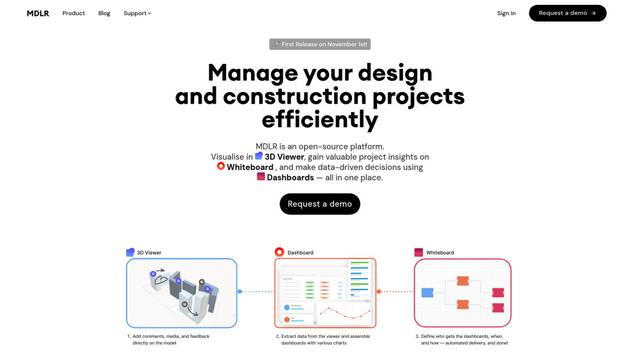
MDLR
MDLR is an open-source AI-powered platform that streamlines design and construction project management through integrated 3D viewing, real-time dashboards, and interactive whiteboards.
Popular AI Tools Like Relay
ChatGPT Work
ChatGPT Work is an agent mode inside ChatGPT that can run multi-step projects for hours, pull context from your connected apps and files, and produce finished outputs like docs, slides, sheets, and interactive Sites—while keeping you in control with approvals and enterprise governance.
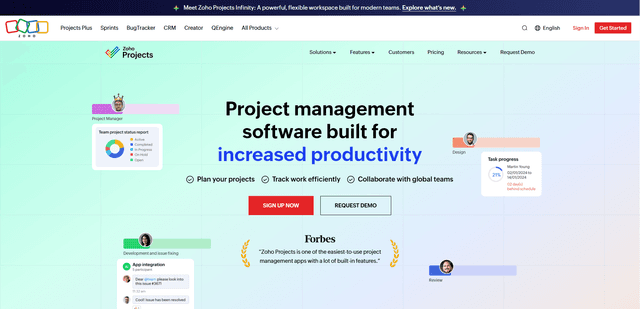
Zoho Projects
Zoho Projects is a cloud-based project management software that helps teams plan, track, and collaborate on projects with features like Gantt charts, task automation, time tracking, and comprehensive reporting tools.

Zoho Tables
Zoho Tables is a modern spreadsheet-database hybrid that helps teams organize data with relational links, build views and dashboards, collaborate in real time, and automate workflows with no-code and AI assistance.
Taskade
Taskade is an AI-powered productivity platform that combines task management, real-time collaboration, and AI automation in one unified workspace for teams and individuals.