
Kin Health
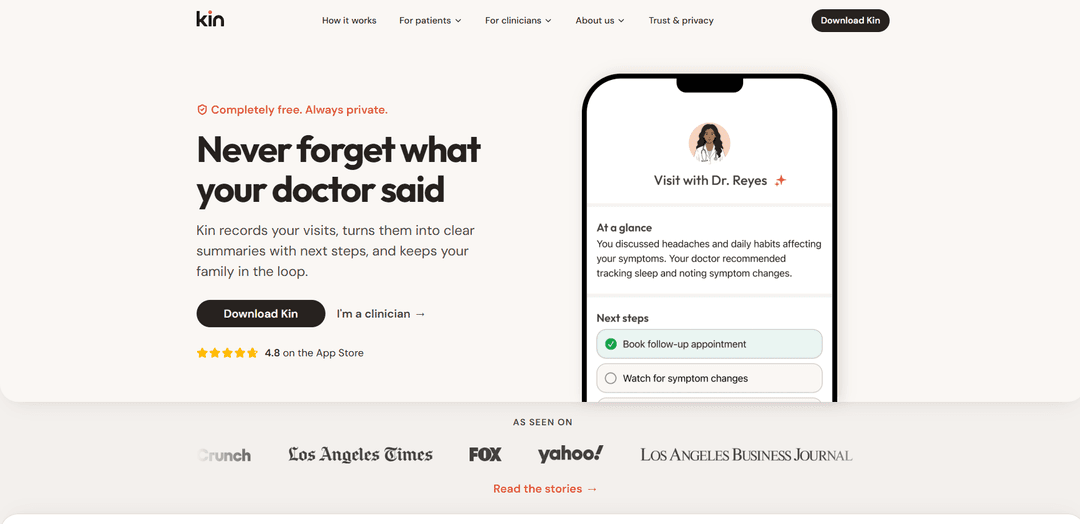
Kin Health est une application mobile gratuite et axée sur la confidentialité qui enregistre les visites médicales et les transforme en résumés clairs en langage simple, en prochaines étapes exploitables et en mises à jour partageables pour votre cercle de soins.
https://www.meetkin.com/?ref=producthunt&utm_source=aipure
Informations sur le produit
Mis à jour:Aug 15, 2026
Qu'est-ce que Kin Health
Kin Health est un "système d'intelligence" axé sur le patient, conçu pour aider les gens à se souvenir, à comprendre et à agir sur ce qui se passe lors des rendez-vous médicaux. Au lieu de quitter une visite avec des notes éparses ou des questions sans réponse, Kin crée un enregistrement clair de la conversation et organise le résultat en un plan de soins facile à suivre. Conçu par des médecins praticiens et destiné à fonctionner avec n'importe quel prestataire ou spécialité, Kin aide les patients et les soignants à conserver les informations de différents cliniciens et contextes en un seul endroit portable, tout en laissant les utilisateurs contrôler ce qui est capturé et partagé.
Caractéristiques principales de Kin Health
Kin Health est une application mobile contrôlée par le patient qui enregistre les visites médicales en personne ou par télésanté, les transcrit et les transforme en résumés en langage clair, et produit un plan de soins exploitable avec des étapes claires. Elle aide les patients à se préparer aux rendez-vous, à se souvenir de ce qui a été discuté, à poser des questions de suivi par la suite, et à partager éventuellement les résumés de visite avec un "Cercle de Soins" composé de membres de la famille ou d'aidants – rendant les informations de santé portables entre les prestataires sans nécessiter d'intégration EMR.
Enregistrement de visite en un clic + transcription: Commencez à enregistrer n'importe quel rendez-vous médical en quelques secondes ; Kin capture la conversation et la convertit en un enregistrement utilisable afin que vous puissiez rester présent pendant la visite.
Résumés de visite en langage clair: Transforme automatiquement les discussions médicales complexes en résumés clairs et compréhensibles qui mettent en évidence ce qui était important du rendez-vous.
Prochaines étapes exploitables / plan de soins: Extrait les suivis, les médicaments, les tests et les tâches à faire dans une liste de contrôle concrète afin que vous sachiez exactement quoi faire après la visite.
Préparation avant la visite: Aide à organiser vos questions et votre ordre du jour avant les rendez-vous ; peut consulter votre calendrier pour les visites à venir afin de vous préparer.
Demander à Kin (questions-réponses après la visite): Vous permet de poser des questions après le rendez-vous ; l'assistant utilise le contexte de votre visite pour expliquer ce qui s'est passé en langage clair.
Partage du Cercle de Soins + autorisations: Invitez les membres de la famille/aidants par SMS à consulter les résumés ; prend en charge différents niveaux d'accès (par exemple, gestionnaire vs spectateur) afin que les bonnes personnes puissent aider.
Cas d'utilisation de Kin Health
Coordination des soins à distance: Les enfants adultes ou les aidants peuvent rester informés des rendez-vous d'un parent vieillissant via des résumés partagés et les prochaines étapes, même en vivant dans un autre État.
Gestion des maladies chroniques: Les patients atteints de maladies chroniques (par exemple, migraines, suivis cardiologiques) peuvent suivre l'évolution des recommandations, des médicaments et des suivis auprès de plusieurs spécialistes.
Rappel des visites chez le médecin généraliste et le spécialiste: À utiliser après tout rendez-vous pour réduire les instructions oubliées et assurer l'adhésion aux références, aux analyses de laboratoire, à l'imagerie et aux changements de médicaments.
Soutien aux visites pédiatriques pour les nouveaux parents: Les parents peuvent se concentrer sur leur enfant pendant les rendez-vous tandis que Kin capture les conseils d'alimentation, les signes avant-coureurs et les instructions de suivi pour référence ultérieure.
Compréhension du patient facilitée par la clinique (sans intégration EMR): Les cliniciens peuvent recommander Kin pour améliorer la compréhension et le suivi du patient sans modifier les flux de travail ni s'intégrer à l'EMR de la clinique.
Notes de visite vétérinaire (soins aux animaux de compagnie): Enregistrez les visites chez le vétérinaire pour capturer les instructions, les prochaines étapes suggérées et organiser les documents de santé de l'animal lorsque les informations sont faciles à manquer.
Avantages
Améliore le rappel et le suivi en convertissant les visites en résumés en langage clair avec des prochaines étapes exploitables
Le partage contrôlé par le patient facilite la coordination avec la famille/les aidants via les autorisations du Cercle de Soins
Fonctionne avec n'importe quel fournisseur et peut être utilisé immédiatement sans intégration EMR
Contrôles axés sur la confidentialité (enregistrement initié par l'utilisateur, données cryptées, possibilité de supprimer les résumés)
Inconvénients
N'est pas une entité couverte par la HIPAA de la même manière qu'un prestataire de soins de santé, ce qui peut inquiéter certains utilisateurs malgré les pratiques de sécurité déclarées
S'appuie sur des fournisseurs d'IA tiers pour la transcription/résumé (par exemple, Deepgram et Google Gemini API), ce qui peut être un compromis en matière de confidentialité/confort pour certains
Les politiques d'enregistrement et les exigences de consentement peuvent varier selon l'État/le contexte, limitant potentiellement l'utilisation lors de certains rendez-vous
Les résumés générés par l'IA peuvent occasionnellement manquer de nuance ou nécessiter une révision par l'utilisateur pour en vérifier l'exactitude
Comment utiliser Kin Health
1. Téléchargez et installez Kin Health: Obtenez l'application Kin depuis l'Apple App Store ou le Google Play Store et ouvrez-la sur votre téléphone.
2. Créez votre compte et configurez votre chronologie: Inscrivez-vous (par exemple, avec Apple ou Google) pour créer votre chronologie personnelle où Kin organisera chaque visite et les notes/documents associés.
3. (Facultatif) Configurez votre cercle de soins: Invitez les membres de votre famille ou les soignants à votre cercle de soins afin qu'ils puissent rester informés. Utilisez des niveaux d'autorisation (par exemple, Gestionnaire/Spectateur) pour contrôler ce à quoi les autres peuvent accéder.
4. Préparez-vous avant votre rendez-vous: Utilisez Kin pour noter les questions que vous souhaitez poser. Kin peut vous avertir avant votre rendez-vous afin que vous soyez prêt et que vous ne manquiez pas les sujets clés.
5. Démarrez un enregistrement de visite (en personne ou en télésanté): Au début du rendez-vous, lancez une session d'enregistrement dans Kin (enregistrement de visite en un seul clic). Kin n'enregistre que lorsque vous choisissez de commencer.
6. Restez présent pendant la conversation: Laissez Kin écouter discrètement pendant que vous vous concentrez sur la discussion au lieu de prendre des notes désordonnées.
7. Examinez le résumé de votre visite après le rendez-vous: Après la visite, ouvrez Kin pour lire le résumé en langage clair et les prochaines étapes claires et exploitables (éléments du plan de soins) générées à partir de la conversation.
8. Confirmez l'exactitude et fournissez des commentaires: Si quelque chose ne va pas, utilisez les contrôles de commentaires intégrés à l'application (par exemple, pouce levé/baissé et signalez ce qui est incorrect, manquant ou déplacé) pour aider à améliorer les futurs résumés.
9. Ajoutez vos propres notes, photos et documents: Conservez des notes personnelles et téléchargez des photos/documents pertinents à côté de la visite afin que tout ce qui concerne chaque personne reste ensemble dans une chronologie simple.
10. Partagez le résumé avec les personnes de votre choix: Partagez les résumés de visite avec votre cercle de soins (ou d'autres personnes de votre choix) pour tenir vos proches informés et coordonnés sur les prochaines étapes.
11. Suivez le suivi des visites: Utilisez Kin au fil du temps pour maintenir un dossier de santé portable et continu auprès des prestataires, vous aidant à vous souvenir de ce qui s'est passé et de ce qu'il faut faire après chaque rendez-vous.
12. Gérez la confidentialité et supprimez les données si vous le souhaitez: Vos résumés sont privés par défaut, sauf si vous les partagez. Vous pouvez supprimer les résumés de visite quand vous le souhaitez.
FAQ de Kin Health
Kin Health est une application destinée aux patients qui enregistre les visites chez le médecin et les transforme en résumés clairs avec les sujets clés et les prochaines étapes (par exemple, les médicaments, les tests et les suivis) afin que vous n'oubliiez pas ce qui a été discuté.
Vidéo de Kin Health
Articles populaires

Vosko AI : Localisez et doublez vos vidéos pour une audience mondiale
Oct 15, 2026

Atoms : Une plateforme d'IA multi-agents qui transforme les idées en produits prêts à être lancés
May 22, 2026

Nano Banana SBTI : Qu'est-ce que c'est, comment ça marche et comment l'utiliser en 2026
Apr 15, 2026

Atoms : L'outil de création de produits IA qui redéfinit la création numérique en 2026
Apr 10, 2026
Derniers outils d'IA similaires à Kin Health

Ticknotes
Ticknotes est un assistant de réunion alimenté par l'IA qui enregistre automatiquement, transcrit et génère des résumés de réunion personnalisés, des éléments d'action et des insights clés à partir de contenu audio, vidéo et texte.

Feta
Feta est un outil de réunion alimenté par l'IA qui aide les équipes produit et ingénierie à mener des réunions efficaces en capturant les discussions, en automatisant les tâches et en fournissant des informations exploitables grâce à des résumés intelligents et des intégrations.

TranscriptionPlus
TranscriptionPlus est un service de transcription alimenté par l'IA qui offre une conversion précise de la parole en texte avec des fonctionnalités avancées telles que l'identification des locuteurs, la génération de résumés et le support multilingue à des niveaux de prix abordables.
AudioScribe.io
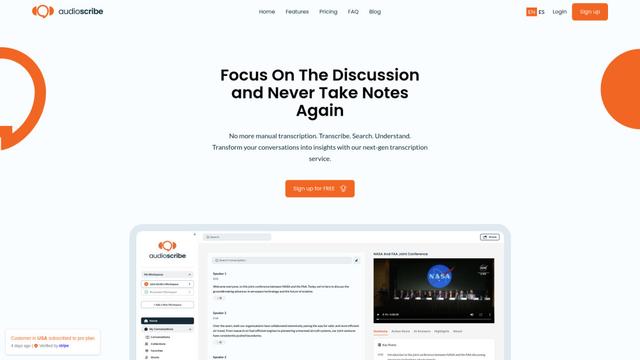
AudioScribe.io est un service de transcription révolutionnaire alimenté par l'IA qui convertit le contenu audio et vidéo en texte précis tout en offrant des fonctionnalités avancées telles que l'enregistrement automatique des réunions, la recherche en texte intégral et le support multilingue.
Outils d'IA populaires comme Kin Health
Ghost Pepper 🌶️
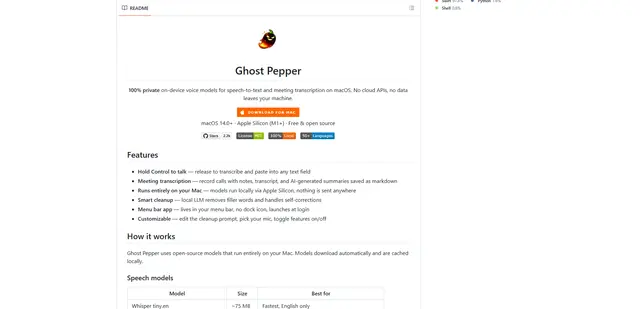
Ghost Pepper est une application de synth\u00e8se vocale et de transcription de r\u00e9unions 100 % locale et ax\u00e9e sur la confidentialit\u00e9 pour macOS qui s'ex\u00e9cute enti\u00e8rement sur votre Mac \u00e0 l'aide de mod\u00e8les d'IA open source, avec un enregistrement par maintien pour parler, un nettoyage intelligent du texte et une prise en charge multilingue sans envoyer de donn\u00e9es vers le cloud.
Whisper AI
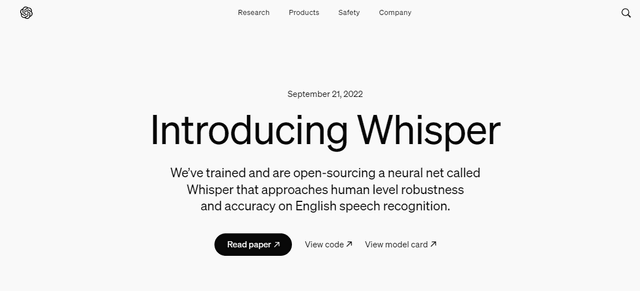
Whisper est un système de reconnaissance automatique de la parole open-source d'OpenAI qui atteint une précision et une robustesse proches du niveau humain pour transcrire et traduire la parole dans plusieurs langues.

Youtube to transcript
Youtube to Transcript est une extension Chrome qui permet aux utilisateurs de convertir facilement des vidéos YouTube en transcriptions textuelles avec des fonctionnalités telles que la prise en charge multilingue, le résumé basé sur l'IA et les formats téléchargeables.

inFin
inFin est une application de notes vocales légère et conviviale, alimentée par l'IA, qui offre un enregistrement illimité, une transcription en temps réel et une traduction entre le chinois et l'anglais, avec des capacités hors ligne et un stockage local pour une meilleure confidentialité.