
Web Search Agents by Nimble
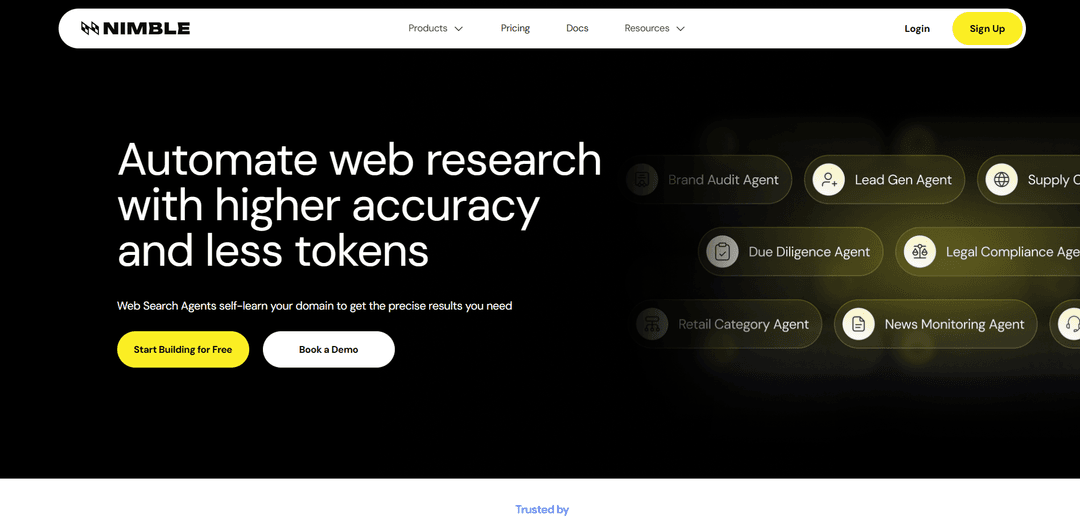
Gli Agenti di Ricerca Web di Nimble sono agenti di recupero web auto-apprendenti e specializzati per dominio che eseguono piani di ricerca verificabili sul web live e restituiscono risultati strutturati validati e coerenti con lo schema, riducendo lo spreco di token e migliorando la precisione nel tempo.
https://nimbleway.com/web-search-agents?ref=producthunt&utm_source=aipure
Informazioni sul Prodotto
Aggiornato:Sep 21, 2026
Cos'è Web Search Agents by Nimble
Gli Agenti di Ricerca Web di Nimble sono un sistema di ricerca e recupero web di livello esperto, costruito per agenti AI e flussi di lavoro di produzione che necessitano di informazioni fresche e affidabili dal web pubblico. Invece di restituire "link blu" generici o lunghi dump di pagine non strutturate, Nimble è progettato per fornire output strutturati e pronti per l'analisi (ad esempio, JSON/CSV/Markdown) allineati al tuo compito e schema. Il prodotto si rivolge a casi d'uso complessi come flussi di lavoro di ricerca iperspecifici, costruzione/arricchimento di dataset e monitoraggio continuo delle modifiche sulle pagine web, con un'enfasi sulla governance, l'affidabilità e il recupero economicamente efficiente per il ragionamento LLM a valle.
Caratteristiche principali di Web Search Agents by Nimble
I Nimble Web Search Agents sono agenti di recupero web autoapprendenti e adattivi al dominio che navigano sul web in tempo reale e restituiscono output strutturati, citati e con grado di confidenza per i flussi di lavoro AI di produzione. Sono progettati per eseguire flussi di lavoro di ricerca iperspecifici, costruire e arricchire set di dati con schemi coerenti e monitorare continuamente le pagine web per i cambiamenti, fornendo al contempo governance aziendale attraverso piani di ricerca verificabili che mostrano cosa è stato cercato, dove e perché. Il sistema enfatizza la freschezza (accesso alla pagina live rispetto agli indici memorizzati nella cache), l'accesso profondo alle sottopagine tramite ricerca + crawling combinati, l'efficienza dei token tramite output a campi (JSON/Markdown/CSV) e l'esecuzione scalabile e affidabile su siti dinamici o protetti.
Agenti autoapprendenti e adattivi al dominio: Gli agenti accumulano conoscenze del dominio nel tempo tramite un indice/memoria proprietario, migliorando la qualità del recupero e diventando specialisti per la tua specifica attività di ricerca.
Navigazione web live con accesso profondo: Interroga Internet in tempo reale al momento della richiesta (non solo risultati memorizzati nella cache) e può combinare la ricerca con il crawling del dominio per raggiungere sottopagine più profonde e contenuti nascosti oltre i collegamenti SERP a livello di superficie.
Output strutturati e pronti per l'agente: Restituisce dati puliti e coerenti con lo schema in formati come JSON/Markdown/CSV, categorizzando le informazioni estratte in campi per ridurre l'overhead di parsing e l'utilizzo di token.
Governance e controllo verificabili: Fornisce il controllo completo sulla metodologia di ricerca con guardrail e piani di ricerca verificabili che documentano esattamente cosa è stato cercato, dove e perché, supportando la trasparenza e la conformità.
Flussi di lavoro di costruzione e arricchimento di set di dati: Consente ai team di definire uno schema e generare ripetutamente risultati coerenti per l'arricchimento, la scoperta e il reporting, trasformando le pagine web in tabelle curate adatte per le pipeline di analisi.
Monitoraggio continuo delle modifiche web (beta): Traccia punti dati specifici su qualsiasi pagina web quasi in tempo reale, consentendo il rilevamento delle modifiche e l'intelligence continua senza ricostruire gli scraper.
Casi d'uso di Web Search Agents by Nimble
Automazione della ricerca aziendale e di mercato: Genera report aziendali, arricchimento e output di scoperta per i flussi di lavoro di analisi di mercato, utilizzando risultati citati e strutturati classificati per confidenza e adatti per l'analisi successiva.
Intelligence e arricchimento immobiliare: Raccogli e normalizza i segnali di proprietà/mercato per le attività di reporting e monitoraggio immobiliare, sfruttando la freschezza del web live e l'estrazione strutturata per output ripetibili.
Monitoraggio dei social media e acquisizione di segnali: Traccia menzioni, tendenze e aggiornamenti su piattaforme social e sul web più ampio, producendo output di monitoraggio strutturati che possono alimentare avvisi, dashboard o flussi di lavoro degli analisti.
Ricerca e monitoraggio di viaggi e ospitalità: Aggrega e monitora i punti dati di viaggio/ospitalità (ad es. elenchi, politiche, recensioni, segnali di disponibilità) su siti dinamici, restituendo risultati strutturati per l'analisi.
Intelligence finanziaria e di investimento: Estrai segnali web alternativi in tempo reale (sentiment, assunzioni, lanci, indicazioni vs dati effettivi) per supportare i flussi di lavoro di ricerca e monitoraggio in cui la freschezza influisce sulle decisioni.
Intelligence di prodotto e scaffale digitale: Identifica le lacune nell'assortimento, monitora le violazioni MAP e traccia la presenza del prodotto tra venditori/rivenditori estraendo segnali di prodotto coerenti in tabelle per i flussi di lavoro GTM e di prezzo.
Vantaggi
Recupero basato sulla freschezza: naviga sul web live in modo che i risultati riflettano lo stato attuale della pagina anziché snapshot memorizzati nella cache.
Output orientati alla produzione: dati strutturati e coerenti con lo schema con citazioni/classificazione della confidenza riducono la pulizia a valle e i costi dei token.
Governance e trasparenza: piani di ricerca verificabili e metodologie controllabili supportano i requisiti aziendali.
Scalabile a siti complessi: infrastruttura progettata per pagine pesanti/protette da JavaScript e grandi carichi di lavoro paralleli.
Svantaggi
Potrebbe richiedere configurazione e iterazione per definire schemi, guardrail e flussi di lavoro specifici del dominio per ottenere il massimo valore.
Alcune funzionalità (ad es. monitoraggio continuo) sono etichettate come beta, il che implica potenziali limitazioni o comportamenti in evoluzione.
Come qualsiasi sistema web live, le prestazioni e la completezza possono essere influenzate da modifiche del sito, restrizioni di accesso o vincoli di disponibilità regionale.
Come usare Web Search Agents by Nimble
1) Scegli il tuo caso d'uso per l'Agente di Ricerca Web: Decidi cosa vuoi che l'agente faccia: (a) eseguire flussi di lavoro di ricerca iperspecifici, (b) costruire/arricchire dataset con uno schema coerente, o (c) monitorare le pagine web per modifiche in tempo reale (beta). Questa scelta determina cosa chiederai all'agente di recuperare e come strutturerai gli output.
2) Crea un account Nimble e ottieni una chiave API: Registrati/accedi a Nimble e genera una chiave API. Userai questa chiave con l'SDK/CLI di Nimble per eseguire ricerche e (quando necessario) estrazioni.
3) Installa l'SDK Nimble (Python) e imposta la tua chiave API: Installa il pacchetto Python di Nimble e imposta la variabile d'ambiente NIMBLE_API_KEY. Quindi inizializza il client nel codice (ad esempio, Nimble(api_key=os.environ["NIMBLE_API_KEY"])) in modo che il tuo agente possa chiamare l'API di Ricerca Web di Nimble.
4) Esegui la tua prima query di Ricerca Web (risultati strutturati): Chiama nimble.search(query=..., max_results=...) per recuperare risultati web live già strutturati per i flussi di lavoro degli agenti (titoli/URL/snippet e campi più ricchi a seconda della profondità). Questo evita di inviare HTML grezzo a un LLM e riduce l'utilizzo dei token.
5) Scegli una modalità di profondità di ricerca (lite / fast / deep): Usa la profondità che corrisponde al tuo compito: lite restituisce titoli/URL/snippet; fast restituisce contenuti più ricchi ottimizzati per i flussi di lavoro degli agenti AI (impostazione predefinita consigliata per gli agenti di ricerca multi-ricerca); deep esegue l'estrazione completa della pagina in tempo reale per un recupero completo in stile due diligence.
6) Filtra i risultati per data (opzionale ma consigliato per monitoraggio/notizie): Usa time_range (ad esempio, "week") o start_date/end_date espliciti per limitare i risultati all'intervallo di tempo che ti interessa, utile per il monitoraggio delle notizie, il tracciamento degli sviluppi recenti o l'analisi storica.
7) Limita ciò che viene recuperato usando le Modalità di Focus (opzionale): Seleziona le Modalità di Focus di Nimble per controllare cosa il tuo agente estrae dal web, selezionando i dati esatti che desideri ed escludendo ciò che non vuoi. Questo migliora la pertinenza e riduce ulteriormente i token/costi recuperando solo ciò che è necessario.
8) Definisci uno schema di output per la costruzione ripetibile di dataset (flussi di lavoro di dataset/arricchimento): Quando il tuo obiettivo è la costruzione o l'arricchimento di dataset, definisci lo schema che desideri venga restituito in modo che ogni esecuzione produca output coerenti e strutturati. Questo è il modello consigliato per le pipeline che necessitano di campi stabili su molte entità/pagine.
9) Integra gli Agenti di Ricerca Web in un agente LLM (esempio LangChain): Avvolgi la ricerca Nimble in una funzione strumento (ad esempio, web_search(query) -> risultati formattati) e allegala al tuo agente. In LangChain, puoi creare un agente basato su strumenti e far sì che l'LLM chiami lo strumento web_search supportato da Nimble durante l'esecuzione per basare le risposte su dati web live.
10) Usa citazioni/URL come prova nel tuo output finale: Fai in modo che il tuo agente includa gli URL restituiti (e i riepiloghi/campi) come prova a supporto di qualsiasi affermazione. Questo rende gli output verificabili e più facili da controllare.
11) Abilita la governance tramite Piani di Ricerca verificabili (rafforzamento della produzione): Nei flussi di lavoro di produzione, affidati ai Piani di Ricerca verificabili di Nimble per tracciare esattamente cosa è stato cercato, dove e perché. Questo supporta la governance, il debug e la revisione della conformità del comportamento dell'agente.
12) Aggiungi il monitoraggio delle modifiche sul web (beta): Per il tracciamento continuo, configura un flusso di lavoro che riesegua periodicamente il recupero per specifiche pagine web/punti dati e confronti i risultati nel tempo. Usa filtri di data e campi strutturati per rilevare le modifiche in modo affidabile e attivare azioni a valle.
13) Scala: esegui molte ricerche in modo efficiente e riduci i costi: Per le esecuzioni multi-ricerca, preferisci la profondità veloce per impostazione predefinita, limita max_results a ciò di cui hai veramente bisogno ed evita ricerche ridondanti. Nimble è progettato per ridurre i costi dei token restituendo dati strutturati pronti per l'agente piuttosto che pagine grezze che richiedono l'analisi LLM.
14) (Opzionale) Collega Nimble Search ad altri framework/strumenti per agenti: Se stai utilizzando altri livelli di orchestrazione, configurali per utilizzare Nimble come provider di ricerca (ove supportato) in modo che ogni modello in quell'agente possa accedere ai risultati web live tramite l'API di ricerca di Nimble, inclusa la gestione anti-bot e il rendering JavaScript.
FAQ di Web Search Agents by Nimble
I Web Search Agent sono agenti di recupero web auto-apprendenti, costruiti appositamente, che interrogano la live internet e la trasformano in dati strutturati e affidabili per l'IA e l'analisi. Sono progettati per eseguire flussi di lavoro di ricerca iperspecifici, costruire/arricchire set di dati e monitorare le pagine web per i cambiamenti.
Video di Web Search Agents by Nimble
Articoli Popolari

Atoms: Una Piattaforma AI Multi-Agente Che Trasforma le Idee in Prodotti Pronti al Lancio
May 22, 2026

Nano Banana SBTI: Cos'è, come funziona e come usarlo nel 2026
Apr 15, 2026

Recensione di Atoms — Il builder di prodotti AI che ridefinisce la creazione digitale nel 2026
Apr 10, 2026

Kilo Claw: Come Distribuire e Utilizzare un Vero Agente AI "Fai-da-Te" (Aggiornamento 2026)
Apr 3, 2026
Ultimi Strumenti AI Simili a Web Search Agents by Nimble

Jorpex
Jorpex è una piattaforma completa di notifica delle gare che aggrega e consegna avvisi di gara istantanei da paesi europei direttamente a Slack, aiutando le aziende a non perdere mai opportunità.
Leadsmrt
Leadsmrt è uno strumento di generazione di contatti che aiuta le aziende a fare scraping, verificare e personalizzare contatti aziendali mirati da Google Maps con capacità di personalizzazione alimentate dall'IA.
Omnial AI
Omnial AI è una piattaforma di intelligenza dei dati che sfrutta agenti AI per trasformare suggerimenti web in intuizioni di dati strutturati e attuabili sostenute da Afore Capital.
SERPrecon
SERPrecon è uno strumento SEO avanzato che sfrutta vettori, apprendimento automatico e elaborazione del linguaggio naturale per aiutare gli utenti ad analizzare e superare i concorrenti utilizzando gli stessi metodi dei motori di ricerca moderni.
Strumenti AI Popolari Come Web Search Agents by Nimble
Magentic-UI
Magentic-UI è un prototipo di agente web open-source incentrato sull'uomo di Microsoft Research che consente la pianificazione e l'esecuzione collaborativa di complesse attività basate sul web attraverso un'interazione trasparente tra umani e agenti IA.
Web Accessibility Testing MCP
A11y MCP è un server Model Context Protocol che consente ai modelli linguistici AI di eseguire test di accessibilità web automatizzati integrandosi con l'API Axe-core di Deque e Puppeteer per analizzare il contenuto web per la conformità WCAG.
Open Browser Use
Open Browser Use è un livello di automazione del browser open-source, neutrale rispetto al runtime dell'agente, che accoppia un'estensione di Chrome con una CLI/SDK/MCP per abilitare il controllo delle schede, la navigazione e le azioni basate su DOM e CDP tra diversi strumenti di agenti AI.
Web Researcher MCP
Web Researcher MCP è un server MCP locale di livello produttivo che consente agli assistenti AI di cercare nel web (opzionalmente limitato a "lenti di ricerca" attendibili), leggere fonti complete (incluse pagine renderizzate in JS, PDF e trascrizioni di YouTube) e restituire citazioni verificabili con failover multi-provider. [Fonte: https://github.com/zoharbabin/web-researcher-mcp?ref=producthunt]