
Web Researcher MCP
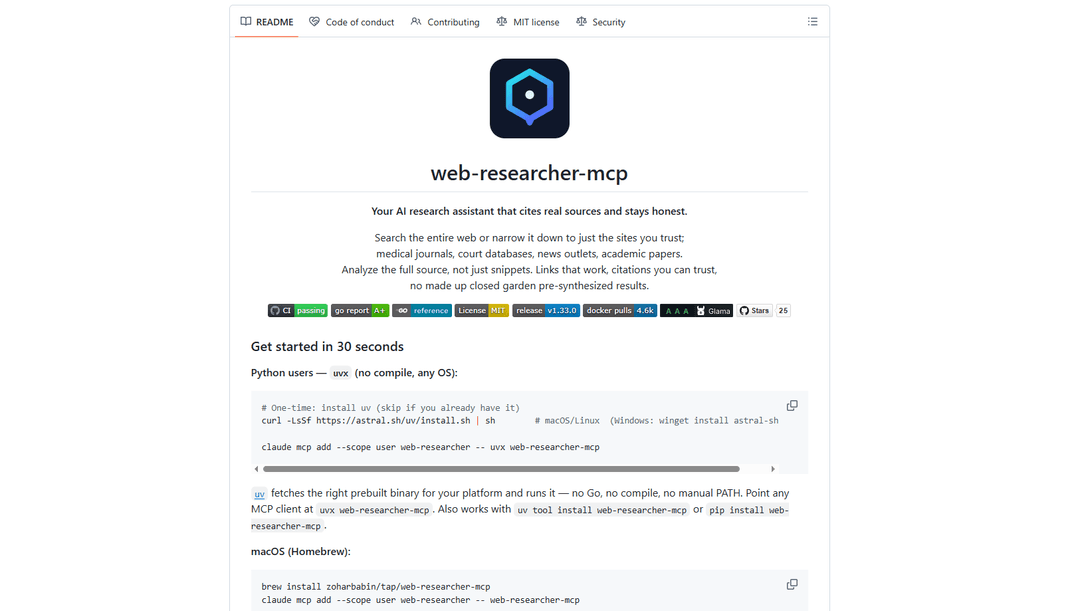
Web Researcher MCP est un serveur MCP local de qualité production qui permet aux assistants IA de rechercher sur le web (éventuellement restreint à des « lentilles de recherche » fiables), de lire des sources complètes (y compris des pages rendues en JS, des PDF et des transcriptions YouTube), et de renvoyer des citations vérifiables avec basculement multi-fournisseurs. [Source: https://github.com/zoharbabin/web-researcher-mcp?ref=producthunt]
https://github.com/zoharbabin/web-researcher-mcp?ref=producthunt&utm_source=aipure
Informations sur le produit
Mis à jour:Jun 16, 2026
Qu'est-ce que Web Researcher MCP
Web Researcher MCP est un serveur de protocole de contexte de modèle (MCP) open-source conçu pour offrir aux assistants IA (par exemple, Claude, Cursor et d'autres clients compatibles MCP) des capacités de recherche web fiables et basées sur des sources. Il se concentre sur les « sources réelles auxquelles vous pouvez faire confiance » en vous permettant de rechercher soit l'ensemble du web, soit uniquement des domaines spécifiques et organisés, puis d'extraire et d'analyser le contenu complet plutôt que des extraits, produisant ainsi des liens fonctionnels et des citations formatées. Le projet est livré sous la forme d'un seul binaire Go avec plusieurs options d'installation (par exemple, Homebrew, scripts d'installation, Docker ou uvx compatible Python) et peut fonctionner en mode STDIO local ou comme service HTTP pour les configurations partagées/d'équipe. [Source: https://github.com/zoharbabin/web-researcher-mcp?ref=producthunt]
Caractéristiques principales de Web Researcher MCP
Web Researcher MCP est un serveur MCP de qualité production qui connecte les assistants IA (par exemple, Claude, Cursor, VS Code) à une recherche web en direct et basée sur des sources. Il peut rechercher sur le web (avec des "lentilles de recherche" optionnelles qui restreignent les résultats aux domaines de confiance), lire et extraire le contenu complet des URL (y compris les pages riches en JavaScript via un pipeline de navigateur automatisé), et gérer de nombreux flux de travail spécifiques à la recherche tels que la recherche académique et de brevets, la recherche d'actualités, la vérification/audit de citations, et l'exportation de sessions de recherche reproductibles avec provenance. Il est conçu pour privilégier les sources vérifiables et les citations fiables, prend en charge plusieurs fournisseurs de recherche interchangeables avec basculement automatique, et s'exécute localement pour une recherche axée sur la confidentialité.
Lentilles de recherche (routage de source fiable): Restreignez les recherches à des listes de domaines sélectionnées (intégrées ou personnalisées) afin que les résultats proviennent uniquement de sources fiables (par exemple, PubMed, SEC, tribunaux, documents officiels) plutôt que du spam et du contenu de faible qualité du web ouvert.
Recherche multi-fournisseurs avec basculement: Fonctionne avec plusieurs fournisseurs de recherche (par exemple, DuckDuckGo sans configuration, Google PSE, Brave, Serper, SearXNG, Tavily, Exa) et peut basculer automatiquement lorsqu'un fournisseur est soumis à des limites de débit ou est indisponible.
Extraction de page complète (y compris les sites rendus en JS): Lit des pages web et des documents complets – pas seulement des extraits – en utilisant un pipeline de scraping à plusieurs niveaux et un rendu Chromium optionnel pour les pages riches en JavaScript ; prend également en charge les PDF/documents Office et l'extraction de transcriptions YouTube.
Flux de travail de citation de qualité recherche: Fournit des outils pour vérifier les citations, auditer des bibliographies entières pour les liens morts/rétractations/entrées invérifiables, et formater les bibliographies (APA/MLA/BibTeX/RIS/CSL-JSON) pour une utilisation académique ou professionnelle ultérieure.
Sessions de recherche approfondies et reproductibles: Prend en charge la recherche séquentielle en plusieurs étapes avec persistance et exportation de session (markdown/JSON) incluant la provenance par étape ; comprend des diagnostics et des ressources d'état pour les outils, les sessions, les fournisseurs et les limites de débit.
Outils de recherche verticale spécialisés: Comprend des outils spécialement conçus pour les articles académiques (DOI, auteurs, citations), les brevets (USPTO/EPO/Lens avec basculement), les dépôts SEC (EDGAR), les avis/dossiers juridiques (CourtListener), l'économie (Banque Mondiale/FRED) et les essais cliniques (ClinicalTrials.gov).
Cas d'utilisation de Web Researcher MCP
Revue de littérature académique et R&D: Les chercheurs peuvent effectuer des recherches bibliographiques structurées, collecter des sources avec DOI, parcourir les réseaux de citations et exporter des bibliographies correctement formatées pour des articles, des subventions ou des revues techniques internes.
Recherche juridique et soutien aux litiges: Les cabinets d'avocats et les équipes de conformité peuvent rechercher de véritables décisions de justice/dossiers, vérifier les citations de cas et archiver les sources pour s'assurer que les références restent vérifiables pour les dépôts et les livrables clients.
Finance et due diligence: Les analystes peuvent extraire les dépôts SEC EDGAR, trianguler les actualités et les sources primaires, et produire des rapports de recherche vérifiables avec des liens sur lesquels les clients peuvent cliquer et vérifier.
Santé et intelligence clinique: Les chercheurs médicaux et les équipes politiques peuvent concentrer les recherches sur les sources cliniques et biomédicales, récupérer des preuves en texte intégral si disponibles, et suivre les enregistrements et les statuts des essais cliniques (orienté découverte, pas un avis médical).
Veille concurrentielle et commerciale: Les équipes produit et stratégie peuvent surveiller l'actualité, scanner les brevets et synthétiser des analyses concurrentielles multi-sources tout en conservant une trace écrite reproductible de la manière dont les conclusions ont été atteintes.
Documentation d'ingénierie et recherche d'incidents: Les développeurs et les équipes SRE peuvent utiliser des lentilles axées sur la documentation pour rechercher des références officielles, extraire des pages complètes (y compris des documents riches en JS) et compiler des résumés fondés pour le dépannage et les décisions de conception.
Avantages
Contrôle des sources via des lentilles : Vous pouvez restreindre la recherche à des domaines vérifiés, améliorant la fiabilité et réduisant le spam/le bruit SEO.
Outils de recherche de bout en bout : Combine la recherche, l'extraction de contenu complet, la vérification/l'audit des citations et l'exportation de sessions avec provenance dans un seul serveur MCP.
Flexibilité et résilience des fournisseurs : Plusieurs backends de recherche avec basculement automatique optionnel ; offre également un basculement DuckDuckGo sans configuration.
Exécution locale axée sur la confidentialité : Les requêtes vont de votre machine aux fournisseurs choisis plutôt que via les propres serveurs de l'outil.
Inconvénients
Les meilleures capacités nécessitent souvent des clés API : La recherche de meilleure qualité, les actualités/images et certains outils avancés dépendent de la configuration de fournisseurs tiers et de leurs identifiants.
Le scraping plus lourd peut télécharger/exécuter Chromium : Le rendu JavaScript peut nécessiter un téléchargement important du navigateur (~200 Mo) et peut être plus lent qu'une simple extraction.
Limites et variabilité en amont : Les limites de débit, la couverture et la fraîcheur dépendent du ou des fournisseurs de recherche sélectionnés et de leurs niveaux gratuits/payants.
Comment utiliser Web Researcher MCP
1) Installer Web Researcher MCP (le plus rapide : uvx): Installez uv (une seule fois), puis exécutez le serveur MCP via uvx.
macOS/Linux :
- curl -LsSf https://astral.sh/uv/install.sh | sh
Ensuite :
- claude mcp add --scope user web-researcher -- uvx web-researcher-mcp
Ceci récupère le binaire précompilé correct pour votre OS et l'exécute (pas besoin de la chaîne d'outils Go). Source : https://github.com/zoharbabin/web-researcher-mcp?ref=producthunt
2) Installations alternatives (choisissez-en une): macOS (Homebrew) :
- brew install zoharbabin/tap/web-researcher-mcp
- claude mcp add --scope user web-researcher -- web-researcher-mcp
macOS/Linux (installateur curl) :
- curl -fsSL https://raw.githubusercontent.com/zoharbabin/web-researcher-mcp/main/install.sh | sh
Windows (installateur PowerShell) :
- powershell -ExecutionPolicy Bypass -c "irm https://raw.githubusercontent.com/zoharbabin/web-researcher-mcp/main/install.ps1 | iex"
Autres options :
- winget install zoharbabin.web-researcher-mcp
- scoop bucket add zoharbabin https://github.com/zoharbabin/scoop-bucket && scoop install web-researcher-mcp
- brew install --cask zoharbabin/tap/web-researcher-mcp
- go install github.com/zoharbabin/web-researcher-mcp/cmd/web-researcher-mcp@latest
- docker run -i --rm -e GOOGLE_CUSTOM_SEARCH_API_KEY=YOUR_KEY -e GOOGLE_CUSTOM_SEARCH_ID=YOUR_CX docker.io/zoharbabin/web-researcher-mcp:latest
Source : https://github.com/zoharbabin/web-researcher-mcp?ref=producthunt
3) Connectez-le à votre client MCP (configuration JSON générique): Si votre application n'est pas le flux CLI de Claude Code, ajoutez une entrée de serveur MCP à la configuration de votre client.
Exemple (Google PSE) :
{
"mcpServers": {
"web-researcher": {
"command": "web-researcher-mcp",
"env": {
"SEARCH_PROVIDER": "google",
"GOOGLE_CUSTOM_SEARCH_API_KEY": "YOUR_GOOGLE_API_KEY",
"GOOGLE_CUSTOM_SEARCH_ID": "YOUR_SEARCH_ENGINE_ID"
}
}
}
}
Exemple (Brave) :
{
"mcpServers": {
"web-researcher": {
"command": "web-researcher-mcp",
"env": {
"SEARCH_PROVIDER": "brave",
"BRAVE_API_KEY": "YOUR_BRAVE_API_KEY"
}
}
}
}
Source : https://github.com/zoharbabin/web-researcher-mcp?ref=producthunt
4) Exécuter sans configuration (repli DuckDuckGo): Si vous ne définissez pas SEARCH_PROVIDER ou des clés API, Web Researcher MCP fonctionne toujours tel quel en utilisant DuckDuckGo comme repli intégré (aucune clé API requise). Ceci est utile pour valider votre configuration avant d'ajouter des clés de fournisseur.
Source : https://github.com/zoharbabin/web-researcher-mcp?ref=producthunt
5) (Recommandé) Ajoutez une clé de fournisseur de recherche pour améliorer la qualité et débloquer plus de fonctionnalités: Définissez SEARCH_PROVIDER et la ou les clés correspondantes. Les fournisseurs pris en charge incluent DuckDuckGo (pas de clé), Google PSE, Brave, Serper, SearchAPI.io, SearXNG, Tavily, Exa et Hacker News.
Exemple de variables d'environnement :
- SEARCH_PROVIDER=brave
- BRAVE_API_KEY=...
Ou Google PSE :
- SEARCH_PROVIDER=google
- GOOGLE_CUSTOM_SEARCH_API_KEY=...
- GOOGLE_CUSTOM_SEARCH_ID=...
Source : https://github.com/zoharbabin/web-researcher-mcp?ref=producthunt
6) (Facultatif) Configurer le basculement multi-fournisseurs: Pour éviter les temps d'arrêt/limites de débit, configurez plusieurs fournisseurs afin que le serveur bascule automatiquement.
Exemple :
- SEARCH_ROUTING=brave,google,serper
- BRAVE_API_KEY=...
- GOOGLE_CUSTOM_SEARCH_API_KEY=...
- GOOGLE_CUSTOM_SEARCH_ID=...
- SERPER_API_KEY=...
Source : https://github.com/zoharbabin/web-researcher-mcp?ref=producthunt
7) Utiliser des « lentilles de recherche » pour restreindre les résultats aux sources fiables: Lorsque vous souhaitez une plus grande confiance et moins de spam, utilisez une lentille intégrée (par exemple, médicale, juridique, académique, actualités) afin que les recherches soient restreintes aux domaines sélectionnés.
Exemple d'invite à votre client IA :
- « Recherchez les découvertes récentes sur les inhibiteurs de SGLT2 en utilisant la lentille clinique. »
Vous pouvez également créer des lentilles personnalisées en ajoutant un fichier JSON sous lenses/ avec une liste blanche de domaines.
Source : https://github.com/zoharbabin/web-researcher-mcp?ref=producthunt
8) Demandez à votre IA d'utiliser les outils de base (flux de travail courants): Une fois connecté, votre IA peut appeler des outils tels que :
- web_search : rechercher sur le web (éventuellement avec des lentilles)
- scrape_page : lire une URL en entier (pages web, PDF, DOCX, PPTX, transcriptions YouTube)
- search_and_scrape : rechercher puis lire automatiquement les meilleurs résultats
- news_search / image_search : lorsque pris en charge par votre fournisseur
- academic_search / patent_search / legal_search / filing_search / econ_search / clinical_search : bases de données spécialisées
- verify_citation / audit_bibliography / format_bibliography : flux de travail de citation
- sequential_search : recherche approfondie en plusieurs étapes
Source : https://github.com/zoharbabin/web-researcher-mcp?ref=producthunt
9) Utiliser des modèles d'invite guidés pour une recherche reproductible: Utilisez les modèles d'invite intégrés (là où votre client prend en charge la sélection d'invite) pour exécuter des flux de travail structurés :
- comprehensive-research
- fact-check
- competitive-analysis
- literature-review
Ces modèles guident la recherche en plusieurs étapes afin que vous n'ayez pas à spécifier chaque instruction.
Source : https://github.com/zoharbabin/web-researcher-mcp?ref=producthunt
10) Dépanner les problèmes courants (solutions rapides): Si les outils échouent avec des erreurs de « clé API » : définissez les clés dans le bloc d'environnement de configuration de votre client MCP (pas seulement dans les profils shell).
Si les pages reviennent vides : les sites riches en JavaScript nécessitent Chromium ; le binaire télécharge automatiquement Chromium lors de la première utilisation (~200 Mo). Vous pouvez définir CHROME_PATH sur une installation Chrome existante. L'image Docker inclut Chromium.
Si le cache est obsolète après la mise à niveau : supprimez le répertoire de cache (par exemple, ~/Library/Caches/web-researcher-mcp/ sur macOS) ou définissez CACHE_DIR.
Si vous atteignez les limites de débit du fournisseur (429) : changez de fournisseur ou configurez SEARCH_ROUTING pour le basculement.
Source : https://github.com/zoharbabin/web-researcher-mcp?ref=producthunt
11) (Équipes) Exécuter en mode HTTP et connecter les clients à un point d'accès partagé: Pour les configurations partagées/d'équipe, exécutez le serveur en tant que service HTTP et connectez les clients MCP à http://localhost:3000/mcp/.
Exemple :
- PORT=3000 OAUTH_ISSUER_URL=https://auth.example.com OAUTH_AUDIENCE=https://api.example.com ./web-researcher-mcp
Exemple Docker Compose :
services:
web-researcher:
image: zoharbabin/web-researcher-mcp
ports:
- "3000:3000"
environment:
PORT: "3000"
SEARCH_PROVIDER: brave
BRAVE_API_KEY: ${BRAVE_API_KEY}
Source : https://github.com/zoharbabin/web-researcher-mcp?ref=producthunt
FAQ de Web Researcher MCP
Web Researcher MCP est un serveur open-source Model Context Protocol (MCP) qui offre aux assistants IA des capacités de recherche web (recherche web, extraction de page complète et recherches spécialisées comme académique/brevet/juridique), en mettant l'accent sur des réponses fondées et des citations réelles et vérifiables. Il fonctionne localement sur votre machine plutôt que comme un service hébergé.
Vidéo de Web Researcher MCP
Articles populaires

Vosko AI : Localisez et doublez vos vidéos pour une audience mondiale
Oct 15, 2026

Atoms : Une plateforme d'IA multi-agents qui transforme les idées en produits prêts à être lancés
May 22, 2026

Nano Banana SBTI : Qu'est-ce que c'est, comment ça marche et comment l'utiliser en 2026
Apr 15, 2026

Atoms : L'outil de création de produits IA qui redéfinit la création numérique en 2026
Apr 10, 2026
Derniers outils d'IA similaires à Web Researcher MCP
Jorpex
Jorpex est une plateforme complète de notification d'appel d'offres qui agrège et livre des alertes d'appel d'offres instantanées provenant de pays européens directement à Slack, aidant les entreprises à ne jamais manquer d'opportunités.
Leadsmrt
Leadsmrt est un outil de génération de leads qui aide les entreprises à scraper, vérifier et personnaliser des leads commerciaux ciblés à partir de Google Maps avec des capacités de personnalisation alimentées par l'IA.
Omnial AI
Omnial AI est une plateforme d'intelligence des données qui exploite des agents IA pour transformer des invites web en informations de données structurées et exploitables soutenues par Afore Capital.
SERPrecon
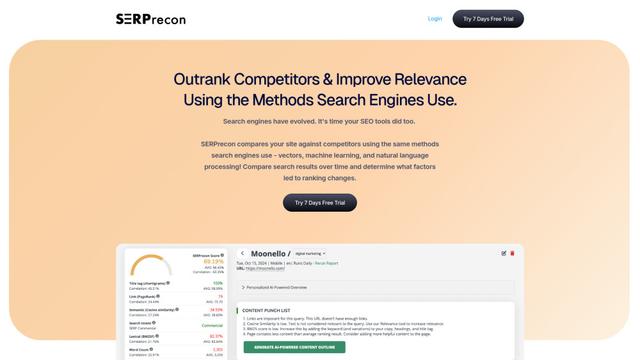
SERPrecon est un outil SEO avancé qui exploite les vecteurs, l'apprentissage automatique et le traitement du langage naturel pour aider les utilisateurs à analyser et à surpasser leurs concurrents en utilisant les mêmes méthodes que les moteurs de recherche modernes.
Outils d'IA populaires comme Web Researcher MCP

Magentic-UI
Magentic-UI est un prototype d'agent web open source, centré sur l'humain, de Microsoft Research qui permet la planification et l'exécution collaboratives de tâches complexes basées sur le web grâce à une interaction transparente entre les humains et les agents d'IA.
Web Accessibility Testing MCP
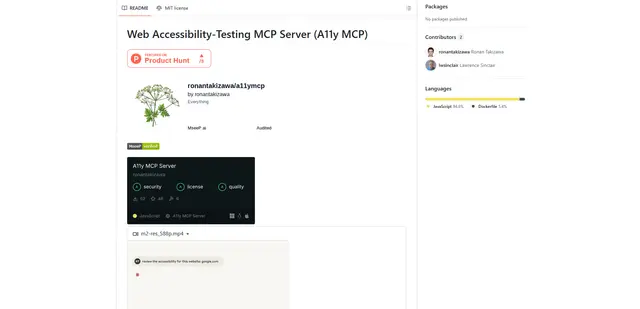
A11y MCP est un serveur Model Context Protocol qui permet aux modèles de langage d'IA d'effectuer des tests d'accessibilité web automatisés en s'intégrant à l'API Axe-core de Deque et à Puppeteer pour analyser le contenu web afin de vérifier la conformité WCAG.

Open Browser Use
Open Browser Use est une couche d'automatisation de navigateur open-source, neutre vis-à-vis de l'environnement d'exécution des agents, qui associe une extension Chrome à une CLI/SDK/MCP pour permettre un contrôle des onglets, une navigation et des actions basés sur le DOM et alimentés par le CDP, à travers différents outils d'agents IA.
MyLensAI Chrome
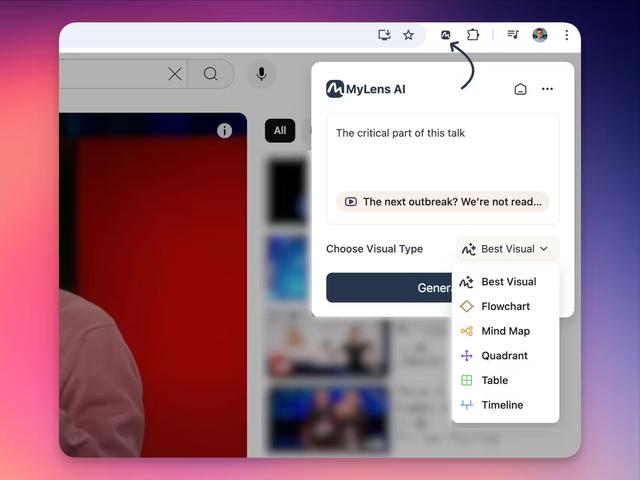
MyLensAI Chrome est une extension de navigateur qui transforme instantanément n'importe quelle page web ou vidéo YouTube en résumés visuels comme des cartes mentales, des chronologies, des tableaux et des organigrammes en un seul clic.