
Open Browser Use
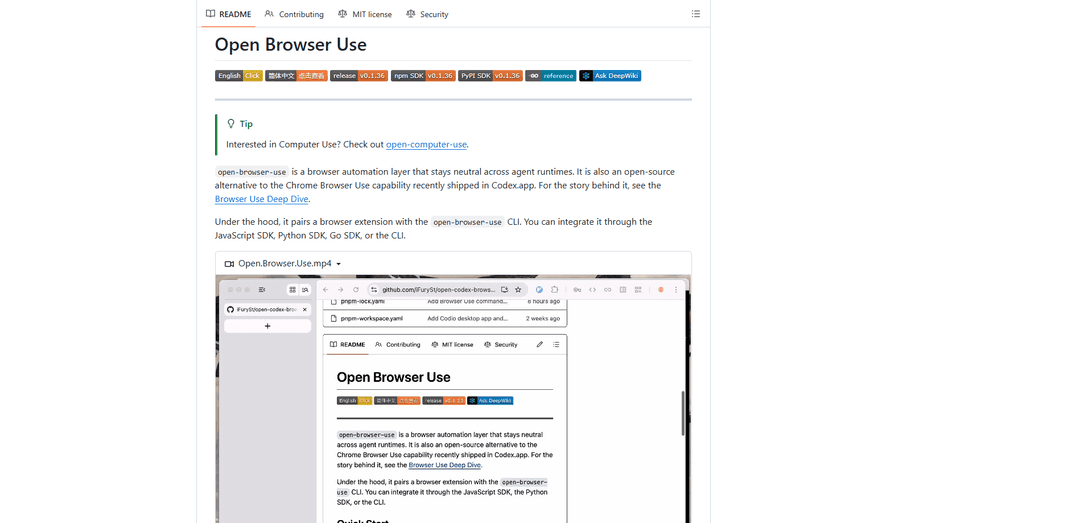
Open Browser Use is an open-source, agent-runtime-neutral browser automation layer that pairs a Chrome extension with a CLI/SDK/MCP to enable DOM-aware, CDP-powered tab control, navigation, and actions across different AI agent tools.
https://github.com/iFurySt/open-codex-browser-use?ref=producthunt
Product Information
Updated:May 18, 2026
What is Open Browser Use
Open Browser Use (open-browser-use) is an open-source alternative to the “Browser Use” capability popularized by Codex, designed to let AI agents reliably operate a real Chrome browser with richer, more structured control than screenshot-driven automation. It provides a cross-runtime integration surface—via a CLI, JavaScript/Python/Go SDKs, and an MCP server—so different agent environments can invoke the same browser capabilities. The project focuses on practical browser workflows such as opening and claiming tabs, navigating, inspecting pages through Chrome DevTools Protocol (CDP), and executing action plans, while keeping the integration modular and portable.
Key Features of Open Browser Use
Open Browser Use (open-browser-use) is an open-source, agent-runtime-neutral browser automation layer designed as an alternative to Codex’s Chrome Browser Use. It pairs a Chrome extension with a local CLI (native messaging) and can be consumed via an SDK (JS/Python/Go), a packaged “skill” for agent runtimes (e.g., Codex, Claude Code), or an MCP server. It provides practical browser control primitives—tab discovery/claiming, navigation, CDP access, action planning, and cleanup—so agents and developer tools can automate real Chrome sessions in a structured, reusable way.
Extension + CLI native bridge: Combines a Chrome extension with the open-browser-use CLI to register a native host and enable reliable local automation through Chrome’s native messaging (rather than brittle screenshot-only automation).
Multi-language SDKs: Offers JavaScript/TypeScript, Python, and Go SDKs (open-browser-use-sdk on npm/PyPI; Go package available) so teams can embed browser automation into apps, agents, and internal tooling.
MCP server for agent toolchains: Exposes an MCP server (e.g., `obu mcp`) that provides browser tools for listing/opening/claiming tabs, navigation, CDP operations, action plans, and cleanup—making it easy to plug into MCP-capable agents.
Agent “skill” packaging: Distributes a ready-to-install skill bundle (via `npx skills add ...`) for popular agent runtimes like Codex and Claude Code, enabling quick adoption without custom integration work.
Chrome DevTools Protocol (CDP) access: Supports CDP-based inspection and automation workflows (e.g., DOM-aware interactions, debugging-style control) suitable for more robust web automation than simple click/typing macros.
Setup and distribution flexibility: Provides guided setup (`open-browser-use setup`) and a fallback path for manual extension installation (beta ZIP via `chrome://extensions/`) when store availability is limited.
Use Cases of Open Browser Use
Authenticated business web workflows: Automate tasks in logged-in Chrome contexts (e.g., internal dashboards, CRM/ERP portals) where API integrations are unavailable or incomplete, while keeping actions reproducible via CLI/SDK.
QA and regression checks for web apps: Run scripted navigation and interaction flows against staging/production web apps using CDP tooling, suitable for smoke tests, release validation, and UI sanity checks.
Customer support and operations automation: Assist support/ops teams by automating repetitive browser steps (triaging tickets in web consoles, pulling order/status details, updating records) through agent-driven routines.
Web research and content extraction pipelines: Drive Chrome to open pages, traverse multi-step flows, and collect structured artifacts for downstream summarization or analysis in research, competitive intelligence, or knowledge management.
Developer productivity tooling: Embed browser control into dev tools (CLI helpers, internal bots) to automate common web-based tasks like checking build dashboards, verifying documentation pages, or reproducing UI issues.
RPA-like automation for SMB back offices: Provide lightweight robotic-process-automation capabilities for spreadsheet-driven or form-heavy web processes (invoicing portals, vendor sites) without building full custom integrations.
Pros
Open-source alternative to Codex Browser Use with a runtime-neutral design (usable via SDK, skill, or MCP).
CDP-based approach enables more robust, DOM-aware automation than purely visual/screenshot-driven methods.
Multiple integration surfaces (CLI, SDKs, MCP, skill) make it adaptable to different stacks and agent ecosystems.
Cons
Requires local setup and maintenance (native host registration, extension installation/enabling, Chrome restarts).
Chrome/extension-based automation can be sensitive to browser policy changes, extension store availability, and enterprise restrictions.
Security posture depends on how it’s deployed—automating real logged-in sessions increases risk if approvals, scoping, and access controls are not handled carefully.
How to Use Open Browser Use
1) Install the Open Browser Use (OBU) CLI: Install the CLI using one of the supported methods:
- Homebrew (macOS): `brew tap iFurySt/open-browser-use && brew install open-browser-use`
- npm (cross-platform): `npm i -g open-browser-use`
If you used Homebrew and want to upgrade later: `brew upgrade open-browser-use`.
2) Run the setup to register the native host and install/enable the Chrome extension: Run: `open-browser-use setup`
This registers the native messaging host used by the Chrome extension and opens the Chrome Web Store page so you can install/enable the matching extension. Restart Chrome if prompted.
If the Chrome Web Store item is temporarily unavailable, run: `open-browser-use setup beta` and then manually load the generated ZIP from `chrome://extensions/` (Developer mode).
3) Verify Chrome is ready for OBU: Ensure:
- The extension is installed and enabled in Chrome.
- Chrome has been restarted after setup (if required).
- You can see the extension in the toolbar or extensions menu.
4) Use Open Browser Use via the CLI (direct usage): With the CLI installed and Chrome set up, you can run OBU commands to drive browser automation (tab listing/opening/claiming/navigation/CDP actions). The exact commands depend on your workflow; the key requirement is that Chrome + the extension are running and the native host is registered via `open-browser-use setup`.
5) Use Open Browser Use via an SDK (JavaScript/TypeScript, Python, or Go): Install the SDK for your language:
- JavaScript/TypeScript: `npm install open-browser-use-sdk`
- Python: `pip install open-browser-use-sdk` (import as `open_browser_use`)
- Go: `go get github.com/ifuryst/open-codex-browser-use/packages/open-browser-use-go` (import as `obu`)
Then call the SDK from your code to connect to the OBU runtime and automate Chrome through the extension.
6) Use Open Browser Use as a Codex/agent Skill (recommended for agent workflows): Install the skill globally for Codex:
- `npx skills add iFurySt/open-codex-browser-use -g -a codex --skill open-browser-use --copy -y`
- Verify install: `npx skills ls -g -a codex | rg 'open-browser-use'`
Then run a Codex task that invokes it, e.g.:
- `codex exec --skip-git-repo-check "Use open-browser-use to check today’s Hacker News and summarize the most worth-reading posts."`
To update later: `npx skills update open-browser-use -g -y` (or `npx skills upgrade open-browser-use -g -y`).
7) Use Open Browser Use via MCP (Model Context Protocol) tools: Install the MCP server into supported global agent configs:
- `npx add-mcp "obu mcp" --name open_browser_use --all -g -y`
- Confirm: `npx add-mcp list -g`
Or configure manually (stdio MCP) in your agent config:
- `[mcp_servers.open_browser_use]`
`command = "obu"`
`args = ["mcp"]`
This exposes browser tools for tab listing, opening, claiming, navigation, CDP, action plans, and cleanup.
8) Run your first end-to-end automation flow: Start Chrome (with the OBU extension enabled), then:
- If using Codex Skill: ask Codex to perform a browser task using the open-browser-use skill.
- If using MCP: call the MCP tools to list/open/claim a tab, navigate to a URL, and perform actions.
- If using an SDK: run your script to connect and automate navigation and interactions.
Keep Chrome open during the run so the extension can receive commands.
Open Browser Use FAQs
Open Browser Use (open-browser-use) is an open-source browser automation layer designed to stay neutral across agent runtimes. It is positioned as an open-source alternative to the Chrome “Browser Use” capability shipped in Codex.app.
Popular Articles

Vosko AI: Localize and Dub Videos for Global Audiences
Oct 15, 2026

Atoms: A Multi-Agent AI Platform That Transforms Ideas into Launch-Ready Products
Oct 13, 2026

Nano Banana SBTI: What It Is, How It Works, and How to Use It in 2026
Apr 15, 2026

Atoms Review — The AI Product Builder Redefining Digital Creation in 2026
Apr 10, 2026
Latest AI Tools Similar to Open Browser Use

Hapticlabs
Hapticlabs is a no-code toolkit that enables designers, developers and researchers to easily design, prototype and deploy immersive haptic interactions across devices without coding.

Deployo.ai
Deployo.ai is a comprehensive AI deployment platform that enables seamless model deployment, monitoring, and scaling with built-in ethical AI frameworks and cross-cloud compatibility.

CloudSoul
CloudSoul is an AI-powered SaaS platform that enables users to instantly deploy and manage cloud infrastructure through natural language conversations, making AWS resource management more accessible and efficient.

Devozy.ai
Devozy.ai is an AI-powered developer self-service platform that combines Agile project management, DevSecOps, multi-cloud infrastructure management, and IT service management into a unified solution for accelerating software delivery.
Popular AI Tools Like Open Browser Use

A2A Protocol
A2A (Agent2Agent) Protocol is an open interoperability protocol developed by Google that enables seamless communication and collaboration between AI agents across different frameworks and vendors, regardless of their underlying architecture.

VoltOps
VoltOps is a framework-agnostic LLM observability platform that provides real-time visual monitoring, debugging, and optimization tools for AI agents across any technology stack.

Chaterm
Chaterm is an open-source AI-native terminal and SRE copilot that enables engineers to manage complex infrastructure through natural language, automating deployment, troubleshooting, and operations without memorizing commands.
Heron
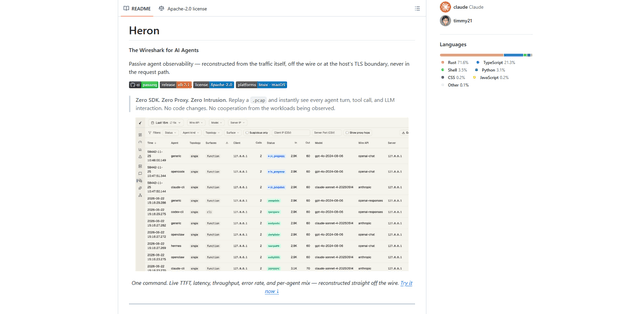
Heron is a passive, zero-intrusion observability tool for AI agents that reconstructs agent turns and LLM/tool interactions from network traffic (pcap/live/eBPF) with a built-in dashboard, metrics, and SFT data export—no SDK, no proxy, no code changes.