
Annotate
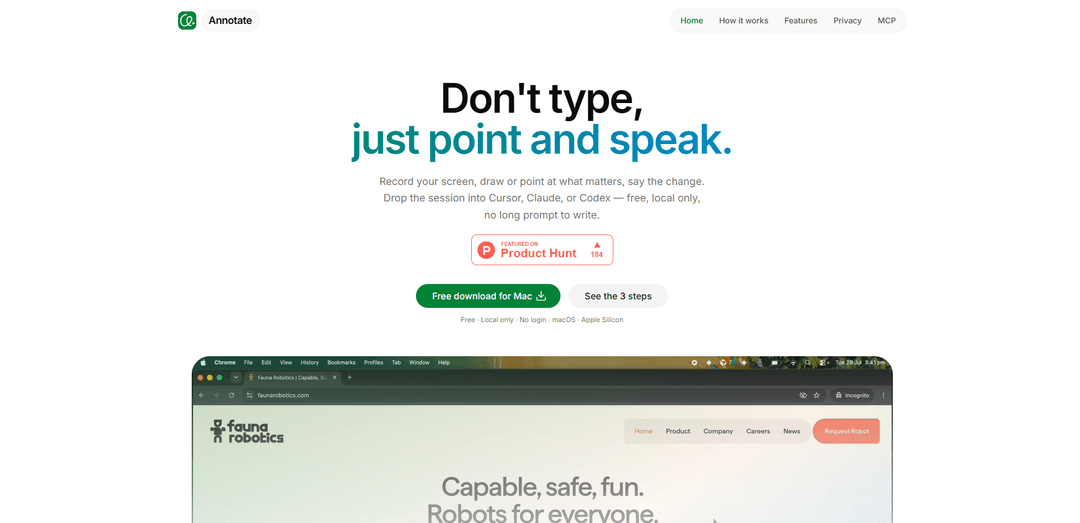
Annotate is a free, local-only macOS (Apple Silicon) tool that turns screen recordings into AI-ready prompts by letting you record, draw/point, and speak changes, then hand the session off to Cursor, Claude Code, or Codex—no long prompt writing required.
https://xannotate.com/?ref=producthunt
Product Information
Updated:Aug 8, 2026
What is Annotate
Annotate is a screen-recording-as-a-prompt app designed to help you communicate changes to an AI coding agent without drafting lengthy written instructions. Instead of typing a detailed brief, you capture what’s happening on your screen, visually point out what matters, and describe the change out loud. Built for macOS on Apple Silicon, Annotate is free to use, requires no login, and is “local by design,” meaning your frames and transcripts stay on your Mac and are never uploaded.
Key Features of Annotate
Annotate is a macOS (Apple Silicon) tool that lets you record your screen and create “point-and-speak” sessions by drawing or pointing at UI elements while narrating what should change. Instead of writing long prompts, it packages the recording (with frames and transcript) into a local folder that can be handed off directly to coding agents like Cursor, Claude Code, or Codex. It’s free, requires no login, and is designed to keep all data on-device (never uploaded).
Screen recording as a prompt: Capture one window or multiple displays in a single session to communicate context and steps visually instead of drafting a long written brief.
Draw, point, and narrate: Annotate directly on the screen while speaking to highlight exactly what matters (UI elements, flows, bugs, desired changes) in real time.
Agent-ready handoff: Drop the resulting session into tools like Cursor, Claude Code, or Codex so an agent can use the recording/transcript as actionable input.
Local-only by design: Frames and transcripts stay on your Mac; nothing is uploaded, and no account/login is required.
Built for folder-reading workflows: Produces artifacts (recording frames + transcript) in a structure that agents can ingest from a folder, reducing ambiguity vs. standalone screenshots.
Use Cases of Annotate
Bug reporting for software teams: Record a reproduction with on-screen markings and narration so engineers and AI agents can see clicks, timing, and expected vs. actual behavior.
UI/UX feedback and design iteration: Designers or PMs can point to specific components and describe changes, enabling faster iteration without lengthy written specs.
Customer support and troubleshooting: Support staff can capture step-by-step issues and annotate where users get stuck, creating clearer escalations and knowledge-base material.
QA and test-case documentation: QA can produce annotated walkthroughs of edge cases and flows, making it easier to translate observations into fixes or automated tests.
Internal training and onboarding: Teams can create quick annotated demos of tools and workflows, explaining what to click and why with visual pointers and voice guidance.
Pros
No long prompt writing: communicate tasks by showing and narrating.
Local-only and no login: better privacy and simpler onboarding.
More context than screenshots: captures motion, clicks, timing, and spoken intent.
Works with common coding agents (Cursor, Claude Code, Codex) for fast handoff.
Cons
Platform limitation: available for macOS Apple Silicon only (per source).
Best value depends on agent workflow: most useful if you regularly hand tasks to Cursor/Claude/Codex or similar tools.
Recording-based artifacts can be heavier to store/manage than single screenshots for very small issues.
How to Use Annotate
1) Install Annotate on a Mac (Apple Silicon): Go to https://xannotate.com/ and download/install Annotate. It’s free, local-only, and requires no login.
2) Start a new recording session: Open Annotate and begin a session to capture what you want to explain to an AI agent.
3) Choose what to capture (one window or all displays): Select whether to record a single app window or every display in one session, depending on what context the agent needs.
4) Record your screen while performing the workflow: Reproduce the issue or demonstrate the task end-to-end so the recording includes clicks, timing, and state changes that a screenshot would miss.
5) Point and speak while recording: Use Annotate’s on-screen drawing/pointing tools to mark what matters in the UI, and narrate exactly what you want changed (or what’s going wrong) as you go.
6) Finish the session: Stop the recording when you’ve shown the full story (what you did, what you expected, and what happened instead).
7) Keep the session local (no upload): Annotate stores frames and transcripts on your Mac; nothing is uploaded. Confirm the session is saved locally for handoff.
8) Hand off the session to your agent (Cursor, Claude Code, or Codex): Open the saved session in the tool you already use (Cursor, Claude Code, or Codex). The agent can read the session artifacts from the folder and use the recording + transcript as the prompt.
9) Continue in your agent to implement the change: In Cursor/Claude Code/Codex, ask the agent to act on what you demonstrated (e.g., fix a bug, adjust UI behavior, refactor code). The recording provides the context so you don’t have to write a long prompt.
Annotate FAQs
Annotate is a macOS (Apple Silicon) app that lets you record your screen and use that recording as a prompt—so instead of writing a long prompt, you point/draw on the UI and speak the changes you want, then hand the session to an AI agent.
Annotate Video
Popular Articles

Vosko AI: Localize and Dub Videos for Global Audiences
Oct 15, 2026

Atoms: A Multi-Agent AI Platform That Transforms Ideas into Launch-Ready Products
Oct 13, 2026

Nano Banana SBTI: What It Is, How It Works, and How to Use It in 2026
Apr 15, 2026

Atoms Review — The AI Product Builder Redefining Digital Creation in 2026
Apr 10, 2026
Latest AI Tools Similar to Annotate

Gait
Gait is a collaboration tool that integrates AI-assisted code generation with version control, enabling teams to track, understand, and share AI-generated code context efficiently.

invoices.dev
invoices.dev is an automated invoicing platform that generates invoices directly from developers' Git commits, with integration capabilities for GitHub, Slack, Linear, and Google services.

EasyRFP
EasyRFP is an AI-powered edge computing toolkit that streamlines RFP (Request for Proposal) responses and enables real-time field phenotyping through deep learning technology.

Cart.ai
Cart.ai is an AI-powered service platform that provides comprehensive business automation solutions including coding, customer relations management, video editing, e-commerce setup, and custom AI development with 24/7 support.
Popular AI Tools Like Annotate

GitHub Copilot Chat
GitHub Copilot Chat is an AI-powered coding assistant that provides natural language interactions, real-time code suggestions, and contextual support directly within supported IDEs and GitHub.com.

CopilotForXcode
CopilotForXcode is an Xcode Source Editor Extension that integrates GitHub Copilot, Codeium, and ChatGPT to provide AI-powered code suggestions, chat assistance, and prompt-to-code functionality within Xcode.

BrowserAI
BrowserAI is an open-source library that enables running local Large Language Models (LLMs) directly in web browsers with WebGPU acceleration, offering privacy-focused AI capabilities without requiring server infrastructure.

OpenAI Codex CLI
OpenAI Codex CLI is a lightweight, open-source coding agent that runs in your terminal, enabling developers to translate natural language into code execution while providing ChatGPT-level reasoning with the ability to run code, manipulate files, and iterate under version control.