
Rippling
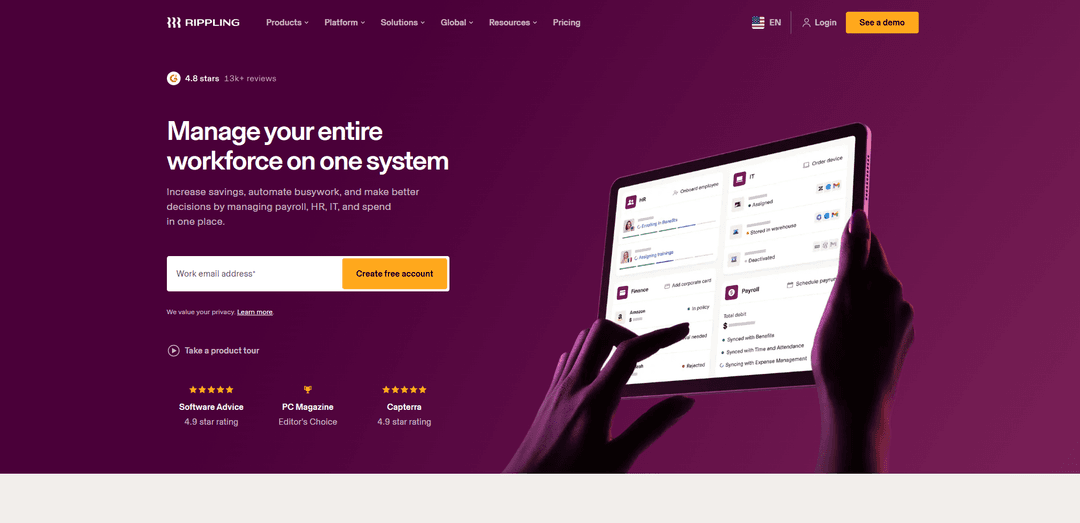
Rippling ist eine einheitliche Workforce-Management-Plattform, die HR-, IT-, Gehaltsabrechnungs- und Finanztools auf einer einzigen Datengrundlage zusammenführt, um Workflows zu automatisieren, Mitarbeiterdatensätze zu zentralisieren und KI-gesteuerte Erkenntnisse und Aktionen zu ermöglichen.
http://www.rippling.com/?ref=producthunt&utm_source=aipure
Produktinformationen
Aktualisiert:Aug 8, 2026
Was ist Rippling
Rippling ist ein cloudbasiertes Workforce-Management-System, das darauf ausgelegt ist, die betriebliche Reibung bei der Führung eines Unternehmens zu reduzieren, indem es zentrale Back-Office-Funktionen – HR, IT, Gehaltsabrechnung und Finanzen – auf einer Plattform konsolidiert. Rippling wurde 2016 in San Francisco von Parker Conrad und Prasanna Sankar gegründet (und 2017 eingeführt) und bedient Unternehmen, die ein gemeinsames Aufzeichnungssystem für Mitarbeiter- und Workforce-Daten wünschen, vom Onboarding und den Leistungen bis hin zur Geräteverwaltung und Ausgabenkontrolle. Anstatt einfach separate Tools zu bündeln, betont Rippling eine einheitliche Datenplattform, damit Teams den Mitarbeiterlebenszyklus End-to-End an einem Ort verwalten und den Betrieb über Standorte und Rollen hinweg effizienter skalieren können.
Hauptfunktionen von Rippling
Rippling ist eine All-in-One-Plattform für Personalmanagement, die Personalwesen, IT, Gehaltsabrechnung und Finanzen auf einer einzigen Mitarbeiterdatensatzebene vereint. Sie zentralisiert den Kontext der Belegschaft (Rollen, Standorte, Berichtslinien, Berechtigungen), sodass Änderungen automatisch über die Systeme "weitergegeben" werden – was Automatisierung, sauberere Berichte/Analysen und KI-gestützte Unterstützung ermöglicht. Mit modularen Anwendungen für Onboarding/Offboarding, Gehaltsabrechnung (einschließlich global), Zeiterfassung, Leistungen, Identitäts- und Gerätemanagement, Ausgabenkontrollen und benutzerdefinierten Workflows/Anwendungen hilft Rippling Unternehmen, manuelle Verwaltungsarbeiten zu reduzieren, die Compliance zu verbessern und Abläufe über den gesamten Mitarbeiterlebenszyklus zu optimieren.
Vereinheitlichte Mitarbeiterdatenplattform: Führt ein einziges System zur Erfassung von Mitarbeiterinformationen (Rolle, Standort, Organisationsstruktur, Berechtigungen), sodass Aktualisierungen automatisch über HR, Gehaltsabrechnung, IT-Zugriff und Finanz-Workflows hinweg verbreitet werden.
End-to-End-Automatisierung von Onboarding und Offboarding: Automatisiert die Einrichtung vom Einstellungstag bis zum ersten Arbeitstag und den Austritt, einschließlich Formularen, Richtlinienbestätigungen, App-Bereitstellung/-Entfernung und Gerätelogistik, um Übergaben und Verzögerungen zu reduzieren.
Gehaltsabrechnung (USA + global) mit Compliance-Unterstützung: Führt die Gehaltsabrechnung mit automatisierten Berechnungen und Einreichungen durch, unterstützt mehrere Zahlungspläne und Arbeitnehmertypen und hilft bei der Verwaltung von Anforderungen in mehreren Gerichtsbarkeiten, wenn Unternehmen expandieren.
IT-Management: Identität, Zugriff und Geräte: Bietet rollenbasierte Zugriffskontrollen, App-Bereitstellung und Gerätemanagement, um Sicherheitsrichtlinien durchzusetzen und IT-Operationen zu optimieren, die mit Änderungen des Mitarbeiterstatus verbunden sind.
Workflow Studio, Richtlinien und Berechtigungen: Konfigurierbare Workflows ("Rezepte"), dynamische Genehmigungen und rollenbasierte Berechtigungen ermöglichen es Teams, Prozesse einmal zu standardisieren und diese über verbundene Anwendungen hinweg durchzusetzen.
Analysen & KI auf vereinheitlichten Mitarbeiterdaten: Liefert Berichte und Business Intelligence über Abteilungen hinweg und ermöglicht es der KI, Fragen zu beantworten und Aufgaben mithilfe strukturierter HR-/IT-/Finanzkontexte zu automatisieren.
Anwendungsfälle von Rippling
Skalierende Startups konsolidieren HR + IT + Gehaltsabrechnung: Ersetzen Sie mehrere Punktlösungen durch eine Plattform, um schnell Mitarbeiter einzustellen, Gehaltsabrechnungen und Leistungen zu automatisieren und Konten/Geräte bereitzustellen, ohne große operative Teams aufbauen zu müssen.
Verteilte oder globale Teams: Verwalten Sie Onboarding, Gehaltsabrechnung und Personalverwaltung über Länder und Gerichtsbarkeiten hinweg, während Sie die manuelle Compliance-Verfolgung und die operative Komplexität reduzieren.
Stundenweise Beschäftigte, die Zeiterfassung mit der Gehaltsabrechnung verknüpfen müssen: Erfassen Sie Stunden, PTO und Überstunden und synchronisieren Sie diese direkt mit der Gehaltsabrechnung, um manuelle Exporte/Importe zu reduzieren und die Genauigkeit der Bezahlung für schichtbasierte Teams zu verbessern.
IT-/sicherheitsorientierte Organisationen: Nutzen Sie Identitäts-, Zugriffs- und Gerätemanagement, um rollenbasierte Kontrollen durchzusetzen, Joiner-/Mover-/Leaver-Prozesse zu automatisieren und Sicherheitslücken durch manuelle Bereitstellung zu reduzieren.
Finanzteams, die Transparenz und Kontrolle über Ausgaben suchen: Zentralisieren Sie Ausgaben, Firmenkreditkarten, Beschaffungs-/Rechnungszahlungs-Workflows und Berichte, um die Echtzeitüberwachung zu verbessern und Verluste zu reduzieren.
Mittelständische Unternehmen, die funktionsübergreifende Workflows standardisieren: Automatisieren Sie Genehmigungen und Prozesse des Mitarbeiterlebenszyklus (Beförderungen, Versetzungen, Richtlinienänderungen), sodass Aktualisierungen konsistent über HR-, IT- und Finanzsysteme hinweg fließen.
Vorteile
Eine einzige, vereinheitlichte Plattform für HR, IT, Gehaltsabrechnung und Finanzen reduziert doppelte Dateneingabe und Tool-Wildwuchs
Starke Automatisierung und konfigurierbare Workflows optimieren Onboarding, Gehaltsabrechnung und Zugriffsmanagement
Rollenbasierte Berechtigungen und integrierte IT-Kontrollen verbessern Sicherheit und Governance
Robuste Berichts-/Analyse- und KI-Funktionen profitieren vom zentralisierten Mitarbeiterkontext
Nachteile
Kann anfangs funktionsüberladen oder überwältigend wirken; Berichterstellung und erweiterte Konfiguration können eine Lernkurve erfordern
Modulare/A-la-carte-Preise können teuer werden, wenn Sie weitere Apps hinzufügen
Automatisierung hängt von der korrekten Einrichtung ab – falsch konfigurierte Workflows können größere nachgelagerte Probleme verursachen
Die mobile Erfahrung ist möglicherweise weniger vollständig als die Desktop-Version (einige Benutzer berichten von fehlenden Funktionen oder gelegentlichen Fehlern)
Wie verwendet man Rippling
1) Bei Rippling anmelden: Gehen Sie zu https://app.rippling.com/sign-in und melden Sie sich mit Ihren vom Unternehmen bereitgestellten Anmeldeinformationen an, um auf Ihr Rippling-Dashboard zuzugreifen.
2) Onboarding eines neuen Mitarbeiters starten (Admin/HR): Nutzen Sie die Onboarding-Tools von Rippling, um einen neuen Mitarbeiter hinzuzufügen und den Onboarding-Prozess zu starten, damit der Mitarbeiter mit minimalem Aufwand eingerichtet werden kann.
3) Kerndaten des Mitarbeiters während des Onboardings eingeben (Admin/HR): Geben Sie während des Onboardings die grundlegenden Informationen des Mitarbeiters wie Gehalt, Startdatum, Arbeitsort und Beschäftigungsart ein, damit diese in allen Rippling-Anwendungen verwendet werden können.
4) Gehaltsabrechnungsdokumente digital erfassen (Mitarbeiter/Admin): Lassen Sie den Mitarbeiter die erforderlichen Gehaltsabrechnungsdokumente (z. B. Informationen zur direkten Einzahlung und Steuerformulare) digital in Rippling ausfüllen; die Gehaltsabrechnung verwendet dieselben HR-Daten, sodass Sie Details nicht zweimal eingeben müssen.
5) Gehaltsabrechnung mit Live-Rippling-Daten durchführen (Gehaltsabrechnungs-Admin): Öffnen Sie Rippling Payroll und führen Sie die Gehaltsabrechnung mit den bereits in der Plattform gespeicherten Live-Mitarbeiterdaten durch – Änderungen wie Gehaltsaktualisierungen fließen automatisch in die Gehaltsabrechnung ein.
6) Dashboards zur Überwachung von HR/IT/Finanzoperationen verwenden (Admin/Ops): Nutzen Sie die Dashboards von Rippling, um laufende HR-, IT- und Finanzoperationen von einem Ort aus zu überwachen.
7) Rippling Analytics für Berichterstattung und Entscheidungen verwenden (Admin/Ops/Finanzen): Nutzen Sie Rippling Analytics, um Trends (z. B. Leistung und Fluktuation) zu identifizieren, Gehaltsabrechnungs- und Leistungskosten zu optimieren und Richtlinien mithilfe zentralisierter Berichterstattung und Erkenntnisse zu verfeinern.
8) Automatisierungen mit Workflow-Ausführungsprotokollen beheben (Admin): Überprüfen Sie die schrittweisen Workflow-Ausführungsprotokolle, um genau zu sehen, wo eine Automatisierung fehlgeschlagen ist, und aktualisieren Sie den Workflow entsprechend.
9) Berechtigungen mit rollenbasierten Zugriffskontrollen verwalten (Admin/IT): Konfigurieren Sie rollenbasierte Berechtigungen und Genehmigungen, damit der Zugriff über Anwendungen hinweg automatisch gesteuert wird; Rippling aktualisiert den Zugriff und die Richtlinien, wenn sich Mitarbeiterattribute ändern.
10) Den "Rippling-Effekt" verstehen und nutzen (Admin/HR/IT): Mitarbeiterdaten an einem Ort pflegen, damit Änderungen (Beförderung, Gehaltsänderung, Austritt) automatisch auf Gehaltsabrechnung, IT-Zugriff, Leistungen und Berichterstattung übertragen werden; Supergroup-Mitgliedschaft und verbundene Richtlinien/Workflows werden automatisch aktualisiert, wenn sich Attribute ändern.
11) Mit der Rippling Mobile App einstempeln (Mitarbeiter): Laden Sie die Rippling-App auf iOS oder Android herunter, melden Sie sich an, gehen Sie zu "Time & Attendance" und tippen Sie auf "Clock In", um Ihre Startzeit zu erfassen.
12) Mit der Rippling Web App einstempeln (Mitarbeiter): Melden Sie sich über einen Webbrowser an, öffnen Sie den Abschnitt "Time And Attendance" aus dem Hauptmenü, klicken Sie auf "Clock In" und bestätigen Sie, wenn Sie dazu aufgefordert werden.
13) Erweiterte Zeiterfassungskontrollen verwenden, falls aktiviert (Admin/Mitarbeiter): Wenn Ihr Unternehmen dies aktiviert, verwenden Sie Funktionen wie Photo Clock-In und Geolocation Restrictions, um "Buddy Punching" zu verhindern und das Einstempeln auf genehmigte Standorte zu beschränken.
14) Außerplanmäßige Gehaltsabrechnung verarbeiten (Gehaltsabrechnungs-Admin): Wenn Sie einen außerplanmäßigen Lauf benötigen, wählen Sie, ob Sie das Bruttogehalt (Rippling berechnet das Brutto) oder das Nettogehalt (Rippling berechnet die Steuern) verwenden möchten, wählen Sie direkte Einzahlung oder Papierscheck und legen Sie das Auszahlungsdatum fest.
15) Einen Mitarbeiter kündigen (deaktivieren) (Admin/HR): Gehen Sie zu HR Cloud → Employees, öffnen Sie das Mitarbeiterprofil, wählen Sie "Terminate Employee", geben Sie das Kündigungsdatum und den Grund (freiwillig/unfreiwillig) ein und bestätigen Sie, um Offboarding-Aufgaben auszulösen.
16) Offboarding-Aufgaben nach der Kündigung abschließen (Admin/HR/IT/Finanzen): Nach der Kündigung schließen Sie die konfigurierten Offboarding-Aufgaben ab, wie z. B. die Bearbeitung der letzten Gehaltsabrechnung, die Beendigung der Leistungen, die Rückgabe von Geräten und die Deaktivierung von Apps (falls IT Cloud aktiv ist).
17) Datensätze gekündigter Mitarbeiter finden (Admin/HR): Verwenden Sie die Filter der Mitarbeiterliste, um "Terminated"-Mitarbeiter anzuzeigen; Rippling behält gekündigte Datensätze für Compliance, Gehaltsabrechnungsverlauf und Berichterstattung bei, anstatt sie dauerhaft zu löschen.
18) Ungenutzte App-Plätze identifizieren (IT-Admin): Gehen Sie zu IT Cloud → App Management und überprüfen Sie die Benutzerzuweisungen pro App und die Anmeldeaktivität, um Benutzer zu finden, die einer App zugewiesen sind, sich aber innerhalb eines ausgewählten Zeitraums nicht angemeldet haben.
19) No-Code-Tools mit App Studio erstellen (Admin/Ops): Verwenden Sie App Studio, um benutzerdefinierte No-Code-Apps und Workflows auf Rippling und verbundenen Systemen zu erstellen, um Prozesse an Ihr Unternehmen anzupassen.
20) Rippling AI für kontextbezogene Antworten und Aktionen verwenden (Mitarbeiter/Admin): Stellen Sie Rippling AI Fragen in natürlicher Sprache, um kontextbezogene Antworten basierend auf den HR/IT/Finanzdaten Ihres Unternehmens zu erhalten; der Zugriff ist berechtigt, sodass nur autorisierte Benutzer eingeschränkte Informationen sehen können.
21) Externe Systeme mit Data Cloud verbinden (Admin/Ops): Verwenden Sie Rippling Data Cloud, um Tools wie CRM, POS oder Helpdesk-Systeme zu verbinden, damit Rippling AI und die Berichterstattung Fragen systemübergreifend beantworten können, nicht nur Daten, die direkt in Rippling gespeichert sind.
22) Das Hilfe-Center für Anleitungen nutzen (jeder Benutzer): Besuchen Sie das Rippling Help Center (https://help.rippling.com/) für Anleitungen, ausführliche Tutorials und FAQs, wenn Sie produktspezifische Anweisungen benötigen.
Rippling FAQs
Rippling ist eine Workforce-Management-Plattform, die HR-, IT-, Gehaltsabrechnungs- und Finanz-Apps (Ausgaben) auf einer einheitlichen Datenplattform kombiniert, sodass Unternehmen Mitarbeiterdaten, -prozesse und -workflows in einem System verwalten können.
Rippling Video
Beliebte Artikel

Vosko AI: Videos für ein globales Publikum lokalisieren und synchronisieren
Oct 15, 2026

Atoms: Eine Multi-Agenten-KI-Plattform, die Ideen in startbereite Produkte verwandelt
May 22, 2026

Nano Banana SBTI: Was es ist, wie es funktioniert und wie man es im Jahr 2026 einsetzt
Apr 15, 2026

Atoms Review – Der KI-Produkt-Builder, der die digitale Erstellung im Jahr 2026 neu definiert
Apr 10, 2026
Neueste KI-Tools ähnlich wie Rippling
Inbox AI
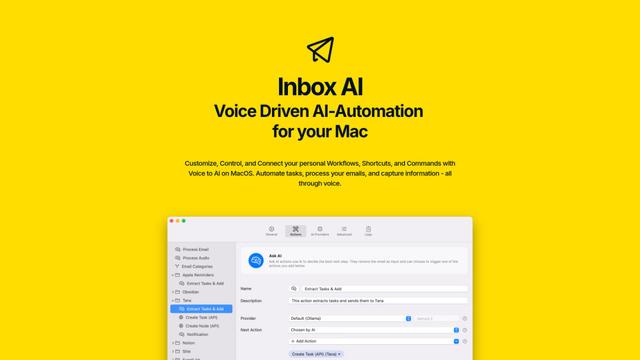
Inbox AI ist eine datenschutzorientierte MacOS-Produktivitäts-App, die sprachgesteuerte KI-Automatisierung mit E-Mail-Verwaltungsfunktionen kombiniert und es Benutzern ermöglicht, benutzerdefinierte Workflows und Befehle zu erstellen, während sowohl cloudbasierte als auch geräteinterne KI-Optionen angeboten werden.

Cart.ai
Cart.ai ist eine KI-gestützte Dienstleistungsplattform, die umfassende Lösungen zur Automatisierung von Geschäftsprozessen bietet, einschließlich Programmierung, Kundenbeziehungsmanagement, Videobearbeitung, E-Commerce-Setup und benutzerdefinierter KI-Entwicklung mit 24/7 Unterstützung.
Hiyllo Work
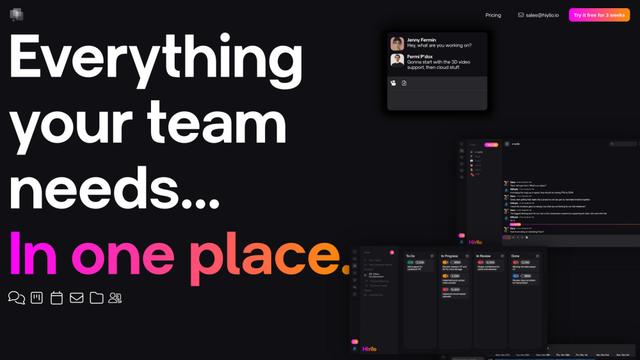
Hiyllo Work ist eine All-in-One-Teamarbeitsplatzplattform, die Chat, Projektmanagement, Kalender, E-Mail, Dateispeicherung und Videobesprechungen in einer einzigen integrierten Umgebung kombiniert.

MailSense
MailSense ist ein KI-gesteuerter E-Mail-Assistent, der E-Mails über eine Telegram-Bot-Schnittstelle filtert, zusammenfasst und Antworten generiert, um den Benutzern zu helfen, ihren Posteingang effizienter zu verwalten.
Beliebte KI-Tools wie Rippling
Magentic-UI
Magentic-UI ist ein Open-Source-, auf den Menschen ausgerichteter Web-Agent-Prototyp von Microsoft Research, der die kollaborative Planung und Ausf\u00fchrung komplexer webbasierter Aufgaben durch transparente Interaktion zwischen Menschen und KI-Agenten erm\u00f6glicht.
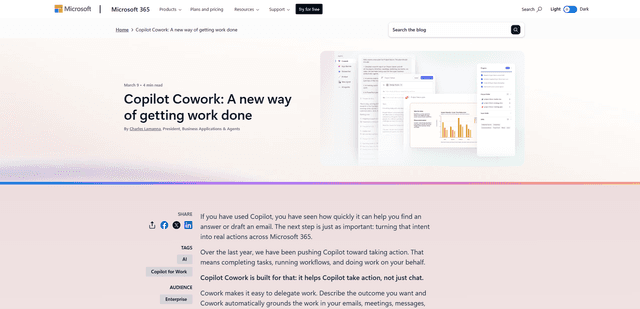
Microsoft Copilot Cowork
Microsoft Copilot Cowork ist ein KI-gestützter Assistent, der Benutzerabsichten in umsetzbare Pläne umwandelt und autonom mehrstufige Aufgaben über Microsoft 365-Apps hinweg ausführt, während die Benutzer durch Kontrollpunkte und Genehmigungen die Kontrolle behalten.
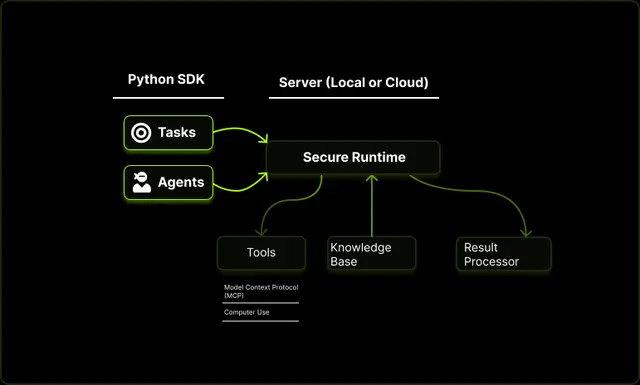
Upsonic
Upsonic ist ein zuverlässigkeitsorientiertes KI-Agenten-Framework mit dockerisierter Server-Client-Architektur, das vertrauenswürdige Agenten-Workflows durch fortschrittliche Funktionen wie Verifizierungsschichten, dreieckige Architektur und Model Context Protocol (MCP)-Integration ermöglicht.
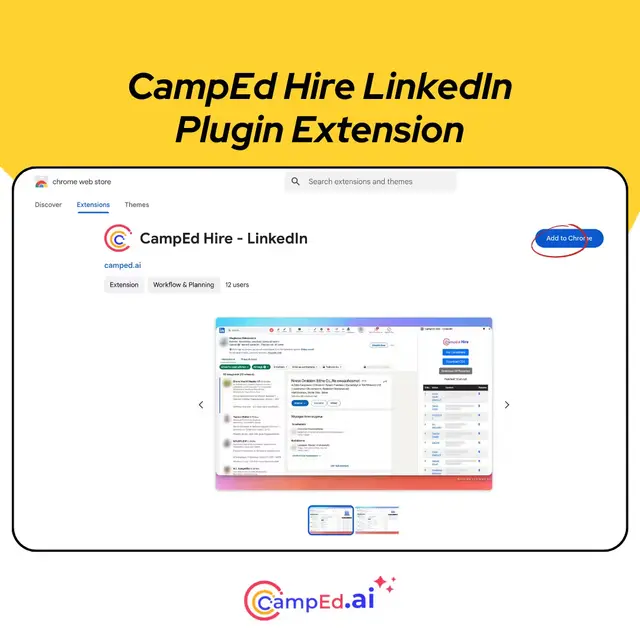
CampEd Hire
CampEd Hire ist eine leistungsstarke Chrome-Erweiterung, die die Rekrutierung optimiert, indem sie automatisch Bewerberdaten aus LinkedIn-Jobangeboten sammelt und organisiert, mit Funktionen wie automatisierter Datensammlung, CSV-Export und Batch-Lebenslauf-Downloads.