
Superbrain For macOS
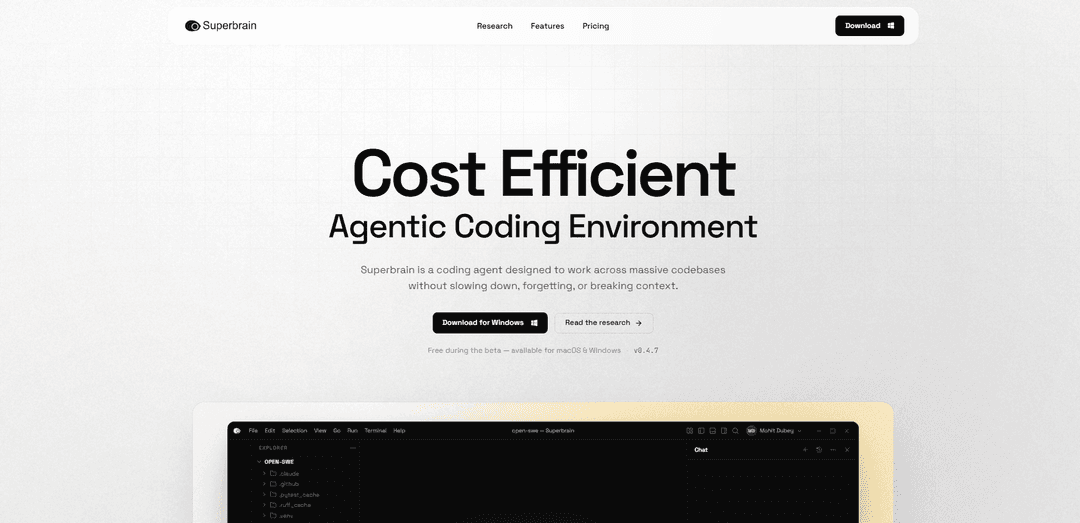
Superbrain for macOS is a CLI-native AI coding agent for massive codebases that uses TokenFold compressed memory to maintain persistent repo understanding, enable coordinated multi-file changes, and cut token usage and cost significantly.
https://www.onesuperbrain.com/?ref=producthunt
Product Information
Updated:Aug 8, 2026
What is Superbrain For macOS
Superbrain for macOS is an engineering-focused AI coding agent built to operate reliably across large repositories and monorepos without slowing down or losing context. It runs directly in your terminal and is designed to help teams move from an issue or ticket to a production-ready pull request by understanding architecture, dependencies, and execution flow across the codebase. Unlike tools that rely on repeatedly stuffing raw files into the model context window, Superbrain emphasizes persistent, codebase-wide understanding across sessions, while keeping developers in control through a reviewable, approval-based execution layer.
Key Features of Superbrain For macOS
Superbrain for macOS is a terminal-native AI coding agent built to help engineering teams ship production code in large repositories without losing context. It maps architecture, dependencies, and execution flow using its TokenFold context engine, enabling coordinated multi-file changes while consuming significantly fewer tokens. From a single CLI workflow, it can read issues, implement changes, run tests, fix failures, and prepare pull requests—while keeping developers in control with an approval-based execution layer and integrations that fit existing Git, build, and test pipelines.
TokenFold context engine: Compresses and prioritizes repository intelligence dynamically to maintain codebase awareness while reducing token usage (claimed 60–80% fewer tokens), helping keep costs and context drift down in large projects.
Instant codebase understanding: Rapidly maps architecture, dependency graph, and execution flow across large repos/monorepos without manually attaching files or flooding the model context.
Issue → shipped PR workflow (CLI): Runs end-to-end from the terminal: reads tickets/issues, writes code, runs tests, iterates on failures, and opens a pull request as one continuous workflow.
Dependency-aware multi-file execution: Supports refactors, migrations, and feature work across hundreds of files with structurally consistent edits that respect internal abstractions and dependency chains.
Persistent, cross-session understanding: Continuously builds a live understanding of your codebase patterns and conventions so context doesn’t “reset” between sessions.
Safe execution layer + IDE integration: No changes or commands run without explicit approval, and it can integrate with editors/IDEs (e.g., VS Code and JetBrains) while remaining terminal-first.
Use Cases of Superbrain For macOS
Enterprise monorepo refactoring: Engineering teams in large organizations can execute dependency-aware refactors across many packages/services while keeping edits consistent and reviewable.
Bug fix automation from tickets: Product teams can convert issue tracker tasks into tested code changes and PRs directly from the terminal, reducing manual context gathering and iteration time.
Database/query performance optimization: Backend teams can analyze hotspots across multiple modules, apply targeted query and data-access refactors, and validate improvements via test runs.
Large-scale migrations and upgrades: Platform teams can coordinate multi-file migrations (APIs, libraries, internal frameworks) with repository-wide awareness and automated test verification.
CI-aligned development workflows: Teams can integrate Superbrain into existing build/test commands and Git workflows on macOS, iterating locally in a way that mirrors CI expectations.
Pros
Designed for large codebases/monorepos with mechanisms to reduce context loss and token spend (TokenFold).
End-to-end terminal workflow (issue → code → tests → fixes → PR) fits existing developer habits and tooling.
Approval-based safety layer keeps developers in control of file edits and command execution.
Supports coordinated multi-file changes with dependency-aware reasoning rather than single-file autocomplete.
Cons
Some performance/cost claims (benchmarks, savings) are presented as internal/representative and may not generalize without peer-verifiable results.
Linux support is listed as “coming soon,” so cross-platform parity may be limited for teams not standardized on macOS/Windows.
As a CLI-first agent, teams may need process adjustments (review/approval discipline, permissions) to use it effectively in production workflows.
How to Use Superbrain For macOS
1) Download Superbrain for macOS: Go to https://www.onesuperbrain.com/download (or the main site https://www.onesuperbrain.com) and download the macOS build (the site indicates Superbrain runs on macOS today).
2) Install the app on macOS: Install Superbrain like a standard macOS application from the downloaded package, then launch it once so macOS can register the app and permissions.
3) Start Superbrain from your Terminal (CLI-native workflow): Open Terminal and start Superbrain from the command line (the product is described as running directly inside the terminal). Use it alongside your existing CLI tools.
4) Open a project repository in Terminal: In Terminal, cd into the root of the Git repository/monorepo you want Superbrain to work on, so it can operate within your existing Git workflow.
5) Let Superbrain map the codebase (TokenFold indexing/understanding): Initiate a task or analysis so Superbrain can scan and map repository structure, dependencies, and execution flow using its TokenFold architecture (described as enabling instant codebase understanding without manually attaching files).
6) Ask for an engineering task (issue → shipped PR workflow): Provide a concrete request (e.g., implement a feature, fix a bug, refactor a module, add RBAC). Superbrain is described as turning tickets into production-ready pull requests from the terminal, including reading issues and preparing changes.
7) Review Superbrain’s plan before changes: When Superbrain proposes a plan (e.g., steps for refactoring or implementation), review it for correctness and alignment with your architecture and conventions.
8) Approve edits and commands (safe execution layer): Superbrain is described as requiring explicit approval before any file changes or command execution. Approve only the edits/commands you want applied.
9) Run your existing build/test pipeline through Superbrain: Use Superbrain to run your project’s tests/build (it integrates with test suites and build systems). If failures occur, have it iterate: diagnose, patch, and re-run until green.
10) Validate multi-file changes for consistency: For refactors or features spanning many files, review the coordinated edits to ensure dependency-aware changes remain structurally consistent across the codebase (a stated capability).
11) Use Git integration to prepare a PR: Leverage your normal Git workflow (status/diff/commit/branch). Superbrain is described as integrating with Git workflows and being able to open PRs as part of a continuous workflow.
12) Keep using it across sessions (persistent context): Return to the same repo later and continue work. Superbrain is described as continuously building a live understanding of your codebase and that its context ‘never resets’ across sessions.
13) (Optional) Integrate with your editor on macOS: If you use VS Code/Cursor/Windsurf or JetBrains IDEs, install the native extension(s) mentioned on the site to use Superbrain alongside your IDE while still keeping the terminal-native workflow.
Superbrain For macOS FAQs
Superbrain is a CLI-native coding agent that runs on macOS (and Windows) and is designed to work across massive codebases without slowing down, forgetting, or breaking context.
Popular Articles

Vosko AI: Localize and Dub Videos for Global Audiences
Oct 15, 2026

Atoms: A Multi-Agent AI Platform That Transforms Ideas into Launch-Ready Products
Oct 13, 2026

Nano Banana SBTI: What It Is, How It Works, and How to Use It in 2026
Apr 15, 2026

Atoms Review — The AI Product Builder Redefining Digital Creation in 2026
Apr 10, 2026
Latest AI Tools Similar to Superbrain For macOS

Gait
Gait is a collaboration tool that integrates AI-assisted code generation with version control, enabling teams to track, understand, and share AI-generated code context efficiently.

invoices.dev
invoices.dev is an automated invoicing platform that generates invoices directly from developers' Git commits, with integration capabilities for GitHub, Slack, Linear, and Google services.

EasyRFP
EasyRFP is an AI-powered edge computing toolkit that streamlines RFP (Request for Proposal) responses and enables real-time field phenotyping through deep learning technology.

Cart.ai
Cart.ai is an AI-powered service platform that provides comprehensive business automation solutions including coding, customer relations management, video editing, e-commerce setup, and custom AI development with 24/7 support.
Popular AI Tools Like Superbrain For macOS

GitHub Copilot Chat
GitHub Copilot Chat is an AI-powered coding assistant that provides natural language interactions, real-time code suggestions, and contextual support directly within supported IDEs and GitHub.com.

CopilotForXcode
CopilotForXcode is an Xcode Source Editor Extension that integrates GitHub Copilot, Codeium, and ChatGPT to provide AI-powered code suggestions, chat assistance, and prompt-to-code functionality within Xcode.

BrowserAI
BrowserAI is an open-source library that enables running local Large Language Models (LLMs) directly in web browsers with WebGPU acceleration, offering privacy-focused AI capabilities without requiring server infrastructure.

OpenAI Codex CLI
OpenAI Codex CLI is a lightweight, open-source coding agent that runs in your terminal, enabling developers to translate natural language into code execution while providing ChatGPT-level reasoning with the ability to run code, manipulate files, and iterate under version control.