Hey, imagine launching an AI that actually does stuff for you—not just chats—in just a few minutes. Sound good? Stick around.

Welcome back to AIPURE! Today we're diving into Kilo Claw—it's built on that super popular OpenClaw project (yeah, the one the community calls 'the lobster'), but without any of the self-hosting headaches.
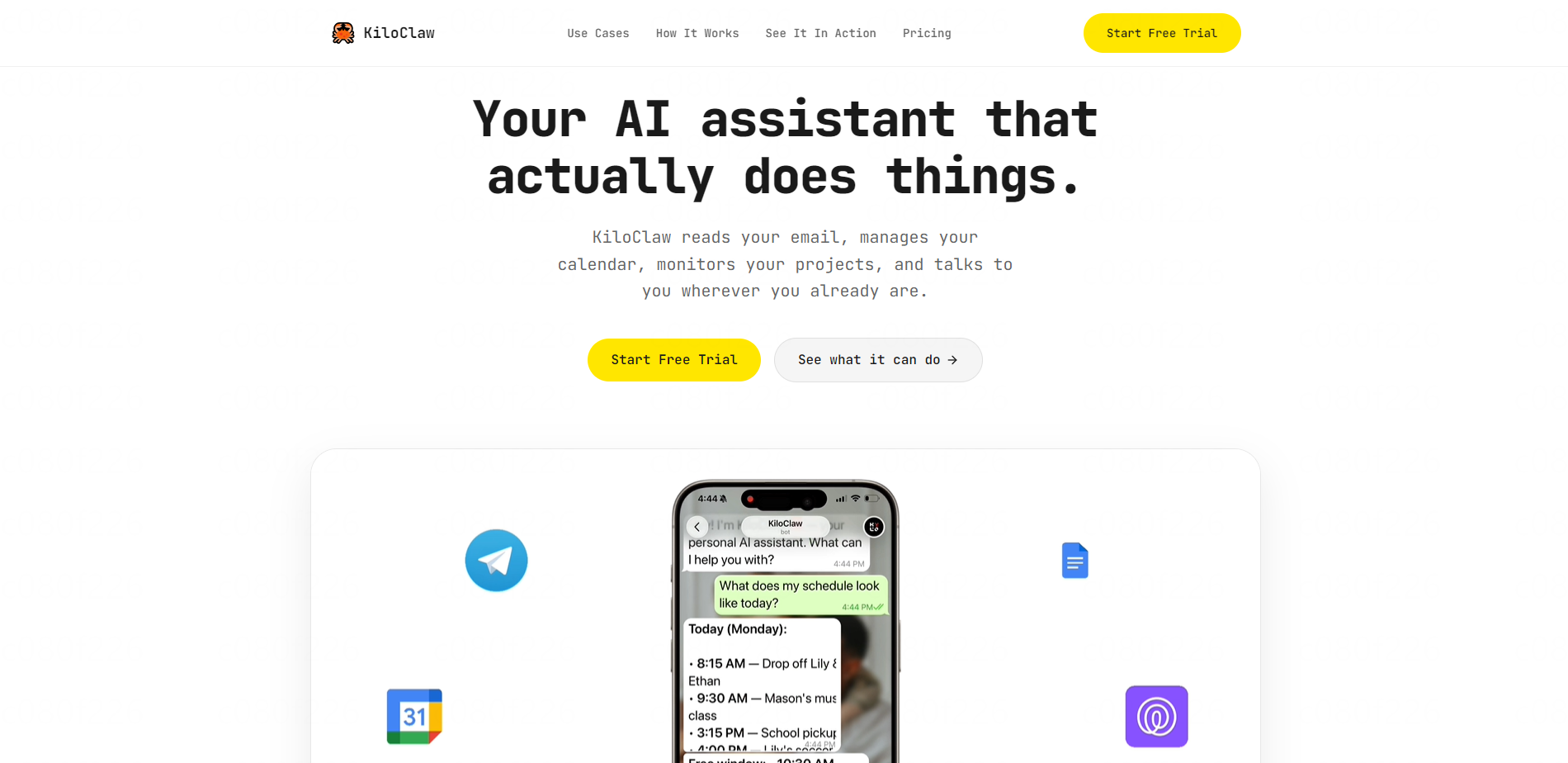
In this complete AIPURE guide, we'll walk you through exactly what it is, how to deploy it, and how to use it—step by step—so you can start automating your life today.
What Is Kilo Claw?
Kilo Claw is basically OpenClaw, but hosted. No more messing with your own servers, Docker, YAML files, or infrastructure junk. Kilo handles all that so you can just... use it.

It's a fully managed AI agent that lives in your chat apps (Telegram, Slack, Discord) and takes real actions across your tools. Think of it as your "do-it-for-you" assistant that remembers context, runs 24/7, and gets stuff done.
What Can Kilo Claw Do?
Here's the cool part—it works across all your tools:

- Email & Calendar: "Triage my inbox, flag urgent stuff, prep me for meetings." It'll label, archive, and alert you to what matters.
- Automate Tasks: "Order my weekly groceries, track my Amazon package." Browser automation—no APIs needed. Works with Tesco, Amazon, whatever.
- Development: "Review this PR, monitor CI, summarize release notes." Sends notifications right to your chat app.
- Research & Writing: "Summarize this doc, draft a report, track competitors." Pulls key insights from any file.
- Smart Home & IoT: Controls 3D printers, monitors servers, manages devices.
Wherever you work: Telegram, Slack, Discord—no new apps. Just message it where you're already chatting.
Kilo Claw acts, it doesn't just talk.
Kilo Claw vs OpenClaw: Which One's Right?
Before we jump into deployment, let's clear something up—Kilo Claw and OpenClaw are related, but built for very different users.

| Feature | Kilo Claw | OpenClaw |
|---|---|---|
| Setup | Fully hosted (zero code) | Self-hosted (Docker/YAML) |
| Updates | Automatic | Manual |
| Cost | Small monthly subscription | Free, but requires hosting |
| Control | Managed environment | Complete control |
| Ease of Use | Beginner-friendly | Advanced/Dev-friendly |
| Target User | Casual users, creators, teams | Developers, engineers, sysadmins |
So, which one should you use?
- Choose Kilo Claw if you just want to get started, automate tasks, and skip all the setup drama. It's 'AI-as-a-service' for everyone.
- Go with OpenClaw if you love tinkering, want total control, or need to customize on-prem deployment for enterprise workflows.
At AIPURE, we see Kilo Claw as the fast lane—perfect for people who care about results, not runtime logs.
How to Deploy Kilo Claw (5-Minute Guide)
Alright, let's deploy this thing. Super simple, even if you're brand new to AI agents.

Step 1: Head to AIPURE, Search 'Kilo Claw'
Start at aipure.ai, search "Kilo Claw", and on the detail page click "Visit Website" to jump straight to the official site.

Step 2: Sign Up (10 Seconds)
Use Google signup—boom, you're in the dashboard. No credit card needed for trial.

Step 3: Pick Free Plan
Left sidebar → "KiloClaw" → select Free plan to test drive it safely.

Step 4: Set Smart Permissions
Permissions screen? Don't hit "Allow everything." Choose "Ask for permission" so it checks with you before big actions. Safer that way.

Step 5: Pick Your First Use Case
Start small—messaging, email triage, or dev tools. Add more later.

Step 6: Connect Telegram (Example)
- Open Telegram → message @BotFather → /newbot
- Name it → grab the token
- Back in Kilo Claw → paste token → "Save"

- See green "Configured"? Perfect.

Step 7: Redeploy & Approve
Hit "Redeploy" → approve the pairing request in Telegram. Done!

💡 Pro Tips: Tweak sessions/skills via top-right "Open" button. Something breaks? OpenClaw Doctor auto-fixes most issues. Updates? "Upgrade → Redeploy".
⏰ Total time: ~5 minutes.
How to Use Kilo Claw Like a Pro
Now that it's running, here's how to actually use it:
Clear action prompts—don't ask questions, give orders:
- "Triage my inbox and flag urgent emails."
- "Order groceries from Tesco."
- "Review this PR in Slack."
Start small, build up. Use it where you live—Telegram, Slack, Discord. No app switching.
Schedule the boring stuff: Daily summaries, weekly reports, deployment alerts. That's where it shines.
Review everything at first: Low-risk tasks → tweak prompts → trust it more. Smart progression.
Kilo Claw Pricing
Super straightforward: $4 first month, then $9/month. 7-day free trial, no card required. Includes hosting, 500+ models via Kilo Gateway, automatic updates.
Compared to self-hosting (VPS + time = easily $20+/month), this is a steal for most users.

Security Best Practices
Kilo Claw encrypts data at rest/in transit, doesn't train on your data, easy export/delete. But you control permissions.
- Always use "Ask for permission" mode initially
- Start with read-only tasks (summaries, research)
- Never grant full browser/email access on first run
- Review chat history weekly
AIPURE Review: Why We Recommend It
Here's AIPURE's honest take: Kilo Claw nails real-world use over tech specs.
✅ What We Love:
- Dead-simple 5-minute setup
- Lives in your existing chat apps
- 500+ Kilo Gateway models + BYOK
- Actually does browser/email/dev tasks
- Low barrier—perfect for newbies and teams
⚠️ What to Watch:
- Permissions: Start conservative
- Ramp up slowly—test low-risk first
- Hosted = less customization than pure OpenClaw
If OpenClaw sounded cool but too technical, Kilo Claw's your easy door in. Perfect for moving fast without hosting drama.
⭐AIPURE Verdict: 9/10. Best hosted AI agent for 80% of users. Try the free trial today.
Final Thoughts
Kilo Claw proves AI agents can be simple AND powerful. No servers, no YAML, just results.
Who it's for:
- Newbies wanting easy automation
- Devs for code reviews/CI
- Teams crushing repetitive tasks
- Creators doing research/writing
- Anyone hating busywork
Ready to automate? Head to AIPURE, search "Kilo Claw", click "Visit Website", and launch your AI assistant in 5 minutes.

For the latest AI tools, complete guides, and zero-fluff reviews—bookmark aipure.ai today! 🚀