
Omni by xpander
WebsiteFreemium
Omni by xpander is an agentic “AI engineer” that turns your desktop AI workflows into production-ready, long-running cloud agents—scheduled, shareable, tool-connected (MCP/APIs), and continuously monitored and improved.
https://chat.xpander.ai/?utm_source=aipure&utm_medium=producthunt&utm_campaign=producthunt&ref=producthunt
Product Information
Updated:Sep 8, 2026
What is Omni by xpander
Omni by xpander is a generalist enterprise AI agent designed to help individuals and teams build, deploy, and operate reliable AI agents in the cloud. Instead of leaving powerful workflows stuck on a laptop (where they stop when your computer sleeps), Omni helps you describe what you want—or bring an existing agent—and then wires the right tools and skills, tests behavior on mock data, and delivers a running agent that can be scheduled, long-running, and shared across a team. It’s part of xpander.ai’s broader platform for building and governing agents across models, clouds, and frameworks, with an emphasis on vendor-neutral, production-grade deployment.
Key Features of Omni by xpander
Omni by xpander is an “AI engineer” and enterprise agent that helps teams take AI workflows from a local laptop into a production-grade cloud or VPC runtime. It wires the right tools and skills, tests agents on mock data, and deploys them as scheduled, long-running, shareable agents with built-in orchestration, memory/state, logs, secrets, and observability. Omni is model-agnostic (run on your preferred LLMs), supports secure deployments (including self-hosted/air-gapped and VPC-contained operation), and keeps agents healthy by improving prompts, comparing models, and debugging failed runs—aimed especially at collaborative, multi-user (“multiplayer”) agent building and governance in organizations.
Turnkey cloud agent deployment: Converts a described workflow (or an existing agent) into a running cloud/VPC agent that can be scheduled, run long-term, and shared with teammates—so automation doesn’t stop when a laptop closes.
Production runtime (AgentOS) with orchestration: Provides a control plane/runtime for reliable agent execution: scheduling for long-running jobs, orchestration, stateful database/memory, logs, secrets management, observability, and CI/CD support.
Tooling & connector hub (MCP-first): Connects agents to enterprise systems via a large tool library and MCP servers (including generation from OpenAPI specs), supporting OAuth/API keys and making tools reusable across MCP clients.
Multi-channel agent access: Exposes agents through multiple interfaces such as chat, webhooks, REST APIs, SDKs, and MCP—enabling both human-in-the-loop and system-to-system automation.
Model-agnostic and vendor-neutral: Designed to run on any model and in your environment (your cloud or air-gapped), helping organizations keep data and memory under their control while avoiding lock-in.
Agent health & continuous improvement: Helps maintain reliability by debugging failed runs and iterating on system prompts and model choices, improving stability and quality over time.
Use Cases of Omni by xpander
AppSec & engineering release gates: Automatically review services (e.g., “grade checkout-service against AppSec requirements”) before release PRs, producing repeatable security checks and recommendations.
Customer support automation (helpdesk/Intercom workflows): Build support agents that answer questions from internal knowledge, create tickets, and update help-center content; integrate into omnichannel support operations.
Insurance/finance ops copilots: Run document- and policy-driven workflows (claims, underwriting checks, contract support) as scheduled or event-driven agents, with auditable logs and controlled access.
IT/service desk agent: Deploy an internal support engineer agent that troubleshoots issues, searches internal docs, and executes approved actions via connected tools—available to employees in chat.
Legal and contract automation: Automate drafting/review workflows using historical contracts and policies, with controlled tool access and the ability to run inside restricted enterprise environments.
Enterprise workflow automation in restricted environments: Operate agents in VPC/on-prem/air-gapped setups via gateways, enabling regulated industries to adopt agentic workflows without exposing data to the public internet.
Pros
End-to-end path from prototype to production: orchestration, scheduling, state, observability, and deployment are integrated rather than assembled from many tools.
Enterprise-ready security posture: supports self-hosted/VPC/air-gapped options and emphasizes keeping data and memory in the customer environment.
Strong integration story: MCP tooling, OpenAPI-based connector generation, and multiple access methods (chat/API/webhook) make agents broadly usable across teams.
Cons
Platform complexity/learning curve: production agent infrastructure (tools, orchestration, governance) can take time to adopt compared to simple chat-based workflows.
Best value is organizational: solo users may not fully benefit from multiplayer sharing, governance, and enterprise infrastructure features.
Likely cost considerations at scale: long-running agents, tool executions, and model usage can introduce meaningful operational spend depending on workload.
How to Use Omni by xpander
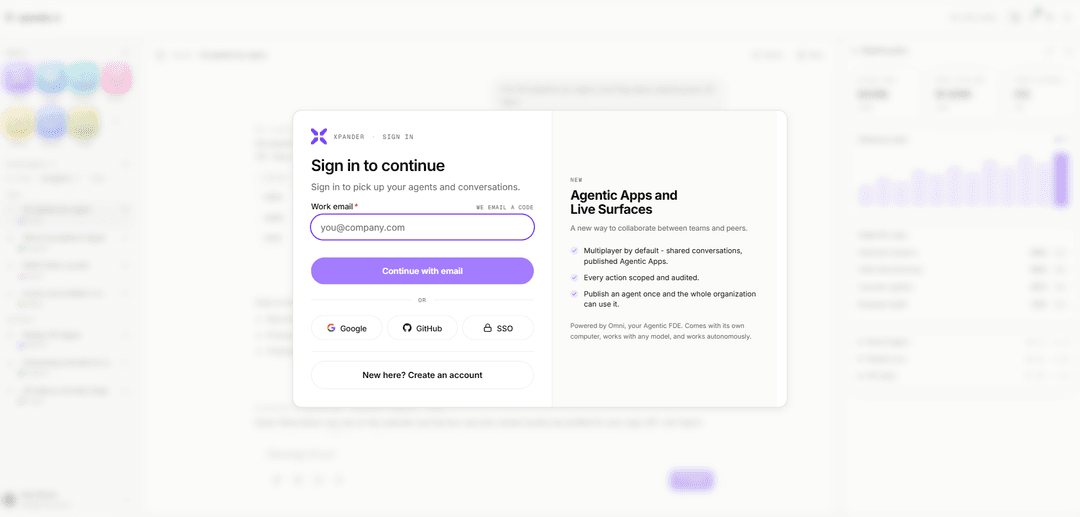
1) Open Omni (xpander Chat): Go to https://chat.xpander.ai (often referenced as “Chat”). This is the fastest way to start using Omni and any agents available to you.
2) Pick an agent (start with the Starter Kit): In Chat, select the “Starter Kit” agent to begin. You can use it as-is, add MCP tools, or ask it to run tasks for you.
3) Describe what you want the agent to do: Tell Omni your goal in plain language (e.g., “Grade checkout-service against our appsec requirements before I open the release PR” or “Summarize these PDFs and draft a response”). Omni is designed to wire tools/skills, test on mock data, and produce a running agent.
4) Add tools via MCP (Model Context Protocol): Attach MCP tools to your agent so it can take actions in external systems. You can add existing MCP tools or generate MCP servers from OpenAPI specs using xpander’s Connector Hub approach (build once, use everywhere).
5) Configure authentication for tools (OAuth/API keys): When connecting tools, complete authentication (OAuth or API keys). xpander.ai emphasizes that beyond auth, it provides an API management portal to browse operations grouped by functionality.
6) Scope Omni’s responses (connections, models, topics): Use Omni’s “pickers” to control which data connections it can draw from, which underlying model it uses, and which topics it should focus on. Open the pickers from the button at the bottom of the chat box.
7) Switch models when needed (multi-model access): If your workspace supports it, switch between models (e.g., GPT, Claude, Gemini, LLaMA, Mistral, etc.) depending on the task—speed, creativity, or reliability.
8) Use Deep Research for thorough, multi-source answers: Toggle “Deep Research” before sending your prompt when you need more detailed and reliable output. Expect it to take longer (commonly ~15–60 seconds) than standard chat.
9) Compare answers across models (side-by-side): Ask the same question to multiple models and compare outputs. This is useful for high-stakes decisions where you want multiple perspectives.
10) Run long-lived work (scheduled, long-running agents): Use Omni to turn a workflow that normally runs only on your laptop into a cloud agent that can run on a schedule or continuously, and keep working even when your machine is closed.
11) Share your agent with teammates (multiplayer AI): If you’re building agents for a team, share the agent so others can use it. Omni is positioned for “Multiplayer AI work,” where agent builders’ work benefits the whole organization.
12) Keep agents healthy (debug, improve prompts, compare models): Use Omni’s operational support features to improve system prompts, compare models, and debug/fix failed runs to keep production agents reliable.
13) Trigger your agent externally (Chat/Webhook/API/SDK/MCP): Once your agent works in Chat, you can invoke it from external sources. xpander.ai notes agents can be made available via Chat, Webhook, REST API, SDK, A2A, and MCP.
14) Build and test agents in Workbench (optional advanced path): Design an agent in the Workbench (state machine, tools/function calling, system instructions), then use the visual tester to validate behavior and tool calls before deploying.
15) Deploy to production runtime (AgentOS / cloud / VPC / Kubernetes): Move from prototype to production by deploying on xpander’s runtime/control plane. The platform positioning includes scheduling/orchestration for long-running jobs, stateful DB, logs, secrets, observability, and CI/CD, with options for your cloud/VPC or air-gapped environments.
Omni by xpander FAQs
Omni is a generalist AI agent from xpander that helps take agents and workflows you’ve built on your laptop (e.g., in Claude) and turn them into running cloud agents. It wires the tools and skills, tests on mock data, and delivers an agent that can run long-running or scheduled jobs and be shared with a team.
Omni by xpander Video
Popular Articles

Vosko AI: Localize and Dub Videos for Global Audiences
Oct 15, 2026

Atoms: A Multi-Agent AI Platform That Transforms Ideas into Launch-Ready Products
Oct 13, 2026

Nano Banana SBTI: What It Is, How It Works, and How to Use It in 2026
Apr 15, 2026

Atoms Review — The AI Product Builder Redefining Digital Creation in 2026
Apr 10, 2026