
terminal.dating
terminal.dating is a private dating app that runs inside your terminal via a Claude Code plugin, letting you discover profiles, match, and chat without leaving your coding workflow.
https://terminal.dating/?ref=producthunt
Product Information
Updated:Aug 15, 2026
What is terminal.dating
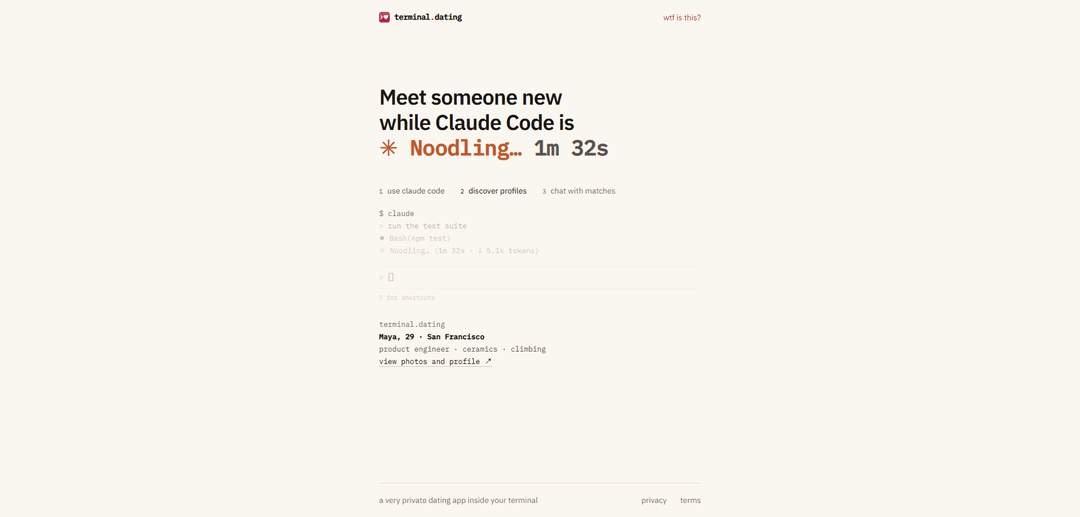
terminal.dating is a “terminal-native” dating experience designed to live directly inside Claude Code. Instead of using a traditional mobile or web dating interface, it integrates into your terminal session so you can meet people while you’re already coding or waiting on tasks (like running tests or builds). The project presents itself as a very private dating app, with quick access to core dating actions—discovering profiles, matching, and chatting—through simple terminal commands, and it links to supporting resources like GitHub, Privacy, and Terms pages for additional context.
Key Features of terminal.dating
terminal.dating is a privacy-focused dating experience that runs inside your terminal via a Claude Code plugin. After installing from the Claude plugin marketplace and logging in, you can discover profiles, match, and chat—all while you’re already in a coding session (e.g., while Claude Code is running tasks like tests). It’s designed to keep the entire flow in-terminal, offering a lightweight, developer-native interface with links to photos/profiles and conversations surfaced directly in the Claude Code status line.
Claude Code terminal plugin: Installs as a plugin through the Claude Code plugin marketplace, bringing dating functionality directly into your existing terminal workflow.
In-terminal onboarding & login: Simple command-driven setup (marketplace add → plugin install → /td:login) to connect a terminal session and start using the service.
Profile discovery in the terminal: Browse/discover user profiles without leaving the terminal, with convenient links to view photos and profile details.
Matching + real-time feedback: Get surfaced signals like “liked you back” during your session, enabling quick transitions from discovery to match confirmation.
Chat with matches: Open conversations and message matches from within the terminal-based interface, keeping interactions integrated with your workflow.
Privacy-forward positioning: Marketed as “a very private dating app inside your terminal,” emphasizing discretion compared to traditional swipe-based apps.
Use Cases of terminal.dating
Developer productivity breaks: Engineers can discover matches and reply to messages while waiting for builds, tests, or deployments—without context-switching from the terminal.
Private workplace-safe social discovery: For users who prefer discreet interactions, the terminal UI can reduce the visibility/social signaling of using mainstream dating apps in public settings.
Community building in technical circles: Tech communities (hackerspaces, open-source groups) could use a terminal-native experience to encourage social connections in a familiar environment.
CLI-first product experimentation: Product teams can use terminal.dating as a reference pattern for building consumer experiences delivered via CLI plugins and command UX.
Events and hackathon social layer: At hackathons or technical conferences, participants already living in terminals can use an integrated tool for lightweight networking and matchmaking.
Pros
Minimal context switching: discovery, matching, and chat happen inside the terminal/Claude Code session.
Privacy/discretion: positioned as a more private alternative to traditional dating app usage.
Fast setup for Claude users: straightforward plugin install and login commands.
Cons
Niche dependency: primarily useful for people who use Claude Code and are comfortable with terminal workflows.
Potentially limited mainstream UX: terminal-based discovery/chat may feel constrained compared to full-featured mobile apps.
Ecosystem reliance: functionality depends on plugin marketplace availability and Claude Code integration.
How to Use terminal.dating
1) Install Claude Code (prerequisite): terminal.dating runs as a plugin inside Claude Code in your terminal. Make sure you can run `claude` from your terminal before continuing.
2) Add the terminal.dating plugin from the marketplace: In your terminal, run: `claude plugin marketplace add jerryxfeng/terminal-dating`
3) Install the plugin: In your terminal, run: `claude plugin install td@terminal-dating`
4) (Optional) Do steps 2–3 in one command: You can combine marketplace add + install in one line: `claude plugin marketplace add jerryxfeng/terminal-dating && claude plugin install td@terminal-dating`
5) Start a Claude Code session: Launch Claude Code by running: `claude`
6) Log in and connect your terminal to terminal.dating: Inside Claude Code (not your normal shell prompt), run: `> /td:login` to connect this terminal session to terminal.dating.
7) Discover profiles while you work: Continue using Claude Code normally (e.g., running tests or other tasks). terminal.dating will surface profiles in the status line while Claude Code is working/ruminating.
8) Match and chat: When someone likes you back, open the conversation link shown in the Claude Code status line to start chatting with your match.
9) Find help/shortcuts if needed: In Claude Code, use `?` to view shortcuts/help (as shown on the site’s example UI).
terminal.dating FAQs
terminal.dating is a private dating app that runs inside your terminal via a Claude Code plugin, letting you discover profiles, match, and chat while you’re working in Claude Code.
terminal.dating Video
Popular Articles

How to Create Viral Talking Baby Podcast Videos with AI: Step-by-Step Guide
Nov 2, 2026

Proferex: A Cloud-Based Ad Tracking and Campaign Optimization Platform
Nov 2, 2026

Vosko AI: Localize and Dub Videos for Global Audiences
Oct 15, 2026

Atoms: A Multi-Agent AI Platform That Transforms Ideas into Launch-Ready Products
Oct 13, 2026
Latest AI Tools Similar to terminal.dating
Rizz App: AI Dating Assistant
Rizz is an AI-powered dating assistant app that generates engaging conversation starters and responses to help users improve their online dating experiences.
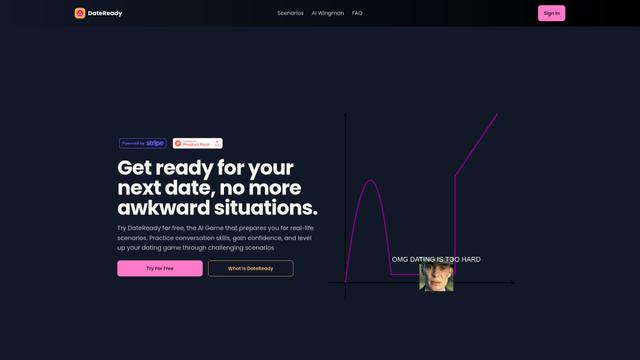
DateReady
DateReady is an AI-powered game that helps users improve their dating skills through realistic scenarios and personalized feedback.

Flipped.Chat
Flipped.Chat is an AI-powered app that offers immersive virtual dating experiences with lifelike AI characters.
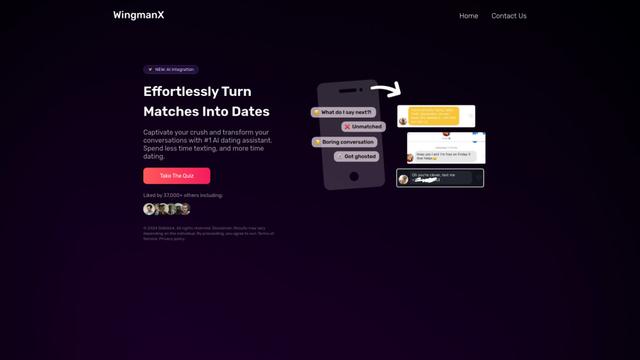
WingmanX
WingmanX is an AI-powered dating assistant that helps users craft engaging messages and responses to improve their online dating experience.
Popular AI Tools Like terminal.dating

Vibing
Vibing is an AI-powered dating app that helps users share authentic moments through video stories and make genuine connections based on personality matching and interactive features.

GoLove.AI
GoLove.AI is an AI girlfriend simulator app that offers free virtual dating and companionship through AI-powered characters with distinct personalities and traits.

Kupid AI - Chat with AI Girls
Kupid AI - Chat with AI Girls is a platform that offers immersive conversations and virtual relationships with AI companions.
Flipped.Chat
Flipped.Chat is an AI-powered app that offers immersive virtual dating experiences with lifelike AI characters.