iGreet
iGreet is an augmented-reality greeting card platform that turns printed or digital cards into immersive experiences with personalized messages and video that “come to life” when opened or scanned.
https://igreet.com/?ref=producthunt
Product Information
Updated:May 15, 2026
What is iGreet
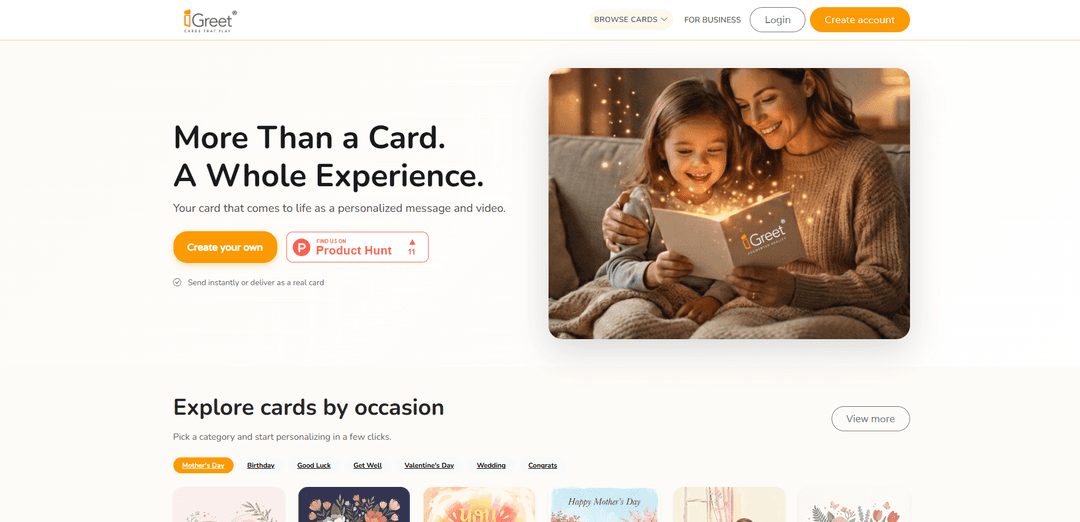
iGreet brings traditional greeting cards into the modern era by combining beautiful card designs with augmented reality and video content. It lets people and teams create meaningful greetings for birthdays, holidays, weddings, thank-yous, and more—then send them either instantly as a digital link or as a delivered physical card. The core idea is simple: a card is no longer just something you read; it becomes a memorable experience when the recipient opens it and sees the hidden content play.
Key Features of iGreet
iGreet is an augmented-reality greeting card platform that turns a card into a richer “experience” by playing a personalized video/message, animation, and sometimes sound when the recipient opens or scans it. Users can choose a design by occasion, personalize it in a few steps, and send it either instantly as a digital link or as a printed physical card delivered to the recipient. The experience can be accessed via scanning in the mobile app (and, for some experiences, directly in a browser without signup), making it suitable for personal gifting as well as business appreciation programs with team management and central billing.
AR/animated cards that come to life: Transforms static greeting cards into an interactive experience with video, animations, and (in some cards) music/sound when viewed through the iGreet experience.
Personalized message and video: Create a meaningful greeting by adding a personal text message and/or a video message that plays when the recipient opens the card experience.
Digital or printed delivery: Send instantly as a shareable digital link or ship a physical printed card (with or without embedded video/AR content) depending on the occasion and recipient.
Occasion-based card catalog: Browse designs by event categories (e.g., Birthday, Wedding, Love, Congrats, Thank You, Christmas, Mother’s Day, Baby) and pick a style quickly.
Simple viewing flow (scan or browser): Recipients can view by opening the scan function and focusing on the card’s front image; some demos/experiences also support instant browser access without signup.
iGreet for Business: Supports workplace appreciation with team management, centralized billing, and workflows for sending personalized cards to employees and clients.
Use Cases of iGreet
Personal gifting for milestones: Send birthdays, weddings, baby announcements, congratulations, or thank-you notes with a more emotional impact through video/AR content.
Long-distance family moments: Replace repetitive messages with a digital iGreet link or a mailed card that plays a personal video, helping families feel closer across locations.
Corporate employee recognition: HR/People teams can welcome new hires, celebrate anniversaries, and recognize achievements using personalized cards at scale via iGreet for Business.
Client appreciation and relationship building: Sales and account teams can send memorable appreciation cards that stand out more than standard emails, strengthening long-term relationships.
Retail gifting and add-on sales: Gift shops, bookstores, and florists can offer iGreet-style AR cards as a premium add-on that differentiates their greeting card selection.
Pros
More memorable than traditional cards due to video/AR animation and sound
Flexible delivery options (instant digital link or physical printed card)
Broad catalog across common occasions plus business-focused sending features
Cons
Recipient experience may depend on having a compatible phone/camera and (for some cards) using the app to scan
AR/interactive content can be less intuitive than a standard card for less tech-savvy recipients
Personalization capabilities may vary by card/feature set (some personalization noted as planned in earlier materials)
How to Use iGreet
1) Get iGreet ready: Decide whether you want to send a digital iGreet card (shareable link) or a printed iGreet card (physical delivery). If you’re receiving a printed iGreet card, keep it handy for scanning/opening.
2) Choose a card design: Browse iGreet cards by occasion/category (e.g., birthday, Mother’s Day) and select a design you want to use.
3) Personalize your card: Add your personal content to the card—such as a message and/or a video greeting—following the card’s personalization flow.
4) Choose how to send it: Pick one delivery method: (a) Digital card: send instantly as a shareable link, or (b) Printed card: order a physical card to be delivered to an address (with or without a video message).
5) Send or place the order: For digital cards, share the generated link with the recipient. For printed cards, place the order and have the card delivered (or pick up where available, depending on the offering).
6) Open the card experience (recipient): The recipient opens the digital link in a browser (no signup required; no app required for the instant web experience) or opens the printed card to access the interactive experience.
7) If using the mobile app scanning flow (recipient): Open the iGreet mobile app, tap the Scan button, and point the camera at the front image of the iGreet card (or the special frame inside, if instructed on the card). Hold steady until the content appears.
8) Watch the card come to life: View the personalized video, animation, and/or AR experience that plays from the card—this is the “comes to life” moment.
iGreet FAQs
iGreet is an augmented-reality greeting card service that makes cards “come to life” with a personalized message and video/animation when opened or scanned.
iGreet Video
Popular Articles

Atoms: A Multi-Agent AI Platform That Transforms Ideas into Launch-Ready Products
May 22, 2026

Nano Banana SBTI: What It Is, How It Works, and How to Use It in 2026
Apr 15, 2026

Atoms Review — The AI Product Builder Redefining Digital Creation in 2026
Apr 10, 2026

Kilo Claw: How to Deploy and Use a True "Do‑It‑For‑You" AI Agent(2026 Update)
Apr 3, 2026
Latest AI Tools Similar to iGreet

EzVideos
EzVideos is an all-in-one video creation tool that helps users generate viral videos for social media platforms like Instagram, TikTok, and YouTube with automated editing features and built-in resources.

Blanc AI
Blanc AI is a revolutionary AI solution that enables video content translation and dubbing into 47+ languages while preserving the original voice, emotions, and lip synchronization.

Wink Mody
Wink Mody is a modified version of the Wink video editing app that offers premium features like AI-powered retouching, 4K exports, and watermark-free editing completely free of charge.

Shortmake AI
ShortMake is an AI-powered video creation platform that transforms ideas into viral-ready videos by automatically generating scripts, voiceovers, visuals, and subtitles specifically optimized for platforms like TikTok and YouTube Shorts.
Popular AI Tools Like iGreet

AI Clips - New Gen
AI Clips - New Gen is an AI-powered video clipping tool that automatically generates engaging short-form content from long videos for multiple social media platforms like YouTube Shorts, TikTok, Instagram Reels and more.

Edit Mind
Edit Mind is an open-source, AI-powered video indexing and semantic search platform that enables users to analyze and search through video content using natural language queries, with features including transcription, frame analysis, face recognition, and object detection.

Dinamo Notebook
FreeAI Video Editing
Dinamo Notebook is a free, MIT-licensed, local-first browser extension for football video analysis that lets you draw tactical annotations on YouTube/Dailymotion/Twitch footage and optionally use AI (with your own OpenAI API key) for tactical insights.

MediaSeg
MediaSeg is a stable, local-first macOS utility that splits large MP4/WEBM media files into upload-ready chunks under a configurable size limit while preserving quality using ffmpeg/ffprobe and an AI-assisted, target-based sizing strategy.