
Dinamo Notebook
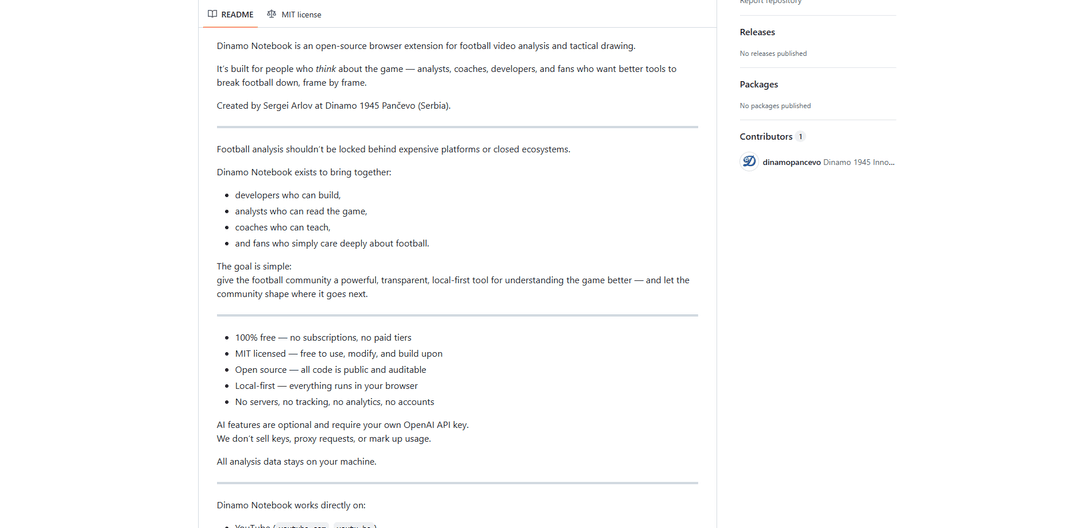
Dinamo Notebook is a free, MIT-licensed, local-first browser extension for football video analysis that lets you draw tactical annotations on YouTube/Dailymotion/Twitch footage and optionally use AI (with your own OpenAI API key) for tactical insights.
https://github.com/dinamopancevo/dinamonotebook?ref=producthunt
Product Information
Updated:Jul 8, 2026
What is Dinamo Notebook
Dinamo Notebook is an open-source browser extension built for football analysts, coaches, developers, and fans who want a transparent, local-first way to break down matches frame by frame. Created by Sergei Arlov at Dinamo 1945 Pančevo (Serbia), it focuses on professional-grade tactical drawing, structured project-based analysis, and exportable outputs—without subscriptions, accounts, servers, tracking, or telemetry. Everything runs in your browser, and your analysis data stays on your machine.
Key Features of Dinamo Notebook
Dinamo Notebook is an open-source, local-first browser extension for football video analysis and tactical drawing that works directly on platforms like YouTube, Dailymotion, and Twitch. It lets users pause match footage, annotate frames with professional tactical visuals, organize analysis into searchable projects stored locally, and export results as reports or media assets. Optional AI assistance (via the user’s own OpenAI API key) can help explain tactics, formations, and patterns—without accounts, servers, tracking, or forced cloud storage.
In-browser video analysis on major platforms: Runs as a browser extension and overlays analysis tools directly on YouTube, Dailymotion, and Twitch (live/VOD), enabling frame-by-frame breakdown without downloading or re-uploading video.
Professional tactical drawing tools: Draw on paused frames using arrows, shapes, highlights, pitch templates, formation diagrams, layers, and color coding to create clear tactical explanations and sequences.
Project-based local data management: Organizes work into projects (matches/teams/sessions), keeps everything stored locally in the browser, and supports search/filter plus full import/export of the database.
Export and presentation outputs: Turns analysis into shareable artifacts including PDF reports, high-resolution images (PNG/JPEG), animated GIFs for sequences, and raw exports (JSON/CSV), plus a presentation mode.
Optional AI-assisted tactical Q&A: With your own OpenAI API key, you can ask targeted questions (pressing issues, structure, movement, coaching alternatives) while keeping requests direct from your browser to OpenAI (no proxying by the project).
Privacy-first, auditable, and free: MIT-licensed open source with a strict zero-collection approach—no accounts, telemetry, analytics, or backend servers; all analysis data stays on your machine.
Use Cases of Dinamo Notebook
Coaching match prep and opposition scouting: Coaches can build multi-slide sequences of opponent patterns, annotate pressing triggers and defensive gaps, and export PDFs/GIFs for staff meetings and training plans.
Performance analysis for clubs and academies: Analysts can tag key moments, create structured project libraries per match/team, and produce standardized reports and visuals for player development reviews.
Content creation for media and fan analysis: Football YouTubers, writers, and fan analysts can generate annotated stills and GIF sequences directly from public match footage to support tactical explainers.
Remote collaboration via portable exports: Because projects can be exported/imported (and outputs shared as PDFs/images/JSON), distributed teams can exchange analysis packages without relying on a central cloud platform.
Education and coaching courses: Instructors can use pitch templates, layered drawings, and presentation mode to teach formations, spacing, and phase-of-play concepts with real match clips.
Pros
Local-first privacy: no accounts, servers, tracking, or analytics; data stays on-device.
Works directly on existing video platforms (YouTube/Dailymotion/Twitch) with no re-upload workflow.
Strong tactical visualization plus multiple export formats (PDF, images, GIF, JSON/CSV).
Open-source (MIT) and extensible; optional AI uses the user’s own API key.
Cons
AI features require a separate OpenAI API key and associated usage costs.
Firefox support is planned but not yet released.
Users must ensure their workflow complies with platform terms and applicable copyright laws.
How to Use Dinamo Notebook
1) Install the extension (Chrome / Edge): Download or clone the Dinamo Notebook repository. Then open chrome://extensions/ in your browser.
2) Enable Developer Mode: On the Extensions page, toggle Developer mode on (top-right in Chrome/Edge).
3) Load the extension: Click “Load unpacked” and select the Dinamo Notebook extension directory. The extension will appear in your toolbar.
4) Open a supported video platform: Navigate to a match video on a supported site: YouTube (youtube.com / youtu.be), Dailymotion, or Twitch (live streams or VODs).
5) Confirm the Dinamo Notebook sidebar appears: When you open a supported video page, the Dinamo Notebook sidebar should appear automatically.
6) Create a new project: In the sidebar, create a new project to organize your work (e.g., by match, team, or session).
7) Pause at key moments and start annotating: Pause the video at important frames and begin drawing/annotating directly on the paused frame.
8) Use tactical drawing tools: Add arrows, shapes, highlights, and tactical symbols. Use pitch templates, player positioning/formation diagrams, layers for complex scenes, and color coding for teams/zones/movements.
9) Build multi-slide breakdowns: Create multiple slides to explain sequences or phases of play, using layer-based drawings and step-by-step visuals.
10) (Optional) Enable AI features with your own OpenAI API key: Only if you want AI assistance: get an API key from https://platform.openai.com, open the extension, go to Settings, and paste your key (stored locally in your browser).
11) (Optional) Ask AI tactical questions: Use AI as an assistant for formation/structure explanations, player movement and positioning analysis, defensive/attacking pattern breakdowns, situation-specific questions (e.g., “What’s wrong with this press?”), and coaching suggestions.
12) Manage your analysis locally: Keep projects organized and searchable. Use search/filter across projects, maintain version history, and export/import your local database as needed.
13) Export or present your work: Export analysis as PDF reports, high-resolution images (PNG/JPEG), animated GIFs for sequences, or raw data (JSON/CSV). Use Presentation mode for meetings or coaching sessions.
Dinamo Notebook FAQs
Dinamo Notebook is an open-source browser extension for football video analysis and tactical drawing, created by Sergei Arlov at Dinamo 1945 Pančevo (Serbia).
Popular Articles

Vosko AI: Localize and Dub Videos for Global Audiences
Oct 15, 2026

Atoms: A Multi-Agent AI Platform That Transforms Ideas into Launch-Ready Products
Oct 13, 2026

Nano Banana SBTI: What It Is, How It Works, and How to Use It in 2026
Apr 15, 2026

Atoms Review — The AI Product Builder Redefining Digital Creation in 2026
Apr 10, 2026
Latest AI Tools Similar to Dinamo Notebook

EzVideos
EzVideos is an all-in-one video creation tool that helps users generate viral videos for social media platforms like Instagram, TikTok, and YouTube with automated editing features and built-in resources.

Blanc AI
Blanc AI is a revolutionary AI solution that enables video content translation and dubbing into 47+ languages while preserving the original voice, emotions, and lip synchronization.

Wink Mody
Wink Mody is a modified version of the Wink video editing app that offers premium features like AI-powered retouching, 4K exports, and watermark-free editing completely free of charge.

Shortmake AI
ShortMake is an AI-powered video creation platform that transforms ideas into viral-ready videos by automatically generating scripts, voiceovers, visuals, and subtitles specifically optimized for platforms like TikTok and YouTube Shorts.
Popular AI Tools Like Dinamo Notebook

AI Clips - New Gen
AI Clips - New Gen is an AI-powered video clipping tool that automatically generates engaging short-form content from long videos for multiple social media platforms like YouTube Shorts, TikTok, Instagram Reels and more.

Edit Mind
Edit Mind is an open-source, AI-powered video indexing and semantic search platform that enables users to analyze and search through video content using natural language queries, with features including transcription, frame analysis, face recognition, and object detection.

MediaSeg
MediaSeg is a stable, local-first macOS utility that splits large MP4/WEBM media files into upload-ready chunks under a configurable size limit while preserving quality using ffmpeg/ffprobe and an AI-assisted, target-based sizing strategy.
Cooraft: Ultimate AI Camera
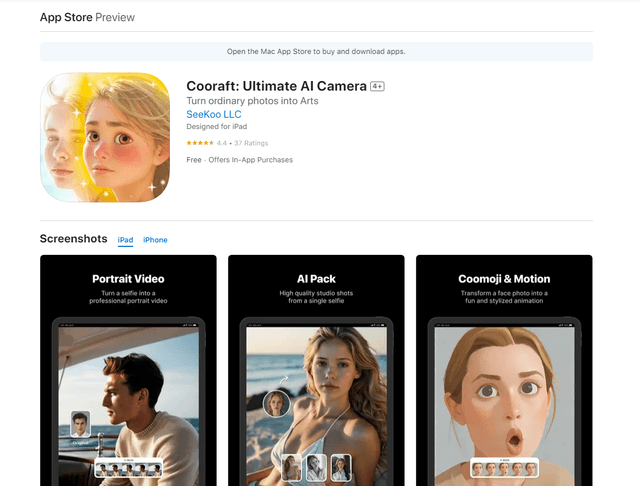
Cooraft is an AI-powered camera app that transforms selfies and photos into stunning studio-quality videos, animations, and artistic renderings with just one tap.