
Yansu
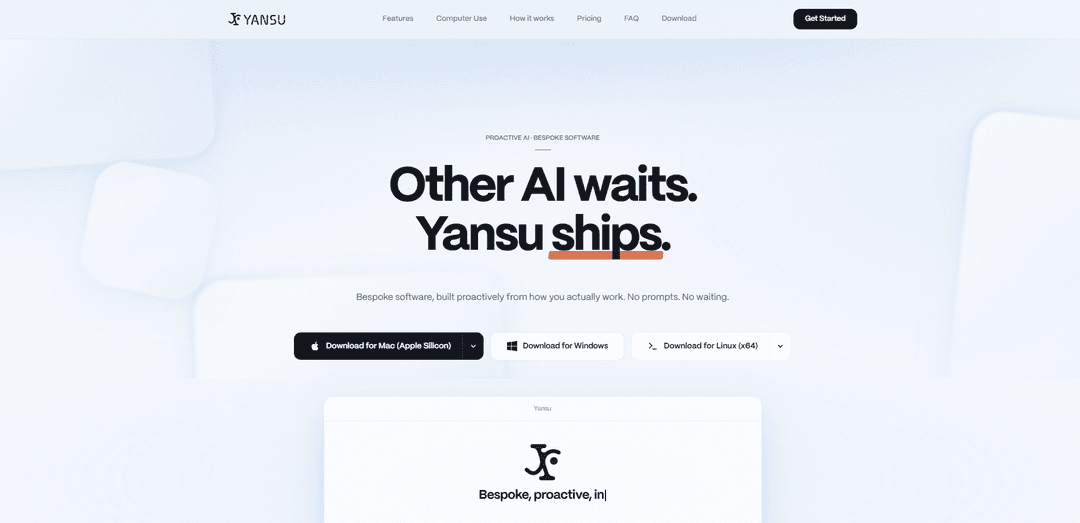
Yansu is a proactive, local-first AI that observes how you work and automatically builds bespoke apps and workflows—without prompts—while staying out of your cursor, focus, and app state.
https://yansu.app/?ref=producthunt
Product Information
Updated:Jun 8, 2026
What is Yansu
Yansu is a proactive AI app builder and “serious” software platform by Isoform that turns day-to-day work patterns into custom internal tools, dashboards, and automations. Instead of requiring you to describe what you want in prompts, Yansu learns from how you actually operate—across your desktop activity (e.g., screenshots) and supported messaging tools like Slack and other chat platforms—then produces structured, reusable knowledge and generated apps tailored to your team. It’s available as a free desktop app for macOS, Windows, and Linux, with paid tiers and an Enterprise offering for shared team knowledge and admin controls.
Key Features of Yansu
Yansu is a proactive, local-first AI app builder by Isoform that observes how you and your team work (via desktop screenshots and supported messaging apps), distills those patterns into structured “memory/knowledge,” and then automatically builds bespoke internal tools and automations—often without prompting. It can operate in the background using its own virtual cursor (so it doesn’t move your mouse or steal focus), integrates with common chat platforms, and supports a multi-model approach (e.g., Claude, GPT, Gemini) to choose the best model per task. Yansu emphasizes privacy controls (explicit permission before data leaves the device) and enterprise-grade security claims (SOC 2 Type II, ISO 27001).
Proactive app generation (no-prompt workflows): Learns patterns from your day-to-day work and automatically creates custom apps/tools (dashboards, trackers, workflows) before you explicitly ask, reducing repetitive setup and documentation burden.
Observe → crystallize → solve knowledge loop: Captures signals from desktop activity and team conversations, converts them into structured, actionable knowledge (“crystals/memory”), then uses that context to propose fixes, build tools, or improve workflows.
Background computer use with a virtual cursor: Operates with its own pointer in a virtual layer so it doesn’t hijack your mouse, doesn’t steal window focus, and avoids interrupting your active workflow while it opens apps, fills forms, or files tickets.
Chat and collaboration integrations: Connects to common communication platforms (e.g., Slack, Microsoft Teams, Feishu, Discord, Telegram, WhatsApp, WeChat) so knowledge and actions can be invoked or surfaced where teams already work.
Local-first privacy controls: Stores memory, conversations, and generated apps locally on your machine; nothing leaves the device without explicit permission, and user data is not used for model training (per product claims).
Multi-model orchestration: Automatically selects among multiple AI models (including Claude, GPT, Gemini, and others) to use the best model for each step of app generation or task execution.
Use Cases of Yansu
Engineering: incident & build-failure recall: Remembers prior debugging context (e.g., recurring migration-lock/auth build failures) and surfaces the last known workaround steps, reducing time-to-resolution and repeated explanations.
Operations/IT: internal ticketing and form automation: Runs in the background to open enterprise tools, fill repetitive forms, and file tickets using learned team conventions—without disrupting the user’s cursor or focus.
Product & delivery: sprint workflow dashboards: Builds bespoke trackers that consolidate team workflow patterns and decisions into dashboards (e.g., sprint status, handoffs, recurring blockers) tailored to how the team actually operates.
Finance: AI spend monitoring: Creates internal tools that track and visualize AI/tooling spend across teams and vendors, helping finance and engineering leaders monitor usage and cost drivers.
Meetings: recap and action-item extraction: Turns team discussions into structured meeting recaps and follow-ups, then can generate lightweight apps to track owners, deadlines, and completion across recurring meetings.
Cross-functional knowledge base from “tribal knowledge”: Captures informal decisions and unwritten conventions from chats and desktop activity, “crystallizing” them into reusable knowledge so new teammates ramp faster and fewer questions repeat.
Pros
Proactive, low-prompt experience that can generate tools from observed workflows rather than requiring detailed specifications.
Background automation design (virtual cursor, no focus stealing) reduces disruption compared to typical UI-driving agents.
Local-first storage and explicit-permission sharing model, with stated no-training-on-your-data posture.
Broad platform support (macOS/Windows/Linux) and common chat integrations for team adoption.
Cons
Observation-based approach (screenshots and chat monitoring) may raise privacy/compliance concerns for some organizations despite local-first controls.
Proactive/autonomous behavior can produce irrelevant or incorrect apps/insights if patterns are misread, requiring user oversight.
Some higher-value team features (shared memory/admin controls/SSO) appear gated behind Enterprise pricing.
Effectiveness depends on integration coverage and the quality/consistency of captured signals from your tools and workflows.
How to Use Yansu
1) Download and install Yansu Desktop: Go to https://yansu.app/#download and download the desktop app for your OS (macOS 13+, Windows 10+, or Ubuntu 20.04+). Install it: macOS: open the .dmg and drag Yansu.app to Applications. Windows: right-click the downloaded .zip → Extract All… to a permanent location (e.g., C:\Program Files\Yansu\ or %LOCALAPPDATA%\Yansu\), then run Yansu.exe. Linux: download the Linux build from the same download section and install/run it for Ubuntu 20.04+.
2) Launch Yansu and keep working normally: Open Yansu and continue your usual work. Yansu is designed to be proactive (no prompting required): it observes how you work and builds custom apps/workflows before you ask.
3) Enable what Yansu can observe (desktop + messaging apps): Allow Yansu to observe your desktop via screenshots and/or connect the messaging apps you use for work (supported: Slack, Microsoft Teams, Feishu, Discord, Telegram, WhatsApp, WeChat). This is how Yansu learns your real workflows and decisions.
4) Let Yansu “Listen” (capture your workflow signals): As you work, Yansu passively gathers signals from what it’s allowed to observe (e.g., desktop screenshots and/or messaging conversations). This is the input for building personalized automation and tools.
5) Let Yansu “Crystallize” (turn patterns into structured knowledge): Yansu distills what it observed into structured, actionable knowledge (e.g., team preferences, sprint workflow, code review style). These outputs are referred to as “memories/knowledge” and “crystals” (structured learnings).
6) Use the generated outputs to “Solve” (apps, dashboards, workflows): Based on the crystallized knowledge, Yansu proactively generates custom internal tools such as dashboards, trackers, and improved workflows (e.g., consolidating Jira/Notion/Sheets, AI spend monitors, meeting action-item extractors), or offers solutions to recurring issues.
7) Run Yansu alongside you without disruption: Yansu operates in a virtual layer: it uses its own pointer, doesn’t steal window focus, and doesn’t take over your cursor—so you can keep working while it performs background computer use (opening apps, filling forms, filing tickets).
8) Control privacy and sharing explicitly: Keep Yansu local-first: your memory, conversations, and generated apps are stored on your machine. Nothing leaves your device without your explicit permission, and your data is not used for AI model training.
9) (Optional) Choose a plan that matches your usage: Start on Free ($0/month) with limited monthly handoffs/crystals/memories. Upgrade to Pro/Studio/Max for higher limits, or Enterprise for team features like shared team memory/knowledge, admin controls, SSO/SAML, and custom retention/compliance.
10) (Optional) Use with a team (Enterprise): If you need team-wide benefits, use the Enterprise plan to manage shared crystal libraries and team knowledge/memory so Yansu can observe team patterns and build apps that benefit everyone.
Yansu FAQs
Yansu is a proactive AI app builder by Isoform that observes how you work, learns patterns, and automatically builds custom applications before you ask—without requiring prompts or code.
Yansu Video
Popular Articles

Proferex: A Cloud-Based Ad Tracking and Campaign Optimization Platform
Nov 4, 2026

How to Create Viral Talking Baby Podcast Videos with AI: Step-by-Step Guide
Nov 2, 2026

Vosko AI: Localize and Dub Videos for Global Audiences
Oct 15, 2026

Atoms: A Multi-Agent AI Platform That Transforms Ideas into Launch-Ready Products
Oct 13, 2026
Latest AI Tools Similar to Yansu
AppScape
AppScape is a no-code platform offering ready-to-use AI-powered apps and customizable SaaS solutions, enabling quick deployment without traditional development costs and technical expertise.
AsoLift
AsoLift is an all-in-one App Store Optimization (ASO) platform that helps publishers, developers, and marketers monitor competitors, track rankings, research keywords, and optimize app store listings for both iOS and Android apps.
ShipiOS.App
ShipiOS is a comprehensive SwiftUI boilerplate that provides ready-to-use components, features, and additional resources to help developers quickly build and launch modern iOS applications.
Fuselio
Fuselio is a one-stop technology company providing custom web development, mobile app development, and AI-driven automation services for startups and businesses.
Popular AI Tools Like Yansu
Launch
Launch is an AI-powered platform that enables users to build full-stack applications instantly while providing comprehensive tools for product launches, entrepreneurship programs, and customer acquisition.
Airtable AI Assistant
Airtable AI Assistant is an integrated AI-powered tool that combines app building, data analysis, and web research capabilities to help teams transform documents into structured data, generate insights, and automate workflows within the Airtable platform.
Airtable
Airtable is an AI-powered cloud collaboration platform that combines the functionality of spreadsheets and databases with no-code app building capabilities to help teams organize, track and manage their workflows and data.
GPT Engineer
GPT Engineer is an AI-powered software development tool that enables anyone to build web applications by chatting with an AI engineer.