
WOZCODE
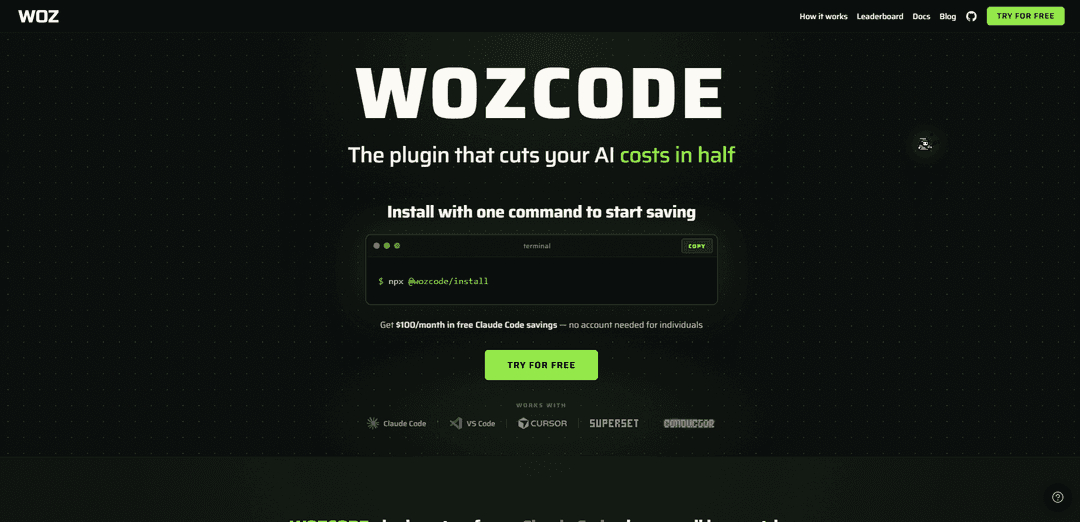
WOZCODE is a locally installed Claude Code plugin that boosts coding performance while cutting roundtrips, token usage, and cost—often delivering 5–10× faster workflows and 25–50% lower spend with benchmark-leading results.
https://www.wozcode.com/?ref=producthunt
Product Information
Updated:May 19, 2026
What is WOZCODE
WOZCODE is a high-performance AI coding plugin that augments Anthropic’s Claude Code CLI to make day-to-day development faster, cheaper, and more efficient without changing your existing workflow. Installed directly into your Claude Code environment, it replaces or enhances the default agent tooling with smarter, token-efficient file search/read/edit operations, helping developers complete the same tasks in fewer turns and with less context bloat. It works with your existing Claude Code subscription and can be used without signup, while optional accounts unlock a savings dashboard and higher free savings limits.
Key Features of WOZCODE
WOZCODE is a high-performance plugin for the Claude Code CLI that replaces/augments the default agent and file tools with more token-efficient workflows, reducing round-trips and context bloat so coding tasks complete faster and at lower cost. It installs in seconds (no signup required), tracks real-time savings, and includes benchmarking utilities to compare performance against vanilla Claude Code. WOZCODE runs locally alongside your existing Claude Code setup and claims it does not exfiltrate code or prompts; it focuses on batching operations (search/read/edit) to cut tool calls and avoid repeatedly reprocessing large prior outputs.
Token-efficient toolchain: Swaps in smarter file read/search/edit tools that use fewer tokens per operation, keeping context smaller so subsequent turns stay cheaper across long sessions.
Fewer round-trips via batching: Collapses multi-step workflows (e.g., find + read + edit across many files) into fewer tool calls (e.g., single search + batch edit), reducing repeated context reprocessing.
Real-time savings tracking: Built-in commands (e.g., /woz-savings) show cumulative cost/time/tokens saved so teams can quantify efficiency gains during day-to-day development.
Side-by-side benchmarking: Includes a benchmark tool (e.g., /woz-benchmark) to compare WOZCODE vs standard Claude Code on representative tasks and measure cost/speed differences.
Drop-in CLI plugin install: Installs with Claude Code plugin commands in seconds and works with existing Claude Code subscriptions/workflows—no additional configuration required.
Attribution controls for commits/PRs: Can install a co-author attribution line when no existing attribution is set, while leaving customized/disabled attribution untouched; can be toggled (e.g., /woz-settings attribution off).
Use Cases of WOZCODE
Multi-file feature development in product teams: Accelerate implementation of real features (routes, UI pages, controllers/services, refactors) by reducing tool-call overhead and keeping sessions under usage limits longer.
Database-heavy analytics and reporting: Speed up iterative SQL exploration and dashboard/report generation (schema exploration, joins, trend analyses, exports) by minimizing back-and-forth and reducing context growth.
API maintenance and hardening: Apply systematic fixes across a backend (validation, auth checks, rate limiting, logging, error standardization, typing improvements, tests, OpenAPI docs) with fewer turns and lower cost.
Solo developers and indie founders optimizing spend: Reduce token usage and avoid hitting Claude session limits while building/iterating quickly, especially when running multiple terminals/projects in parallel.
Teams standardizing AI-assisted workflows: Use shared benchmarking and savings tracking to justify adoption, monitor efficiency improvements, and keep AI tooling costs predictable at scale.
Pros
Lower cost and fewer tokens/round-trips on typical Claude Code workflows (claims ~25–50% cheaper and faster on many tasks).
Quick installation and compatibility with existing Claude Code subscription/workflows (no signup required for basic use).
Measurable visibility into impact via savings tracking and benchmarking tools.
Cons
Savings may be capped on the free tier (e.g., $100/month) with unlimited savings requiring a paid plan.
May modify commit/PR co-author attribution by default in some setups unless adjusted (though it’s toggleable and respects existing custom settings).
Collects limited usage telemetry (operational metrics) which some organizations may still need to review for compliance.
How to Use WOZCODE
1) Install WOZCODE from the Claude Code plugin marketplace: In a terminal where you use Claude Code, run:
claude plugin marketplace add WithWoz/wozcode-plugin
This adds the WOZCODE plugin source to your Claude Code plugin marketplace.
2) Install the WOZCODE plugin package: Run:
claude plugin install woz@wozcode-marketplace
This installs WOZCODE into your local Claude Code environment.
3) Start using Claude Code as you normally do (WOZCODE runs alongside it): After installation, continue using Claude Code in your existing workflow (CLI / terminal). WOZCODE is designed to integrate directly as a Claude Code plugin, so you don’t need to switch tools or change your setup.
4) (Optional) Check estimated savings locally: To run a local savings check script (runs on your machine), execute:
curl -fsSL https://wozcode.com/savings-check.js | node -
The site claims this runs entirely locally and that your code, prompts, and API keys do not leave your computer.
5) Use WOZCODE’s built-in benchmark command: In Claude Code, run:
/woz-benchmark
This is described as a way to compare savings/performance versus standard Claude Code behavior.
6) View ongoing savings tracking: In Claude Code, run:
/woz-savings
This is described as showing real-time or cumulative savings tracking.
7) Manage WOZCODE settings from within Claude Code: Use:
/woz-settings
You can ask in plain English to change settings (examples mentioned include turning attribution off or hiding status line tips). Settings are stored in ~/.claude/settings.json under the "wozcode" key.
8) (Optional) Create/sign into a Woz account for a savings dashboard and higher free savings cap: WOZCODE can be installed and used without an account, but creating an account is described as enabling a savings dashboard and a monthly free savings allowance (e.g., $100/month for individuals, or $200/month with a corporate email).
9) (Optional) Control git/PR attribution behavior: WOZCODE may install its own commit/PR co-author attribution line if you do not already have an attribution entry in ~/.claude/settings.json. You can toggle this via:
/woz-settings attribution off
WOZCODE FAQs
WOZCODE is a locally installed plugin for Claude Code that augments the Claude Code agent with enhanced custom tools to make it faster, cheaper, and higher performing.
WOZCODE Video
Popular Articles

Atoms: A Multi-Agent AI Platform That Transforms Ideas into Launch-Ready Products
May 22, 2026

Nano Banana SBTI: What It Is, How It Works, and How to Use It in 2026
Apr 15, 2026

Atoms Review — The AI Product Builder Redefining Digital Creation in 2026
Apr 10, 2026

Kilo Claw: How to Deploy and Use a True "Do‑It‑For‑You" AI Agent(2026 Update)
Apr 3, 2026
Latest AI Tools Similar to WOZCODE

Gait
Gait is a collaboration tool that integrates AI-assisted code generation with version control, enabling teams to track, understand, and share AI-generated code context efficiently.

invoices.dev
invoices.dev is an automated invoicing platform that generates invoices directly from developers' Git commits, with integration capabilities for GitHub, Slack, Linear, and Google services.

EasyRFP
EasyRFP is an AI-powered edge computing toolkit that streamlines RFP (Request for Proposal) responses and enables real-time field phenotyping through deep learning technology.

Cart.ai
Cart.ai is an AI-powered service platform that provides comprehensive business automation solutions including coding, customer relations management, video editing, e-commerce setup, and custom AI development with 24/7 support.
Popular AI Tools Like WOZCODE

GitHub Copilot Chat
GitHub Copilot Chat is an AI-powered coding assistant that provides natural language interactions, real-time code suggestions, and contextual support directly within supported IDEs and GitHub.com.

CopilotForXcode
CopilotForXcode is an Xcode Source Editor Extension that integrates GitHub Copilot, Codeium, and ChatGPT to provide AI-powered code suggestions, chat assistance, and prompt-to-code functionality within Xcode.

BrowserAI
BrowserAI is an open-source library that enables running local Large Language Models (LLMs) directly in web browsers with WebGPU acceleration, offering privacy-focused AI capabilities without requiring server infrastructure.

OpenAI Codex CLI
OpenAI Codex CLI is a lightweight, open-source coding agent that runs in your terminal, enabling developers to translate natural language into code execution while providing ChatGPT-level reasoning with the ability to run code, manipulate files, and iterate under version control.