
Wolfram Mathematica
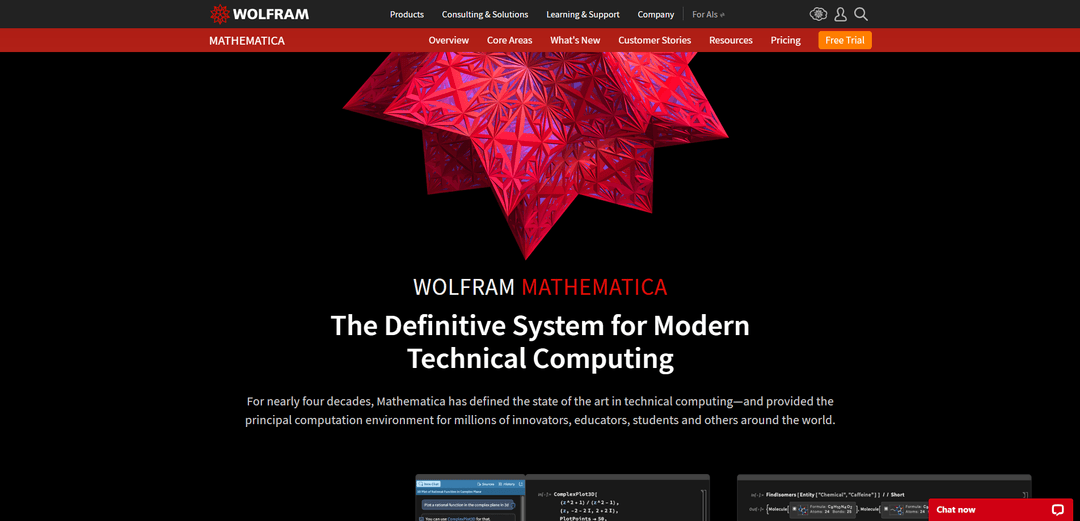
Wolfram Mathematica is an integrated technical computing system powered by the Wolfram Language, combining symbolic and numeric computation, high-quality visualization, rich notebook documents, and built-in real-world data and algorithms at industrial scale.
https://www.wolfram.com/mathematica?ref=producthunt
Product Information
Updated:Jul 8, 2026
What is Wolfram Mathematica
Wolfram Mathematica (often called Mathematica) is Wolfram Research’s flagship environment for modern technical computing, built around the Wolfram Language. It provides a unified workflow for doing mathematics, programming, data analysis, modeling, and visualization in a single notebook-based interface that mixes executable code with formatted text, graphics, and interactive elements. Originally released in 1988, Mathematica has expanded far beyond its early focus on mathematics into a broad platform that supports thousands of integrated functions across areas such as calculus and algebra, statistics, machine learning, time series, optimization, image/audio processing, and more—designed to work together consistently in one system.
Key Features of Wolfram Mathematica
Wolfram Mathematica is an integrated technical computing system built on the Wolfram Language, combining symbolic and numerical computation, data manipulation and analysis, visualization, machine learning/LLM tooling, and access to curated real‑world data in a single notebook-based workflow. It includes thousands of built-in functions across math, statistics, optimization, time series, NLP, graphs, images, and more, supports parallel/GPU computing, and can interface with external languages and systems via tools like WSTP and command-line front ends such as wolframscript.
Unified symbolic + numerical computation: Seamlessly mixes exact symbolic methods (algebra, calculus, equation solving) with high-precision numerics, enabling hybrid approaches without switching tools.
Large, integrated function library: Provides nearly 7,000 built-in Wolfram Language functions spanning data science, statistics, optimization, time series, NLP, graphs/networks, geometry, image/audio, and more—designed to work coherently together.
Notebook-based documents and interactive UI: Wolfram Notebooks combine runnable code, narrative text, data, and publication-quality graphics, and support building interactive interfaces directly in the same environment.
High-quality visualization and computational aesthetics: Creates sophisticated 2D/3D plots and interactive visualizations with strong defaults for presentation and exploration.
Real-world data and knowledge integration: Connects to the Wolfram Knowledgebase/Wolfram|Alpha-style computable data for up-to-date information across many domains, reducing data acquisition overhead.
Scalable compute + external integration: Supports parallel computing, grid/GPU acceleration (CUDA/OpenCL support noted historically), command-line execution, and interoperability with other systems via WSTP and links to external languages/services.
Use Cases of Wolfram Mathematica
R&D and scientific computing: Perform symbolic derivations, numerical simulation, PDE/ODE solving, and exploratory analysis in physics, chemistry, biology, and applied mathematics.
Engineering modeling and optimization: Prototype algorithms, run optimization and control-system analyses, and build computational models that can scale to larger workloads with parallelism/GPU support.
Data science and time series analytics: Clean and transform data, run statistical modeling and forecasting, and generate dashboards/visual reports within notebooks.
Finance and economic analysis: Analyze financial/economic datasets, build models, optimize portfolios or strategies, and produce reproducible research notebooks.
Education and curriculum content creation: Create interactive demonstrations, auto-graded explorations, and richly documented notebooks for teaching computational thinking and STEM topics.
Software/system integration and automation: Automate computations from the command line (wolframscript), integrate Mathematica kernels into larger applications via WSTP, and interface with external programs and services.
Pros
All-in-one, tightly integrated environment (language, notebooks, algorithms, visualization, and data) reduces toolchain complexity.
Strong symbolic computation combined with robust numerics enables workflows many numeric-only tools can’t match.
Extensive built-in function coverage and large example/documentation ecosystem accelerates prototyping and research.
Cons
Proprietary ecosystem and licensing can be a barrier for some teams and deployments.
Learning curve can be steep due to the unique Wolfram Language paradigm (symbolic/rule-based/functional style).
Interoperability is good but may require specific tooling (e.g., WSTP) and integration effort compared with more ubiquitous stacks.
How to Use Wolfram Mathematica
1. Get access to Mathematica: Choose a way to use Mathematica: install the desktop app (Windows/macOS/Linux) or use Mathematica Online in a web browser via Wolfram Cloud. If you have organizational access, check your institution’s Wolfram portal/site info page; otherwise use Wolfram’s Pricing/Free Trial options.
2. Launch Mathematica and open a notebook: Start Mathematica and create a new notebook (the main working document). Notebooks let you mix text, typeset math, runnable code, graphics and interactive elements in one place.
3. Enter your first computation: Click into an input cell and type a simple expression (e.g., 2+2). Evaluate it to get output. In the desktop notebook interface, evaluation is commonly done with Shift+Return.
4. Use free-form input (natural language) when helpful: Try entering a query in plain language (e.g., “integrate x^2 from 0 to 1” or “plot sin x”). Mathematica can interpret free-form input and convert it into Wolfram Language computations.
5. Learn the Wolfram Language function style: Use built-in functions with bracket syntax: FunctionName[arguments]. Function names are English-like and consistent across the system. Example categories include arithmetic, algebra, calculus, data analysis and visualization.
6. Define variables and reuse results: Assign values to symbols (variables) and reuse them across cells. This is the foundation for building up calculations, models and workflows inside a notebook.
7. Create 2D and 3D graphics: Generate plots and visualizations directly from computations. Mathematica supports high-quality, publication-ready graphics and a wide range of visualization functions for functions, data and geometric objects.
8. Work with lists, tables and datasets: Represent collections of values as lists and use built-in functions to transform, summarize and analyze them. Mathematica includes extensive capabilities for tabular and time series data processing.
9. Do symbolic and numeric math: Use Mathematica for both exact symbolic computation (e.g., algebraic manipulation, calculus) and numeric evaluation (including high-precision arithmetic). Many workflows combine symbolic setup with numeric solving or simulation.
10. Use built-in real-world data when needed: Access computable real-world data through the Wolfram Knowledgebase (when available with your setup/connection). This supports workflows in domains like geography, finance, science and engineering.
11. Build interactive models with Manipulate: Create interactive controls (sliders, menus, etc.) to explore parameters dynamically. This is commonly used for demonstrations, teaching, and rapid model exploration.
12. Find functions and examples in the Documentation Center: Open the Wolfram Language Documentation Center to search for functions, guides and workflows. Use the large collection of examples (including Demonstrations) to learn patterns and adapt code.
13. Organize and present your work in the notebook: Add explanatory text, section headings and typeset equations. Notebooks are designed for “documents as well as code,” so you can keep narrative, math and computation together.
14. Turn a notebook into a presentation: Use Mathematica’s notebook-based presentation capabilities to create a slideshow that can include live computations, graphics and interactive elements.
15. Import and export files (data and documents): Bring in external data (e.g., spreadsheets) for analysis, and export results to shareable formats (e.g., PDF). Mathematica supports broad import/export workflows for data, graphics and documents.
16. Scale up when needed (performance and deployment options): For larger workloads, use built-in support for parallelism and high-performance computing options. For automation or command-line runs, use wolframscript; for sharing and deployment, use Wolfram Cloud features.
Wolfram Mathematica FAQs
Wolfram Mathematica is an integrated technical computing system built around the Wolfram Language. It provides a notebook-based environment for symbolic and numeric computation, data analysis, visualization and many other technical computing workflows.
Wolfram Mathematica Video
Popular Articles

Vosko AI: Localize and Dub Videos for Global Audiences
Oct 15, 2026

Atoms: A Multi-Agent AI Platform That Transforms Ideas into Launch-Ready Products
Oct 13, 2026

Nano Banana SBTI: What It Is, How It Works, and How to Use It in 2026
Apr 15, 2026

Atoms Review — The AI Product Builder Redefining Digital Creation in 2026
Apr 10, 2026
Latest AI Tools Similar to Wolfram Mathematica

Gait
Gait is a collaboration tool that integrates AI-assisted code generation with version control, enabling teams to track, understand, and share AI-generated code context efficiently.

invoices.dev
invoices.dev is an automated invoicing platform that generates invoices directly from developers' Git commits, with integration capabilities for GitHub, Slack, Linear, and Google services.

EasyRFP
EasyRFP is an AI-powered edge computing toolkit that streamlines RFP (Request for Proposal) responses and enables real-time field phenotyping through deep learning technology.

Cart.ai
Cart.ai is an AI-powered service platform that provides comprehensive business automation solutions including coding, customer relations management, video editing, e-commerce setup, and custom AI development with 24/7 support.
Popular AI Tools Like Wolfram Mathematica

GitHub Copilot Chat
GitHub Copilot Chat is an AI-powered coding assistant that provides natural language interactions, real-time code suggestions, and contextual support directly within supported IDEs and GitHub.com.

CopilotForXcode
CopilotForXcode is an Xcode Source Editor Extension that integrates GitHub Copilot, Codeium, and ChatGPT to provide AI-powered code suggestions, chat assistance, and prompt-to-code functionality within Xcode.

BrowserAI
BrowserAI is an open-source library that enables running local Large Language Models (LLMs) directly in web browsers with WebGPU acceleration, offering privacy-focused AI capabilities without requiring server infrastructure.

OpenAI Codex CLI
OpenAI Codex CLI is a lightweight, open-source coding agent that runs in your terminal, enabling developers to translate natural language into code execution while providing ChatGPT-level reasoning with the ability to run code, manipulate files, and iterate under version control.