
Stride
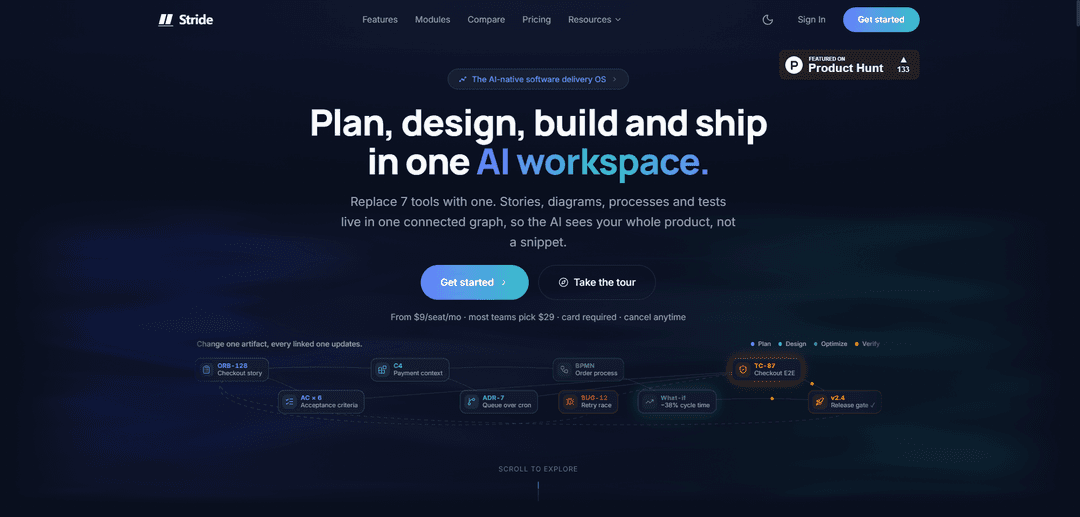
Stride is an AI-native software delivery OS that unifies planning, docs, diagrams, processes, and QA into one connected graph, enabling traceability, agent integrations (MCP), and AI-assisted story, design, and test generation.
https://www.stride.page/?ref=producthunt
Product Information
Updated:Jul 8, 2026
What is Stride
Stride is a cloud platform designed to replace the typical “Jira + docs + diagrams + QA + spreadsheets” delivery stack with a single, AI-native workspace. It centralizes epics and stories, architecture diagrams and ADRs, test management, defect tracking, and process visibility so teams don’t have to retell the same feature across multiple tools. Built around a connected graph of product artifacts, Stride aims to give both humans and AI the full context of a project—backlog, dependencies, quality signals, and history—so delivery work stays consistent from planning through verification.
Key Features of Stride
Stride is an AI-native software delivery platform that consolidates planning, documentation, architecture diagrams, QA/test management, and process tracking into a single connected workspace graph so AI can operate with full product context. It drafts epics/stories and acceptance criteria from delivery history, proposes architecture options with trade-offs, identifies bottlenecks and automation opportunities, and generates tests grounded in past defects with quality gates and regression prediction. Stride also provides traceability across stories, tests, defects, and design artifacts, plus integrations and governance features (API/webhooks, RBAC, audit logs, AI spend caps) and supports agent workflows via an MCP server for tools like Claude Code and OpenAI Codex.
Connected graph workspace: Stories, tests, diagrams/ADRs, processes, and defects live in one cross-linked graph, enabling dependency awareness and end-to-end traceability (e.g., story → test → defect).
AI-assisted planning (Plan module): Drafts epics, stories, and acceptance criteria from your real project history and prior sprints; supports boards with custom columns/WIP limits, sprints/releases, velocity and burndown, and AI-generated release notes.
Architecture & solution guidance (Design module): Proposes design/architecture solutions with trade-off analysis and helps keep architecture aligned by surfacing drift and related impacted work.
Quality & testing automation (Verify module): Generates tests (including Gherkin) grounded in past defects, predicts regressions, prioritizes stories by defect risk, and supports quality gates with a traceability matrix.
Process optimization (Optimize module): Finds delivery bottlenecks and automation opportunities by analyzing workflow and project artifacts to reduce context switching and status churn.
Integrations, APIs, and agent governance: Includes GitHub, Slack, and Jira Cloud sync plus REST API and HMAC-signed webhooks; supports Claude Code and OpenAI Codex via MCP with RBAC, audit logs, and hard AI cost caps (credits/budgets/alerts).
Use Cases of Stride
Replacing a Jira-era multi-tool stack: Consolidate Jira/Confluence/diagramming/test tools and spreadsheets into one platform to reduce rework and context switching while keeping planning, docs, diagrams, and QA connected.
Sprint planning and backlog acceleration for product teams: Turn PRDs and historical delivery context into a ready backlog with AI-written stories and acceptance criteria, then manage sprints, releases, and reporting in one place.
Architecture decisioning for SaaS and platform engineering: Generate architecture options with trade-offs, document ADRs/diagrams alongside implementation work, and surface dependency impacts when designs change.
QA/test management for regulated or high-risk software: Create test plans and cases tied directly to stories and defects, maintain a live traceability matrix, and use defect prediction to focus verification effort.
AI agent-driven delivery operations: Let coding agents (Claude Code/Codex) read and update backlog objects through MCP with the same RBAC/audit/budget controls as human users.
Migration and co-existence with existing tooling: Run alongside Jira with two-way sync or import via CSV/Jira Cloud, then export data out later to avoid lock-in while transitioning teams gradually.
Pros
Unified platform: planning, docs, diagrams, QA, and process tracking in one system reduces context loss and re-typing across tools.
Strong AI grounding: workspace-scoped AI uses the connected graph as context (not just prompts), enabling structured outputs like stories, tests, and release notes.
Governance-ready: RBAC, audit logs, signed webhooks, and AI spend caps support enterprise controls and agent usage.
Integration support: GitHub, Slack, Jira Cloud, plus REST API/webhooks and MCP support for coding agents.
Cons
Not ideal for heavily customized enterprise Jira setups (e.g., very complex workflows and deep marketplace dependency).
No free tier; requires a card to start and is paid from day one.
Mobile experience is a PWA and acknowledged as less mature than Linear’s offline-first mobile app.
Some enterprise features are roadmap-timed (e.g., SSO/SCIM and data residency options).
How to Use Stride
1) Create your Stride account: Go to https://www.stride.page/register, sign up, and pick a plan (card required to start).
2) Create a workspace and project: After signup, create a project and describe your tech stack. Stride will populate your board and begin generating structured artifacts (stories, architecture options, test strategies) from your project context.
3) Start planning work with the Plan module: Use Plan to draft epics/stories and acceptance criteria based on your delivery history. Organize work with custom board columns and WIP limits, and track sprints/releases with velocity and burndown.
4) Turn a PRD into execution artifacts (PRD Studio): Use PRD Studio to generate a ready backlog, designs, and tests from a single PRD so you don’t have to retype the same feature across multiple tools.
5) Design solutions with trade-offs (Design module): Use Design to propose solution options and trade-off analysis, and keep diagrams/ADRs cross-linked to the stories they affect.
6) Identify bottlenecks (Optimize module): Use Optimize to discover process bottlenecks and automation opportunities using Stride’s connected workspace context.
7) Manage quality with Verify: Use Verify to propose tests grounded in past defects, predict regressions, and enforce quality gates. Leverage traceability (story test defect) to see what changes impact which tests.
8) Connect GitHub for code-to-work traceability: Install the GitHub integration to auto-link PRs to stories and optionally sync status updates on merge.
9) Connect Slack for delivery notifications: Install the Slack bot and configure which events post to channels (e.g., @mentions, story status changes, sprint events).
10) Sync or migrate from Jira: Use the Jira Cloud integration for two-way sync (epics, stories, subtasks, sprints, comments). If migrating, import via Jira or CSV; Stride’s import wizard auto-maps common fields like Title, Description, Status, Priority, and Assignee.
11) Use agents via MCP (Claude Code / OpenAI Codex): Connect Claude Code or OpenAI Codex to Stride via its MCP server so agents can read stories, update statuses, and post progress comments using the same RBAC/audit controls as humans.
12) Integrate your stack with the REST API and webhooks: Use Stride’s public REST API and HMAC-signed webhooks to integrate other tools. Webhooks are signed so receivers can verify origin.
13) Share artifacts externally when needed: Share any artifact via a signed URL (no sign-up required for the recipient), useful for reviews with stakeholders outside your workspace.
14) Monitor and manage AI credits: Track your monthly included AI credits (Starter: 150/seat/month; Pro: 800/seat/month). Each AI generation draws from the balance; you’ll get a heads-up as you approach limits and can top up anytime (purchased credits never expire).
15) Manage storage and attachments: Keep an eye on attachment storage usage (Starter: 1 GB/seat up to 3 GB; Pro: 2 GB/seat up to 100 GB at 50 seats; Enterprise: up to 1 TB). Only file attachments count toward the cap.
Stride FAQs
Stride is an AI-native software delivery platform that combines planning, documentation, diagrams/design artifacts, QA/testing, and process tracking in one connected graph so AI can work with full product context.
Stride Video
Popular Articles

Vosko AI: Localize and Dub Videos for Global Audiences
Oct 15, 2026

Atoms: A Multi-Agent AI Platform That Transforms Ideas into Launch-Ready Products
Oct 13, 2026

Nano Banana SBTI: What It Is, How It Works, and How to Use It in 2026
Apr 15, 2026

Atoms Review — The AI Product Builder Redefining Digital Creation in 2026
Apr 10, 2026
Latest AI Tools Similar to Stride

Plani.ai
Plani.ai is an AI-powered business planning tool that generates customized strategies, tasks, and actionable plans to help entrepreneurs, startups, and small businesses achieve their business goals.

Tendery.ai
Tendery.ai is an AI-powered platform that transforms EU public procurement by providing automated tender discovery, intelligent matching, and enhanced proposal creation capabilities.

Devozy.ai
Devozy.ai is an AI-powered developer self-service platform that combines Agile project management, DevSecOps, multi-cloud infrastructure management, and IT service management into a unified solution for accelerating software delivery.
MDLR
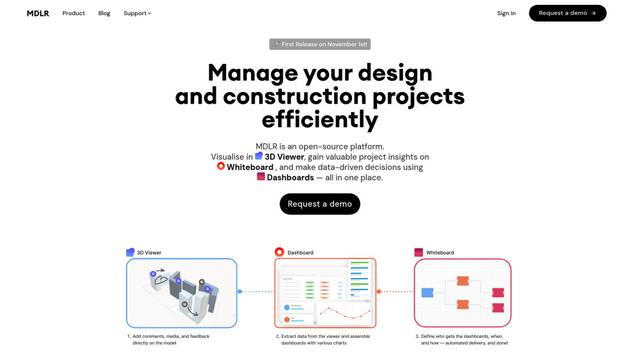
MDLR is an open-source AI-powered platform that streamlines design and construction project management through integrated 3D viewing, real-time dashboards, and interactive whiteboards.
Popular AI Tools Like Stride
ChatGPT Work
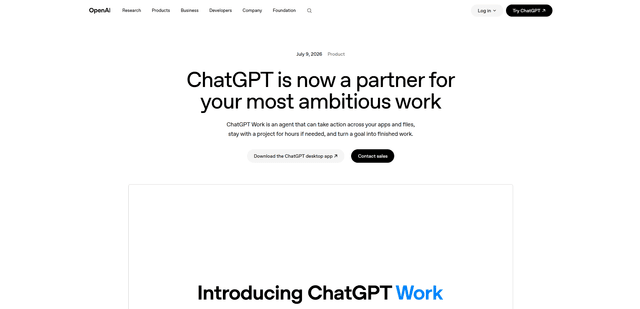
ChatGPT Work is an agent mode inside ChatGPT that can run multi-step projects for hours, pull context from your connected apps and files, and produce finished outputs like docs, slides, sheets, and interactive Sites—while keeping you in control with approvals and enterprise governance.
Zoho Projects
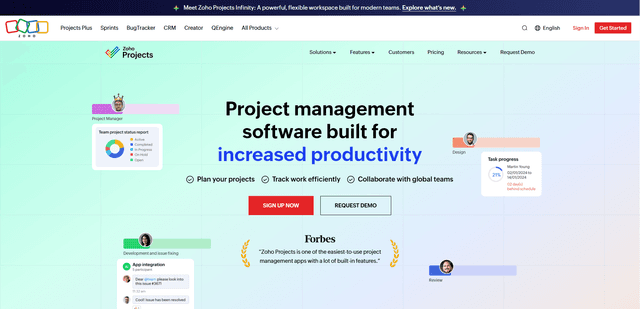
Zoho Projects is a cloud-based project management software that helps teams plan, track, and collaborate on projects with features like Gantt charts, task automation, time tracking, and comprehensive reporting tools.

Zoho Tables
Zoho Tables is a modern spreadsheet-database hybrid that helps teams organize data with relational links, build views and dashboards, collaborate in real time, and automate workflows with no-code and AI assistance.

Taskade
Taskade is an AI-powered productivity platform that combines task management, real-time collaboration, and AI automation in one unified workspace for teams and individuals.