
Staff.rip
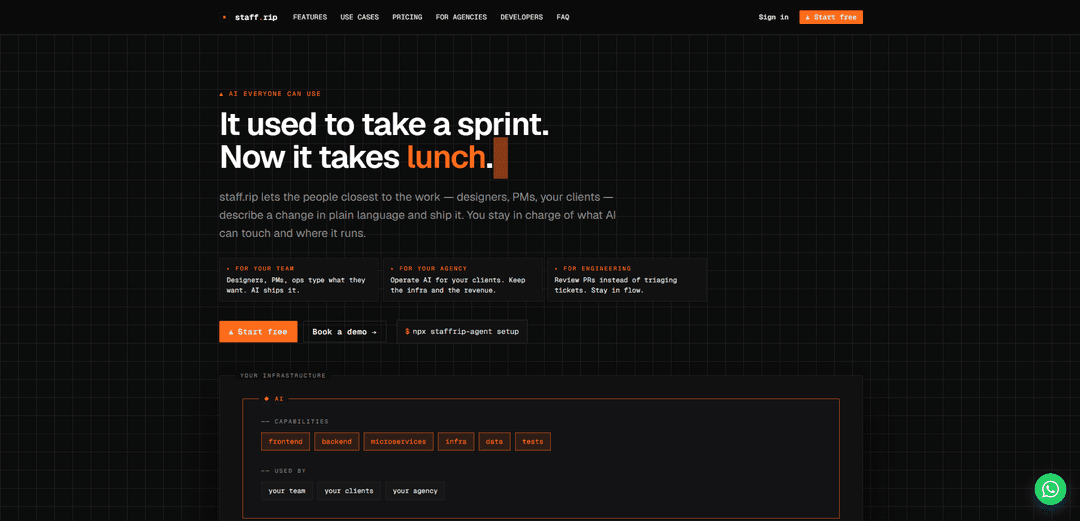
Staff.rip is a chat-first AI shipping tool that lets non-engineers (designers, PMs, clients) describe changes in plain language while keeping code local under your control, with engineers reviewing PRs instead of triaging tickets.
https://staff.rip/?ref=producthunt
Product Information
Updated:May 18, 2026
What is Staff.rip
Staff.rip positions itself as “AI everyone can use”: a product that bridges the gap between polished hosted AI coding tools and fully local AI CLIs. Instead of forcing teams to either send their codebase to third-party infrastructure or restrict AI usage to engineers only, staff.rip provides a UI that non-developers can actually operate while ensuring the agent runs in an environment you control. It’s designed for internal product teams as well as agencies that want to offer AI-powered editing to clients without giving up infrastructure ownership, governance, or revenue.
Key Features of Staff.rip
Staff.rip is a chat-first AI shipping tool that lets non-engineers (designers, PMs, ops, even clients) describe product changes in plain language and have an AI agent implement them, while engineering stays in control via reviewable changes (e.g., PRs) and scoped permissions. It’s designed to run the agent in infrastructure you control (laptop, VPS, CI runner), keeping the code local to that environment, and supports hosted or self-hosted deployments. It also supports multiple AI providers/keys per project, aiming to reduce ticket triage, speed up iteration, and safely extend “who can ship” without handing over full developer tooling.
Chat-first interface for non-developers: Designers, PMs, ops, and clients can request changes in plain language (with chat + click-to-edit), without needing git or CLI workflows.
Local-by-design agent execution: The AI agent runs as a Node process on your laptop/VPS/CI runner so the repository stays in the environment you control rather than being uploaded to a third-party code host.
Hosted or self-hosted deployment options: Start with a hosted setup for quick onboarding, with an Enterprise option to self-host the full stack in your own infrastructure/VPC.
Engineering control via reviewable output: Shifts engineers from ticket triage to reviewing changes (e.g., PR review), with visibility into actions, changes, and sessions.
Provider-flexible AI with your keys: Bring your own Anthropic/OpenAI/other provider keys (or use bundled options) and switch providers per project; the product positions itself as not seeing your model traffic.
Broad scope across the stack: Supports work across frontend, backend, microservices, infrastructure, data scripts, tests, and docs—while you define each project’s mission and boundaries.
Use Cases of Staff.rip
Product teams speeding up UI and copy iteration: Designers and PMs directly ship CSS tweaks, layout adjustments, and copy updates via chat/click-to-edit, reducing back-and-forth and shortening release cycles.
Agencies offering client-facing “AI editor” workflows: Agencies can let clients request and apply changes safely while the agency retains infrastructure control and monetizes ongoing delivery (reseller/agency positioning).
Engineering teams reducing support and triage load: Move routine change requests out of the backlog by letting stakeholders initiate scoped changes, while engineers focus on reviewing and approving.
Ops/infra and internal tooling updates: Teams can apply operational changes—scripts, configs, deploy tasks—by running the agent on a controlled VPS/runner, keeping sensitive environments governed.
Data and analytics enablement: Data stakeholders can run or request scoped data scripts/queries and small pipeline adjustments through a controlled interface without full engineering access.
Pros
Keeps code execution in your controlled environment (local-by-design), reducing concerns about sending repos to third-party hosted AI tools.
Enables non-engineers to ship changes through an accessible interface, potentially cutting cycle time and engineering triage.
Flexible deployment (hosted or self-hosted) and flexible model/provider choice (bring your own key, switch per project).
Engineering retains governance through visibility and reviewable changes (e.g., PR-focused workflow).
Cons
Requires running and maintaining an agent/worker process (Node daemon) on your chosen infrastructure, which adds operational overhead compared to purely hosted tools.
Opening shipping capabilities to non-developers can increase risk without strong scoping/review discipline, especially for backend/infra changes.
Some capabilities (e.g., full self-hosting, enterprise controls like SSO/RBAC) appear tied to higher-tier plans, which may limit smaller teams.
Usage-based add-ons (e.g., tunnels/VPS metering) can introduce variable costs as adoption scales.
How to Use Staff.rip
1) Choose where you want Staff.rip to run: Decide the environment you control where the agent will run: your laptop, a VPS, or a CI runner. Staff.rip is designed so the agent is a Node process you own and your repo stays in that environment.
2) Start the Staff.rip agent in that environment: Run the Staff.rip agent/daemon on the machine that has access to your codebase (e.g., inside ~/projects/my-app). This is the core setup that keeps code local to the box you choose.
3) Connect Staff.rip to a project (hosted or self-hosted): Use the default hosted option to sign up and point Staff.rip at your project, while still running the agent on your machine; or, if you need everything inside your own infrastructure, use the Enterprise self-hosted option.
4) Configure what the AI is allowed to do per project: Set each project's scope/mission—what the AI can touch and where it runs—so you retain control over changes and execution boundaries.
5) Add an AI provider key (bring your own): Plug in your own provider credentials (e.g., Anthropic/OpenAI or other supported providers). You can switch providers per project; Staff.rip positions this as 'any provider, your key.'
6) Use the chat-first interface to request work in plain language: Describe the change you want (frontend, backend, microservices, infra, data scripts, tests, docs). Staff.rip is intended for non-developers and developers alike to request changes without needing git/CLI.
7) (Optional) Use the in-app widget for click-to-edit changes: On a running app, use the floating widget to click an element and describe the change (e.g., CSS tweaks, copy edits). This is aimed at designers, PMs, and clients.
8) Let the agent implement and ship the change: The agent performs the work in your chosen environment (where the code lives). Staff.rip’s promise is that AI 'ships it' while code stays on the machine running the agent.
9) Review the output as PRs instead of triaging tickets: Engineering reviews the resulting changes (e.g., via pull requests) rather than manually executing every request, keeping developers focused on review and quality control.
10) Invite teammates or clients to your space: Open access to designers, PMs, ops, or agency clients so they can submit changes through the UI. Staff.rip emphasizes visibility into actions/changes/sessions while avoiding git/CLI onboarding for non-devs.
11) Scale usage with workers/spaces/tunnels/VPS as needed: As you grow, add more workers and spaces. If you need remote access paths, use tunnels; if you need hosted compute, use the included/per-seat VPS on Pro or metered VPS options.
Staff.rip FAQs
staff.rip is a chat-first AI tool that lets non-engineers (designers, PMs, clients) describe changes in plain language and have an AI agent ship them, while keeping engineers in control via reviewable changes (e.g., PRs).
Popular Articles

Atoms: A Multi-Agent AI Platform That Transforms Ideas into Launch-Ready Products
May 22, 2026

Nano Banana SBTI: What It Is, How It Works, and How to Use It in 2026
Apr 15, 2026

Atoms Review — The AI Product Builder Redefining Digital Creation in 2026
Apr 10, 2026

Kilo Claw: How to Deploy and Use a True "Do‑It‑For‑You" AI Agent(2026 Update)
Apr 3, 2026
Latest AI Tools Similar to Staff.rip

Gait
Gait is a collaboration tool that integrates AI-assisted code generation with version control, enabling teams to track, understand, and share AI-generated code context efficiently.

invoices.dev
invoices.dev is an automated invoicing platform that generates invoices directly from developers' Git commits, with integration capabilities for GitHub, Slack, Linear, and Google services.

EasyRFP
EasyRFP is an AI-powered edge computing toolkit that streamlines RFP (Request for Proposal) responses and enables real-time field phenotyping through deep learning technology.

Cart.ai
Cart.ai is an AI-powered service platform that provides comprehensive business automation solutions including coding, customer relations management, video editing, e-commerce setup, and custom AI development with 24/7 support.
Popular AI Tools Like Staff.rip

GitHub Copilot Chat
GitHub Copilot Chat is an AI-powered coding assistant that provides natural language interactions, real-time code suggestions, and contextual support directly within supported IDEs and GitHub.com.

CopilotForXcode
CopilotForXcode is an Xcode Source Editor Extension that integrates GitHub Copilot, Codeium, and ChatGPT to provide AI-powered code suggestions, chat assistance, and prompt-to-code functionality within Xcode.

BrowserAI
BrowserAI is an open-source library that enables running local Large Language Models (LLMs) directly in web browsers with WebGPU acceleration, offering privacy-focused AI capabilities without requiring server infrastructure.

OpenAI Codex CLI
OpenAI Codex CLI is a lightweight, open-source coding agent that runs in your terminal, enabling developers to translate natural language into code execution while providing ChatGPT-level reasoning with the ability to run code, manipulate files, and iterate under version control.