
Sipcode
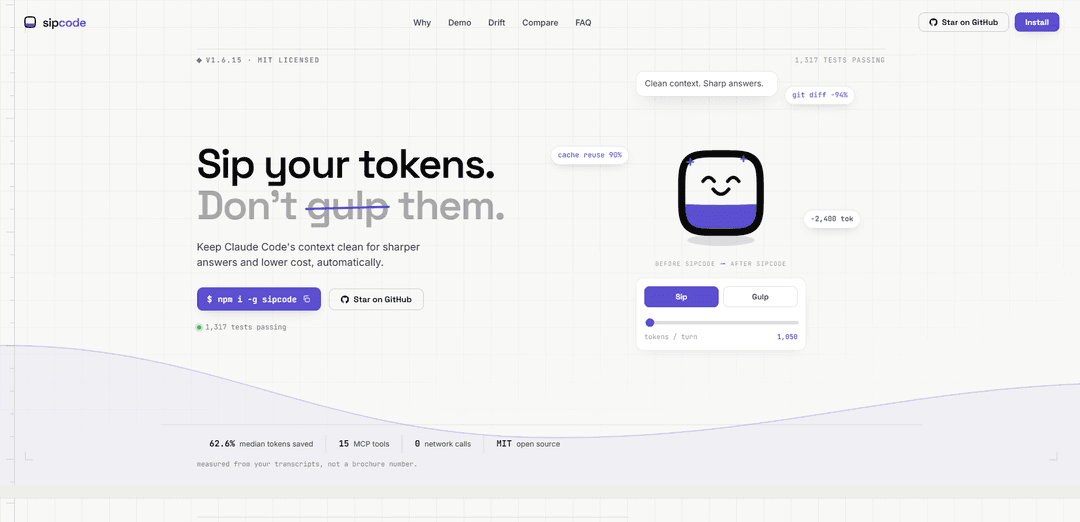
Sipcode is an open-source (MIT) toolkit that keeps Claude Code’s context clean by automatically rewriting bulky tool commands, measuring token savings, and detecting context drift to prevent “context rot” and reduce cost.
https://anuj7411.github.io/sipcode?ref=producthunt
Product Information
Updated:Jul 8, 2026
What is Sipcode
Sipcode (“Sip your tokens. Don’t gulp them.”) is an open-source toolkit designed to reduce unnecessary context sent to Claude and keep long-running sessions reliable. It focuses on trimming and managing large, repetitive tool outputs (like git diffs/logs/status and recursive greps) so the model receives a compact, high-signal version instead of a full “dump.” Sipcode runs locally, is built to be quick to set up (Node 20+ on macOS/Linux/Windows), and emphasizes privacy: no accounts, no telemetry, and no network calls in core paths.
Key Features of Sipcode
Sipcode is an open-source (MIT) toolkit designed to keep Claude Code sessions lean and reliable by reducing “context bloat.” It rewrites bulky tool/terminal outputs before they enter the model context (proxy), measures token savings and waste from local Claude transcripts (meter/analytics), and detects “context drift” (context rot) when a session deviates from baseline behavior—helping lower costs and keep answers sharper. It runs locally with no telemetry or network calls in core paths, supports Claude Code via a proxy hook, and exposes analytics/drift capabilities to Claude Desktop via an MCP server.
Valve (Proxy hook) — token trimming before context fills up: Installs a local proxy (`sipcode proxy --install`) that rewrites bulky commands (e.g., git diff/log/status, grep/glob) into compact forms before Claude sees them, reducing context size and cost (example claims: git diff −94%, median tokens saved ~62.6%).
Meter (Local analytics) — quantify savings and waste: Reads local Claude transcripts to report where tokens went (e.g., duplicate reads, idle context) and what was recoverable, with commands like `sipcode why`, `impact`, and `stats`.
Drift detection — catch context rot early: Monitors sessions for regressions versus a baseline (e.g., tokens/turn spikes, cache reuse drops) and provides actionable fixes (e.g., start a fresh chat; avoid changing MCP servers mid-task).
Claude Desktop MCP tools — chat-accessible reporting: Adds an MCP server (e.g., `npx -y sipcode-mcp`) so Claude Desktop can answer questions like “how am I doing today?” (spend/savings summaries) and “forecast monthly spend,” based on local `.jsonl` transcripts.
Privacy-first local execution — no phone home: Designed to run locally with “no telemetry” and “no network calls” in core paths; includes CI enforcement to prevent accidental telemetry introduction.
Advanced context hygiene (newer layers): Mentions additional safeguards such as re-read dedup (avoid reloading files already in context), integrity scoring (signal retained after rewrite), and AST-aware reads (return only requested symbols).
Use Cases of Sipcode
Software engineering teams — cheaper, steadier coding agents: Reduce token spend and improve consistency when using Claude Code for code review, debugging, and refactors by compressing repetitive git/grep outputs and preventing long-session degradation.
DevOps/SRE workflows — log/CLI-heavy incident response: In CLI-intensive troubleshooting, Sipcode can limit context bloat from repeated status/log outputs and highlight drift (e.g., rising tokens/turn) that often happens during long incidents.
Consultancies/agencies — predictable client billing & reporting: Use the meter and forecasting tools to track usage from local transcripts, identify waste (duplicate reads/idle context), and keep engagements within budget.
Enterprises with privacy constraints — local-only optimization: Organizations that cannot send data to third parties can still optimize LLM usage because Sipcode runs locally and claims no telemetry/network calls in core paths.
Education & bootcamps — teach efficient AI-assisted workflows: Instructors can demonstrate how context size affects answer quality/cost and use drift warnings plus token-savings stats to train students on disciplined prompting and tool usage.
Pros
Meaningful token reduction by trimming bulky tool outputs before they reach the model (reported large reductions for common git/grep commands).
Local-first and privacy-oriented: no account, no telemetry, and no network calls in core paths (per the provided material).
Actionable observability: identifies waste sources (duplicate reads/idle context) and flags drift that can harm reliability.
Works across surfaces: proxy for Claude Code plus MCP-based analytics for Claude Desktop.
Cons
Proxy-based trimming benefits apply primarily to Claude Code; it explicitly cannot optimize the closed Claude Desktop chat pipeline (Desktop mainly gets analytics tools).
Requires setup steps and restarts (install package, enable proxy or add MCP server), so benefits are not automatic upon install.
Quality improvements are implied via cited research, but Sipcode itself measures token savings rather than directly measuring answer-quality gains.
How to Use Sipcode
1) Install Sipcode: Install globally with Node 20+ on macOS/Linux/Windows: `npm install -g sipcode`.
2) Enable the Claude Code proxy hook (Valve layer): In a terminal, run: `sipcode proxy --install`. This turns on the hook that rewrites bulky commands before Claude sees them (automatic, zero config). Restart Claude Code after installing the hook.
3) Verify it’s working (optional quick check): Run `sipcode proxy --stats` to see how many tokens were rewritten/saved on your machine.
4) Use Claude Code normally and let Sipcode trim context automatically: Continue using Claude Code as usual. Sipcode will compact common high-token tool outputs (examples shown in the docs include `git diff`, `git status`, `git log`, and recursive searches) to reduce context bloat and improve cache reuse.
5) Add Sipcode to Claude Desktop (MCP tools surface): Edit your Claude Desktop MCP config to add the Sipcode server, then restart Claude Desktop: `{ "mcpServers": { "sipcode": { "command": "npx", "args": ["-y", "sipcode-mcp"] } } }`.
6) Confirm the MCP tools are available in Claude Desktop: After restart, ask Claude: "what sipcode tools do you have?" to confirm the MCP server is connected.
7) Use the Meter layer to measure savings: Run analytics commands such as `sipcode why`, `sipcode impact`, or `sipcode stats` to see where tokens went and what was saved (Sipcode reads local Claude transcripts; no network calls). Example: `sipcode why` or `sipcode why last session`.
8) Ask Claude Desktop for spend/savings summaries (via MCP tools): In Claude Desktop, ask questions that route to Sipcode’s MCP tools, e.g. "how am I doing today?" (uses `get_today_summary`) or "how much will I spend this month?" (uses `forecast_monthly_spend`).
9) Use the Drift layer to detect context rot: Run `sipcode drift` to detect when a session deviates from your baseline (e.g., tokens per turn spike or cache reuse drops). Follow the suggested fix, commonly: start a fresh chat to reset context, and avoid changing MCP servers/config mid-task.
10) Keep expectations aligned with stated limits: Sipcode does not optimize Claude Desktop chat itself (the proxy works in Claude Code; Desktop gets analytics tools). It won’t change anything until you enable it (`sipcode proxy --install`). It does not phone home (no telemetry; no network calls in core paths).
Sipcode FAQs
Sipcode is an open-source (MIT licensed) toolkit designed to keep Claude Code’s context clean to reduce token usage and help prevent “context rot.” It provides three layers: a proxy that rewrites bulky tool calls before they run, analytics tools that measure token savings from local transcripts, and a drift detector that warns when a session behavior deviates from your baseline.
Sipcode Video
Popular Articles

Vosko AI: Localize and Dub Videos for Global Audiences
Oct 15, 2026

Atoms: A Multi-Agent AI Platform That Transforms Ideas into Launch-Ready Products
Oct 13, 2026

Nano Banana SBTI: What It Is, How It Works, and How to Use It in 2026
Apr 15, 2026

Atoms Review — The AI Product Builder Redefining Digital Creation in 2026
Apr 10, 2026
Latest AI Tools Similar to Sipcode

Gait
Gait is a collaboration tool that integrates AI-assisted code generation with version control, enabling teams to track, understand, and share AI-generated code context efficiently.

invoices.dev
invoices.dev is an automated invoicing platform that generates invoices directly from developers' Git commits, with integration capabilities for GitHub, Slack, Linear, and Google services.

EasyRFP
EasyRFP is an AI-powered edge computing toolkit that streamlines RFP (Request for Proposal) responses and enables real-time field phenotyping through deep learning technology.

Cart.ai
Cart.ai is an AI-powered service platform that provides comprehensive business automation solutions including coding, customer relations management, video editing, e-commerce setup, and custom AI development with 24/7 support.
Popular AI Tools Like Sipcode

GitHub Copilot Chat
GitHub Copilot Chat is an AI-powered coding assistant that provides natural language interactions, real-time code suggestions, and contextual support directly within supported IDEs and GitHub.com.

CopilotForXcode
CopilotForXcode is an Xcode Source Editor Extension that integrates GitHub Copilot, Codeium, and ChatGPT to provide AI-powered code suggestions, chat assistance, and prompt-to-code functionality within Xcode.

BrowserAI
BrowserAI is an open-source library that enables running local Large Language Models (LLMs) directly in web browsers with WebGPU acceleration, offering privacy-focused AI capabilities without requiring server infrastructure.

OpenAI Codex CLI
OpenAI Codex CLI is a lightweight, open-source coding agent that runs in your terminal, enabling developers to translate natural language into code execution while providing ChatGPT-level reasoning with the ability to run code, manipulate files, and iterate under version control.