
SKI
SKI is a free, fully on-device voice assistant for AI coding agents on macOS and Windows that lets you speak to tools like Claude Code, Cursor, Codex, Gemini CLI, or OpenClaw and hear natural voice replies—private, offline-capable, and with optional meeting transcription.
https://heyski.io/?ref=producthunt
Product Information
Updated:Aug 8, 2026
What is SKI
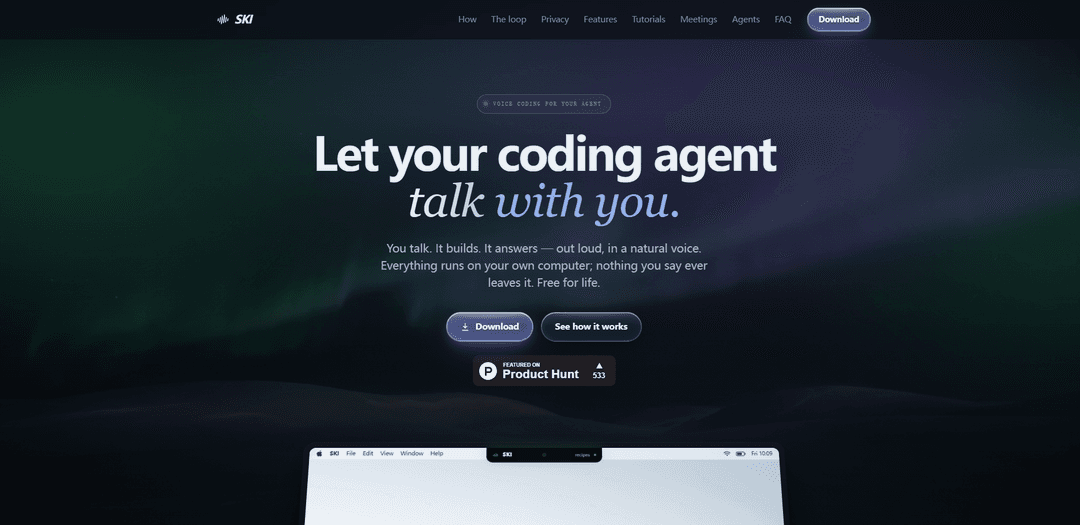
SKI is a small floating desktop app (a pill on Windows and a notch-docked widget on Mac) that adds a real voice conversation layer to AI coding agents. Instead of stopping at speech-to-text dictation, it enables a two-way loop: you talk to your coding agent out loud and SKI speaks the agent’s response back in a natural voice while also showing the text. It’s designed for developers who already use agentic tools that can read files, write code, and run tests, and want a hands-free, conversational workflow. SKI runs locally on Apple Silicon Macs (macOS 14.4+) and Windows 10/11 PCs, is free for life for on-device features, and emphasizes privacy by keeping voice processing on your machine.
Key Features of SKI
SKI is a free, on-device voice interface for AI coding agents that lets developers speak to tools like Claude Code, Cursor, Codex, Gemini CLI, and OpenClaw and hear natural-sounding spoken replies—without uploading audio or relying on the cloud. It provides a full two-way “voice loop” (speech-to-text in, agent actions, text-to-speech out), shows live agent status, supports interruptible full-duplex conversation, and stores transcripts locally with export/delete controls. Beyond coding, it includes an offline meeting recorder/transcriber that captures mic and system audio locally, plus an optional paid feature to send an agent into Zoom/Meet/Teams via AgentCall for live participation and diarized transcripts.
On-device speech-to-text + neural voice: Listening, transcription, and spoken responses run locally on your Mac/Windows machine, work offline, and are designed so nothing you say is uploaded.
Two-way voice loop (not dictation): You talk, the connected coding agent works (reads/writes code, runs tasks), and SKI speaks the agent’s response aloud while also showing what’s happening in the UI.
Full-duplex barge-in with echo cancellation: You can interrupt the assistant mid-sentence and still be understood clearly even on open speakers—enabling natural back-and-forth conversation.
Agent integrations via a simple shared “skill”: Connect supported agents (Claude Code, Cursor, Codex, Gemini CLI, OpenClaw, etc.) with one click per agent/project so voice requests route into the right workspace.
Local transcripts and approve-before-send: Sessions and meeting transcripts live on your machine with view/edit/export/delete controls; optional review mode lets you edit the transcript before it’s sent to the agent.
Meetings: offline recorder or agent-in-call (optional): Record meetings locally with separate mic/system-audio tracks and on-device transcription, or optionally pay to have your agent join calls via AgentCall for live participation and speaker-diarized transcripts.
Use Cases of SKI
Hands-free software development: Developers can describe features out loud while the agent edits code, runs tests, and explains results—useful when multitasking or avoiding constant context switching.
Pair programming and code review narration: Teams can talk through refactors or reviews while SKI reads back agent explanations, summarizes diffs, and keeps a local transcript for follow-up.
Accessibility and RSI-friendly workflows: Voice-first interaction helps developers who prefer reduced typing or need alternative input methods, while still keeping work local and inspectable.
Private/offline environments (regulated or air-gapped): Organizations with strict privacy constraints can use on-device speech and local transcript storage to discuss code and architecture without uploading audio.
Meeting note capture for engineering teams: Record Zoom/Meet/Teams audio locally and generate an on-device transcript that can be exported to Markdown for tickets, specs, and post-meeting summaries.
Live agent participation in customer/engineering calls: When enabled, send an agent into a video meeting to take diarized notes, read/send chat, and assist in real time—useful for support escalations, incident calls, or sprint planning.
Pros
Strong privacy posture: speech recognition and voice synthesis are on-device with “0 bytes uploaded” for core voice features.
Natural conversation flow: full-duplex barge-in and live agent status make it feel closer to a real dialogue than push-to-talk dictation.
Free for life for core app features (voice loop + local meeting transcriber) on Mac and Windows.
Practical developer UX: per-project voices/routing, screenshot-on-demand, and local transcript export/delete controls.
Cons
Agent-in-meeting capability requires the optional paid AgentCall service and is the main feature that touches the internet.
Platform/language constraints: requires Apple Silicon Mac on macOS 14.4+ or Windows 10/11; English-first with more languages planned.
Some meeting features differ by mode: local recording is private and unlimited but lacks per-speaker diarization compared to the agent-in-call approach.
How to Use SKI
1) Install SKI: Download and run the installer for your OS (DMG on macOS, EXE on Windows). Complete the setup wizard to choose your microphone, pick a voice, and set a hotkey. No credit card is required.
2) Launch SKI and confirm it’s ready: Open SKI. You should see the floating pill UI (on macOS it can dock into the notch; on Windows it floats wherever you place it).
3) Connect your coding agent: In SKI, connect the agent you use (one click per agent): Claude Code, Cursor, Codex, Gemini CLI, or OpenClaw. SKI connects through plain files inside your project so you can inspect or delete what’s written.
4) Start a voice conversation (the core loop): Speak your request out loud. SKI transcribes on-device and passes the text to your connected agent. The agent works (reads/writes code, runs tests, answers questions), then sends a reply back to SKI, which speaks the response aloud and also shows it in the pill/notch.
5) Interrupt the agent mid-reply (full-duplex barge-in): If you want to redirect or clarify, talk over the spoken response. SKI uses full-duplex echo cancellation so it can still hear you while it’s speaking, and it will capture your interruption cleanly.
6) Use mute and silent mode appropriately: Mute: stops listening and releases the microphone. Silent mode: keeps listening and replying, but shows the agent’s answers as text only (no spoken audio), useful in quiet environments or during calls.
7) Use push-to-talk / quick mute on macOS (optional): On Mac, you can optionally use the globe/fn key: tap to mute/unmute, or hold for push-to-talk (requires an opt-in macOS permission).
8) Turn on “approve-before-send” (optional safety): Enable review mode so each transcript appears in an editable bubble first. Nothing is sent to the agent until you approve it (hit ✓).
9) Work across multiple repos (optional): Bind several repositories/projects at once. Each project can have its own voice and SKI routes your requests to the project you’re addressing.
10) Attach a screenshot to your next request (optional): Press the SKI hotkey to capture your screen. The screenshot is bundled with your next spoken request so your agent can see what you see.
11) Record a meeting locally (offline, on-device): Use SKI’s local meeting recorder to capture your microphone plus system audio from Zoom/Meet/Teams. SKI transcribes on-device, shows a live transcript, and lets you export to Markdown or plain text. Audio is not uploaded.
12) Send your agent into a meeting (optional, uses AgentCall): Paste a meeting URL into SKI to have your agent join as a participant (agentic helper) or silent notetaker. This mode supports features like speaker-diarized transcripts and interacting in the call; it’s the paid per-minute feature (with free hours included).
13) Manage and export transcripts: Open the Transcripts window to view, edit, copy, export (Markdown/plain text), or delete your voice sessions and meeting transcripts. Data stays on your machine.
SKI FAQs
SKI is a small floating app for macOS and Windows that lets you talk out loud to your AI coding assistant and hear it answer back in a natural voice.
SKI Video
Popular Articles

Vosko AI: Localize and Dub Videos for Global Audiences
Oct 15, 2026

Atoms: A Multi-Agent AI Platform That Transforms Ideas into Launch-Ready Products
Oct 13, 2026

Nano Banana SBTI: What It Is, How It Works, and How to Use It in 2026
Apr 15, 2026

Atoms Review — The AI Product Builder Redefining Digital Creation in 2026
Apr 10, 2026
Latest AI Tools Similar to SKI

Gait
Gait is a collaboration tool that integrates AI-assisted code generation with version control, enabling teams to track, understand, and share AI-generated code context efficiently.

invoices.dev
invoices.dev is an automated invoicing platform that generates invoices directly from developers' Git commits, with integration capabilities for GitHub, Slack, Linear, and Google services.

EasyRFP
EasyRFP is an AI-powered edge computing toolkit that streamlines RFP (Request for Proposal) responses and enables real-time field phenotyping through deep learning technology.

Cart.ai
Cart.ai is an AI-powered service platform that provides comprehensive business automation solutions including coding, customer relations management, video editing, e-commerce setup, and custom AI development with 24/7 support.
Popular AI Tools Like SKI

GitHub Copilot Chat
GitHub Copilot Chat is an AI-powered coding assistant that provides natural language interactions, real-time code suggestions, and contextual support directly within supported IDEs and GitHub.com.

CopilotForXcode
CopilotForXcode is an Xcode Source Editor Extension that integrates GitHub Copilot, Codeium, and ChatGPT to provide AI-powered code suggestions, chat assistance, and prompt-to-code functionality within Xcode.

BrowserAI
BrowserAI is an open-source library that enables running local Large Language Models (LLMs) directly in web browsers with WebGPU acceleration, offering privacy-focused AI capabilities without requiring server infrastructure.

OpenAI Codex CLI
OpenAI Codex CLI is a lightweight, open-source coding agent that runs in your terminal, enabling developers to translate natural language into code execution while providing ChatGPT-level reasoning with the ability to run code, manipulate files, and iterate under version control.