
Epilude
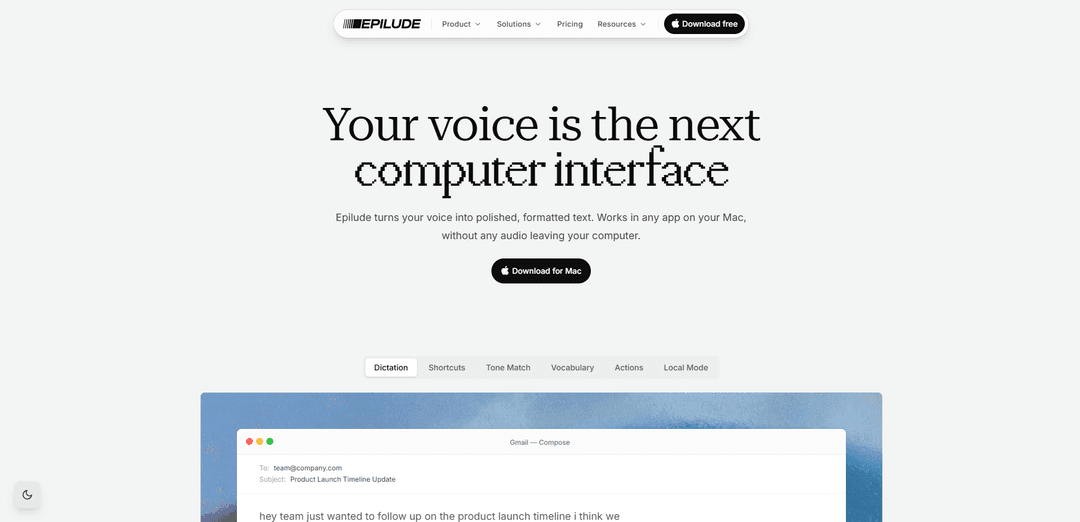
Epilude is a Mac voice productivity suite that turns speech into polished, formatted text in any app, with tone matching, smart cleanup, multilingual dictation, and an optional fully on-device Local Mode for privacy.
https://epilude.com/?ref=producthunt
Product Information
Updated:Aug 8, 2026
What is Epilude
Epilude is a voice productivity suite for Mac designed to help you write faster by speaking naturally instead of typing. With a press-and-hold hotkey workflow, it transcribes your voice and instantly converts it into clear, formatted text that can be inserted wherever your cursor is—email, Slack, docs, editors, and more. It combines dictation with AI editing features (like removing filler words and fixing grammar), supports 30+ languages with automatic detection, and offers privacy-focused options including Local Mode where processing happens entirely on your Mac.
Key Features of Epilude
Epilude is a Mac voice productivity suite that lets you press a hotkey, speak naturally, and release to instantly insert polished, formatted text into any app. It combines dictation with automatic cleanup (removing filler, fixing grammar, adding formatting), context-aware tone matching per app, and support for 30+ languages with auto-detection. For privacy, it offers a Local Mode powered by Epilude Model 4 that runs fully on-device and offline so your audio and text never leave your Mac, while cloud mode provides fast multilingual transcription.
Hold-to-talk dictation anywhere: Press a hotkey in any Mac app (email, Slack, docs, editors) and Epilude drops the resulting text wherever your cursor is.
Instant AI editing and formatting: Cleans up speech before it hits the page by removing filler words, fixing grammar, and producing clear, formatted text.
Local Mode (on-device + offline): Runs dictation entirely on your Mac using Epilude Model 4, keeping audio and text private and enabling offline use.
Tone Match by context: Adjusts writing style automatically based on the app/context (e.g., professional email vs. casual chat) so output sounds natural.
Vocabulary learning: Learns your vocabulary and work shorthand so recurring terms, names, and phrasing come out correctly and consistently.
30+ languages with auto-detection: Automatically detects and transcribes multiple languages, allowing natural switching without manual configuration.
Use Cases of Epilude
Leadership and management communication: Clear inboxes between meetings, draft thoughtful updates, and send polished messages quickly while maintaining a consistent voice.
Legal drafting and notes: Dictate case notes, client emails, and document drafts with cleaner formatting and the option to keep sensitive data fully on-device.
Software development workflows: Dictate specs, tickets, code comments, and documentation directly into tools like editors and issue trackers without breaking flow.
Sales outreach and follow-ups: Rapidly create tailored emails and messages with an appropriate tone, reducing time spent typing repetitive communications.
Student writing and study notes: Capture lecture takeaways and draft essays or summaries faster, with automatic cleanup to turn spoken thoughts into readable text.
Customer support responses: Speed up ticket replies and internal notes by speaking responses that are automatically refined into clear, customer-ready text.
Pros
Works in any Mac app with cursor-based insertion, making it broadly useful across workflows
Strong privacy option via on-device, offline Local Mode where audio/text never leave the Mac
Produces polished output (cleanup + formatting + tone matching) rather than raw transcription
Supports multilingual dictation with automatic language detection
Cons
Mac-only, which limits use for Windows/Linux or mobile-first teams
Some features may depend on cloud mode for speed/language breadth, which privacy-sensitive users may avoid
On-device Local Mode quality/performance can vary by Mac hardware compared with cloud processing
How to Use Epilude
1. Download and install Epilude for Mac: Go to Epilude’s download page and install the Mac app. Epilude works system-wide, so you can dictate into any Mac app.
2. Open any app where you want text to appear: Epilude can drop text wherever your cursor is—email (e.g., Gmail), chat (e.g., Slack/iMessage), docs (e.g., Notion), editors, and more.
3. Place your cursor in a text field: Click into the input box (email body, message composer, document, etc.) so Epilude knows where to insert the output.
4. Start dictation with the hotkey: Press and hold your Epilude dictation shortcut (shown as holding ⌥ in the product examples).
5. Speak naturally while holding the hotkey: Talk the way you would explain it to a colleague. You don’t need to pre-edit your speech—Epilude is designed to handle natural phrasing.
6. Release the hotkey to insert polished text: When you release the shortcut, Epilude transcribes what you said and instantly cleans it up into formatted text at your cursor.
7. Use Instant AI editing (cleanup) while you dictate: Epilude automatically removes filler words (e.g., ums/false starts), fixes grammar, and adds formatting so the result reads like writing, not dictation.
8. Let Tone Match adapt your writing to the app context: Dictate the same idea in different apps and Epilude will adjust tone automatically (e.g., professional for email, casual for chat, shorter for quick messages).
9. Speak in multiple languages (auto-detection): Epilude can automatically detect and transcribe your language (30+ languages supported in cloud mode per the product page), letting you switch languages naturally.
10. Turn on Local Mode for fully on-device dictation: Enable Local Mode when you want dictation to run entirely on your Mac. In Local Mode, your voice and text are not sent to the cloud and it can work offline.
11. Use Local Mode requirements and model download when prompted: Local Mode uses Epilude Model 4 and requires Apple Silicon. After updating, Epilude may prompt you to download an on-device model (~1.6 GB). Full AI cleanup runs on Macs with 16 GB+ memory; smaller machines still get on-device transcription with basic formatting.
12. Repeat anywhere you type: Use the same hold–speak–release workflow across your Mac to write faster in any app, with privacy options depending on whether you choose cloud mode or Local Mode.
Epilude FAQs
Epilude is a voice productivity suite for Mac that turns your speech into polished, formatted text that can be inserted into any app where your cursor is.
Popular Articles

Vosko AI: Localize and Dub Videos for Global Audiences
Oct 15, 2026

Atoms: A Multi-Agent AI Platform That Transforms Ideas into Launch-Ready Products
Oct 13, 2026

Nano Banana SBTI: What It Is, How It Works, and How to Use It in 2026
Apr 15, 2026

Atoms Review — The AI Product Builder Redefining Digital Creation in 2026
Apr 10, 2026
Latest AI Tools Similar to Epilude

Heartbeat
Heartbeat is a versatile platform that offers both an online community-building solution and an AI-powered wellness calling system for seniors and at-risk individuals, featuring customizable spaces, real-time communication, and health monitoring capabilities.
SongleAI
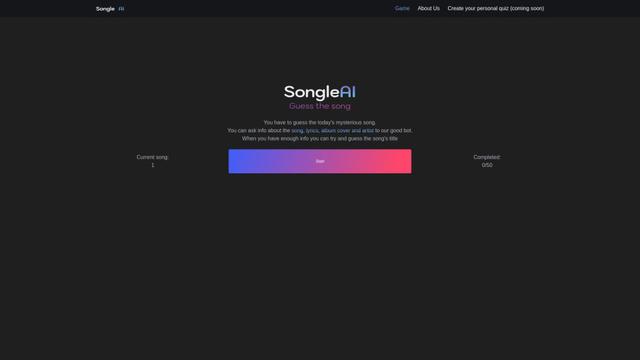
SongleAI is an interactive music guessing game where users try to identify mysterious songs by asking questions about lyrics, album covers, and artists to an AI bot.

AiLuvio
AiLuvio is a revolutionary video communication platform that enables real-time dubbing across 30+ languages during video calls, breaking language barriers with AI technology.

HeyMilo AI
HeyMilo AI is a generative AI-powered voice agent platform that conducts two-way conversational interviews to streamline and scale the recruitment process.
Popular AI Tools Like Epilude
W-Okada Voice Changer
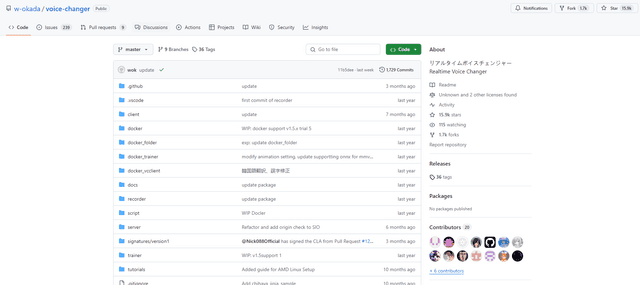
W-Okada Voice Changer is an open-source real-time voice conversion software that uses AI to transform voices with high quality and low latency.
Maidio
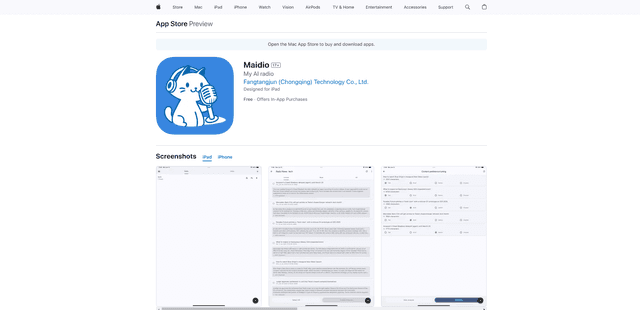
Maidio is an innovative AI-powered app that automatically converts RSS news feeds into engaging podcast-style conversations between a host and assistant.
Gemini 3.5 Live Translate
Gemini 3.5 Live Translate is Google’s low-latency, streaming speech-to-speech translation audio model that auto-detects 70+ languages and produces smooth, natural-sounding translated speech while preserving the speaker’s intonation, pacing, and pitch.

Uhmegle
Uhmegle is a modern Omegle alternative offering free, anonymous, and moderated video and text chat services that connects users with strangers worldwide based on shared interests.