ClinicFrame
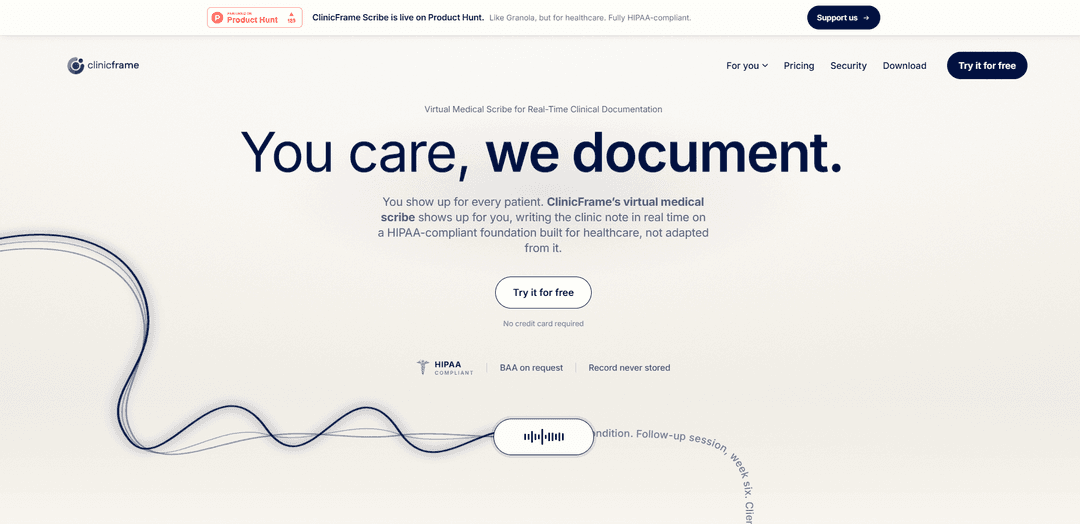
ClinicFrame is a HIPAA-compliant desktop ambient AI medical scribe that transcribes patient visits in real time and produces structured, EHR-ready notes (SOAP/DAP/BIRP/custom) seconds after the encounter ends.
https://clinicframe.com/?utm_source=product_hunt&ref=producthunt
Product Information
Updated:Aug 8, 2026
What is ClinicFrame
ClinicFrame is an AI-powered healthcare documentation platform centered on ClinicFrame Scribe, a medical transcription desktop app that listens to patient‑clinician conversations and automatically generates complete clinical notes. Designed for both in-person and telehealth workflows, it provides real-time transcription with speaker labels and outputs structured notes that can be quickly reviewed and copied into an EHR. ClinicFrame positions itself as software (not a human virtual scribe), built on HIPAA-compliant infrastructure for healthcare use.
Key Features of ClinicFrame
ClinicFrame is a desktop-based, ambient AI medical scribe that listens to in-person or telehealth patient encounters, produces a live transcript with speaker labels, and generates a structured, EHR-ready clinical note seconds after the visit ends. It supports multiple note formats (SOAP, DAP, BIRP) and custom templates, surfaces patient context from prior sessions (e.g., meds, allergies, conditions), and is designed for HIPAA-compliant workflows with encrypted infrastructure and BAAs available. Notes can be copied into an EHR quickly or exported as PDF, helping clinicians reduce documentation time substantially.
Real-time ambient scribing: Captures the clinician–patient conversation without dictation and generates complete notes in real time, delivering a finished note seconds after the session ends.
Structured note templates (SOAP/DAP/BIRP + custom): Creates progress notes in common clinical and therapy formats and supports custom note templates; the “Enhanced note” can choose an appropriate structure automatically.
Desktop app that works across visit types: Runs on the clinician’s computer (not a browser tab or call-joining bot), supports in-person visits and telehealth, and detects meetings (e.g., Zoom/Teams/Google Meet) to start capture quickly.
Live transcript with speaker labels: Provides an in-session transcript identifying who is speaking (clinician vs patient) to aid review and improve documentation clarity.
Patient context & chart review support: Builds records from previous sessions and presents visit history plus consolidated medications, allergies, conditions, and referrals; enables quick AI-assisted review of patient history.
HIPAA-oriented security & data governance: Uses encrypted, HIPAA-compliant infrastructure (AES-256), offers a BAA on request, and states it does not use Customer Content/PHI to train AI models; audio is processed in real time and not stored after note generation.
Use Cases of ClinicFrame
Primary care and specialty clinics: Automatically documents office visits across 15+ specialties with high medical-terminology accuracy, producing structured notes that are ready to paste into the EHR.
Mental health and therapy sessions: Generates DAP/BIRP session notes for psychiatrists, psychologists, counselors, and therapists for both in-person and telehealth appointments.
Telehealth documentation without call bots: Captures call audio directly from the clinician’s computer (no bot “joins” the meeting), supporting smoother virtual visits while still producing immediate post-visit notes.
High-volume practices reducing after-hours charting: Helps clinicians reclaim time by producing notes seconds after visits, reducing manual documentation burden that typically extends into evenings.
Multi-tool clinical workflows: Fits practices using Zoom, Microsoft Teams, Google Meet, and in-person workflows, with a floating quick bar for fast access to notes and patient context during sessions.
Pros
Fast documentation turnaround: generates structured notes seconds after the visit, with reported time savings of 2+ hours/day.
Broad workflow coverage: supports in-person and telehealth, multiple note formats (SOAP/DAP/BIRP), and custom templates.
Privacy and compliance positioning: HIPAA-compliant infrastructure, BAA available, and states Customer Content/PHI is not used for model training.
Cons
Limited native EHR integration today: primarily copy/paste into EHR; direct API integration is listed as near-term roadmap.
Desktop-app requirement: organizations standardized on browser-only tools may need app installation and endpoint management.
Accuracy and output still require review: despite high reported transcription accuracy, clinicians must verify final notes for clinical correctness.
How to Use ClinicFrame
1) Download and install ClinicFrame Scribe (desktop app): Get ClinicFrame Scribe and install it on your computer. ClinicFrame is designed to run as a desktop app in the background (not a browser tab and not a call-joining bot).
2) Sign up / sign in: Create your ClinicFrame account and sign in. Most clinicians can document their first visit within ~10 minutes of signing up.
3) (Optional) Choose or set up your note format/template: Select a standard structure (SOAP for medical visits; DAP or BIRP for therapy/behavioral health) or use a custom note template if you have one.
4) Prepare for the visit (patient context builds over time): Before the visit, ClinicFrame can use prior sessions to build patient context (e.g., last-visit summary, medications, allergies, conditions, referrals) so you can review history quickly.
5) Start a session when the visit begins: At the start of an in-person or telehealth visit, click “Start Session.” On telehealth, ClinicFrame can detect meetings and prompt you with a “Meeting detected” option so you can start capturing in one click.
6) Capture the encounter in your preferred mode: Use ambient capture for in-person visits (no dictation required), telehealth audio capture (no bot joins your call), or medical dictation mode when you prefer to narrate.
7) Follow along with the live transcript (optional): During the session, ClinicFrame can show a live transcript with speaker labels for you and your patient.
8) Use the Quick Bar during the visit (optional): Open the floating Quick Bar to access notes, patient context, and the AI without leaving your current screen or interrupting the visit.
9) End the session when the appointment ends: Stop the session at the end of the encounter. ClinicFrame generates the clinical note seconds after the session ends.
10) Review the generated note (Enhanced note or chosen structure): Open the completed note and review it for accuracy and completeness. The Enhanced note can automatically choose an appropriate clinical structure, or you can keep the structure you selected (SOAP/DAP/BIRP/custom).
11) Edit as needed: Make any necessary corrections or additions directly in the note editor before finalizing.
12) Export or copy into your EHR: Copy the structured note into your EHR (ClinicFrame is designed to be EHR-ready and supports quick copy in under ~30 seconds) or export the note as a PDF.
13) Manage note storage and deletion: The final note is saved in your encrypted ClinicFrame account. You can delete notes at any time.
14) Repeat for future visits (faster chart review over time): Continue using ClinicFrame for subsequent encounters; the app builds patient records from previous sessions to streamline pre-visit review and documentation.
ClinicFrame FAQs
ClinicFrame Scribe is an AI medical transcription desktop app that listens to patient encounters and turns the conversation into a structured clinical note in real time, with the completed note available seconds after the visit ends.
ClinicFrame Video
Popular Articles

Vosko AI: Localize and Dub Videos for Global Audiences
Oct 15, 2026

Atoms: A Multi-Agent AI Platform That Transforms Ideas into Launch-Ready Products
Oct 13, 2026

Nano Banana SBTI: What It Is, How It Works, and How to Use It in 2026
Apr 15, 2026

Atoms Review — The AI Product Builder Redefining Digital Creation in 2026
Apr 10, 2026
Latest AI Tools Similar to ClinicFrame

Ticknotes
Ticknotes is an AI-powered meeting assistant that automatically records, transcribes, and generates personalized meeting summaries, action items, and key insights from audio, video, and text content.

Feta
Feta is an AI-powered meeting tool that helps product and engineering teams run efficient meetings by capturing discussions, automating tasks, and providing actionable insights through smart summaries and integrations.
TranscriptionPlus
TranscriptionPlus is an AI-powered transcription service that offers accurate speech-to-text conversion with advanced features like speaker identification, summary generation, and multi-language support at affordable pricing tiers.
AudioScribe.io
AudioScribe.io is a revolutionary AI-powered transcription service that converts audio and video content into accurate text while offering advanced features like automated meeting recording, full-text search, and multi-language support.
Popular AI Tools Like ClinicFrame
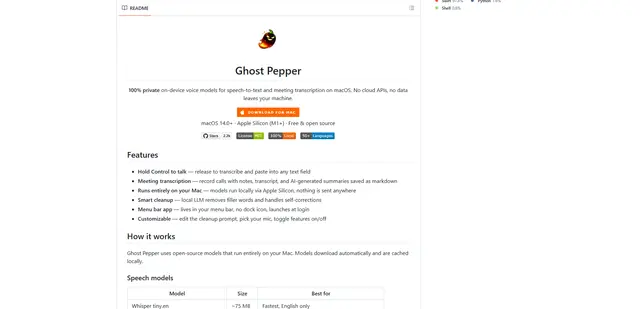
Ghost Pepper 🌶️
Ghost Pepper is a 100% local, privacy-focused speech-to-text and meeting transcription app for macOS that runs entirely on your Mac using open-source AI models, featuring hold-to-talk recording, intelligent text cleanup, and multi-language support without sending any data to the cloud.
Whisper AI
Whisper is an open-source automatic speech recognition system from OpenAI that approaches human-level accuracy and robustness for transcribing and translating speech in multiple languages.

Youtube to transcript
Youtube to Transcript is a Chrome extension that allows users to easily convert YouTube videos into text transcripts with features like multi-language support, AI-powered summarization, and downloadable formats.
inFin
inFin is a lightweight, user-friendly AI-powered voice notes app that offers unlimited recording, real-time transcription, and translation between Chinese and English, with offline capabilities and local storage for enhanced privacy.