
MemoryCustodian
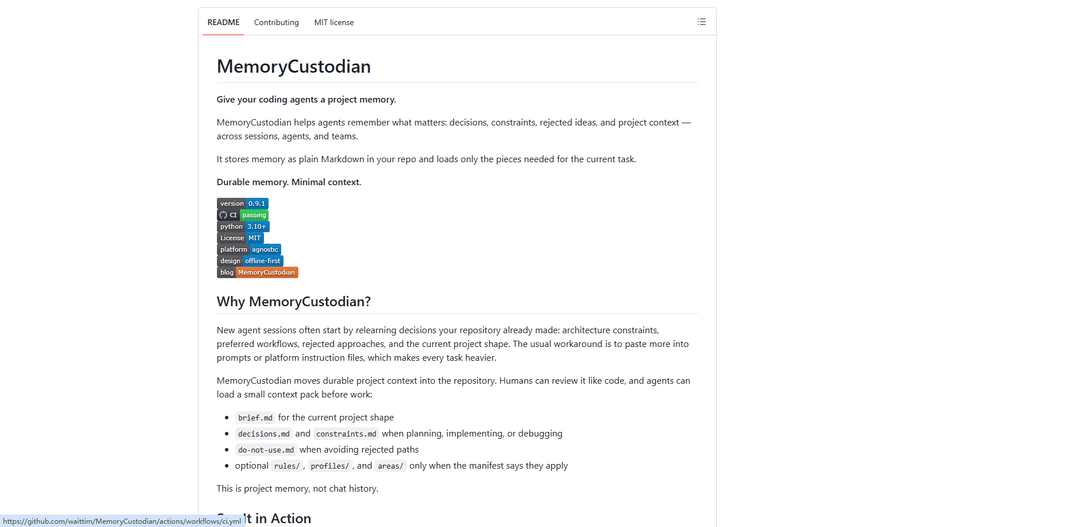
MemoryCustodian gives coding agents durable, repo-native project memory by storing key context as plain Markdown and loading only task-relevant pieces via a manifest for minimal prompt overhead across sessions and teams.
https://github.com/waittim/MemoryCustodian?ref=producthunt
Product Information
Updated:Aug 8, 2026
What is MemoryCustodian
MemoryCustodian is a lightweight “project memory” system for AI coding agents that helps them retain what matters across sessions—decisions, constraints, rejected approaches, and current project shape—without relying on chat history or bloated instruction prompts. It keeps durable context as reviewable, diffable Markdown inside your repository (typically under `docs/memory/`) and provides a fast, offline-first, Python (stdlib-only) CLI plus agent integrations (e.g., Codex, Claude Code, Gemini-style skills). The goal is to make project knowledge portable across agents and easy for humans to audit like code, while keeping runtime context small and intentional.
Key Features of MemoryCustodian
MemoryCustodian is an offline-first “project memory” system for coding agents that stores durable context (decisions, constraints, rejected approaches, and current project shape) as plain Markdown inside your repository. Instead of pasting large prompts or relying on chat history, it uses a manifest-first workflow to load only the task-relevant memory files into an agent’s context pack, keeping sessions lightweight while making knowledge inspectable, diffable, portable across agents/teams, and maintainable via a deterministic, stdlib-only Python CLI with guarded preview-first mutations (e.g., compact/forget/migrate).
Repo-native Markdown memory: Stores durable project knowledge under `docs/memory/` as plain Markdown so humans can review, diff, commit, and roll back memory like code—no vector DB, RAG index, or cloud dependency required.
Manifest-first selective loading: Agents read `manifest.md` then `brief.md`, and load only the specific files relevant to the current task (planning/implementation/artifact), minimizing prompt bloat while preserving critical context.
Thin agent bootstraps across platforms: Generates small bootstrap files (e.g., `AGENTS.md`, `CLAUDE.md`, `GEMINI.md`) that point agents to the manifest rather than embedding large instruction blocks, supporting Codex, Claude Code, Gemini-style agents, and generic shell use.
Deterministic CLI with guarded maintenance: Provides `init/status/check/read/add/enable/forget/compact/migrate` commands; maintenance operations are preview-first and structure-preserving, with budget checks and safe mutation plans before applying changes.
Scoped, opt-in memory modules: Keeps optional knowledge (e.g., `rules/`, `profiles/`, `areas/`, `archive/`) out of default context until explicitly enabled by the manifest, allowing subsystem-specific memory without polluting every task.
Privacy-safe forgetting and archival controls: Supports soft/hard forget and purge flows with tombstones and redaction guards, plus controlled archiving (e.g., oldest decision archival) that requires explicit confirmation to avoid accidental semantic loss.
Use Cases of MemoryCustodian
Software teams maintaining long-lived codebases: Capture architecture decisions, constraints, and rejected approaches so new agent sessions (and new engineers) don’t re-litigate prior choices, reducing repeated debugging and rework across sprints.
Regulated or offline environments: Use in finance, healthcare, defense, or air-gapped enterprise settings where cloud memory services are disallowed; the stdlib-only CLI and local Markdown storage support fully offline workflows.
Multi-agent/tooling interoperability: Standardize project memory across different agent hosts (Codex, Claude Code, Gemini-style agents) so teams can switch tools without losing context or rebuilding prompts.
Consulting and agency handoffs: Deliver client projects with an auditable, repo-contained memory pack (brief/decisions/constraints/do-not-use) that preserves rationale and boundaries for future maintainers.
Complex monorepos and subsystem ownership: Use `areas/` and manifest routing to load only domain-relevant memory (frontend, sync, infra, etc.), helping agents work effectively without dragging the entire organization’s context into every task.
Pros
Portable and auditable: memory is plain Markdown in-repo, easy to review, diff, and version-control.
Low overhead context: manifest-driven selective loading avoids prompt bloat and keeps agent sessions efficient.
Offline-first and minimal dependencies: core CLI is Python stdlib-only and designed to work without network services.
Cons
Requires curation discipline: the generated `brief.md` scaffold must be curated from authoritative sources before it’s trustworthy.
Not automatic semantic retrieval: avoids embeddings/RAG by design, so relevance depends on good manifest structure and human/agent writing quality.
Maintenance operations can be conservative: preview-first safeguards and constraints (e.g., broad-match protections) may add workflow steps for users expecting fully automatic cleanup.
How to Use MemoryCustodian
1) Install MemoryCustodian (choose the path that matches your agent/workflow): Pick one install method:
- Ask your coding agent to install the skill from the repo: https://github.com/waittim/MemoryCustodian
- Codex (local marketplace): run `codex plugin marketplace add .` from a checkout, then `codex plugin add memory-custodian@memory-custodian-dev`.
- Claude Code (plugin): for local testing run `claude --plugin-dir .`, or install to personal skills with `./install.sh claude`.
- Gemini-style agents: install with `./install.sh gemini` or `gemini skills link ./skills/memory-custodian`.
- CLI/source checkout: run from repo via `scripts/memory-custodian ...` or install editable with `python3 -m pip install -e .` to get the `memory-custodian` command.
2) Initialize MemoryCustodian in a project (one-time per repo): Run initialization once for each target project:
- If installed as a console script: `memory-custodian init --project-root /path/to/project --agent all`
- From a source checkout: `scripts/memory-custodian init --project-root /path/to/project --agent all`
Use `--agent codex`, `--agent claude`, `--agent gemini`, or `--agent all` to generate the thin bootstrap file(s) your agent reads.
3) Understand what initialization creates (where memory lives): Initialization creates the default durable memory set under `docs/memory/`:
- `manifest.md` (routes what to load)
- `brief.md` (current project shape)
- `decisions.md` (key decisions)
- `constraints.md` (hard requirements)
- `do-not-use.md` (rejected paths / tombstones)
- `inbox.md` (staging area)
Platform bootstrap files (e.g., `AGENTS.md`, `CLAUDE.md`, `GEMINI.md`) stay thin and point agents to `docs/memory/`.
4) Curate the generated brief before relying on it: After `init`, `brief.md` starts as a scaffold with TODOs. Fill it from authoritative project sources (README, code, docs) before treating memory as ready. Use `memory-custodian status --project-root /path/to/project` (or `scripts/memory-custodian status ...`) to see whether the brief is still uncurated; `status` and `check` report an uncurated brief.
5) Load the right memory for a task (manifest-first reading): The intended workflow for agents is:
1) Read `docs/memory/manifest.md`.
2) Read `docs/memory/brief.md`.
3) Load only the task-relevant files named by the manifest.
For manual inspection, generate a context pack with:
- `memory-custodian read --project-root /path/to/project --task planning`
- `memory-custodian read --project-root /path/to/project --task implementation`
- `memory-custodian read --project-root /path/to/project --task artifact`
6) Add durable memory when something should survive the current chat: Record decisions/constraints/preferences/rejected approaches using the CLI:
- `memory-custodian add "We chose manifest-first loading." --type decision`
- `memory-custodian add "Persist sync retry backoff." --type decision --area sync --reason "Keep retries bounded across launches."`
Keep decision entries short (the tool enforces a token guide and rejects overlong writes unless you explicitly allow long entries).
7) Enable optional memory modules only when they become relevant: Optional modules (e.g., rules, profiles, areas) are opt-in and not loaded unless enabled and routed by the manifest. Enable them as needed:
- `memory-custodian enable preferences`
- `memory-custodian enable rules/output`
- `memory-custodian enable profile/git`
- `memory-custodian enable area/frontend`
Enabling never overwrites an existing module file.
8) Use 'do-not-use' to preserve rejected approaches and avoid regressions: When you intentionally reject an approach (e.g., a storage backend or architecture), record it in `docs/memory/do-not-use.md` (via edits or the appropriate add/forget workflow) so future sessions don’t re-propose it.
9) Check health and protocol compatibility regularly: Run deterministic validation to ensure structure, budgets, and protocol metadata are correct:
- `memory-custodian check --project-root /path/to/project`
Use `memory-custodian status` for a quick overview and to detect an uncurated brief.
10) Compact and maintain memory (preview-first, safe mutations): Use maintenance commands to keep memory small and current:
- `memory-custodian compact --project-root /path/to/project`
Compaction is guarded and preview-first; apply changes only after reviewing the plan. Inbox compaction is conservative (e.g., exact duplicate top-level bullet-unit removal and tombstone filtering) and expects an agent/human to do semantic promotion into decisions/constraints.
11) Forget outdated information safely (preview-first): Remove or redact outdated topics with preview-first forgetting:
- Preview: `memory-custodian forget "old deployment note" --mode soft --project-root /path/to/project`
- Apply after review: `memory-custodian forget "old deployment note" --mode soft --apply --project-root /path/to/project`
Broad matches require explicit confirmation (e.g., `--allow-broad-match`). Some cases require manual rewrite; the tool will refuse unsafe wholesale deletions.
12) Repair or replace an existing setup when needed: If files are missing or metadata needs updating without overwriting curated content:
- Repair: `memory-custodian init --project-root /path/to/project --repair`
If you intentionally want a full replacement, use preview-first replacement and only apply when correct:
- `memory-custodian init --project-root /path/to/project --replace-existing`
- then add `--apply` only if the listed files should be replaced.
13) Migrate protocol/project memory versions when the tool updates: When `check` reports old or missing protocol metadata, migrate the project manifest offline:
- Preview: `memory-custodian migrate --project-root /path/to/project`
- Apply after review: `memory-custodian migrate --apply --project-root /path/to/project`
14) Use the right invocation on Windows vs. source checkout: On Windows, install the console command and use `memory-custodian ...`. From a repo checkout on any platform, you can run `scripts/memory-custodian ...` as the wrapper.
MemoryCustodian FAQs
MemoryCustodian is a tool that gives coding agents durable “project memory” by storing decisions, constraints, rejected ideas, and project context as plain Markdown inside your repository, then loading only the pieces needed for the current task.
MemoryCustodian Video
Popular Articles

Vosko AI: Localize and Dub Videos for Global Audiences
Oct 15, 2026

Atoms: A Multi-Agent AI Platform That Transforms Ideas into Launch-Ready Products
Oct 13, 2026

Nano Banana SBTI: What It Is, How It Works, and How to Use It in 2026
Apr 15, 2026

Atoms Review — The AI Product Builder Redefining Digital Creation in 2026
Apr 10, 2026
Latest AI Tools Similar to MemoryCustodian

Gait
Gait is a collaboration tool that integrates AI-assisted code generation with version control, enabling teams to track, understand, and share AI-generated code context efficiently.

invoices.dev
invoices.dev is an automated invoicing platform that generates invoices directly from developers' Git commits, with integration capabilities for GitHub, Slack, Linear, and Google services.

EasyRFP
EasyRFP is an AI-powered edge computing toolkit that streamlines RFP (Request for Proposal) responses and enables real-time field phenotyping through deep learning technology.

Cart.ai
Cart.ai is an AI-powered service platform that provides comprehensive business automation solutions including coding, customer relations management, video editing, e-commerce setup, and custom AI development with 24/7 support.
Popular AI Tools Like MemoryCustodian

GitHub Copilot Chat
GitHub Copilot Chat is an AI-powered coding assistant that provides natural language interactions, real-time code suggestions, and contextual support directly within supported IDEs and GitHub.com.

CopilotForXcode
CopilotForXcode is an Xcode Source Editor Extension that integrates GitHub Copilot, Codeium, and ChatGPT to provide AI-powered code suggestions, chat assistance, and prompt-to-code functionality within Xcode.

BrowserAI
BrowserAI is an open-source library that enables running local Large Language Models (LLMs) directly in web browsers with WebGPU acceleration, offering privacy-focused AI capabilities without requiring server infrastructure.

OpenAI Codex CLI
OpenAI Codex CLI is a lightweight, open-source coding agent that runs in your terminal, enabling developers to translate natural language into code execution while providing ChatGPT-level reasoning with the ability to run code, manipulate files, and iterate under version control.