
Second Brain for AI
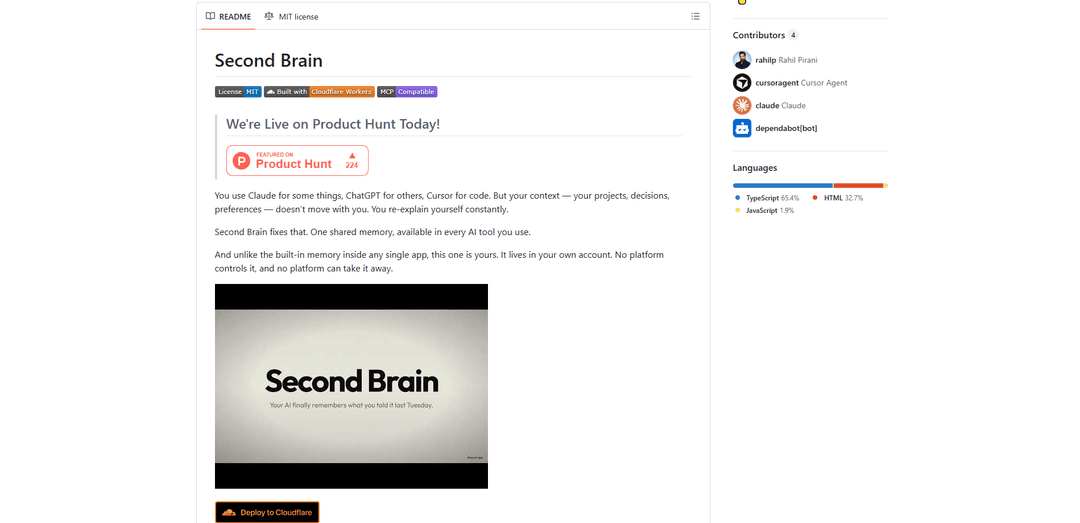
Second Brain for AI is a self-hosted, MCP-compatible persistent memory layer on Cloudflare that lets Claude, ChatGPT, Cursor, and other AI clients store and semantically recall shared context across sessions.
https://github.com/rahilp/second-brain-cloudflare?ref=producthunt
Product Information
Updated:Jun 8, 2026
What is Second Brain for AI
Second Brain for AI is a lightweight “shared memory” service you deploy to your own Cloudflare account so every AI tool you use can access the same long-term context. Instead of starting each conversation from scratch, you can save decisions, project notes, preferences, and snippets once and recall them later from any connected client (e.g., Claude Desktop/Code, claude.ai, Cursor, and other MCP-compatible tools). It’s designed to be easy to deploy (one-click), inexpensive at personal scale (Cloudflare free tier), and user-owned—your data lives in your infrastructure rather than inside a single AI platform’s proprietary memory.
Key Features of Second Brain for AI
Second Brain for AI is a self-hosted, cross-client memory layer that gives any MCP-compatible AI tool (e.g., Claude, ChatGPT, Cursor) persistent, shared context across sessions. It runs on Cloudflare Workers (free tier at personal scale) and stores your notes/decisions as auditable entries in your own Cloudflare account, enabling semantic recall (meaning-based search) via embeddings and Vectorize. You can capture information from many surfaces—AI chats, CLI, Obsidian, iOS shortcuts, and a browser extension—and then retrieve, update, append, browse recent items, or delete entries through tools, APIs, MCP, and a web UI.
Cross-tool persistent memory (MCP-compatible): One shared memory store usable from multiple AI clients (Claude Desktop/Code/claude.ai, Cursor, and other MCP clients), so you don’t have to re-explain projects, preferences, and decisions each session.
Semantic search & recall: Finds memories by meaning rather than exact keywords by embedding both stored entries and queries (e.g., “users drop off at checkout” can be recalled with “conversion problems”).
Self-hosted on Cloudflare (data ownership): Deployed as a lightweight Cloudflare Worker with D1 + Vectorize + Workers AI; data stays in your own Cloudflare account and is searchable, exportable, and not tied to a single vendor’s built-in memory.
Memory operations: remember/append/update/forget: Core tools to store new context, append updates without duplicates, replace entries, browse recent memories, and delete items—supporting evolving decisions over time.
Capture from anywhere + integrations: Multiple ingestion paths: CLI commands, Obsidian community plugin for syncing notes, iOS Shortcuts (brain dumps), browser extension/bookmarklet for saving pages or highlights, and in-chat capture during AI conversations.
Web UI + API endpoints: A dashboard/mobile-friendly interface plus API endpoints (e.g., /capture, /append, /update, /list, /stats, /mcp) for browsing, editing, and integrating with custom workflows.
Use Cases of Second Brain for AI
Software engineering & DevOps continuity: Store architectural decisions, incident notes, runbooks, and coding conventions once, then recall them inside Cursor/Claude Code during implementation or debugging across weeks and tools.
Product management decision log: Capture pricing decisions, roadmap rationale, user research takeaways, and meeting outcomes; later query “what did we decide about onboarding?” and surface the latest relevant context.
Personal knowledge management with Obsidian: Sync selected Obsidian notes to a semantic memory layer so any AI client can retrieve your personal notes, project context, and evergreen knowledge without manual copy/paste.
Sales/consulting account context: Save client preferences, constraints, and prior recommendations; recall them during proposal writing or calls from different devices/clients to keep messaging consistent.
Research & content workflows: Capture web pages/highlights via browser extension and quick iOS dumps; later retrieve sources and insights by meaning when drafting articles, docs, or reports.
Pros
Works across multiple AI tools via a shared MCP-compatible memory layer, reducing repeated context-setting.
Self-hosted in your own Cloudflare account (auditable and portable compared to vendor-locked chat memory).
Semantic recall improves retrieval when you don’t remember exact phrasing or keywords.
Many capture options (CLI, Obsidian, iOS, browser, in-chat) make it easier to keep memory populated.
Cons
Requires deployment and configuration (Cloudflare setup and managing an AUTH_TOKEN).
Reliant on Cloudflare services (Workers/D1/Vectorize/Workers AI) rather than fully local-only operation.
A single token-based auth model can be a security/ops consideration if not managed carefully across devices and clients.
How to Use Second Brain for AI
1) Deploy Second Brain to your Cloudflare account: Open the GitHub repo (rahilp/second-brain-cloudflare) and click the “Deploy to Cloudflare” button. Cloudflare will provision the Worker plus its backing services (D1, Vectorize, Workers AI) in your account on the free tier (personal scale).
2) Set your AUTH_TOKEN during deploy: When prompted, set an AUTH_TOKEN (this is the password your AI clients and tools will use). Quick option: a memorable phrase (e.g., “coffee-lover-2026”). Secure option: generate one with `openssl rand -base64 32`. Save it—you’ll need it for every client/integration.
3) Note your Worker URL: After deployment, copy the Worker’s public URL (e.g., `https://<your-worker-url>.workers.dev`). You’ll use this as the base URL for API calls and for configuring clients (Claude Desktop, Cursor, etc.).
4) Verify the server is working via the /capture API: Run the provided curl test to store a memory: `curl -X POST https://<your-worker-url>/capture -H "Authorization: Bearer YOUR_TOKEN" -H "Content-Type: application/json" -d '{"content":"second brain is working","source":"test"}'`. A successful response looks like `{ "ok": true, "id": "..." }`.
5) Connect your AI clients via MCP: Follow the repo wiki page “Connect to AI Clients” to add Second Brain as an MCP-compatible memory layer in the AI tools you use (e.g., Claude Desktop, Claude Code, claude.ai, Cursor, and other MCP clients). Configure each client with your Worker URL and AUTH_TOKEN so they can call the memory tools.
6) Use the core memory tools in conversations: Once connected, use the built-in tools: `remember` (store ideas/decisions/context), `append` (add updates to an existing entry), `update` (replace an entry), `recall` (semantic search by meaning), `list_recent` (browse recent memories), and `forget` (delete an entry).
7) Recall information by meaning (semantic search): Ask for memories using natural language even if the exact keywords differ (e.g., store “users drop off at the payment step” and later recall with “onboarding problems”). Second Brain embeds both stored content and queries and retrieves by cosine similarity in Vectorize.
8) Capture from anywhere (choose the integrations you want): Pick one or more capture methods so your memory actually gets filled: CLI, Obsidian plugin, iOS Shortcuts, browser extension, or bookmarklet. Each sends content into the same Worker-backed memory store.
9) Install and use the CLI (optional): Install the CLI with `npm install -g second-brain-cf-cli`, then use terminal commands like `brain remember` and `brain recall` to store and retrieve memories quickly outside of chat.
10) Sync notes from Obsidian (optional): Install the community plugin “Second Brain Sync” (repo: rahilp/second-brain-obsidian-plugin). Configure it with your Worker URL and AUTH_TOKEN to sync notes into your Second Brain so they become searchable/recallable from any connected AI client.
11) Capture web pages and highlights (optional): Install the Chrome extension (repo: rahilp/second-brain-browser-extension) to capture the current page or highlighted text in one click, or use the lightweight bookmarklet from `integrations/bookmarklet.js`.
12) Capture on iOS (optional): Install the provided iOS Shortcuts (Brain Dump, Text Brain Dump, Save to Brain) from `integrations/ios-shortcuts/` to save thoughts and snippets into Second Brain with one tap (including via share sheet, depending on your setup).
13) Browse and manage via the Web UI (optional): Use the repo’s “Web UI” documentation to access the dashboard/mobile interface for viewing, searching, and managing stored memories.
14) Use the API directly for custom workflows (optional): If you want automation, call the HTTP endpoints described in the wiki “API Reference” (e.g., `/capture`, `/append`, `/update`, `/list`, `/count`, `/tags`, `/stats`, `/chat`, `/mcp`). Always include `Authorization: Bearer <AUTH_TOKEN>`.
15) Maintain hygiene: update, append, and forget: To keep your memory useful, prefer `append` for ongoing threads (so you don’t create duplicates), `update` when you want a clean canonical entry, and `forget` to remove outdated or sensitive items.
Second Brain for AI FAQs
Second Brain for AI is a self-hosted, persistent memory layer you deploy in your own Cloudflare account. It lets multiple AI clients (e.g., Claude, ChatGPT, Cursor, and other MCP-compatible tools) store and recall shared context across sessions so you don’t have to re-explain projects, decisions, or preferences.
Second Brain for AI Video
Popular Articles

Vosko AI: Localize and Dub Videos for Global Audiences
Oct 15, 2026

Atoms: A Multi-Agent AI Platform That Transforms Ideas into Launch-Ready Products
Oct 13, 2026

Nano Banana SBTI: What It Is, How It Works, and How to Use It in 2026
Apr 15, 2026

Atoms Review — The AI Product Builder Redefining Digital Creation in 2026
Apr 10, 2026
Latest AI Tools Similar to Second Brain for AI

Ticknotes
Ticknotes is an AI-powered meeting assistant that automatically records, transcribes, and generates personalized meeting summaries, action items, and key insights from audio, video, and text content.

Feta
Feta is an AI-powered meeting tool that helps product and engineering teams run efficient meetings by capturing discussions, automating tasks, and providing actionable insights through smart summaries and integrations.

Aimeet
Aimeet is a comprehensive AI-powered communication platform that combines real-time translation, transcription, screen sharing, and unlimited meeting capabilities for effective virtual collaboration.

MinutesLink
MinutesLink is an advanced AI-powered note-taking assistant that automatically records, transcribes, summarizes and organizes virtual meetings while building personalized digital avatars from meeting data.
Popular AI Tools Like Second Brain for AI

Slack
Slack is an AI-powered work platform that brings team communication, channels, files, automation, and app integrations into one conversational workspace.

24me Smart Personal Assistant
24me is an award-winning smart personal assistant app that combines calendar, to-do lists, notes, and personal accounts in one unified platform to help boost productivity and time management.

Granola for iOS
Granola for iOS is an AI-powered notepad app that helps users effortlessly capture, transcribe and summarize meeting conversations through intelligent note-taking and one-tap recording capabilities.
Hyper
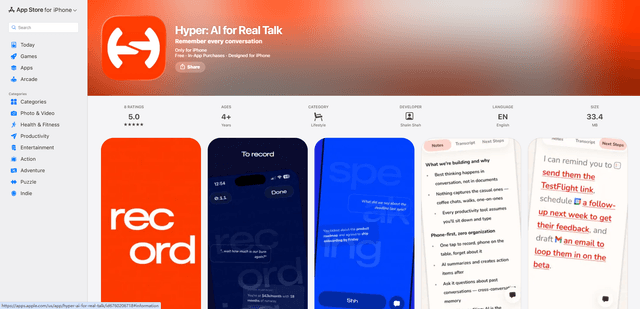
Hyper is an AI-powered conversation assistant that helps you capture, transcribe, search and recall important details from in-person conversations through a simple one-tap recording system.