
Hyper
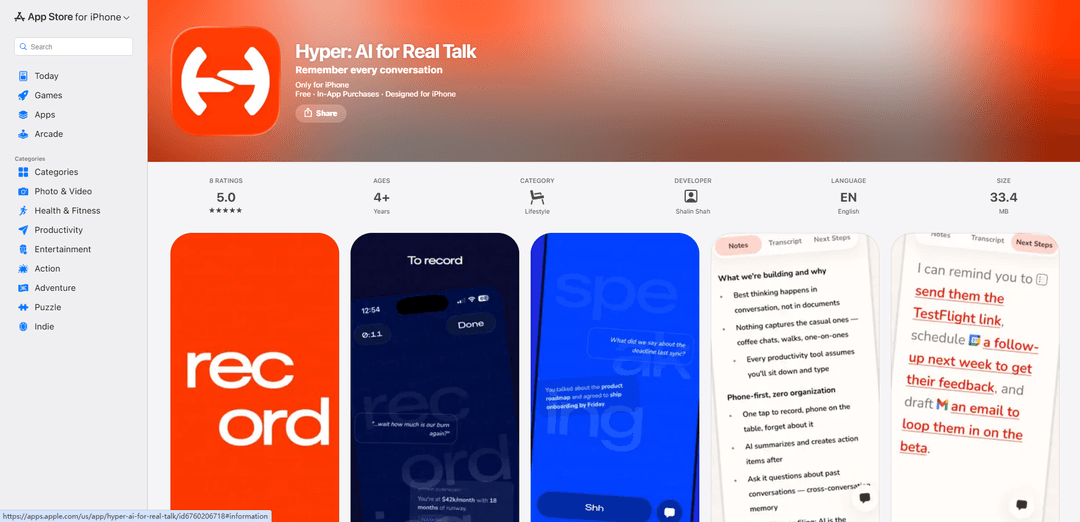
Hyper is an AI-powered conversation assistant that helps you capture, transcribe, search and recall important details from in-person conversations through a simple one-tap recording system.
https://apps.apple.com/us/app/hyper-ai-for-real-talk/id6760206718?ref=producthunt
Product Information
Updated:Mar 16, 2026
What is Hyper
Hyper is a mobile app designed to solve the problem of conversations falling through the cracks during informal meetings, coffee chats, and spontaneous discussions. It serves as an intelligent note-taking and conversation memory tool that works seamlessly in real-world interactions. The app requires just a phone number to get started and is built specifically for capturing value from in-person conversations that don't show up on calendars, like coffee chats, 1:1s, standups, and study sessions.
Key Features of Hyper
Hyper is an AI-powered conversation assistant app that helps users capture, remember, and analyze real-life conversations. It offers features like one-tap recording, real-time voice assistance, automatic note-taking, transcription, and searchable conversation history. The app uses advanced AI to generate summaries, track action items, and provide contextual information during conversations without requiring manual note-taking.
One-tap Recording: Start capturing any conversation with a single tap - no setup, workspaces or folders needed
Real-time Voice Assistant: Ask questions hands-free during conversations using 'Hey Hyper' command to recall context and previous discussions
Automated Summary & Action Items: Automatically generates meeting summaries, transcripts and to-do lists without manual note-taking
Searchable Conversation History: All conversations are indexed and searchable, with weekly highlight reels showing key metrics and notable moments
Use Cases of Hyper
Business Meetings: Capture 1:1s, coffee chats, and team syncs without manual notes while tracking action items and decisions
Academic Discussions: Record study sessions and academic conversations with searchable transcripts for later reference
Personal Development: Keep track of mentoring sessions, coaching conversations and personal growth discussions
Pros
Hands-free operation allows users to stay present in conversations
Saves time by eliminating manual note-taking
Powerful search and recall capabilities for past conversations
Cons
Requires iOS 26.0 or later
Some users report latency and connectivity issues
Privacy concerns around conversation recording and data storage
How to Use Hyper
Download and Install: Download Hyper: AI for Real Talk from the App Store and install it on your iOS device (requires iOS 26.0 or later)
Sign Up: Sign up using your phone number to create an account
Start Recording: When entering any conversation (coffee chat, meeting, standup), simply tap once to start recording - no setup or folders needed
Use Voice Commands: During conversations, say 'Hey Hyper' followed by your question (e.g., 'What did we say about the deadline last sync?') to get instant answers without breaking flow
Review Auto-Generated Content: After the conversation ends, Hyper automatically provides a summary, full transcript, and auto-generated to-do items
Edit Content: If needed, tell Hyper what to change in the notes using voice commands to modify the content
Search Past Conversations: Access your conversation history by searching through all recorded discussions and their action items
Review Weekly Summary: At the end of each week, check the highlight reel showing conversation statistics, minutes spent, and frequently used words
Manage Subscription: Subscribe to Hyper Believer for unlimited recording access. Manage subscription through Settings > Apple ID > Subscriptions
Hyper FAQs
Hyper is an iOS app that uses AI to record, transcribe and analyze real-life conversations like 1:1s, coffee chats, and informal meetings. It allows you to search and recall conversation details without taking manual notes.
Popular Articles

Atoms: A Multi-Agent AI Platform That Transforms Ideas into Launch-Ready Products
May 22, 2026

Nano Banana SBTI: What It Is, How It Works, and How to Use It in 2026
Apr 15, 2026

Atoms Review — The AI Product Builder Redefining Digital Creation in 2026
Apr 10, 2026

Kilo Claw: How to Deploy and Use a True "Do‑It‑For‑You" AI Agent(2026 Update)
Apr 3, 2026
Latest AI Tools Similar to Hyper

Parcae
Parcae is a mind mapping mobile application that helps users organize thoughts and ideas into structured visual maps with intuitive gesture-based controls and automatic saving features.

想读 (WantRead)
想读(WantRead) is an AI-powered reading and note-taking platform that helps users easily import, read, annotate and build their personal knowledge base.

Hiring Studio by Metaview
Hiring Studio by Metaview is a free AI-powered tool that helps recruiting teams generate customized interview questions with follow-up suggestions and detailed answer rubrics.

AI Journaler
AI Journaler is a free Windows PC app that combines traditional journaling with AI-powered analysis and conversation capabilities to enhance emotional well-being and self-reflection.
Popular AI Tools Like Hyper
Lore
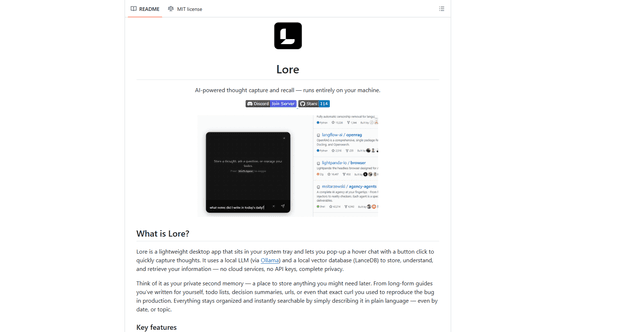
Lore is an AI-powered desktop application that enables quick thought capture and intelligent recall through a local LLM system, allowing users to store and retrieve information privately without cloud services.

Second Brain for AI
Second Brain for AI is a self-hosted, MCP-compatible persistent memory layer on Cloudflare that lets Claude, ChatGPT, Cursor, and other AI clients store and semantically recall shared context across sessions.
NotebookLM Tools Chrome Extension
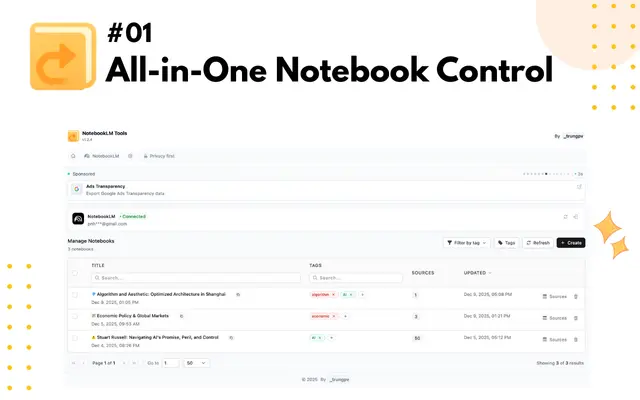
NotebookLM Tools is a comprehensive Chrome extension that enhances Google's NotebookLM with advanced notebook management, multi-language support, bulk operations, and seamless source importing capabilities.
CogniMemo Extension
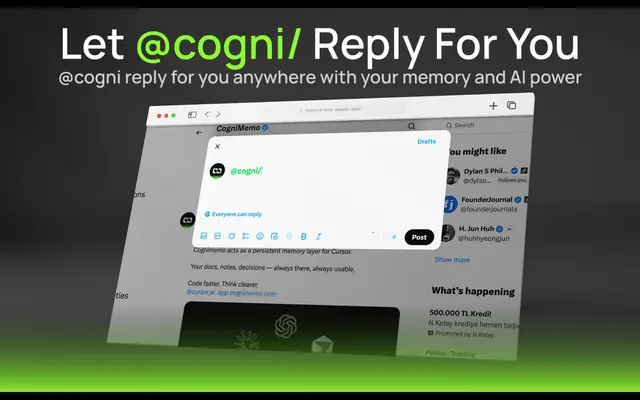
CogniMemo is a browser extension that adds long-term memory capabilities to AI tools like ChatGPT, Claude, Gemini, and DeepSeek by enabling context-aware conversations and knowledge management through saved notes and past chats.