
NotebookLM Tools Chrome Extension
NotebookLM Tools is a comprehensive Chrome extension that enhances Google's NotebookLM with advanced notebook management, multi-language support, bulk operations, and seamless source importing capabilities.
https://chromewebstore.google.com/detail/notebooklm-tools/hiibkpjljigehlnnecbgehkhfibmahjn?ref=producthunt
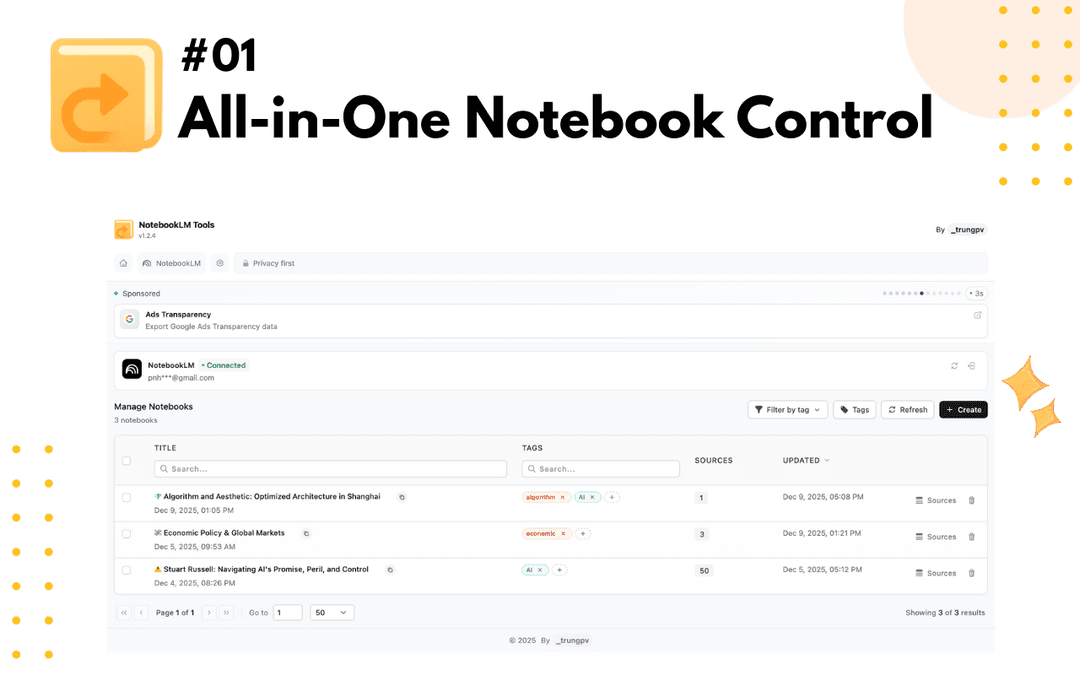
Product Information
Updated:Jan 8, 2026
What is NotebookLM Tools Chrome Extension
NotebookLM Tools is the leading Chrome extension designed to transform and optimize the Google NotebookLM experience. It serves as an essential productivity toolkit for researchers, students, and professionals who use NotebookLM for AI-powered note-taking and research management. The extension adds critical features missing from the base NotebookLM platform, including advanced notebook organization, multi-language support, bulk operations, and streamlined source management capabilities. With a clean, minimal interface and seamless integration with Google NotebookLM, it helps users manage their research workflow more efficiently.
Key Features of NotebookLM Tools Chrome Extension
NotebookLM Tools is a comprehensive Chrome extension that enhances Google NotebookLM with advanced notebook management capabilities, multi-language support, and bulk operations. It allows users to efficiently organize research sources, switch between languages instantly, import content from various sources including YouTube playlists and websites, and manage multiple notebooks through a unified dashboard, making it an essential tool for researchers, students, and professionals who rely on NotebookLM for their workflow.
Multi-Language Support: The only NotebookLM extension offering instant interface language switching, allowing users to control AI output language preferences and translate workflows seamlessly across different languages
Advanced Notebook Management: Provides a centralized dashboard to view, search, sort, and organize unlimited NotebookLM notebooks with smart filters and tracking capabilities
Bulk Operations: Enables mass import of content, bulk deletion of notebooks, and efficient source management including duplicate detection and one-click copying
Seamless Content Import: Facilitates easy import of web pages, YouTube playlists, and content behind login walls with just one click or right-click options
Use Cases of NotebookLM Tools Chrome Extension
Academic Research: Helps researchers and graduate students organize literature reviews, manage research papers, and handle multilingual sources for thesis work
Content Creation: Enables content creators to gather research materials, manage multilingual content, and organize sources efficiently for various projects
International Business: Assists global teams in cross-language research, collaboration, and managing multilingual project documentation
Journalism: Supports journalists in managing sources, conducting investigation research, and handling multi-language reporting tasks
Pros
Only extension offering multi-language support
Saves significant time through bulk operations
Clean, minimal interface with seamless integration
Cons
Requires in-app purchases for some features
Limited to Chrome browser only
How to Use NotebookLM Tools Chrome Extension
Install the extension: Go to Chrome Web Store and install the NotebookLM Tools extension from the official page: https://chromewebstore.google.com/detail/notebooklm-tools/hiibkpjljigehlnnecbgehkhfibmahjn
Access the extension: Click on the NotebookLM Tools icon in your Chrome browser's extension toolbar (top-right corner) to open the side panel
Add content to NotebookLM: Right-click on any webpage or YouTube video to instantly add it to NotebookLM, or use bulk import features to add multiple sources at once
Manage notebooks: Use the dashboard to view, search, sort and organize all your NotebookLM notebooks in one place. You can filter notebooks by date, title, or source count
Switch languages: Use the built-in language switcher to change the interface language and AI output preferences without leaving NotebookLM
Bulk operations: Perform batch operations like bulk adding sources, deleting notebooks, creating multiple projects, and managing sources efficiently
Import special content: Use the extension to import content from paywalled articles, YouTube playlists, and websites that normally block NotebookLM from reading their content
NotebookLM Tools Chrome Extension FAQs
The main features include: multi-language support with built-in language switching, advanced notebook management dashboard, bulk operations for sources and notebooks, one-click importing, and a seamless side panel integration with Google NotebookLM.
NotebookLM Tools Chrome Extension Video
Popular Articles

Vosko AI: Localize and Dub Videos for Global Audiences
Oct 15, 2026

Atoms: A Multi-Agent AI Platform That Transforms Ideas into Launch-Ready Products
Oct 13, 2026

Nano Banana SBTI: What It Is, How It Works, and How to Use It in 2026
Apr 15, 2026

Atoms Review — The AI Product Builder Redefining Digital Creation in 2026
Apr 10, 2026
Latest AI Tools Similar to NotebookLM Tools Chrome Extension

Parcae
Parcae is a mind mapping mobile application that helps users organize thoughts and ideas into structured visual maps with intuitive gesture-based controls and automatic saving features.
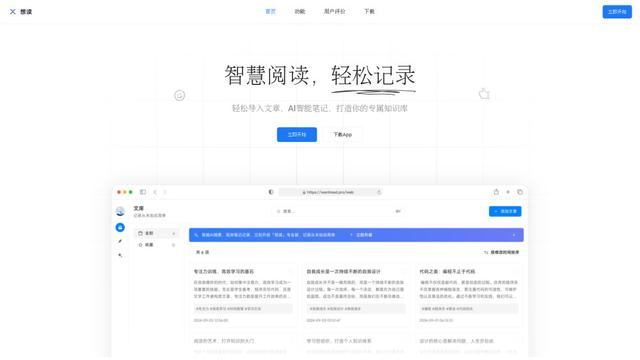
想读 (WantRead)
想读(WantRead) is an AI-powered reading and note-taking platform that helps users easily import, read, annotate and build their personal knowledge base.

Hiring Studio by Metaview
Hiring Studio by Metaview is a free AI-powered tool that helps recruiting teams generate customized interview questions with follow-up suggestions and detailed answer rubrics.

AI Journaler
AI Journaler is a free Windows PC app that combines traditional journaling with AI-powered analysis and conversation capabilities to enhance emotional well-being and self-reflection.
Popular AI Tools Like NotebookLM Tools Chrome Extension
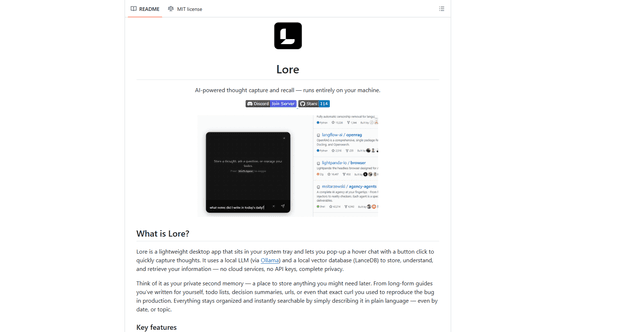
Lore
Lore is an AI-powered desktop application that enables quick thought capture and intelligent recall through a local LLM system, allowing users to store and retrieve information privately without cloud services.

Second Brain for AI
Second Brain for AI is a self-hosted, MCP-compatible persistent memory layer on Cloudflare that lets Claude, ChatGPT, Cursor, and other AI clients store and semantically recall shared context across sessions.

CogniMemo Extension
CogniMemo is a browser extension that adds long-term memory capabilities to AI tools like ChatGPT, Claude, Gemini, and DeepSeek by enabling context-aware conversations and knowledge management through saved notes and past chats.

ReadHero
ReadHero is a comprehensive book tracking and note-taking app that helps readers remember and retain more of what they read by enabling progress tracking, note-taking, and book management all in one place.