
Lore
Lore is an AI-powered desktop application that enables quick thought capture and intelligent recall through a local LLM system, allowing users to store and retrieve information privately without cloud services.
https://github.com/ErezShahaf/Lore?ref=producthunt
Product Information
Updated:Apr 8, 2026
What is Lore
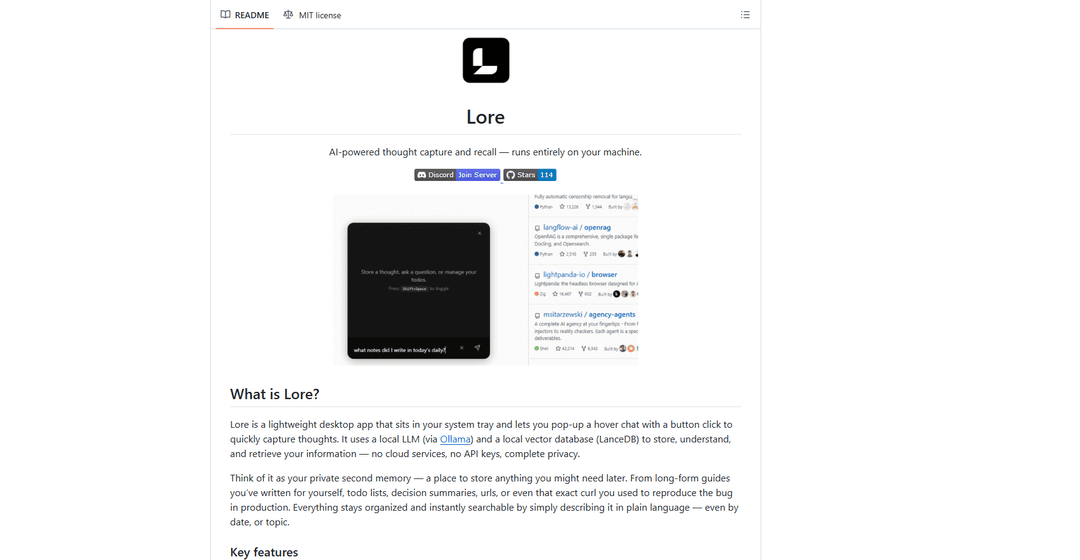
Lore is a lightweight desktop app that sits in your system tray, designed to serve as your private second memory. It provides an efficient way to capture, organize, and retrieve thoughts, notes, todos, and other information through a simple hover chat interface activated by a global shortcut. What makes Lore unique is that it operates entirely locally on your machine, using a local Large Language Model (via Ollama) and a local vector database (LanceDB) to process and store information, ensuring complete privacy without relying on cloud services or API keys.
Key Features of Lore
Lore is a desktop application that functions as an AI-powered thought capture and recall system. It uses local LLM (via Ollama) and vector database (LanceDB) to store, understand, and retrieve information privately without cloud services. The app offers quick thought capture through a global shortcut, smart natural language recall, automatic AI classification of input, todo management, and a RAG (retrieval-augmented generation) pipeline for contextual answers.
Quick Capture with Global Shortcut: Access the app instantly with Ctrl+Shift+Space (Cmd+Shift+Space on macOS) to capture thoughts, todos, or any information without disrupting workflow
Natural Language Processing: Automatically classifies input as thoughts, questions, commands, or instructions and understands natural language queries for retrieving information
Local Privacy-First Architecture: All data processing and storage happens locally using Ollama for LLM processing and LanceDB for vector storage, ensuring complete privacy with no cloud dependencies
Smart Todo Management: Create, organize, and track todos with priority levels and categories through natural language commands
Use Cases of Lore
Personal Knowledge Management: Individuals can store and retrieve personal notes, thoughts, and important information using natural language queries
Developer Documentation: Software developers can store code snippets, commands, and debugging notes for quick reference and troubleshooting
Project Management: Teams can track tasks, decisions, and meeting notes with easy retrieval and organization capabilities
Research Organization: Researchers can capture and organize findings, references, and insights with contextual retrieval
Pros
Complete privacy with local processing and storage
Natural language interface for easy interaction
Quick access through global shortcut
No cloud dependencies or API keys required
Cons
Requires local installation of models and software
System resource requirements for running local LLM
Limited to desktop environments
How to Use Lore
Install Lore: Download the appropriate installer for your OS from GitHub Releases page: Windows (.exe), macOS (.dmg), or Linux (.AppImage). Run the installer and follow prompts to choose directories for LLM models and Ollama.
Configure Models: Open Settings via the Lore system tray icon. Navigate to Models section and download both an embedding model and an LLM based on Lore's recommendations for your system.
Launch Lore: Use the global shortcut Ctrl+Shift+Space (Windows/Linux) or Cmd+Shift+Space (macOS) to toggle the Lore popup chat interface.
Store Information: Simply type your thoughts naturally in the chat interface. Lore will automatically classify and store your input, whether it's notes, todos, or other information.
Retrieve Information: Ask questions in natural language about your stored information. Lore will search through your stored thoughts and generate relevant answers with context.
Manage Tasks: Use commands like 'add to my todo [task]' to create tasks, or mark them complete with phrases like '[task] is complete'. You can also modify existing todos using natural language.
Customize Instructions: Set regular instructions for how Lore should behave by saying 'From now on...' followed by your preferred behavior patterns.
Access Settings: Right-click the tray icon to access settings where you can modify keyboard shortcuts, manage models, configure startup behavior, and more.
Get Help: Type 'What can you do?' or similar questions to learn about Lore's capabilities. Join the Lore Discord server for community support and updates.
Lore FAQs
Lore is a lightweight desktop app that sits in your system tray, allowing users to quickly capture and retrieve thoughts using AI. It runs entirely locally using Ollama for LLM processing and LanceDB for vector storage, ensuring complete privacy with no cloud services or API keys required.
Lore Video
Popular Articles

Atoms: A Multi-Agent AI Platform That Transforms Ideas into Launch-Ready Products
May 22, 2026

Nano Banana SBTI: What It Is, How It Works, and How to Use It in 2026
Apr 15, 2026

Atoms Review — The AI Product Builder Redefining Digital Creation in 2026
Apr 10, 2026

Kilo Claw: How to Deploy and Use a True "Do‑It‑For‑You" AI Agent(2026 Update)
Apr 3, 2026
Latest AI Tools Similar to Lore

Parcae
Parcae is a mind mapping mobile application that helps users organize thoughts and ideas into structured visual maps with intuitive gesture-based controls and automatic saving features.

想读 (WantRead)
想读(WantRead) is an AI-powered reading and note-taking platform that helps users easily import, read, annotate and build their personal knowledge base.

Hiring Studio by Metaview
Hiring Studio by Metaview is a free AI-powered tool that helps recruiting teams generate customized interview questions with follow-up suggestions and detailed answer rubrics.

AI Journaler
AI Journaler is a free Windows PC app that combines traditional journaling with AI-powered analysis and conversation capabilities to enhance emotional well-being and self-reflection.
Popular AI Tools Like Lore

Second Brain for AI
Second Brain for AI is a self-hosted, MCP-compatible persistent memory layer on Cloudflare that lets Claude, ChatGPT, Cursor, and other AI clients store and semantically recall shared context across sessions.
NotebookLM Tools Chrome Extension
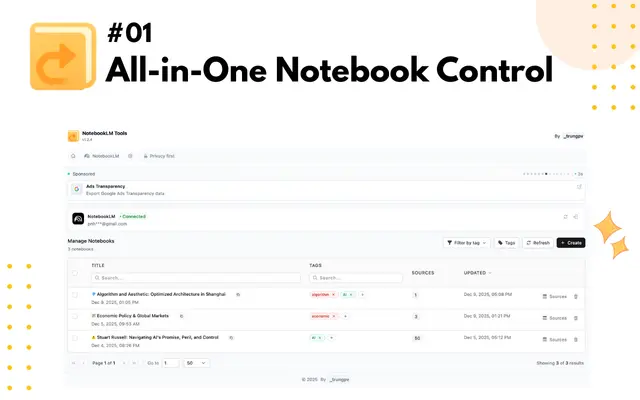
NotebookLM Tools is a comprehensive Chrome extension that enhances Google's NotebookLM with advanced notebook management, multi-language support, bulk operations, and seamless source importing capabilities.
CogniMemo Extension
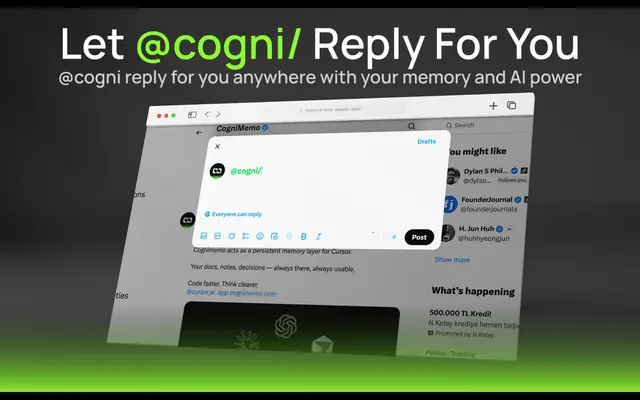
CogniMemo is a browser extension that adds long-term memory capabilities to AI tools like ChatGPT, Claude, Gemini, and DeepSeek by enabling context-aware conversations and knowledge management through saved notes and past chats.

ReadHero
ReadHero is a comprehensive book tracking and note-taking app that helps readers remember and retain more of what they read by enabling progress tracking, note-taking, and book management all in one place.