
Ruby
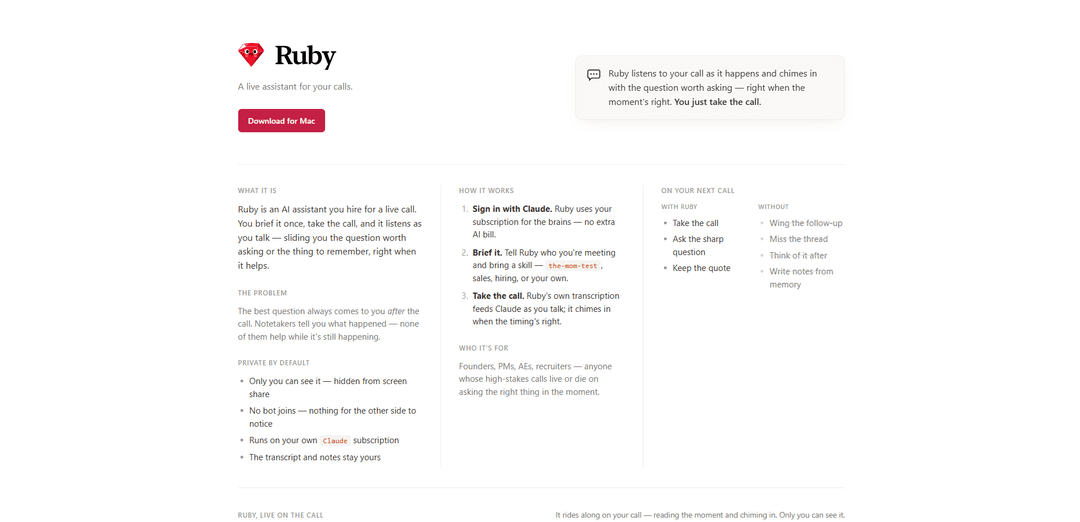
Ruby is a private-by-default AI call assistant for macOS that listens in real time, prompts you with the question worth asking at the right moment, and writes notes afterward—without a visible bot or screen-share exposure.
https://ruby.codeongrass.com/?ref=producthunt
Product Information
Updated:Jul 8, 2026
What is Ruby
Ruby is an AI assistant you “hire” for live calls, designed to help you think and act in the moment rather than only after the meeting ends. Instead of functioning as a passive notetaker, Ruby listens as your conversation unfolds and surfaces timely prompts—like a sharp follow-up question or a key thing to remember—so you can steer high-stakes discussions while they’re still happening. It’s built for people whose outcomes depend on asking the right thing at the right time, such as founders, product managers, sales reps, and recruiters.
Key Features of Ruby
Ruby is a private-by-default AI assistant designed to support you during live calls. It listens in real time, transcribes the conversation, and “chimes in” with the best question to ask or the key thing to remember at the right moment—helping you improve outcomes while the call is still happening. It’s discreet (no bot joins the meeting and it’s hidden from screen share) and runs on your own Claude subscription, keeping transcripts and notes under your control, with automatic notes produced after the call.
Real-time call coaching: Listens as the conversation happens and surfaces the question worth asking or a timely reminder during the call—not just a post-call summary.
Private by default (stealth operation): Only you can see it; it’s hidden from screen share and no meeting bot joins, so the other side doesn’t see or interact with anything.
Runs on your Claude subscription: Uses your existing Claude account for the model “brains,” avoiding an extra AI usage bill tied to the product itself.
Brief once, bring a skill: You can brief Ruby on who you’re meeting and choose a call “skill” (e.g., the-mom-test, sales, hiring, or your own approach) to tailor prompts and interventions.
Built-in transcription + post-call notes: Ruby’s transcription feeds the AI during the call and then produces notes afterward, helping you capture quotes, decisions, and follow-ups.
Use Cases of Ruby
Sales calls (AEs, account teams): Get in-the-moment prompts for discovery, objection handling, and sharper follow-up questions to uncover budget, authority, need, and timeline while you still have the prospect engaged.
Founder and PM customer discovery: Use frameworks like the Mom Test to avoid leading questions and surface real pain points, ensuring you ask the crucial question before the call ends.
Recruiting and hiring interviews: Receive timely interview probes, consistency checks, and follow-up prompts to validate evidence, reduce missed signals, and improve structured hiring decisions.
Client services and consulting: During stakeholder calls, Ruby can nudge you to clarify scope, success criteria, risks, and next steps—reducing rework and preventing misalignment.
Partnership and vendor negotiations: Get reminders to ask about constraints, trade-offs, and terms (pricing, SLAs, data handling) at the right time, improving negotiation outcomes.
Pros
Helps during the call (not just after), improving questioning, recall, and decision-making in real time.
Stealth and privacy-oriented design: hidden from screen share and no bot joins the meeting.
Uses your Claude subscription, which can reduce incremental AI costs and keep control centralized.
Cons
macOS-only (macOS 14.4+) limits availability for Windows/Linux users.
Requires a Claude subscription to function as described.
Real-time coaching quality depends on transcription accuracy and the quality of your briefing/selected skill.
How to Use Ruby
1) Confirm requirements (Mac + Claude): Use a Mac running macOS 14.4+ and have an active Claude subscription, since Ruby runs on your own Claude account for the AI “brains.”
2) Download Ruby for Mac: Go to https://ruby.codeongrass.com/?ref=producthunt and click “Download for Mac” to get the app.
3) Install and open Ruby: Install the downloaded app on your Mac and launch Ruby.
4) Sign in with Claude: In Ruby, choose the option to “Sign in with Claude.” This connects Ruby to your Claude subscription so there’s no separate AI bill.
5) Brief Ruby before the call: Provide a short briefing about who you’re meeting and what you want from the call. Add a “skill” (e.g., “the-mom-test,” sales, hiring, or your own) so Ruby knows what kinds of prompts/questions to surface.
6) Start your call as usual: Join your call normally (no bot joins the meeting). Ruby listens to the call in real time using its own transcription.
7) Watch for in-the-moment prompts: As you talk, Ruby feeds the live transcript to Claude and “chimes in” with the question worth asking or the key thing to remember—timed to when it’s most useful.
8) Use Ruby privately during the call: Keep Ruby visible to you while staying private by default: only you can see it, it’s hidden from screen share, and nothing appears for the other side to notice.
9) Capture key quotes and threads: When Ruby surfaces a sharp question or important quote, use it immediately in the conversation to follow the right thread while it’s happening.
10) Review notes after the call: After the call ends, use Ruby’s output to review what it captured. The transcript and notes stay yours.
Ruby FAQs
Ruby is a simple, powerful, open-source, object-oriented programming language created by Yukihiro Matsumoto (“Matz”). It’s cross-platform and is known for a readable syntax; everything in Ruby is an object, and it includes features like blocks, iterators, and metaclasses.
Ruby Video
Popular Articles

Atoms: A Multi-Agent AI Platform That Transforms Ideas into Launch-Ready Products
May 22, 2026

Nano Banana SBTI: What It Is, How It Works, and How to Use It in 2026
Apr 15, 2026

Atoms Review — The AI Product Builder Redefining Digital Creation in 2026
Apr 10, 2026

Kilo Claw: How to Deploy and Use a True "Do‑It‑For‑You" AI Agent(2026 Update)
Apr 3, 2026
Latest AI Tools Similar to Ruby

Ticknotes
Ticknotes is an AI-powered meeting assistant that automatically records, transcribes, and generates personalized meeting summaries, action items, and key insights from audio, video, and text content.

Feta
Feta is an AI-powered meeting tool that helps product and engineering teams run efficient meetings by capturing discussions, automating tasks, and providing actionable insights through smart summaries and integrations.

Aimeet
Aimeet is a comprehensive AI-powered communication platform that combines real-time translation, transcription, screen sharing, and unlimited meeting capabilities for effective virtual collaboration.

MinutesLink
MinutesLink is an advanced AI-powered note-taking assistant that automatically records, transcribes, summarizes and organizes virtual meetings while building personalized digital avatars from meeting data.
Popular AI Tools Like Ruby

Second Brain for AI
Second Brain for AI is a self-hosted, MCP-compatible persistent memory layer on Cloudflare that lets Claude, ChatGPT, Cursor, and other AI clients store and semantically recall shared context across sessions.

Slack
Slack is an AI-powered work platform that brings team communication, channels, files, automation, and app integrations into one conversational workspace.

24me Smart Personal Assistant
24me is an award-winning smart personal assistant app that combines calendar, to-do lists, notes, and personal accounts in one unified platform to help boost productivity and time management.

Granola for iOS
Granola for iOS is an AI-powered notepad app that helps users effortlessly capture, transcribe and summarize meeting conversations through intelligent note-taking and one-tap recording capabilities.