
Rosentic
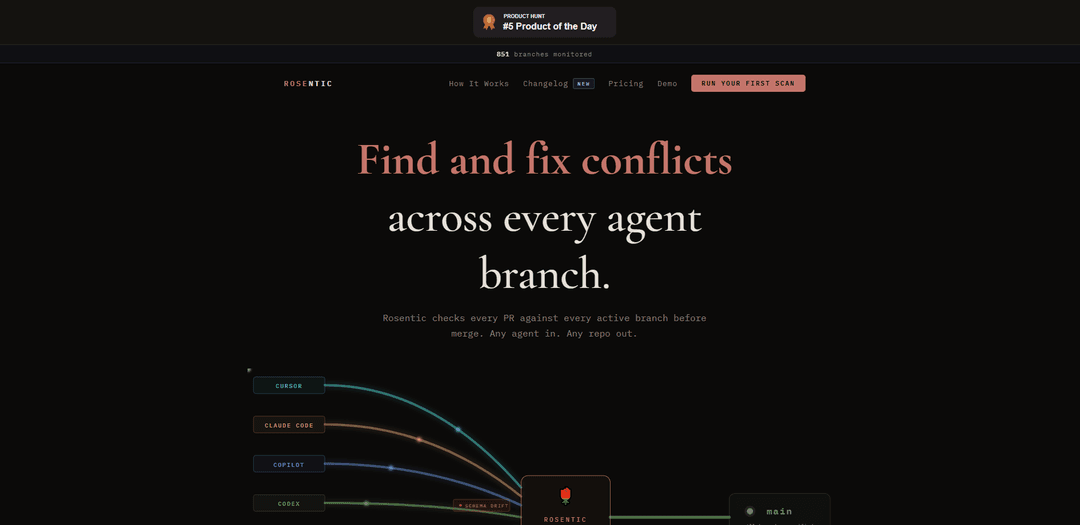
Rosentic is a CI tool that scans every pull request against all active branches to detect cross-branch conflicts (API/signature mismatches, schema drift, breaking changes) before merge, with deterministic analysis that keeps code on your own runner.
https://rosentic.com/?ref=producthunt
Product Information
Updated:May 19, 2026
What is Rosentic
Rosentic is a cross-branch compatibility checker designed for teams building in parallel—especially with multiple coding agents (e.g., Cursor, Claude Code, Copilot, Codex, Windsurf) and humans working on separate branches at the same time. Instead of reviewing a PR only in isolation against the target branch, Rosentic proactively checks whether changes in a PR will break other in-flight work across your repository’s active branches. It runs in your CI (including a GitHub Action), requires no signup or API key, and emphasizes privacy by ensuring code never leaves your runner.
Key Features of Rosentic
Rosentic is a CI-integrated tool that scans a pull request against every active branch to detect cross-branch compatibility conflicts (e.g., API/signature changes, schema drift, return-type changes) before merge—especially useful when multiple AI coding agents and humans work in parallel. It runs deterministically inside your own CI runner so code doesn’t leave your environment, posts PR-level findings with file paths/line numbers, and is designed to catch issues that single-PR review tools can’t see by validating changes against the broader set of in-flight branches.
Cross-branch PR compatibility scanning: Checks each PR against every active branch before merge to surface conflicts that would break other in-progress work.
Conflict detection for common break types: Flags issues like signature mismatches, API breaks, schema drift, and return-type changes with concrete examples of impacted callers.
CI-native GitHub Action workflow: Installs via a single GitHub Actions YAML and runs automatically on pull requests (e.g., on main), producing a clear “safe to merge / breaking” verdict.
Deterministic, runs on your runner: Designed so code never leaves your CI environment, supporting security-conscious teams and deterministic execution.
Multi-language, repo-scale scanning: Built to scan many repositories and languages (site claims 150+ repos scanned across 12 languages) and report precise, actionable findings.
Agent- and human-friendly coordination layer: Works across workflows involving Cursor, Claude Code, Copilot, Codex, Windsurf, Factory agents, and humans—acting as a coordination plane for parallel development.
Use Cases of Rosentic
AI-agent parallel feature development: Teams running multiple coding agents on separate branches can catch when one agent’s refactor breaks another agent’s in-flight branch before merging.
Monorepo and multi-team backend API evolution: When shared functions/endpoints change (e.g., new required args), Rosentic identifies downstream callers across active branches that will break.
Schema and contract changes in data platforms: Detects schema drift and contract mismatches early when analysts/engineers evolve models or interfaces across concurrent branches.
Release hardening for fast-moving products: Before cutting a release, ensure incoming PRs won’t introduce regressions against other long-lived branches or parallel initiatives.
Open-source maintenance at scale: Maintainers can validate PR compatibility across multiple contributor branches; Rosentic is positioned as free for open source and posts actionable PR feedback.
Pros
Catches cross-branch breakages that single-PR review and CI often miss
Runs in your CI runner (code stays in your environment), supporting security/privacy needs
Actionable reports with concrete conflict examples, file paths, and line numbers
Low-friction setup via a GitHub Action; no signup/API key claimed
Cons
Value depends on having multiple active branches; smaller teams with linear workflows may see less benefit
Scanning many branches can add CI time/compute cost compared to standard PR checks
Effectiveness may vary by language/framework/project structure despite multi-language claims
How to Use Rosentic
1. Decide where you want Rosentic to run: Rosentic is designed to run in your CI (e.g., GitHub Actions) and check every pull request against every active branch before merge.
2. Install Rosentic via GitHub Actions (recommended): Use the GitHub Marketplace action: https://github.com/marketplace/actions/rosentic-cross-branch-compatibility-check
3. Add a GitHub Actions workflow file: Create a workflow file at .github/workflows/rosentic.yml in your repository.
4. Configure the workflow trigger for pull requests: Set the workflow to run on pull_request events targeting your main branch (or your default branch). Example: on: pull_request: branches: [main]
5. Configure the Rosentic job permissions: Grant read access to contents and write access to pull requests so Rosentic can post results back to the PR. Example permissions: contents: read, pull-requests: write
6. Check out the repository with full history: Use actions/checkout with fetch-depth: 0 so Rosentic can compare across branches. Example: uses: actions/checkout@v4 with fetch-depth: 0
7. Run the Rosentic action: Add the Rosentic step to your workflow: uses: Rosentic/rosentic-action@v1
8. Commit and push the workflow to your repo: Commit .github/workflows/rosentic.yml and push it to your default branch so it applies to incoming pull requests.
9. Open (or update) a pull request to trigger a scan: When a PR targets the configured branch (e.g., main), Rosentic runs automatically and scans the PR against active branches.
10. Review Rosentic’s PR comment/report: Rosentic posts a review showing conflicts such as API/signature mismatches, schema drift, and return-type changes, including file paths and line numbers (e.g., a function now requires 3 args but another branch still calls it with 2).
11. Fix reported cross-branch conflicts: Update the PR or coordinate changes across branches to resolve breaking or likely-breaking issues Rosentic flags.
12. Re-run by pushing new commits until the PR is compatible: Each push to the PR re-triggers CI; iterate until Rosentic reports branches as verified/compatible and safe to merge.
13. (Optional) Ask your coding agent to install Rosentic: If you use an agent (Cursor, Claude Code, Copilot, Codex, Windsurf, etc.), you can instruct it: "Install Rosentic on this repo" to automate adding the workflow.
Rosentic FAQs
Rosentic is a tool that finds and helps fix conflicts across active branches before merge by checking each pull request against every active branch.
Popular Articles

Vosko AI: Localize and Dub Videos for Global Audiences
Oct 15, 2026

Atoms: A Multi-Agent AI Platform That Transforms Ideas into Launch-Ready Products
Oct 13, 2026

Nano Banana SBTI: What It Is, How It Works, and How to Use It in 2026
Apr 15, 2026

Atoms Review — The AI Product Builder Redefining Digital Creation in 2026
Apr 10, 2026
Latest AI Tools Similar to Rosentic

Gait
Gait is a collaboration tool that integrates AI-assisted code generation with version control, enabling teams to track, understand, and share AI-generated code context efficiently.

invoices.dev
invoices.dev is an automated invoicing platform that generates invoices directly from developers' Git commits, with integration capabilities for GitHub, Slack, Linear, and Google services.

EasyRFP
EasyRFP is an AI-powered edge computing toolkit that streamlines RFP (Request for Proposal) responses and enables real-time field phenotyping through deep learning technology.

Cart.ai
Cart.ai is an AI-powered service platform that provides comprehensive business automation solutions including coding, customer relations management, video editing, e-commerce setup, and custom AI development with 24/7 support.
Popular AI Tools Like Rosentic

GitHub Copilot Chat
GitHub Copilot Chat is an AI-powered coding assistant that provides natural language interactions, real-time code suggestions, and contextual support directly within supported IDEs and GitHub.com.

CopilotForXcode
CopilotForXcode is an Xcode Source Editor Extension that integrates GitHub Copilot, Codeium, and ChatGPT to provide AI-powered code suggestions, chat assistance, and prompt-to-code functionality within Xcode.

BrowserAI
BrowserAI is an open-source library that enables running local Large Language Models (LLMs) directly in web browsers with WebGPU acceleration, offering privacy-focused AI capabilities without requiring server infrastructure.

OpenAI Codex CLI
OpenAI Codex CLI is a lightweight, open-source coding agent that runs in your terminal, enabling developers to translate natural language into code execution while providing ChatGPT-level reasoning with the ability to run code, manipulate files, and iterate under version control.