
Owlish
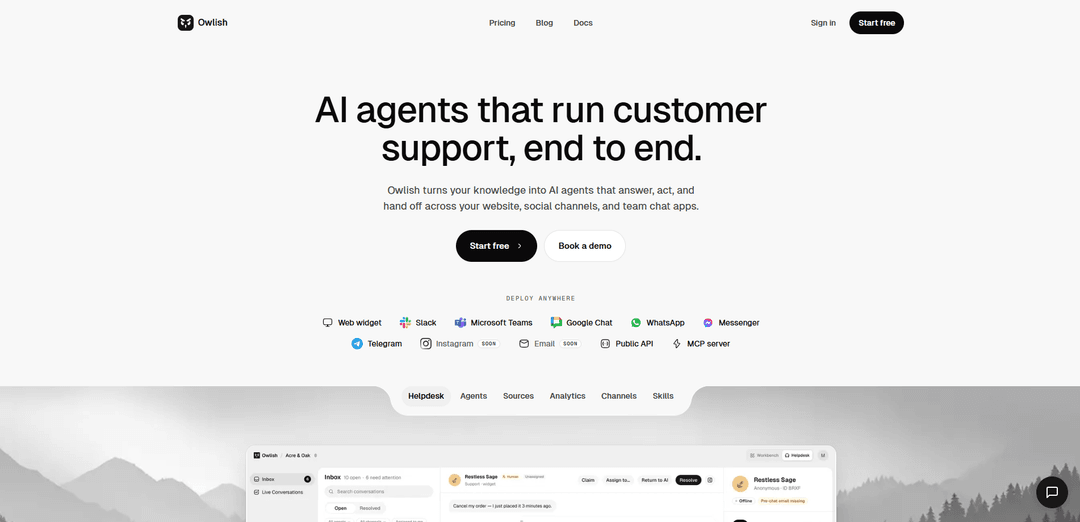
Owlish transforma seu site, documentos de ajuda, PDFs e tickets anteriores em agentes de suporte ao cliente com IA que fornecem respostas citadas pela fonte, seguem respostas aprovadas e escalam para humanos quando a confiança é baixa.
https://owlish.bot/?ref=producthunt&utm_source=aipure
Informações do Produto
Atualizado:Jun 8, 2026
O que é Owlish
Owlish é uma plataforma de suporte ao cliente com IA projetada para gerenciar o suporte de ponta a ponta – não apenas um widget de bate-papo. Ele converte seu conhecimento existente (conteúdo do site e da central de ajuda, PDFs/DOCX/Markdown, exportações CSV de tickets resolvidos e pares de perguntas e respostas manuais) em agentes implantáveis para canais como o widget do seu site e ferramentas de bate-papo em equipe (por exemplo, Slack e Microsoft Teams), com mais canais e opções de desenvolvedor (REST API, webhooks, servidor MCP) disponíveis. A promessa principal é o suporte responsável: o agente responde a partir de suas fontes ingeridas, cita as passagens exatas usadas e oferece uma transferência humana limpa em vez de "adivinhar" quando a base de conhecimento não contém a resposta.
Principais Recursos do Owlish
Owlish é uma plataforma de suporte ao cliente de IA que transforma seu conhecimento existente (conteúdo de site/central de ajuda, documentos e tickets anteriores) em agentes de suporte implementáveis que podem responder a perguntas com citações de fontes, realizar ações por meio de integrações e escalar para humanos com contexto completo. Inclui um widget web incorporável, além de implantações de canal de equipe, um pipeline de ingestão de conhecimento com sincronização automática e uma camada de operações (caixa de entrada compartilhada, transferência, modo sussurro) para fechar o ciclo desde a primeira resposta até a resolução e melhoria contínua. (Fontes: “Owlish transforma seu conhecimento em agentes de IA que respondem, agem e transferem em seu site, canais sociais e aplicativos de bate-papo em equipe.”; “Owlish só responde a partir das fontes que você ingeriu, e cada resposta cita as passagens exatas de onde tirou... oferece uma transferência em vez de adivinhar.”; “Caixa de entrada compartilhada... Transferência humana + transcrição completa... Modo sussurro... Salvar resposta como conhecimento”; “Aponte Owlish para seu site e central de ajuda — nós o rastreamos para você... Carregue PDFs, DOCX, Markdown ou CSV... Agende a sincronização automática”)
Respostas fundamentadas em fontes com citações: Owlish responde apenas a partir do conteúdo que você ingeriu e cita as passagens exatas usadas; se a resposta não estiver na base de conhecimento, ele recusa e oferece uma transferência humana, com escalonamento opcional de limite de confiança. (Fonte: “Owlish só responde a partir das fontes que você ingeriu, e cada resposta cita as passagens exatas de onde tirou. Se a resposta não estiver em sua base de conhecimento, ele o diz e oferece uma transferência em vez de adivinhar. Você também pode definir um limite de confiança — abaixo desse limite, o agente escala em vez de responder.”)
Implantação multi-canal: Implante agentes por meio de um widget web e em canais de bate-papo em equipe e mensagens, com canais adicionais listados como em breve, além de opções de desenvolvedor como uma API pública e servidor MCP. (Fonte: “Implante em qualquer lugar: Widget web, Slack, Microsoft Teams, Google Chat, WhatsApp… Messenger… Telegram… Instagram em breve… E-mail em breve… API pública… servidor MCP”)
Ingestão de conhecimento + sincronização automática: Rastreie seu site/central de ajuda e ingira formatos de documento comuns (PDF, DOCX, Markdown, CSV), além de pares de perguntas e respostas manuais, com sincronização automática agendada e regras de inclusão/exclusão de fontes. (Fonte: “Rastreamento de site e central de ajuda”; “PDFs, DOCX, Markdown, CSV”; “Sincronização automática agendada”; “Regras de inclusão/exclusão de fontes”; “Pares de perguntas e respostas manuais”)
Camada de operações de suporte (caixa de entrada compartilhada + transferência): Execute o suporte de ponta a ponta com uma caixa de entrada compartilhada entre canais, transferência humana limpa que inclui transcrição e contexto completos, marcação/atribuição e a capacidade de salvar respostas do operador de volta no conhecimento. (Fonte: “Caixa de entrada compartilhada entre canais”; “Transferência humana + transcrição completa”; “Marcar, filtrar, atribuir conversas”; “Salvar resposta como conhecimento”; “Seu colega de equipe recebe a transcrição completa, a pergunta, as citações que o agente tentou e o contexto do visitante”)
Modo sussurro + controle do operador: Os operadores podem sussurrar no meio da conversa para direcionar a resposta do agente ou assumir totalmente, mantendo um humano no circuito para casos incertos ou de alto risco. (Fonte: “Modo sussurro para operadores”; “Os operadores podem sussurrar para o agente no meio da conversa para direcionar uma resposta, ou assumir totalmente.”)
Ações via ferramentas + interfaces de desenvolvedor: Owlish pode chamar endpoints REST e realizar ações como pesquisas em banco de dados, gravações em CRM, agendamentos de calendário ou criação de tickets; as execuções de ferramentas são registradas, com limite de taxa e escopo, e os desenvolvedores podem usar API REST/webhooks e um servidor MCP. (Fonte: “Conecte endpoints REST, pesquisas em banco de dados, gravações em CRM, agendamentos de calendário ou criação de tickets”; “Cada execução de ferramenta é registrada, com limite de taxa e escopo”; “API REST pública + webhooks”; “Servidor MCP para desenvolvedores”)
Casos de Uso do Owlish
Deflexão e escalonamento do suporte ao cliente: Lide com perguntas comuns com respostas citadas e fundamentadas e escale casos incertos com uma transferência limpa e transcrição completa para reduzir o volume repetitivo e acelerar a resolução. (Fonte: “Suporte ao Cliente: Desvie tickets, resolva mais rápido, escale de forma limpa.”; “respostas… cita as passagens exatas… oferece uma transferência”)
Qualificação de vendas e agendamento: Use um agente para qualificar leads de entrada, responder a perguntas sobre produtos e agendar reuniões, conectando agendamentos de calendário e outras chamadas de ferramentas. (Fonte: “Agente de Vendas: Qualifique leads de entrada, responda a perguntas, agende reuniões.”; “agendamentos de calendário”)
Helpdesk de TI em Slack/Teams: Resolva perguntas internas de TI 24 horas por dia, 7 dias por semana, em canais de bate-papo em equipe como Slack e Microsoft Teams, com operações de caixa de entrada compartilhada e intervenção humana quando necessário. (Fonte: “Helpdesk de TI: Resolva tickets internos 24 horas por dia, 7 dias por semana, em Slack e Teams.”; “Caixa de entrada compartilhada entre canais”)
Assistente de funcionário para RH/integração: Forneça aos funcionários respostas rápidas e fundamentadas para RH, integração e conhecimento interno, com caminhos de escalonamento para casos extremos. (Fonte: “Assistente de Funcionário: RH, integração e conhecimento interno prontos.”; “transfere… de forma limpa”)
Console de suporte de agência ou multi-equipe: Crie agentes separados por equipe ou por cliente usando a mesma plataforma e console para gerenciar conversas e conhecimento. (Fonte: “Mesmo console, público diferente. Crie um novo agente por equipe, ou por cliente se você for uma agência.”)
Vantagens
Respostas responsáveis e fundamentadas em fontes com citações sempre ativas e recusa/transferência quando o conhecimento está faltando. (Fonte: “Owlish só responde a partir das fontes que você ingeriu… cita… Se a resposta não estiver em sua base de conhecimento, ele o diz e oferece uma transferência em vez de adivinhar.”)
Fortes operações com humano no circuito: caixa de entrada compartilhada, transcrições completas na transferência, modo sussurro e salvamento de correções de volta no conhecimento. (Fonte: “Caixa de entrada compartilhada… Transferência humana + transcrição completa… Modo sussurro… Salvar resposta como conhecimento”)
Amplas opções de ingestão e manutenção (rastreamento + vários tipos de arquivo + sincronização automática) e implantação multi-canal com API/MCP para desenvolvedores. (Fonte: “Rastreamento de site e central de ajuda… PDFs, DOCX, Markdown, CSV… Sincronização automática agendada”; “Implante em qualquer lugar… API pública… servidor MCP”)
Desvantagens
Controles de idioma dedicados (idioma de resposta forçado, relatórios de localidade, roteamento por idioma) ainda não estão disponíveis e são descritos como 'no roteiro'. (Fonte: “Controles de idioma dedicados — idioma de resposta forçado, relatórios de localidade e roteamento por idioma — ainda estão no roteiro.”)
Alguns canais são listados como 'em breve' (por exemplo, Instagram, E-mail), implicando disponibilidade incompleta hoje. (Fonte: “Instagram em breve”; “E-mail em breve”)
Como Usar o Owlish
1) Crie um espaço de trabalho e inicie um novo agente: Inscreva-se e crie seu primeiro espaço de trabalho, depois crie um agente para a equipe/caso de uso (por exemplo, Suporte ao Cliente, Agente de Vendas, Helpdesk de TI, Assistente de Funcionários).
2) Ingira conhecimento rastreando seu site/central de ajuda: Aponte o Owlish para seu site e central de ajuda para que ele possa rastrear seu conteúdo e construir uma base de conhecimento fundamentada na fonte.
3) Adicione fontes adicionais (arquivos e tickets anteriores): Carregue materiais de suporte como PDFs, DOCX, Markdown ou CSVs (incluindo exportações de tickets resolvidos) para expandir o que o agente pode responder.
4) Adicione pares de perguntas e respostas manuais para respostas de alto sinal: Cole pares diretos de perguntas e respostas para perguntas comuns ou importantes para garantir que o agente tenha cobertura explícita e aprovada.
5) Configure regras de origem e mantenha o conteúdo atualizado: Defina regras de inclusão/exclusão para o que deve ser indexado e, em seguida, ative a sincronização automática programada para que o agente permaneça atualizado sem atualizações manuais.
6) Verifique o comportamento de resposta fundamentada e citações: Teste o agente para confirmar que ele responde apenas a partir de fontes ingeridas e inclui citações para as passagens exatas usadas; certifique-se de que ele recusa/faz a transferência quando a resposta não está na base de conhecimento.
7) Defina o comportamento de escalonamento para casos incertos: Configure um limite de confiança para que, abaixo do limite, o agente escale para um humano em vez de "adivinhar".
8) Personalize a marca do widget e a persona do agente: Combine sua marca definindo o tema (incluindo modo escuro), cores/fonte/avatar/persona, estados de boas-vindas/offline e prompts sugeridos; opcionalmente, use variáveis CSS e uma API JS para personalização mais profunda.
9) Implante o agente em seus canais: Escolha onde executar o agente: incorpore o widget da web em seu site e/ou conecte canais de equipe e mensagens como Slack, Microsoft Teams, Google Chat, WhatsApp, Messenger, Telegram (com Instagram e Email listados como “em breve”).
10) Habilite a transferência humana e o fluxo de trabalho do operador: Use a caixa de entrada compartilhada para gerenciar conversas em todos os canais; quando o agente transfere, os operadores recebem a transcrição completa, o contexto do usuário e as citações que o agente tentou.
11) Use o modo Whisper para direcionar as respostas no meio da conversa: Os operadores podem sussurrar orientações ao agente durante um tópico ao vivo para melhorar a resposta, ou assumir a conversa inteiramente quando necessário.
12) Organize e resolva conversas na caixa de entrada: Marque, filtre e atribua conversas a colegas de equipe; use funções e permissões para controlar o acesso dentro do espaço de trabalho.
13) Transforme boas respostas humanas em novo conhecimento: Quando um humano resolve uma lacuna, salve a resposta como conhecimento para que o agente aprenda a resposta aprovada e o mesmo problema seja menos propenso a ocorrer novamente.
14) Adicione ações/ferramentas para que o agente possa 'fazer' o trabalho de suporte: Conecte ações via endpoints REST (por exemplo, pesquisas de banco de dados, gravações de CRM, agendamentos de calendário, criação de tickets). As execuções de ferramentas são registradas, limitadas por taxa e com escopo para o agente.
15) Integre via API, webhooks ou MCP (configuração do desenvolvedor): Use a API REST pública e webhooks para automatizar o gerenciamento e as operações da base de conhecimento, ou conecte-se via servidor MCP se preferir uma interface orientada a agentes/desenvolvedores.
16) Monitore a qualidade e itere: Revise o feedback CSAT/polegares, use a detecção de lacunas de conhecimento para encontrar cobertura ausente e execute testes A/B de prompt/modelo; verifique o resumo semanal de insights para melhorias contínuas.
17) Gerencie a propriedade dos dados, exportações e exclusão: Exporte fontes, transcrições e configuração como JSON ou CSV; exclua fontes individuais, conversas ou todo o espaço de trabalho quando necessário (os dados são criptografados em repouso e em trânsito e isolados por espaço de trabalho).
18) Migre de outra plataforma de chatbot (opcional): Aponte o Owlish para as mesmas fontes que seu bot existente usava para que o Owlish possa rastreá-las e incorporá-las; carregue logs de conversas exportados como CSV para transferir respostas anteriores. A migração típica é descrita como cerca de uma hora de trabalho.
Perguntas Frequentes do Owlish
Owlish "transforma seu conhecimento em agentes de IA que respondem, agem e transferem informações em seu site, canais sociais e aplicativos de bate-papo em equipe." Ele é posicionado como mais do que um chatbot: "Construtores de chatbot oferecem um bot. Owlish oferece uma operação de suporte."
Artigos Populares

Atoms: Uma Plataforma de IA Multiagente Que Transforma Ideias em Produtos Prontos para Lançamento
May 22, 2026

Nano Banana SBTI: O Que É, Como Funciona e Como Usá-lo em 2026
Apr 15, 2026

Análise do Atoms — O Construtor de Produtos de IA Redefinindo a Criação Digital em 2026
Apr 10, 2026

Kilo Claw: Como Implementar e Usar um Verdadeiro Agente de IA "Faça Você Mesmo" (Atualização de 2026)
Apr 3, 2026
Ferramentas de IA Mais Recentes Semelhantes a Owlish
Heartbeat
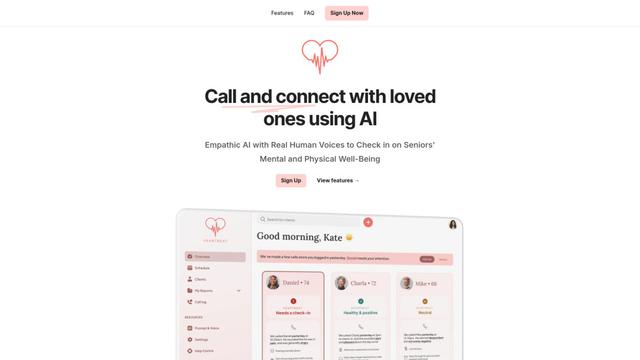
O Heartbeat é uma plataforma versátil que oferece tanto uma solução de construção de comunidades online quanto um sistema de chamadas de bem-estar impulsionado por IA para idosos e indivíduos em risco, apresentando espaços personalizáveis, comunicação em tempo real e capacidades de monitoramento de saúde.
Resonoon
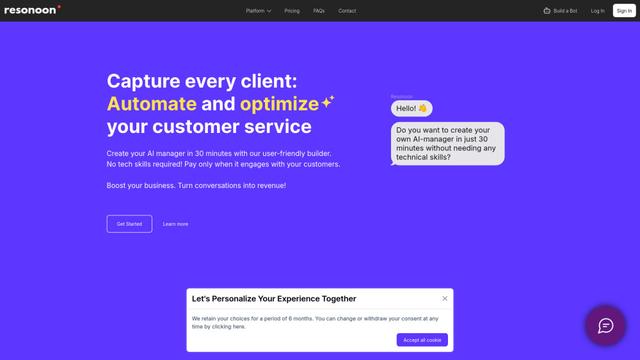
A Resonoon é uma plataforma B2B SaaS sem código que permite que as empresas criem chatbots e assistentes de voz com IA em 30 minutos, sem habilidades técnicas, oferecendo preços de pagamento por conversa.
WhatsBoost
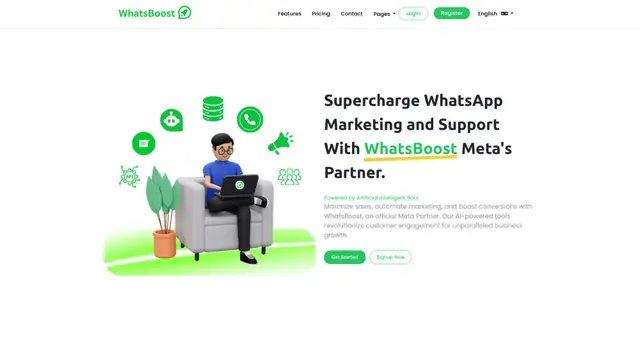
WhatsBoost é uma plataforma de marketing do WhatsApp alimentada por IA e parceira oficial da Meta que permite que as empresas automatizem comunicações com clientes, gerenciem campanhas e integrem-se a vários serviços através de APIs abertas.
Vapify
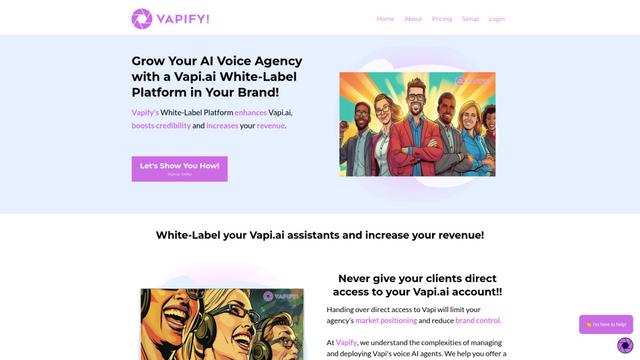
O Vapify é uma plataforma de marca branca que permite que as agências ofereçam soluções de IA de voz da Vapi.ai sob sua própria marca, mantendo o controle sobre os relacionamentos com os clientes e maximizando a receita.
Ferramentas de IA Populares Como Owlish
Salesforce Einstein
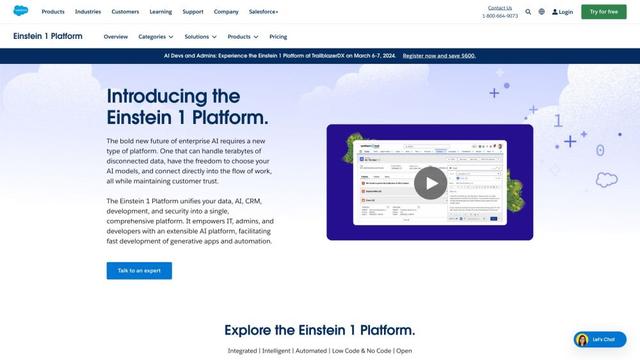
O Salesforce Einstein é uma plataforma de inteligência artificial integrada que traz capacidades de IA para os produtos de CRM da Salesforce, oferecendo análises preditivas, processamento de linguagem natural e aprendizado de máquina para aprimorar as experiências dos clientes e os processos de negócios.
Pernell
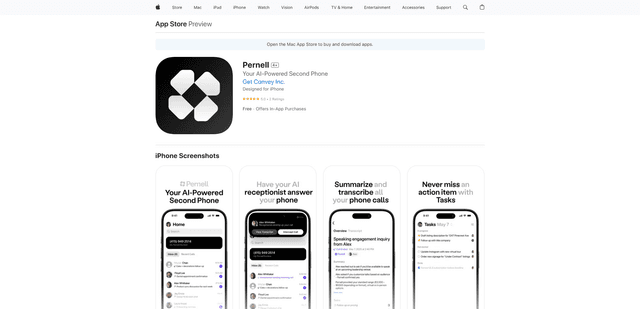
Pernell é um aplicativo de recepcionista com tecnologia de IA que atende chamadas, fornece resumos e transcrições e gerencia acompanhamentos em seu nome.
Zoho SalesIQ Nova '25
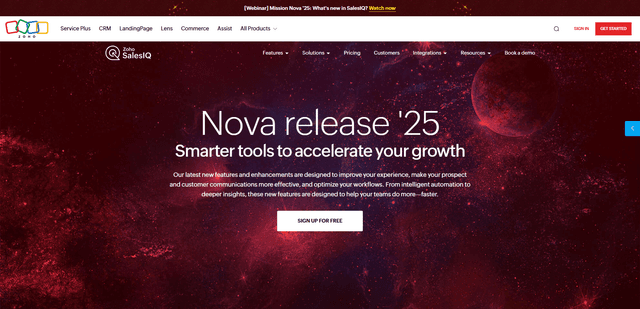
Zoho SalesIQ Nova '25 é uma atualização abrangente com mais de 25 novos aprimoramentos em chatbots com tecnologia de IA, ferramentas GenAI, canais de mensagens, fluxos de trabalho e integrações para ajudar as empresas a acelerar o engajamento do cliente e o crescimento das vendas.
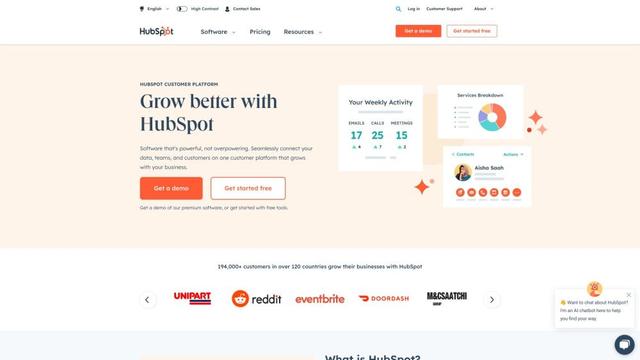
HubSpot
O HubSpot é uma plataforma de cliente tudo-em-um impulsionada por IA que fornece software de marketing, vendas, atendimento, operações e construção de sites para ajudar as empresas a crescer.