
OpenGyver
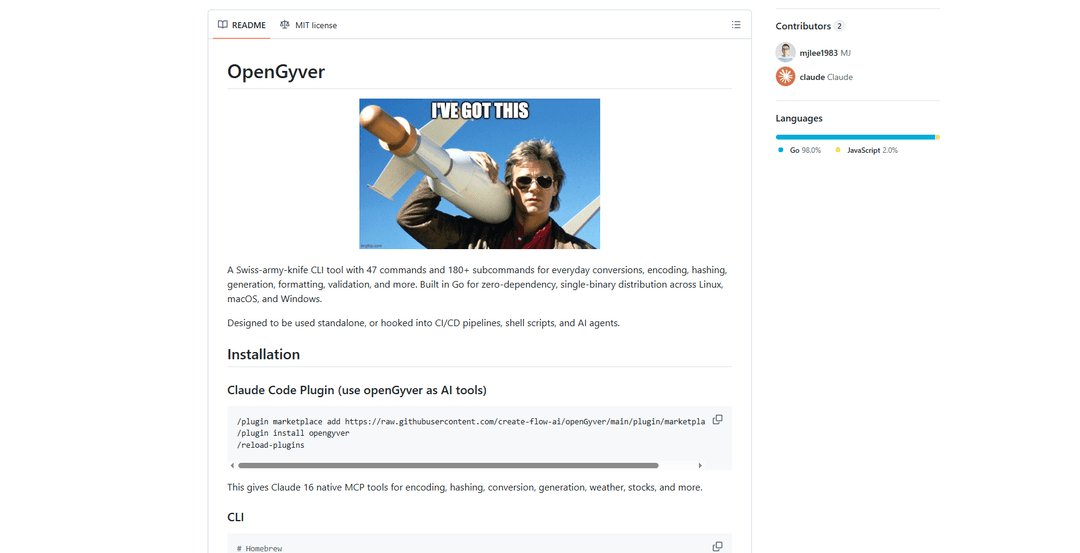
OpenGyver is an open-source Swiss-army-knife CLI tool with 47 commands and 180+ subcommands for everyday conversions, encoding, hashing, generation, formatting, and validation, designed for standalone use or integration with CI/CD pipelines, shell scripts, and AI agents.
https://github.com/create-flow-ai/openGyver?ref=producthunt
Product Information
Updated:Apr 10, 2026
What is OpenGyver
OpenGyver is a comprehensive command-line utility built in Go that provides a zero-dependency, single-binary solution for common developer and data transformation tasks. Created by create-flow-ai, this versatile tool consolidates dozens of everyday operations into one lightweight executable that works across Linux, macOS, and Windows. With support for unit and currency conversions, file format transformations (including audio, video, images, documents, and CAD files), encoding/decoding operations, cryptographic functions, data validation, and real-time information lookups like weather and stock prices, OpenGyver eliminates the need for multiple specialized tools. It features multiple output modes including JSON for scripting, abbreviated formats for single-value extraction, and quiet modes for automation, making it ideal for both interactive use and programmatic integration.
Key Features of OpenGyver
OpenGyver is a comprehensive Swiss-army-knife CLI tool built in Go that provides 47 commands and 180+ subcommands for everyday tasks including conversions, encoding, hashing, generation, formatting, and validation. It's designed as a zero-dependency, single-binary distribution that works across Linux, macOS, and Windows, making it ideal for standalone use, CI/CD pipelines, shell scripts, and AI agent integration. The tool features native Claude Code plugin support through MCP (Model Context Protocol), allowing AI assistants to directly call openGyver commands as tools. With support for multiple output modes (JSON, abbreviated, quiet), it's optimized for both human interaction and programmatic automation.
Extensive File Format Conversion: Supports conversion across 10+ categories including audio (33 formats), video (37 formats), images, documents, ebooks (25 formats), fonts (12 formats), CAD files, presentations, and vector graphics, with both native Go implementations and integrations with ffmpeg, Calibre, and LibreOffice.
Claude Code AI Integration: Native integration with Claude Code through MCP server or skill files, providing 16 specialized AI tools for encoding, hashing, conversion, generation, and more, enabling AI assistants to execute openGyver commands directly within their workflows.
Comprehensive Encoding & Security Tools: Includes encoding/decoding for Base64, Base32, Base58, URL, HTML, hex, binary, ROT13, Morse, Punycode, JWT, plus hashing algorithms (MD5, SHA family, HMAC, bcrypt, CRC32), AES encryption, RSA/SSH key generation, and certificate management.
Live Data & API Integration: Provides real-time data access including stock prices from 35+ global markets via Yahoo Finance, weather data (current, 16-day forecast, and historical back to 1940), currency conversion for 38+ currencies, and network tools like DNS lookup, WHOIS, and public IP detection.
Data Format & Validation Tools: Offers JSON/YAML/TOML/XML/CSV conversion and validation, HTML/CSS/SQL formatting and beautification, regex testing and extraction, file comparison (text, JSON, CSV), and comprehensive validation for multiple data formats.
Zero-Dependency Single Binary: Built in Go as a static binary with no runtime dependencies, supporting cross-compilation for multiple platforms (Linux, macOS, Windows, FreeBSD) and architectures (amd64, arm64), making deployment and distribution extremely simple.
Use Cases of OpenGyver
CI/CD Pipeline Automation: Integrate openGyver into continuous integration workflows for tasks like file format conversion, data validation, checksum verification, and test data generation without requiring multiple specialized tools or dependencies.
AI Agent Tool Integration: Enable AI coding assistants like Claude Code to perform practical tasks such as encoding/decoding data, generating secure passwords, converting units, checking stock prices, and formatting code through native MCP tool integration.
DevOps and System Administration: Use for everyday sysadmin tasks including file permission calculations (chmod), network diagnostics (DNS, WHOIS), certificate generation, data encryption/decryption, and archive management across different server environments.
Data Processing and ETL Workflows: Handle data transformation tasks such as converting between CSV/JSON/YAML/XML formats, validating data structures, comparing files for changes, and generating checksums for data integrity verification in ETL pipelines.
Development and Testing: Generate test data (fake people, random numbers, UUIDs), create QR codes and barcodes, format and validate code (SQL, JSON, HTML, CSS), and perform quick calculations or conversions during development workflows.
Financial and Business Analysis: Access real-time stock market data from 35+ global markets, perform currency conversions with live rates, calculate loan payments and compound interest, and analyze financial metrics without requiring multiple API subscriptions.
Pros
Single binary with zero dependencies makes deployment and distribution extremely simple across multiple platforms and architectures
Comprehensive toolset with 47 commands and 180+ subcommands eliminates the need for multiple specialized tools
Native AI integration through Claude Code MCP provides seamless automation capabilities for AI-assisted workflows
Multiple output modes (JSON, abbreviated, quiet) make it suitable for both interactive use and programmatic scripting
Cons
Some advanced features require external tools like ffmpeg, Calibre, or LibreOffice to be installed separately, reducing the zero-dependency advantage
The extensive command set may have a steep learning curve for new users trying to discover all available functionality
Weather and stock data rely on external APIs which may have rate limits or availability issues
Documentation is spread across multiple files (47 separate docs files) which may make it harder to find specific command information quickly
How to Use OpenGyver
Install openGyver: Choose your preferred installation method: Use Homebrew with 'brew tap create-flow-ai/tap' then 'brew install opengyver', or use Go with 'go install github.com/mj/opengyver@latest', or build from source by cloning the repository with 'git clone https://github.com/create-flow-ai/openGyver.git', then 'cd openGyver && go build -o openGyver .'
Verify installation: Run 'openGyver --help' in your terminal to confirm the installation was successful and to see the list of available commands
Perform basic conversions: Use the convert command for unit conversions like 'openGyver convert 100 cm in' for length conversion, or 'openGyver convert 100 usd eur' for live currency conversion
Encode and hash data: Use encoding commands like 'openGyver encode base64 "hello world"' to encode text, or 'openGyver hash sha256 "hello"' to generate hashes
Generate random data: Create passwords with 'openGyver generate password --length 32', generate UUIDs with 'openGyver uuid', or create QR codes with 'openGyver qr "https://example.com"'
Work with time and dates: Get current Unix epoch with 'openGyver epoch', check time in different timezones with 'openGyver timex now --tz Asia/Tokyo', or parse cron expressions with 'openGyver cron'
Format and validate data: Format JSON with 'openGyver json format '{"a":1}'', validate HTML with 'openGyver validate html --file index.html', or format SQL with 'openGyver format sql "select * from users"'
Convert files between formats: Convert documents with 'openGyver convertFile data.csv -o data.xlsx', convert images with 'openGyver convertImage input.png -o output.jpg', or convert videos with 'openGyver convertVideo input.mp4 -o output.avi'
Use JSON output mode for scripting: Add the '--json' or '-j' flag to any command to get structured JSON output that can be piped to other tools, for example: 'openGyver convert -j 100 cm in'
Get abbreviated output: Use command-specific flags like '-f' for single field output, such as 'openGyver stock AAPL -f price' to get just the stock price value
Look up real-time information: Check stock prices with 'openGyver stock AAPL', get weather information with 'openGyver weather "New York"', or perform network lookups with 'openGyver network dns example.com'
Work with colors: Convert color formats with 'openGyver color convert "#ff5733" --to rgb', check WCAG contrast ratios, or generate color palettes
Perform calculations: Use the math command for expressions, calculate loan payments with 'openGyver finance loan --principal 300000 --rate 6.5 --years 30', or convert Unix permissions with 'openGyver chmod'
Generate test data: Create fake test data with 'openGyver testdata person --count 5 -j' to generate JSON formatted person data for testing purposes
Integrate with Claude Code (optional): Install as a Claude Code plugin by running '/plugin marketplace add https://raw.githubusercontent.com/create-flow-ai/openGyver/main/plugin/marketplace.json', then '/plugin install opengyver', and '/reload-plugins' to give Claude 16 native MCP tools for using openGyver commands
OpenGyver FAQs
openGyver is a Swiss-army-knife CLI tool with <strong>47 commands and 180+ subcommands</strong> for everyday conversions, encoding, hashing, generation, formatting, validation, and more. Built in Go for <strong>zero-dependency, single-binary distribution</strong> across Linux, macOS, and Windows. It's designed to be used standalone, or hooked into CI/CD pipelines, shell scripts, and AI agents.
Popular Articles

Atoms: A Multi-Agent AI Platform That Transforms Ideas into Launch-Ready Products
May 22, 2026

Nano Banana SBTI: What It Is, How It Works, and How to Use It in 2026
Apr 15, 2026

Atoms Review — The AI Product Builder Redefining Digital Creation in 2026
Apr 10, 2026

Kilo Claw: How to Deploy and Use a True "Do‑It‑For‑You" AI Agent(2026 Update)
Apr 3, 2026
Latest AI Tools Similar to OpenGyver

Gait
Gait is a collaboration tool that integrates AI-assisted code generation with version control, enabling teams to track, understand, and share AI-generated code context efficiently.

invoices.dev
invoices.dev is an automated invoicing platform that generates invoices directly from developers' Git commits, with integration capabilities for GitHub, Slack, Linear, and Google services.

EasyRFP
EasyRFP is an AI-powered edge computing toolkit that streamlines RFP (Request for Proposal) responses and enables real-time field phenotyping through deep learning technology.

Cart.ai
Cart.ai is an AI-powered service platform that provides comprehensive business automation solutions including coding, customer relations management, video editing, e-commerce setup, and custom AI development with 24/7 support.
Popular AI Tools Like OpenGyver

GitHub Copilot Chat
GitHub Copilot Chat is an AI-powered coding assistant that provides natural language interactions, real-time code suggestions, and contextual support directly within supported IDEs and GitHub.com.

CopilotForXcode
CopilotForXcode is an Xcode Source Editor Extension that integrates GitHub Copilot, Codeium, and ChatGPT to provide AI-powered code suggestions, chat assistance, and prompt-to-code functionality within Xcode.

BrowserAI
BrowserAI is an open-source library that enables running local Large Language Models (LLMs) directly in web browsers with WebGPU acceleration, offering privacy-focused AI capabilities without requiring server infrastructure.

OpenAI Codex CLI
OpenAI Codex CLI is a lightweight, open-source coding agent that runs in your terminal, enabling developers to translate natural language into code execution while providing ChatGPT-level reasoning with the ability to run code, manipulate files, and iterate under version control.