
OpenBug
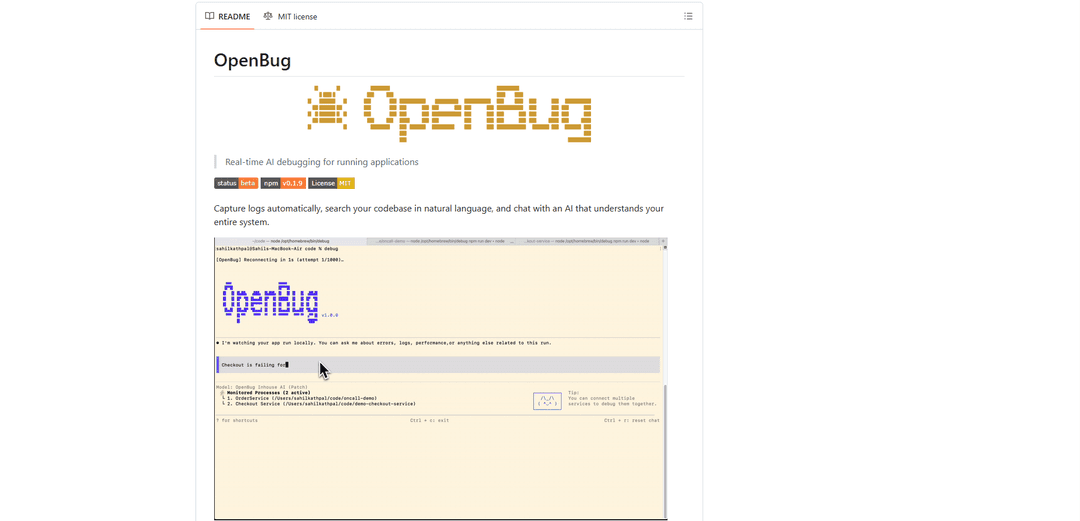
OpenBug is an intelligent command-line debugging tool that provides real-time AI assistance for running applications, enabling developers to capture logs automatically, search codebases in natural language, and interact with an AI that understands their entire system.
https://github.com/openbug-ai/cli?ref=producthunt
Product Information
Updated:Feb 28, 2026
What is OpenBug
OpenBug is a powerful debugging platform that brings AI-powered assistance directly into the developer's workflow. Currently in beta and actively maintained, it serves as a bridge between traditional debugging methods and modern AI capabilities. The tool integrates seamlessly with multiple services and codebases, allowing developers to debug their applications while maintaining local code privacy and security. OpenBug is designed to be used through a command-line interface, with support for both terminal-based interactions and a browser-based studio interface.
Key Features of OpenBug
OpenBug is an AI-powered debugging tool that provides real-time assistance for running applications. It automatically captures logs, enables natural language search across codebases, and offers an intelligent AI assistant that can understand and debug across multiple services simultaneously. The tool integrates seamlessly with existing development workflows through CLI, terminal UI, or web browser interfaces, allowing developers to analyze logs, trace issues, and get AI-powered insights without switching between different tools.
Cross-Service Log Analysis: Captures and analyzes logs from multiple services simultaneously, eliminating the need to grep through logs in different terminals
Natural Language Code Search: Allows developers to search their actual codebase using natural language queries, providing relevant code snippets and context
Real-Time AI Debugging: Provides immediate AI-powered insights and analysis of running applications, correlating logs with code to identify issues
Local Code Processing: Maintains privacy by accessing code locally and only sending specific queried snippets to the server
Use Cases of OpenBug
Microservices Debugging: Debug issues across multiple interconnected services by tracing problems through different components of the system
New Developer Onboarding: Help new team members understand unfamiliar codebases by providing natural language search and context about system behavior
Production Issue Investigation: Quickly identify and resolve issues in running applications by analyzing logs and code patterns in real-time
System Architecture Understanding: Gain insights into how different parts of the system interact by querying across services and codebases
Pros
Seamless integration with existing development workflows
Privacy-focused with local code processing
Supports multiple services and languages
Cons
Currently in beta status
Requires Node.js 20+ for installation
Depends on external AI server for analysis
How to Use OpenBug
Install OpenBug CLI: Run 'npm install -g @openbug/cli' in your terminal to install OpenBug globally
Get API Key: Visit app.openbug.ai to get your API key which will be needed for authentication
Start AI Assistant: Open Terminal 1 and run 'debug' command. You'll be prompted to log in and paste your API key from app.openbug.ai
Run Services with Debug Mode: In separate terminal windows, run your services with the 'debug' prefix. For example: 'debug npm run dev' for backend and 'debug npm start' for frontend
Interact with AI Assistant: Return to Terminal 1 where the AI assistant is running. You can now ask questions about your running applications, like 'Why is auth failing?' or 'Show me logs from the last auth request'
Configure Project (First Time): When running debug for the first time in a directory, OpenBug will prompt for a project description and create an openbug.yaml configuration file
Use Browser Interface (Optional): Run 'debug studio' to open the browser-based UI for additional features
Monitor Multiple Services: OpenBug will automatically coordinate between all services running with the debug prefix, allowing cross-service debugging and log analysis
Use Keyboard Shortcuts: Use Ctrl+C to exit, Ctrl+D to toggle chat/logs view, and Ctrl+R to reconnect/reload in the terminal interface
Access Documentation: Visit docs.openbug.ai for advanced usage, custom integrations, and troubleshooting guides
OpenBug FAQs
OpenBug is a real-time AI debugging tool for running applications that helps developers debug across multiple services. It captures logs automatically, allows natural language search of codebases, and provides AI-powered insights through an interactive terminal interface.
Popular Articles

Atoms: A Multi-Agent AI Platform That Transforms Ideas into Launch-Ready Products
May 22, 2026

Nano Banana SBTI: What It Is, How It Works, and How to Use It in 2026
Apr 15, 2026

Atoms Review — The AI Product Builder Redefining Digital Creation in 2026
Apr 10, 2026

Kilo Claw: How to Deploy and Use a True "Do‑It‑For‑You" AI Agent(2026 Update)
Apr 3, 2026
Latest AI Tools Similar to OpenBug

Gait
Gait is a collaboration tool that integrates AI-assisted code generation with version control, enabling teams to track, understand, and share AI-generated code context efficiently.

invoices.dev
invoices.dev is an automated invoicing platform that generates invoices directly from developers' Git commits, with integration capabilities for GitHub, Slack, Linear, and Google services.

EasyRFP
EasyRFP is an AI-powered edge computing toolkit that streamlines RFP (Request for Proposal) responses and enables real-time field phenotyping through deep learning technology.

Cart.ai
Cart.ai is an AI-powered service platform that provides comprehensive business automation solutions including coding, customer relations management, video editing, e-commerce setup, and custom AI development with 24/7 support.
Popular AI Tools Like OpenBug

GitHub Copilot Chat
GitHub Copilot Chat is an AI-powered coding assistant that provides natural language interactions, real-time code suggestions, and contextual support directly within supported IDEs and GitHub.com.

CopilotForXcode
CopilotForXcode is an Xcode Source Editor Extension that integrates GitHub Copilot, Codeium, and ChatGPT to provide AI-powered code suggestions, chat assistance, and prompt-to-code functionality within Xcode.

BrowserAI
BrowserAI is an open-source library that enables running local Large Language Models (LLMs) directly in web browsers with WebGPU acceleration, offering privacy-focused AI capabilities without requiring server infrastructure.

OpenAI Codex CLI
OpenAI Codex CLI is a lightweight, open-source coding agent that runs in your terminal, enabling developers to translate natural language into code execution while providing ChatGPT-level reasoning with the ability to run code, manipulate files, and iterate under version control.