
Novi Notes
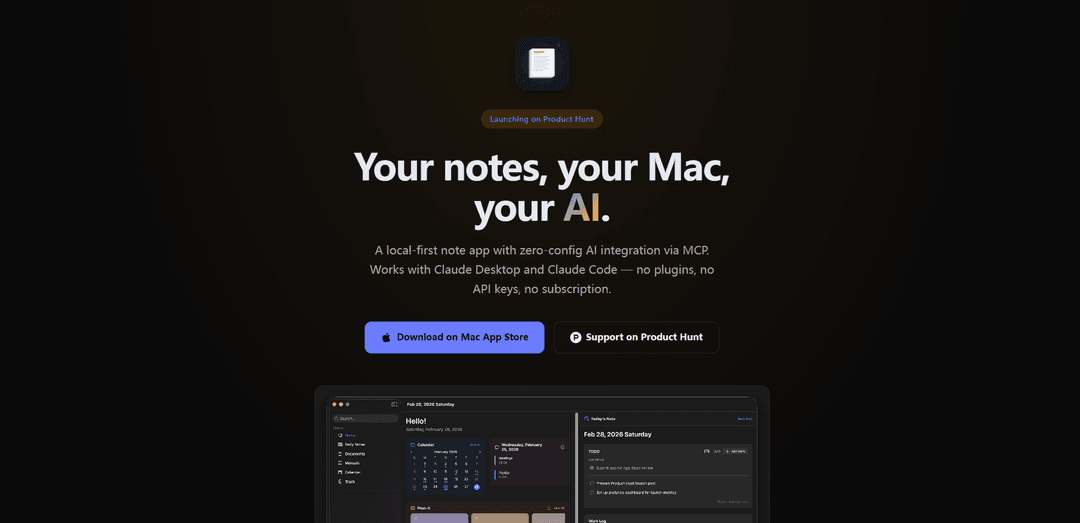
Novi Notes is a local-first note-taking application that combines powerful AI integration via MCP with a simple interface, offering cross-platform functionality without requiring subscriptions or complex configurations.
https://rhcwlq89.github.io/en/novi-note?ref=producthunt
Product Information
Updated:May 21, 2026
What is Novi Notes
Novi Notes is a modern note-taking solution designed to bridge the gap between power and simplicity. It's a Mac-based application that emphasizes local-first data storage while incorporating advanced AI capabilities through Model Context Protocol (MCP). Unlike traditional note apps that require users to choose between feature-richness and ease of use, Novi Notes delivers both through a thoughtfully designed interface that supports various note-taking workflows, from daily notes to manuals and calendar integration.
Key Features of Novi Notes
Novi Note is a local-first note-taking application designed specifically for Mac users that offers seamless AI integration through MCP (Model Context Protocol), particularly with Claude Desktop and Claude Code. It features a one-time purchase model instead of subscriptions, provides structured sections for different workflows, and ensures data privacy by keeping all notes locally on the user's Mac while supporting offline functionality.
Native AI Integration: Built-in AI capabilities through MCP protocol, allowing direct interaction with Claude without requiring plugins, API keys, or additional configuration
Local-First Storage: All data is stored locally on the user's Mac, ensuring privacy and complete offline functionality without cloud dependency
Structured Workflow Sections: Organized sections for different types of notes including daily notes, manuals, post-its, and calendar integration for efficient work management
Data Portability: Supports export options in PDF and Markdown formats, ensuring users maintain control over their data
Use Cases of Novi Notes
Meeting Documentation: Use AI integration to automatically summarize and organize meeting notes for better team communication
Personal Knowledge Management: Create and maintain a structured knowledge base with different sections for various types of information
Offline Work Documentation: Maintain work documentation and notes without requiring internet connectivity, perfect for secure environments
Pros
One-time purchase instead of subscription model
Zero-configuration AI integration
Complete offline functionality with local storage
Structured organization with flexible workflow options
Cons
Limited to Mac platform only
Depends on Claude Desktop/Code for AI features
No cloud sync options mentioned
How to Use Novi Notes
Download and Install: Download Novi Note from the Mac App Store and install it on your Mac computer
Access Resources: For help and resources, click the question mark icon in the upper right corner on the backend of your site
Set Up AI Integration: Install Claude Desktop or Claude Code on your Mac to enable AI features - no additional configuration needed
Create Notes: Start creating notes in different sections like daily notes, manuals, post-its, and calendar entries
Use AI Features: Open Claude and simply ask questions about your notes (e.g. 'Summarize my meeting notes') - Claude will read and respond to your notes automatically via MCP
Work Offline: Use the app fully offline as it stores data locally on your Mac
Export Notes: Export your notes as PDF or Markdown files when needed for portability
Novi Notes FAQs
Novi Note is a local-first note-taking app for Mac that features built-in AI integration via MCP (Model Context Protocol). It works with Claude Desktop and Claude Code without requiring plugins or API keys.
Novi Notes Video
Popular Articles

Atoms: A Multi-Agent AI Platform That Transforms Ideas into Launch-Ready Products
May 22, 2026

Nano Banana SBTI: What It Is, How It Works, and How to Use It in 2026
Apr 15, 2026

Atoms Review — The AI Product Builder Redefining Digital Creation in 2026
Apr 10, 2026

Kilo Claw: How to Deploy and Use a True "Do‑It‑For‑You" AI Agent(2026 Update)
Apr 3, 2026
Latest AI Tools Similar to Novi Notes

Parcae
Parcae is a mind mapping mobile application that helps users organize thoughts and ideas into structured visual maps with intuitive gesture-based controls and automatic saving features.

想读 (WantRead)
想读(WantRead) is an AI-powered reading and note-taking platform that helps users easily import, read, annotate and build their personal knowledge base.

Hiring Studio by Metaview
Hiring Studio by Metaview is a free AI-powered tool that helps recruiting teams generate customized interview questions with follow-up suggestions and detailed answer rubrics.

AI Journaler
AI Journaler is a free Windows PC app that combines traditional journaling with AI-powered analysis and conversation capabilities to enhance emotional well-being and self-reflection.
Popular AI Tools Like Novi Notes
Lore
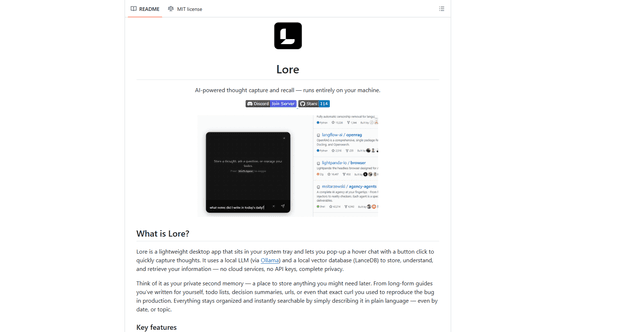
Lore is an AI-powered desktop application that enables quick thought capture and intelligent recall through a local LLM system, allowing users to store and retrieve information privately without cloud services.

Second Brain for AI
Second Brain for AI is a self-hosted, MCP-compatible persistent memory layer on Cloudflare that lets Claude, ChatGPT, Cursor, and other AI clients store and semantically recall shared context across sessions.
NotebookLM Tools Chrome Extension
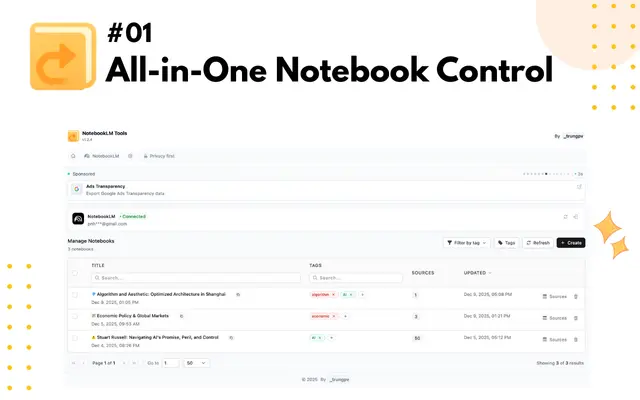
NotebookLM Tools is a comprehensive Chrome extension that enhances Google's NotebookLM with advanced notebook management, multi-language support, bulk operations, and seamless source importing capabilities.
CogniMemo Extension
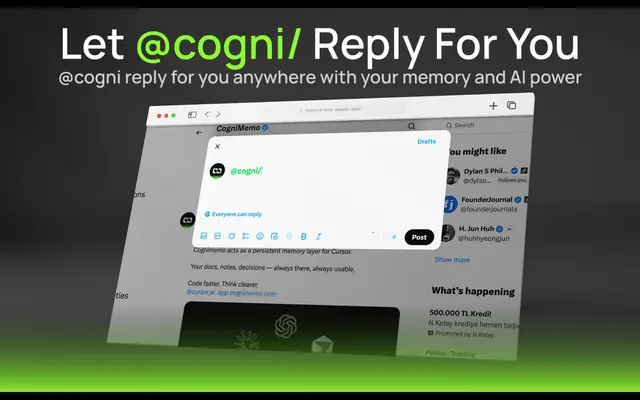
CogniMemo is a browser extension that adds long-term memory capabilities to AI tools like ChatGPT, Claude, Gemini, and DeepSeek by enabling context-aware conversations and knowledge management through saved notes and past chats.