
MeetingMemo
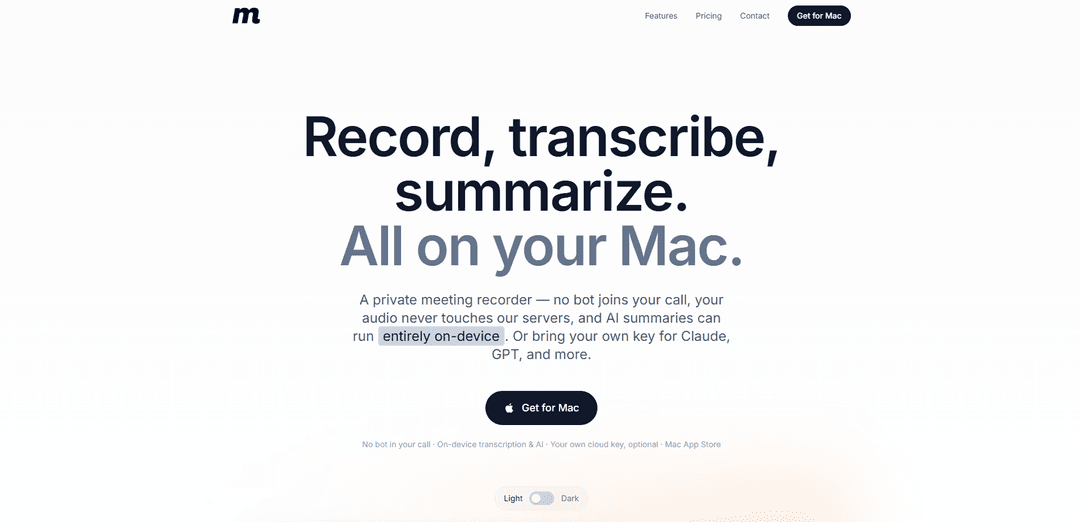
MeetingMemo is a privacy-first Mac app that records meetings without a bot, transcribes fully on-device, and generates summaries/action items either locally with Ollama or via your own cloud AI key.
https://meetingmemo.app/?ref=producthunt
Product Information
Updated:Jul 8, 2026
What is MeetingMemo
MeetingMemo is a private meeting recorder and note-taking assistant designed for professionals who don’t want their calls uploaded to someone else’s servers. It runs on your Mac and captures both your microphone and the meeting audio (Zoom, Teams, Google Meet, FaceTime, and more) without adding a visible participant or requiring virtual audio drivers. Transcription happens on-device, and AI features like summaries, action items, and chat are optional—either powered locally or through AI providers you choose under your own account.
Key Features of MeetingMemo
MeetingMemo is a privacy-first Mac meeting recorder that captures both your microphone and system audio without adding a visible bot participant. It records and transcribes entirely on-device (offline-capable) using on-device speech engines, and can optionally generate summaries, action items, and “chat with the meeting” either fully locally via Ollama or by sending only the text transcript to an AI provider using your own API key—never routing data through MeetingMemo servers. It integrates with your calendar to label meetings and prompt you before recording, offers templates for different meeting types, and can sync across your Macs via your private iCloud while supporting exports in multiple formats.
No bot ever joins your call: Records locally from what your Mac hears, so no extra participant appears and no one is notified by a “note-taker bot.”
On-device recording + live transcription: Audio stays on your Mac and transcription runs locally (including offline), using Apple SpeechTranscriber and WhisperKit with broad language support.
Two-channel attribution (You vs Others): Captures mic and system audio simultaneously and labels the transcript as “You” and “Others” for clean two-sided conversations without full diarization setup.
AI summaries, action items, and chat—on your terms: Generate titles, summaries, and action items locally with Ollama (nothing leaves the device) or use your own cloud AI key where only the text transcript is sent to the provider you choose.
Meeting templates + calendar-aware workflow: Includes multiple built-in templates (e.g., 1:1s, standups, sales calls) and uses calendar integration to name/link meetings and prompt you before recording—never auto-starting.
Private iCloud sync + flexible exports: Syncs meetings across Macs via your private iCloud (not MeetingMemo servers) and supports exporting transcripts/notes in formats like Markdown, text, JSON, and XML.
Use Cases of MeetingMemo
Legal and compliance-sensitive client calls: Record and summarize privileged or regulated conversations locally to reduce third-party cloud exposure and avoid bot participants in confidential meetings.
Healthcare and therapy session documentation (where permitted): Keep audio and transcripts on-device and work offline, producing structured summaries and action items without uploading recordings to a vendor server.
Sales discovery and customer success calls: Capture both sides of Zoom/Teams/Meet calls and generate action items and key takeaways, while keeping control over whether AI runs locally or via your own provider key.
Founder/exec 1:1s and team check-ins: Use meeting templates to standardize notes, decisions, and follow-ups, and quickly query “What did we agree to?” via chat with the meeting.
Research interviews and user studies: Transcribe interviews in real time on-device and produce structured summaries for analysis, with optional offline-only AI processing for sensitive topics.
Pros
Strong privacy posture: no MeetingMemo server sees your audio/transcripts; no bot participant; offline-capable workflows.
Flexible AI options: fully local summaries via Ollama or bring-your-own cloud key with transcript-only sharing.
Works broadly with any app that plays audio on your Mac (Zoom, Teams, Google Meet, FaceTime, speakerphone).
Useful productivity layer: templates, calendar integration, per-meeting chat, and multi-format exports.
Cons
Platform limits: requires Apple Silicon and macOS 26+; not available for Intel Macs or older macOS versions.
Speaker identification is limited to “You vs Others” (no full per-person diarization in v1).
Local AI quality depends on your Mac/model choice; best results may require larger models or a cloud provider key.
Subscription pricing ($29/year) with no permanent free tier (30-day trial only).
How to Use MeetingMemo
1) Install MeetingMemo on your Mac: Download MeetingMemo from the Mac App Store and install it on an Apple Silicon Mac running macOS 26 (Tahoe) or later.
2) (Optional) Enable iCloud sync across your Macs: If you want your meetings, transcripts, and notes to sync between Macs, enable iCloud so MeetingMemo can sync through your private iCloud (not a MeetingMemo server). You can also use the app fully offline.
3) Choose how you want AI to run (on-device or your own cloud key): Decide whether you want AI summaries and chat to run fully on-device (via Ollama) or via a cloud AI provider using your own API key (OpenAI, Anthropic, Gemini, etc.). Recording and transcription work without any AI setup.
4) (Optional) Set up on-device AI with Ollama: Install the free Ollama app, download a model, and then open MeetingMemo—MeetingMemo will detect Ollama automatically. With this setup, summaries/action items/chat can run locally so nothing leaves your Mac.
5) (Optional) Set up cloud AI with your own provider key: In MeetingMemo, add your own cloud AI key (stored in your Keychain). When you generate summaries with a cloud key, only the text transcript is sent to the provider you chose (not your audio, and not to MeetingMemo).
6) (Optional) Connect your calendar: Allow calendar access so MeetingMemo can name meetings, link recordings to events, and show attendees. MeetingMemo will prompt you about recording before a meeting and does not start recording automatically.
7) Start a meeting as usual (Zoom/Teams/Google Meet/FaceTime/etc.): Join your call normally. MeetingMemo works anywhere your Mac plays sound—no bot joins the meeting and no virtual audio driver is required.
8) When prompted, choose to record: About one minute before the meeting, MeetingMemo asks if you want to record. Confirm to begin recording; recording is always your decision.
9) Capture both sides of the conversation: MeetingMemo records your microphone and the call audio together. In the transcript, your voice is labeled “You” and everyone else is labeled “Others.”
10) Watch live on-device transcription: As people speak, MeetingMemo transcribes on your Mac using on-device engines (Apple SpeechTranscriber and WhisperKit). Your audio is not uploaded for transcription.
11) Generate a summary and action items (optional): After (or during) the meeting, generate a title, summary, and action items. If you configured Ollama, this can run entirely on-device; if you configured a cloud key, MeetingMemo sends only the text transcript to your chosen provider.
12) Use meeting templates to shape the output: Pick a built-in template (e.g., 1:1, standup, sales call, user interview, brainstorm). You can switch templates and regenerate the summary to match the meeting type.
13) Chat with the meeting transcript (optional): Ask questions like “What did we decide on pricing?” or “What did I commit to?” MeetingMemo chats with that meeting’s transcript only (no web browsing and no other meetings).
14) Review and keep your data private by default: Your recordings and transcripts stay on your Mac. MeetingMemo does not run a server that receives your meeting data; the only optional data leaving your Mac is iCloud sync (to your private iCloud) and/or the text transcript sent to your chosen AI provider if you use cloud AI.
15) Export your meeting notes and audio: Export any meeting as Markdown, text, JSON, or XML, and download the audio. Transcripts are saved as plain Markdown on disk for portability.
MeetingMemo FAQs
No. MeetingMemo records what your Mac hears locally, so no bot joins the meeting, no extra participant appears, and nobody gets a notification.
MeetingMemo Video
Popular Articles

Atoms: A Multi-Agent AI Platform That Transforms Ideas into Launch-Ready Products
May 22, 2026

Nano Banana SBTI: What It Is, How It Works, and How to Use It in 2026
Apr 15, 2026

Atoms Review — The AI Product Builder Redefining Digital Creation in 2026
Apr 10, 2026

Kilo Claw: How to Deploy and Use a True "Do‑It‑For‑You" AI Agent(2026 Update)
Apr 3, 2026
Latest AI Tools Similar to MeetingMemo

Ticknotes
Ticknotes is an AI-powered meeting assistant that automatically records, transcribes, and generates personalized meeting summaries, action items, and key insights from audio, video, and text content.

Feta
Feta is an AI-powered meeting tool that helps product and engineering teams run efficient meetings by capturing discussions, automating tasks, and providing actionable insights through smart summaries and integrations.

Aimeet
Aimeet is a comprehensive AI-powered communication platform that combines real-time translation, transcription, screen sharing, and unlimited meeting capabilities for effective virtual collaboration.

MinutesLink
MinutesLink is an advanced AI-powered note-taking assistant that automatically records, transcribes, summarizes and organizes virtual meetings while building personalized digital avatars from meeting data.
Popular AI Tools Like MeetingMemo

Second Brain for AI
Second Brain for AI is a self-hosted, MCP-compatible persistent memory layer on Cloudflare that lets Claude, ChatGPT, Cursor, and other AI clients store and semantically recall shared context across sessions.

Slack
Slack is an AI-powered work platform that brings team communication, channels, files, automation, and app integrations into one conversational workspace.

24me Smart Personal Assistant
24me is an award-winning smart personal assistant app that combines calendar, to-do lists, notes, and personal accounts in one unified platform to help boost productivity and time management.

Granola for iOS
Granola for iOS is an AI-powered notepad app that helps users effortlessly capture, transcribe and summarize meeting conversations through intelligent note-taking and one-tap recording capabilities.