
Kodezi
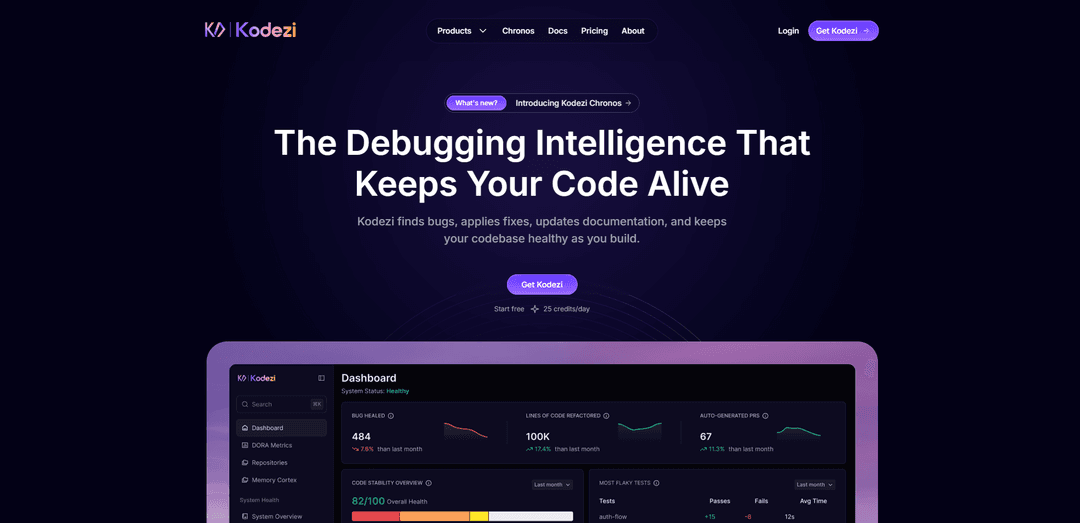
Kodezi is an AI development platform and “AI CTO” for codebases that autonomously finds and fixes bugs, enforces best practices, patches vulnerabilities, and keeps documentation and code quality in sync across IDE, CLI, and stack integrations.
https://kodezi.com/?ref=producthunt
Product Information
Updated:May 19, 2026
Kodezi Monthly Traffic Trends
Kodezi received 44.1k visits last month, demonstrating a Moderate Growth of 21.5%. Based on our analysis, this trend aligns with typical market dynamics in the AI tools sector.
View history trafficWhat is Kodezi
Kodezi is an AI-powered software development platform designed to keep modern codebases healthy, scalable, and ready to ship. Positioned as an “AI CTO” and autonomous operating system for code, it goes beyond typical coding assistants by maintaining, evolving, and governing software over time—not just helping you write it. Kodezi offers multiple product surfaces, including a web-based IDE (Kodezi Code), a terminal-first workflow (Kodezi CLI), and an autonomy layer (Kodezi OS) that integrates across common developer tools and environments.
Key Features of Kodezi
Kodezi is an AI development platform positioned as an “AI CTO for codebases,” focused on keeping software healthy as it’s built. It combines autonomous bug detection and fixing, code refinement and best-practice enforcement, vulnerability detection and recovery, and automated documentation generation. Kodezi is available across a Web IDE (including Kodezi Create for prompt-to-app scaffolding), a VS Code extension for in-editor autocorrection and explanations, and a terminal-based Kodezi CLI that can scan repositories and propose pull-ready fixes with explanations—supporting modern multi-language stacks and integrating into developer workflows.
Autonomous bug fixing & explanations: Detects issues, applies intelligent fixes, and explains what was wrong and how to prevent similar bugs—aimed at reducing manual debugging and review time.
Kodezi CLI for repo scanning and pull-ready fixes: Runs from the terminal to scan local codebases, identify bugs/issues, and suggest commit/PR-ready changes with explanations, enabling automation without switching tools.
Real-time code refinement & optimization: Refactors and streamlines code by removing redundancy and improving maintainability/performance, helping teams keep code clean as it evolves.
Security/vulnerability detection and recovery: Automatically uncovers potential security risks (e.g., unsafe input handling) and applies safer alternatives to harden code before it reaches production.
Automated documentation generation: Generates developer documentation such as line-by-line comments, code summaries, and docstrings to reduce documentation overhead and improve readability.
Prompt-to-app code generation (Kodezi Create): Turns simple prompts into production-oriented codebases (UI, APIs, databases) with live editing in a web-based environment—minimizing boilerplate and setup.
Use Cases of Kodezi
Engineering teams: CI/PR quality control: Use Kodezi CLI/OS-style workflows to catch bugs, enforce formatting and best practices, and propose pull-ready fixes before CI runs—reducing failed deploys and tech debt.
Startups: rapid full-stack prototyping: Use Kodezi Create to scaffold full-stack apps from prompts and iterate quickly, while relying on automated refinement and documentation to keep velocity high.
Students and educators: learning-focused code feedback: Use the VS Code extension’s autocorrect, line-by-line commenting, and fix explanations to understand errors faster and learn idiomatic solutions.
Security-conscious development: pre-release hardening: Apply vulnerability detection and safer-code suggestions to reduce common risks (e.g., injection/XSS-style issues) and improve resilience before production.
Multi-language teams: modernization and translation: Convert code between languages (supported across many popular languages) to help teams migrate systems or maintain parallel implementations.
Pros
Broad productivity coverage: debugging/fixing, optimization, documentation, and generation across Web IDE, VS Code, and CLI workflows.
Automation-friendly: CLI-based scanning and pull-ready fixes with explanations fit well into team processes and code review cycles.
Learning value: explanations and auto-commenting can help students and developers understand code and mistakes faster.
Cons
Platform integration limits reported: primarily Web and VS Code-focused; some users note missing IDE integrations (e.g., PyCharm).
Quality can vary by feature: translation reliability and auto-comments may be generic depending on context.
Potential over-optimization or limited customization: automated changes may not match team preferences without deeper configuration options.
How to Use Kodezi
1) Choose how you want to use Kodezi (Web IDE, VS Code, or CLI): Kodezi can be used in three main ways: (a) Kodezi Web-based IDE for real-time assistance, (b) Kodezi Visual Studio Code extension for in-editor workflows, and (c) Kodezi CLI for terminal-based scanning, fixing, refactoring, and documentation.
2) Create an account and start on the free plan: Go to Kodezi and sign in to access the dashboard. The free tier (Kodezi Code) includes Web IDE access and Kodezi Create, with 25 starter credits and 25 credits/day for limited usage.
3) Use Kodezi Web IDE for real-time coding help: Open the Web IDE and paste/write code. Use Kodezi’s real-time features to auto-correct and debug code, restructure for efficiency, and apply best practices while you code.
4) Debug and auto-fix issues in the Web IDE: Run Kodezi’s debugging/autocorrect workflow on your code to identify errors and apply fixes. Kodezi can also provide explanations for fixes (e.g., missing PropTypes, redundant code patterns).
5) Refine and optimize code quality: Use Kodezi’s refinement/optimization capabilities to remove redundancy, improve maintainability, and align code with standards (formatting, structure optimization, and best-practice naming).
6) Detect and heal common security issues (e.g., XSS): Use Kodezi’s vulnerability detection and error recovery to uncover risks and apply safer patterns (e.g., sanitizing user input before rendering) so issues are addressed before production.
7) Generate or update documentation and APIs: Use Kodezi to generate documentation and API definitions (e.g., OpenAPI 3.0-style specs) so docs stay in sync with backend routes and changes.
8) Use Kodezi Create to go from prompt to a full-stack app: Open Kodezi Create and describe what you want to build in natural language. Kodezi Create generates a full-stack project quickly and supports one-click deploy options (e.g., GitHub, Netlify, Vercel, or your own server).
9) Install the Kodezi extension in Visual Studio Code: In VS Code, open Extensions, search for "Kodezi Extension", and click Install. After installation, use Kodezi features directly inside the editor for supported languages (e.g., Python, JavaScript/TypeScript, Java, C#, C++, PHP, Ruby, and more).
10) Use Kodezi inside VS Code to autocorrect, debug, and transform code: Select code (or work in the active file) and run Kodezi actions to fix bugs, optimize, restructure, generate documentation, or convert code to another language/framework using natural-language instructions.
11) Install and authenticate Kodezi CLI for terminal workflows: Install Kodezi CLI and follow the guided authentication flow. Once authenticated, you can run CLI commands to scan your local codebase, identify issues, and receive pull-ready fixes with explanations.
12) Run codebase-wide scans and apply pull-ready fixes with Kodezi CLI: Use the CLI to lint/format, run security checks, and perform structure optimization across the repository. Review suggested changes and apply them to keep production-grade quality.
13) Automate refactors, documentation sync, and project evolution via CLI + OS (team plan): If you upgrade to CLI + OS, integrate Kodezi with your dev stack (e.g., GitHub and CI/CD). Use it for smart PRs, auto-healing, and ongoing maintenance tasks like bug fixing, test fixes, documentation updates, and governance.
14) Manage usage with credits and upgrade when needed: Track daily credit usage (free: 25/day; Pro: higher limits such as 100/day per the pricing page). Upgrade to Pro or CLI + OS if you need higher usage limits and deeper integrations.
Kodezi FAQs
Kodezi is an AI dev-tool platform positioned as an “AI CTO for codebases.” It focuses on autonomous code maintenance—finding bugs, applying fixes, patching vulnerabilities, and updating documentation to keep a codebase healthy as you build.
Kodezi Video
Popular Articles

Atoms: A Multi-Agent AI Platform That Transforms Ideas into Launch-Ready Products
May 22, 2026

Nano Banana SBTI: What It Is, How It Works, and How to Use It in 2026
Apr 15, 2026

Atoms Review — The AI Product Builder Redefining Digital Creation in 2026
Apr 10, 2026

Kilo Claw: How to Deploy and Use a True "Do‑It‑For‑You" AI Agent(2026 Update)
Apr 3, 2026
Analytics of Kodezi Website
Kodezi Traffic & Rankings
44.1K
Monthly Visits
#685678
Global Rank
#6790
Category Rank
Traffic Trends: Jul 2024-Jun 2025
Kodezi User Insights
00:00:35
Avg. Visit Duration
1.77
Pages Per Visit
44.3%
User Bounce Rate
Top Regions of Kodezi
US: 11.7%
IN: 6.72%
TR: 5.06%
RU: 4.21%
ID: 4.13%
Others: 68.18%
Latest AI Tools Similar to Kodezi

Gait
Gait is a collaboration tool that integrates AI-assisted code generation with version control, enabling teams to track, understand, and share AI-generated code context efficiently.

invoices.dev
invoices.dev is an automated invoicing platform that generates invoices directly from developers' Git commits, with integration capabilities for GitHub, Slack, Linear, and Google services.

EasyRFP
EasyRFP is an AI-powered edge computing toolkit that streamlines RFP (Request for Proposal) responses and enables real-time field phenotyping through deep learning technology.

Cart.ai
Cart.ai is an AI-powered service platform that provides comprehensive business automation solutions including coding, customer relations management, video editing, e-commerce setup, and custom AI development with 24/7 support.
Popular AI Tools Like Kodezi

GitHub Copilot Chat
GitHub Copilot Chat is an AI-powered coding assistant that provides natural language interactions, real-time code suggestions, and contextual support directly within supported IDEs and GitHub.com.

CopilotForXcode
CopilotForXcode is an Xcode Source Editor Extension that integrates GitHub Copilot, Codeium, and ChatGPT to provide AI-powered code suggestions, chat assistance, and prompt-to-code functionality within Xcode.

BrowserAI
BrowserAI is an open-source library that enables running local Large Language Models (LLMs) directly in web browsers with WebGPU acceleration, offering privacy-focused AI capabilities without requiring server infrastructure.

OpenAI Codex CLI
OpenAI Codex CLI is a lightweight, open-source coding agent that runs in your terminal, enabling developers to translate natural language into code execution while providing ChatGPT-level reasoning with the ability to run code, manipulate files, and iterate under version control.