
Intuned
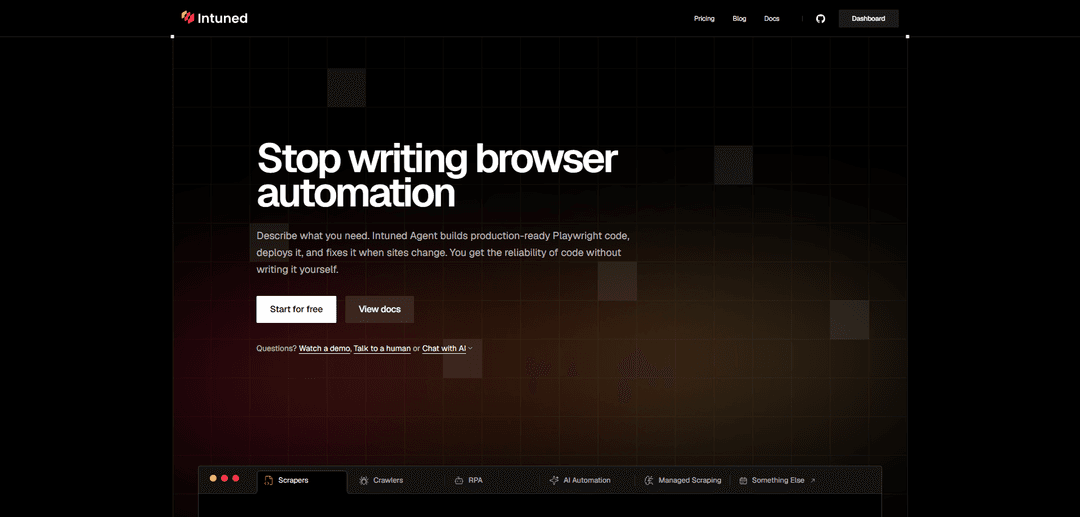
Intuned is a code-first browser automation platform where an AI agent generates and maintains production-ready Playwright automations, with built-in authentication, stealth/anti-detection, scheduling, monitoring, and auto-scaling.
https://www.intunedhq.com/?ref=producthunt
Product Information
Updated:May 19, 2026
What is Intuned
Intuned is an AI-enabled cloud platform for developers to author, deploy, and monitor browser automations and web data integrations when official APIs are missing or insufficient. It supports scrapers, crawlers, RPA workflows, and AI-driven browser agents, while keeping the output as deterministic, production-ready code you can run as APIs or scheduled jobs. Intuned provides an online IDE and CLI-based workflows, and focuses on production operations like authentication/session handling, reliability, and observability (logs, traces, and session recordings).
Key Features of Intuned
Intuned is a code-first browser automation platform that lets teams build, deploy, and run production browser automations (scrapers, crawlers, and RPA) using Playwright in TypeScript or Python, or via an AI agent that generates and maintains deterministic code. It includes infrastructure features needed for reliable production runs—authentication session lifecycle management, stealth/anti-detection with captcha solving and proxy support, scheduling and autoscaling, API-first execution with concurrency control, and strong observability (logs, traces, and session recordings)—plus an online IDE and CLI for development and deployment.
Intuned Agent (generate & maintain code): Describe the automation and the agent produces production-ready Playwright code, can edit projects via prompts, and can propose fixes after failures when sites change.
Built-in authentication sessions: Supports managed login/session lifecycle via create/check scripts (TS/Python), including an auth session recorder for capturing user logins; helps handle common auth challenges like 2FA and credential security.
Anti-detection suite (stealth, captcha, proxies): Provides stealth mode, automatic captcha solving, and proxy support to reduce blocking and improve reliability for scraping and RPA.
Production execution: API runs, scheduling, autoscaling: Run automations on demand via API or on schedules as jobs, with queueing and concurrency controls and the ability to scale from one machine to many.
Observability & debugging: Full logs, traces, run history, and session recordings to diagnose failures quickly and understand runtime behavior.
Developer workflow: online IDE + CLI, flexible stack: Develop and deploy in a zero-setup browser IDE or locally via CLI/CI; supports deterministic code, AI-driven steps, and integration with popular AI browser tooling (e.g., OpenAI CUA, Anthropic Computer Use, Stagehand, Browser-use, Gemini Computer Use).
Use Cases of Intuned
Authenticated web scraping (e-commerce, job boards, portals): Extract structured data from sites that require login, using managed auth sessions, stealth, and scheduled runs with monitoring.
Large-scale crawling & indexing: Discover and traverse thousands of pages (links/sitemaps) to collect content for search, analytics, or datasets, scaling infrastructure as needed.
RPA for services without APIs: Automate form submissions, data entry, and account actions in third-party web apps, exposing workflows as API endpoints with concurrency limits.
AI-driven web automation agents: Combine deterministic Playwright logic with AI navigation/extraction steps for dynamic or hard-to-script flows, while controlling AI usage and costs.
Managed scraping program for enterprises: For teams needing hundreds/thousands of scrapers, Intuned’s solution engineers (with the agent) can deliver and maintain sources with code ownership and ongoing updates.
Pros
Production-ready infrastructure (auth, stealth, scaling, scheduling, observability) reduces operational burden for browser automation.
AI agent can generate, edit, and fix deterministic code, improving maintenance when websites change.
Flexible developer experience (TypeScript/Python, Playwright-compatible, online IDE + CLI) with API-first execution and concurrency control.
Cons
Browser automation is inherently brittle; even with AI fixes, complex sites and frequent UI changes can still require oversight.
Anti-detection/captcha solving and authenticated automation can add complexity and may not work uniformly across all sites.
Platform-based execution implies dependency on Intuned’s infrastructure and pricing model for scale/usage.
How to Use Intuned
1) Create an Intuned account and open the Dashboard: Go to https://app.intuned.io/ and sign up/log in. This is where you create workspaces, projects, runs, jobs, and view logs/traces/recordings.
2) Create (or select) a Workspace: A Workspace is the top-level container for access control and governance of your Intuned resources. Create one for your team/org and use it to organize projects.
3) Create a Project: Projects are the core unit in Intuned. Create a project for each scraper/automation/integration you want to deploy. A project contains your code, APIs (functions), runs, jobs, logs, traces, and auth sessions.
4) Choose how you will build: Agent, Online IDE, or CLI: You can (a) describe what you need and let Intuned Agent generate Playwright code, (b) write/edit code directly in the Online IDE (zero setup), or (c) develop locally using the CLI for full version control and CI/CD workflows.
5) Implement an API function (your automation entrypoint): In your project, create an API (a function) that receives a Playwright page plus parameters, performs browser actions (or in-browser network calls), and returns structured results. You can write in TypeScript or Python using Playwright (or compatible libraries).
6) (Optional) Add authentication with AuthSessions: If the site requires login, define two functions: create (how to log in) and check (how to verify the session is still valid). Intuned manages the session lifecycle—validating sessions before runs, reusing them when possible, and recreating them when expired.
7) Configure reliability features (retries, concurrency, stealth): Set retry behavior (maximum attempts) to handle transient failures. Use concurrency controls (Intuned queues excess requests). Enable stealth features as needed (anti-detection, proxy support, and built-in captcha solving).
8) Test the automation in the Online IDE: Run your API from the IDE against the live site to validate selectors, navigation, and output. Iterate quickly until the returned data/actions are correct.
9) Deploy the Project: Deploy your project to Intuned’s infrastructure from the IDE (or via your CLI workflow). After deployment, the automation is callable as an API.
10) Get your API key and workspace ID: From the dashboard, obtain your API key and workspace ID. You’ll use these to call Intuned’s REST API directly or via the official client library (@intuned/client).
11) Invoke your automation via Runs (Sync or Async): Start a Run to execute a specific API function within your project. Choose Sync only for short tasks; most browser automations are better as Async. Each execution gets a unique runId you can use to check status and fetch results.
12) Pass parameters and (optionally) an AuthSession when starting a Run: When calling run.start, include the API name, parameters payload, retry settings, and authSession id (if required). This makes your automation reusable across different inputs and users.
13) Monitor execution with observability tools: Use Intuned’s built-in observability to inspect logs, errors, browser traces, and session recordings for each run. This helps you debug failures and understand what happened step-by-step.
14) Schedule recurring work with Jobs: For scrapers/crawlers that run on a schedule or in batches, create Jobs. Jobs let you control how many machines to run on and execute at scale without managing infrastructure.
15) Orchestrate high-volume workloads with Queues and rate limits: If you have many runs or strict target-site rate limits, use Queues to control execution rate and parallelism. Intuned will queue and execute runs according to your configured limits.
16) Use Intuned Agent to edit or fix automations when sites change: When a run fails due to site changes (timeouts, selector changes, etc.), use the Agent workflow: describe the change you need or trigger a fix from a failed run. The agent analyzes errors/traces and produces a code diff you can review.
17) Scale up (or down) as needed: Run on one machine or hundreds. Intuned handles scaling, while you control concurrency and scheduling. This is useful for large scraping/crawling workloads and production RPA integrations.
Intuned FAQs
Intuned is a code-first browser automation platform that lets you deploy scrapers, crawlers, RPA workflows, and other web automations at scale. It includes an AI agent (Intuned Agent) that can generate, update, and fix production-ready, deterministic Playwright code.
Intuned Video
Popular Articles

Atoms: A Multi-Agent AI Platform That Transforms Ideas into Launch-Ready Products
May 22, 2026

Nano Banana SBTI: What It Is, How It Works, and How to Use It in 2026
Apr 15, 2026

Atoms Review — The AI Product Builder Redefining Digital Creation in 2026
Apr 10, 2026

Kilo Claw: How to Deploy and Use a True "Do‑It‑For‑You" AI Agent(2026 Update)
Apr 3, 2026
Latest AI Tools Similar to Intuned

Gait
Gait is a collaboration tool that integrates AI-assisted code generation with version control, enabling teams to track, understand, and share AI-generated code context efficiently.

invoices.dev
invoices.dev is an automated invoicing platform that generates invoices directly from developers' Git commits, with integration capabilities for GitHub, Slack, Linear, and Google services.

EasyRFP
EasyRFP is an AI-powered edge computing toolkit that streamlines RFP (Request for Proposal) responses and enables real-time field phenotyping through deep learning technology.

Cart.ai
Cart.ai is an AI-powered service platform that provides comprehensive business automation solutions including coding, customer relations management, video editing, e-commerce setup, and custom AI development with 24/7 support.
Popular AI Tools Like Intuned

GitHub Copilot Chat
GitHub Copilot Chat is an AI-powered coding assistant that provides natural language interactions, real-time code suggestions, and contextual support directly within supported IDEs and GitHub.com.

CopilotForXcode
CopilotForXcode is an Xcode Source Editor Extension that integrates GitHub Copilot, Codeium, and ChatGPT to provide AI-powered code suggestions, chat assistance, and prompt-to-code functionality within Xcode.

BrowserAI
BrowserAI is an open-source library that enables running local Large Language Models (LLMs) directly in web browsers with WebGPU acceleration, offering privacy-focused AI capabilities without requiring server infrastructure.

OpenAI Codex CLI
OpenAI Codex CLI is a lightweight, open-source coding agent that runs in your terminal, enabling developers to translate natural language into code execution while providing ChatGPT-level reasoning with the ability to run code, manipulate files, and iterate under version control.