
Highlyt
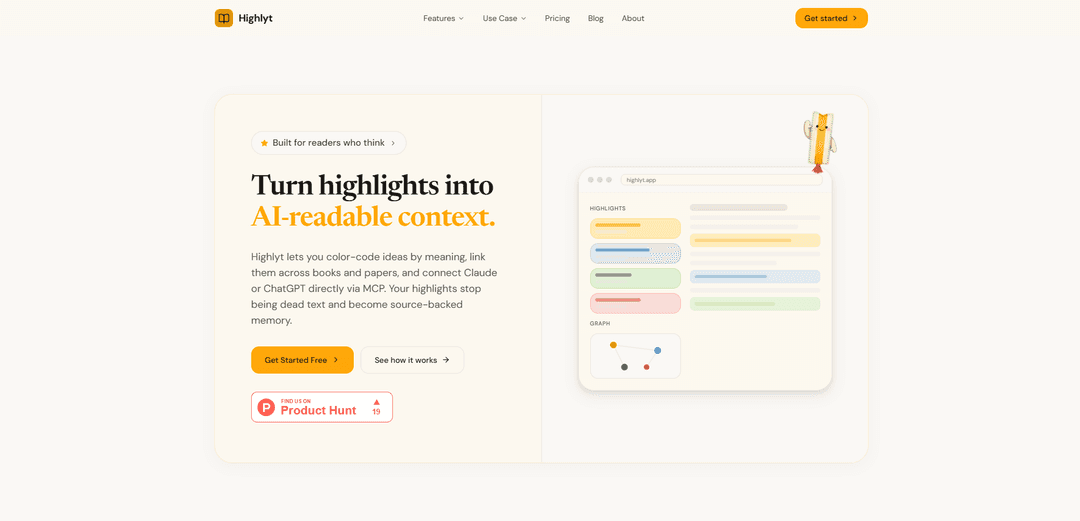
Highlyt is a PDF highlighting and research tool that turns color-coded, semantically tagged highlights into a searchable, linkable knowledge graph and can connect to Claude or ChatGPT via an MCP server for structured AI access.
https://highlyt.app/?ref=producthunt
Product Information
Updated:May 19, 2026
What is Highlyt
Highlyt is built for readers who want their highlights to stay useful after they finish a book, paper, or article. Instead of treating highlights as flat text, it lets you assign meaning to highlight colors (e.g., key concept, question, evidence, methodology), add notes, and connect related passages across documents. The result is a personal, searchable library of reading insights that can be explored as an interactive knowledge graph and exported as structured data when needed.
Key Features of Highlyt
Highlyt is a PDF-first highlighting and research synthesis tool that turns your reading into a searchable, color-coded knowledge graph. It lets you define semantic meaning for highlight colors (e.g., key concept, question, evidence), link highlights across documents into an interactive graph, and instantly search across all uploaded content. It also connects directly to Claude or ChatGPT via an MCP server so your AI can access your structured highlights, notes, and relationships without copy-pasting, with optional JSON/Markdown export for external workflows.
Semantic color-coded highlighting: Assign meaning to highlight colors (e.g., yellow = key concept, blue = question, green = evidence) and customize definitions per document so your intent is preserved—not just the text.
Cross-document knowledge graph linking: Create explicit connections between any two highlights across pages, chapters, and different PDFs/EPUBs, forming an interactive graph that visualizes how ideas support, contradict, or extend each other.
Full-text search with filters: Search across every document, highlight, and note, then narrow results by metadata like color/category and document context to retrieve quotes and frameworks quickly.
MCP server for Claude and ChatGPT: Connect AI assistants via Model Context Protocol so they can read your highlights along with their semantic color meanings and links, enabling better synthesis than raw pasted excerpts.
Structured exports (JSON/Markdown): Export highlights with color meanings, notes, and relationships in structured formats for use in other note systems, research pipelines, or AI tools.
Multi-source capture (PDF/EPUB + web clips/YouTube): Upload and highlight PDFs/EPUBs and also save unlimited web clips and YouTube content, keeping research inputs consolidated in one place.
Use Cases of Highlyt
Academic research synthesis: Graduate students and researchers can tag methodology, evidence, and open questions with semantic colors, then link claims across papers to build literature maps and argument structures.
Policy, legal, and compliance review: Analysts can highlight key requirements, exceptions, and supporting citations, then connect related passages across documents to create an auditable reasoning trail.
Product and UX research repository: Teams can store interview transcripts or research PDFs, tag insights vs. evidence, connect themes across sources, and query an AI assistant via MCP for synthesis and decision support.
Knowledge management for consultants: Consultants can turn client docs, frameworks, and industry reports into a connected graph, making it fast to retrieve prior insights and assemble deliverables.
Serious reading and lifelong learning: Book readers can capture mental models and frameworks, connect ideas across books, and use AI to generate summaries, comparisons, and applications grounded in their own highlights.
Pros
Semantic highlighting preserves your reasoning (importance vs. question vs. evidence) rather than treating all highlights the same.
Knowledge-graph linking enables cross-document synthesis and makes relationships between ideas explicit.
Direct MCP integration lets Claude/ChatGPT use your structured highlights without manual copy-paste.
Cons
Best suited to users willing to actively annotate and link highlights; the value increases with consistent tagging discipline.
PDF/EPUB document limits apply on the free trial (full unlimited access requires Pro).
Graph-building and semantic schemes can add overhead compared with simple “highlight and forget” tools.
How to Use Highlyt
1) Create an account and sign in: Go to https://highlyt.app/signin, create your account, and log in to access your library and tools (highlights, search, knowledge graph, exports, MCP).
2) Upload a PDF (or EPUB) to start a project: Drag-and-drop a PDF/EPUB (book, paper, textbook, article) into Highlyt. The text is extracted automatically, and the document becomes full-text searchable right away.
3) Open the document and begin highlighting: Select text in the document to create a highlight. Highlights are the core unit Highlyt uses for search, linking, and AI handoff.
4) Assign semantic meaning to highlight colors: Choose a highlight color based on what the passage represents (e.g., yellow = key concept, blue = question, green = evidence, pink = methodology). You define what each color means, and you can set these meanings per document so the same color can mean different things in different PDFs.
5) Add notes/annotations to capture your thinking: Attach notes to highlights to preserve your interpretation, questions, or context while reading—so you don’t lose the reasoning behind why you highlighted it.
6) Link highlights to build a knowledge graph: Create connections between any two highlights (even across different documents). Optionally label relationships such as “supports,” “contradicts,” or “extends.” As you link more ideas, an interactive knowledge graph emerges that visualizes how concepts relate.
7) Use search to instantly retrieve anything you highlighted: Use Highlyt’s full-text search to find highlights across your entire library. Narrow results by document and (where available) by highlight color/meaning to quickly locate key concepts, questions, evidence, etc.
8) Organize your library (optional): Use organizational features like shelves (and related organization tools) to group documents and keep long-term research/book projects tidy.
9) Connect Claude (or ChatGPT) via MCP for AI with context: Enable Highlyt’s MCP server connection so your AI assistant can read structured highlight data (text + color meanings + links + notes) instead of raw copy-pasted excerpts. In Claude, connect to the Highlyt MCP server (as shown on the site example: “claude mcp connect highlyt”) and then ask questions that reference your highlights and graph.
10) Ask AI questions that leverage your semantic highlights and links: With MCP connected, ask Claude/ChatGPT to synthesize frameworks, compare documents, trace evidence chains, or explain how linked highlights relate—using your color-coded intent (e.g., treat “questions” differently from “key concepts”).
11) Export your highlights for other workflows (JSON/Markdown): Export highlights as structured JSON or Markdown, including color meanings, notes, page numbers, and linked-idea relationships. Use exports in other note tools or AI workflows when you don’t want to rely on a live MCP connection.
12) Manage plan limits (Free Trial vs Pro): If you hit document/file-size limits, upgrade to Pro for unlimited PDFs/EPUBs (up to 100MB per file), unlimited highlights/links, knowledge graph, MCP access, full-text search, and JSON/Markdown export. The free trial includes limited documents but still supports semantic colors, graph, search, and MCP.
Highlyt FAQs
Highlyt is a PDF highlighting tool for researchers and book readers. It lets you create color-coded annotations where each color carries semantic meaning, link highlights across documents into a knowledge graph, and connect Claude or ChatGPT via MCP so your AI can use your highlights with context.
Popular Articles

Atoms: A Multi-Agent AI Platform That Transforms Ideas into Launch-Ready Products
May 22, 2026

Nano Banana SBTI: What It Is, How It Works, and How to Use It in 2026
Apr 15, 2026

Atoms Review — The AI Product Builder Redefining Digital Creation in 2026
Apr 10, 2026

Kilo Claw: How to Deploy and Use a True "Do‑It‑For‑You" AI Agent(2026 Update)
Apr 3, 2026
Latest AI Tools Similar to Highlyt

Folderr
Folderr is a comprehensive AI platform that enables users to create custom AI assistants by uploading unlimited files, integrating with multiple language models, and automating workflows through a user-friendly interface.
InDesign Translator
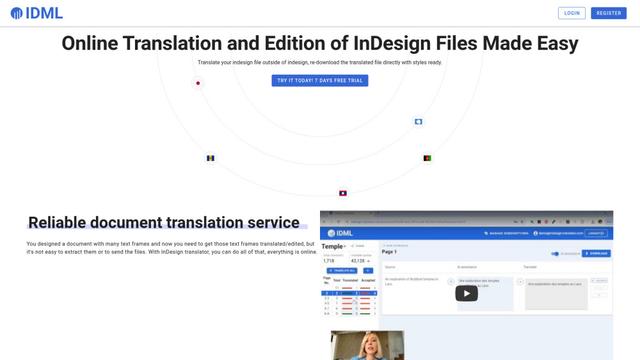
InDesign Translator is an online translation service that enables users to translate InDesign files while maintaining formatting and styles, offering AI-assisted translation and easy collaboration features without requiring translators to have InDesign installed.

Specgen.ai
Specgen.ai is an AI-powered platform that helps businesses optimize their bid responses by automatically analyzing tender requirements and generating personalized responses while ensuring 100% data confidentiality through proprietary AI models.
TurboDoc
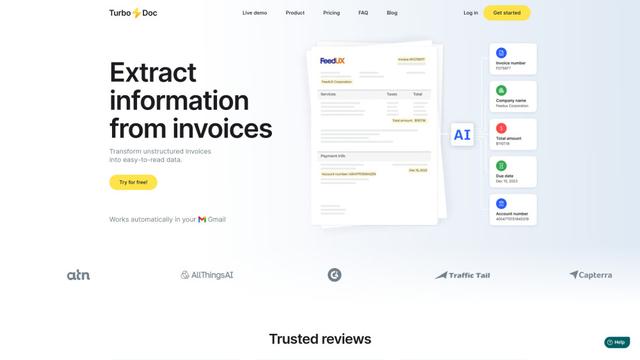
TurboDoc is an AI-powered invoice processing software that automatically extracts and transforms unstructured invoice data into organized, easy-to-read structured data through Gmail integration and intelligent document processing.
Popular AI Tools Like Highlyt

R2R
R2R (Reason to Retrieve) is an advanced AI retrieval system that provides production-ready Retrieval-Augmented Generation (RAG) capabilities with multimodal content ingestion, hybrid search, knowledge graphs, and comprehensive document management through a RESTful API.

Claude Folder Upload
A Chrome extension that enables users to upload entire folders to Claude AI while intelligently preserving directory structures and file relationships, with smart filtering capabilities for irrelevant files.
Web Clipper for NotebookLM
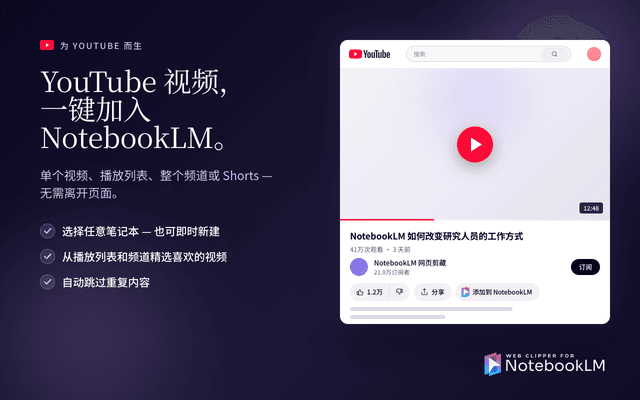
Web Clipper for NotebookLM is a Chrome extension that saves web pages, PDFs, YouTube content, social posts/threads, and even AI chat conversations directly into Google NotebookLM in one click, plus adds powerful export, sync, and notebook-management tools.
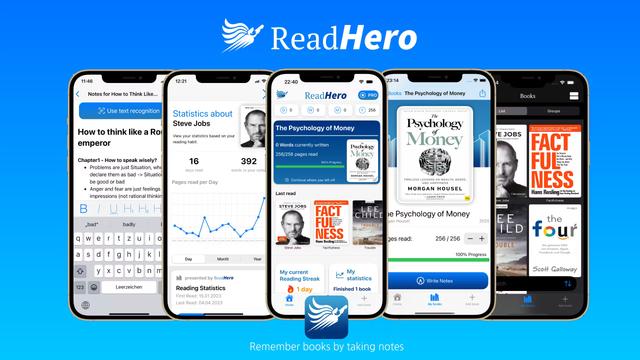
ReadHero
ReadHero is a comprehensive book tracking and note-taking app that helps readers remember and retain more of what they read by enabling progress tracking, note-taking, and book management all in one place.