
Figma for Agents
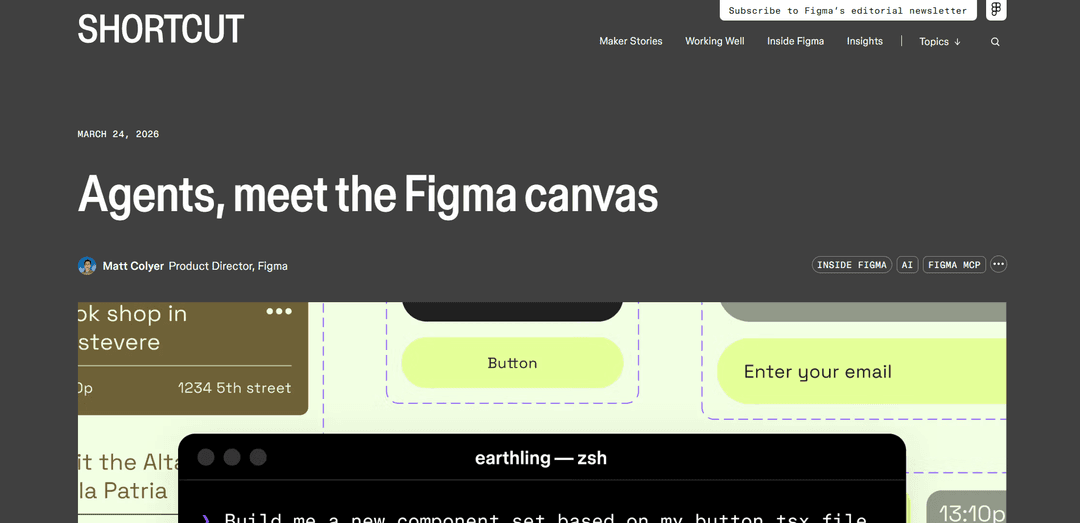
Figma for Agents is an AI integration that enables coding agents to create, edit, and update designs directly on the Figma canvas using your existing design system through the use_figma MCP tool and customizable markdown-based skills.
https://www.figma.com/blog/the-figma-canvas-is-now-open-to-agents?ref=producthunt
Product Information
Updated:Apr 16, 2026
Figma for Agents Monthly Traffic Trends
Figma for Agents received 89.4m visits last month, demonstrating a Slight Growth of 0.7%. Based on our analysis, this trend aligns with typical market dynamics in the AI tools sector.
View history trafficWhat is Figma for Agents
Announced on March 24, 2026, Figma for Agents represents a fundamental shift in how AI agents interact with design tools. Through Figma's Model Context Protocol (MCP) server, AI coding agents like Claude Code, Codex, Cursor, and others can now write directly to the Figma canvas—not just read design files, but actually create components, apply variables, build variants, and construct entire screens using your team's existing design system. This bidirectional workflow bridges the gap between code and design, allowing agents to access real Figma primitives including components, auto layout, variables, and design tokens. The feature is currently available for free during the beta period on paid plans with Full and Dev seats, with usage-based pricing planned for the future.
Key Features of Figma for Agents
Figma for Agents is a groundbreaking feature announced on March 24, 2026, that opens the Figma canvas to AI agents through the use_figma MCP tool. It enables AI coding agents like Claude Code, Codex, Cursor, and others to write directly to Figma files, creating and modifying native design elements such as frames, components, variants, variables, and auto layout using your existing design system. The feature is complemented by Skills—markdown instruction files that encode team conventions, design decisions, and workflows—ensuring agents produce brand-aligned, design-system-consistent output. Currently free during the beta period with usage-based pricing planned for the future, this bidirectional workflow bridges code and canvas, allowing teams to move fluidly between development and design while maintaining a shared source of truth.
Direct Canvas Write Access via use_figma Tool: AI agents can create and update real Figma design structure including frames, components, variants, variables, and auto layout through the Plugin API, rather than generating static screenshots or exports. This enables agents to work with native Figma primitives and build production-ready designs.
Skills for Agent Instruction: Markdown files that teach agents how your team works, defining which components to use, sequencing rules, conventions, and edge case handling. Skills make design systems machine-readable and actionable, encoding taste, decisions, and standards that guide agent behavior on the canvas.
Design System Integration: Agents read and utilize your existing Figma libraries, components, naming conventions, spacing scales, and tokens to generate designs that align with your established design system. This ensures output uses your actual buttons, cards, and variables rather than generic elements.
Bidirectional Code-Canvas Workflow: Works alongside the existing generate_figma_design tool to enable fluid movement between code and canvas. Agents can translate live HTML into editable Figma layers and then modify or create new designs using your design system, creating a continuous workflow.
Self-Healing Iteration Loops: Agents can take screenshots of generated designs and iterate to refine output that doesn't match specifications. Because they work with real structure rather than static visuals, adjustments interact with the actual design system components and variables.
Multi-Agent MCP Client Support: Compatible with multiple AI coding agents including Claude Code, Codex, Cursor, Copilot CLI, Augment, Factory, Firebender, and Warp, providing flexibility in tool choice while maintaining consistent access to Figma design context.
Use Cases of Figma for Agents
Design System Component Generation: Teams can use agents to generate entire component libraries from codebases, creating up to 72 variants of components that follow existing design system conventions. This accelerates the process of building and maintaining comprehensive design systems.
Rapid Screen Design with Existing Components: Designers can prompt agents to create full screens or flows using their established component library and variables, eliminating the need to manually rebuild layouts while ensuring consistency with brand guidelines and design standards.
Code-to-Design Synchronization: Development teams can keep Figma files in sync with production code by using agents to translate live application HTML into editable Figma layers, then refine those designs using the design system, maintaining a single source of truth.
Accessibility Specification Generation: Teams can use specialized skills like /create-voice to automatically generate screen reader specifications (VoiceOver, TalkBack, ARIA) from UI specs, ensuring accessibility considerations are built into the design process from the start.
Design Token Synchronization: Organizations can maintain consistency between code and design by using skills like /sync-figma-token to automatically sync design tokens between their codebase and Figma variables with drift detection, reducing manual coordination overhead.
Product Iteration and Refinement: Product teams can use agents to quickly iterate on designs by selecting existing screens and instructing agents to add or modify elements while maintaining design system consistency, accelerating the product development cycle.
Pros
Creates native Figma structure with real components and variables rather than static mockups, ensuring designs are production-ready and editable
Leverages existing design systems as the source of truth, producing brand-aligned output that follows established conventions and standards
Free during beta period, allowing teams to experiment and integrate the feature into workflows before paid pricing begins
Enables bidirectional code-canvas workflows, closing the gap between design and development teams with shared context
Cons
High token consumption (reports of 19k tokens for a single button), making complex design generation potentially expensive and impractical for large-scale use
Requires technical setup and familiarity with code tooling, which may be challenging for designers who work exclusively in Figma without development experience
Output quality and reliability issues remain, with concerns about generating multiple designs being expensive and unreliable compared to manual work
Will eventually become a usage-based paid feature on top of existing per-seat pricing, potentially creating cost friction for teams with high agent usage
How to Use Figma for Agents
1. Verify your Figma plan eligibility: Ensure you have a Full or Dev seat on a paid Figma plan. The write to canvas feature is currently free during beta but requires a paid plan. Free Figma users are limited to about 6 MCP tool calls per month.
2. Choose and set up an MCP client: Select a compatible MCP client such as Claude Code, Codex, Cursor, Copilot CLI, Augment, Factory, Firebender, or Warp. Install and configure your chosen client on your system.
3. Connect the Figma MCP server: There are two connection methods: (1) Install the Figma MCP plugin from the Figma community which automatically configures MCP server settings, or (2) Manually add the Figma MCP server URL to your MCP client configuration. For Claude Code, verify the connection by running /mcp command - you should see Figma listed as an active server.
4. Prepare your Figma file and design system: Open or create a Figma file that contains your design system with components, variables, tokens, and naming conventions. Ensure your design system is well-structured and organized, as agents will use this as the source of truth.
5. Select or create skills for your workflow: Choose from existing community skills like /figma-generate-design, /apply-design-system, /figma-generate-library, or create custom skills. Skills are markdown files that teach agents how to behave on your canvas, defining which components to use, sequencing, and conventions to follow.
6. Use the use_figma tool to write to canvas: In your MCP client, use the use_figma tool to issue design instructions. The agent will execute JavaScript in the context of your Figma file through the Plugin API, creating real Figma structures like frames, components, variants, variables, and auto layout.
7. Provide context and instructions to the agent: Open a Figma file and select a frame or component you want to work with. Give the agent clear prompts about what to create or modify. The agent will use get_metadata and search_design_system tools to understand available components and tokens, then generate designs using your existing design system.
8. Use generate_figma_design for code-to-canvas translation (optional): If you need to bring existing UI from live apps or websites into Figma, use the generate_figma_design tool. This captures HTML and translates it into editable Figma layers, which can then be further modified using use_figma.
9. Review and iterate on agent output: The agent can take screenshots of generated designs and iterate through self-healing loops to refine output. Review the generated components, frames, and layouts. Make manual adjustments as needed since agents may make unintended design choices in subtle areas.
10. Maintain bidirectional workflow between code and canvas: Use the Figma MCP server to move fluidly between code and canvas. Agents can read from Figma files to generate code, and write back to Figma to update designs, keeping your design system as the single source of truth throughout the development process.
Figma for Agents FAQs
The use_figma tool is part of Figma's MCP server that allows AI agents like Claude Code, Codex, and other MCP clients to write directly to Figma files. It enables agents to create and update Figma files and components, apply variables, and build designs using your own design system. This tool works alongside the existing generate_figma_design tool, which translates HTML from live apps and websites into editable Figma layers.
Figma for Agents Video
Popular Articles

Vosko AI: Localize and Dub Videos for Global Audiences
Oct 15, 2026

Atoms: A Multi-Agent AI Platform That Transforms Ideas into Launch-Ready Products
Oct 13, 2026

Nano Banana SBTI: What It Is, How It Works, and How to Use It in 2026
Apr 15, 2026

Atoms Review — The AI Product Builder Redefining Digital Creation in 2026
Apr 10, 2026
Analytics of Figma for Agents Website
Figma for Agents Traffic & Rankings
89.4M
Monthly Visits
#201
Global Rank
#15
Category Rank
Traffic Trends: Jul 2024-Jun 2025
Figma for Agents User Insights
00:13:32
Avg. Visit Duration
20.5
Pages Per Visit
24.06%
User Bounce Rate
Top Regions of Figma for Agents
US: 15.36%
IN: 11.43%
RU: 8.18%
CN: 4.61%
JP: 3.39%
Others: 57.02%
Latest AI Tools Similar to Figma for Agents

Gait
Gait is a collaboration tool that integrates AI-assisted code generation with version control, enabling teams to track, understand, and share AI-generated code context efficiently.

invoices.dev
invoices.dev is an automated invoicing platform that generates invoices directly from developers' Git commits, with integration capabilities for GitHub, Slack, Linear, and Google services.

EasyRFP
EasyRFP is an AI-powered edge computing toolkit that streamlines RFP (Request for Proposal) responses and enables real-time field phenotyping through deep learning technology.

Cart.ai
Cart.ai is an AI-powered service platform that provides comprehensive business automation solutions including coding, customer relations management, video editing, e-commerce setup, and custom AI development with 24/7 support.
Popular AI Tools Like Figma for Agents

GitHub Copilot Chat
GitHub Copilot Chat is an AI-powered coding assistant that provides natural language interactions, real-time code suggestions, and contextual support directly within supported IDEs and GitHub.com.

CopilotForXcode
CopilotForXcode is an Xcode Source Editor Extension that integrates GitHub Copilot, Codeium, and ChatGPT to provide AI-powered code suggestions, chat assistance, and prompt-to-code functionality within Xcode.

BrowserAI
BrowserAI is an open-source library that enables running local Large Language Models (LLMs) directly in web browsers with WebGPU acceleration, offering privacy-focused AI capabilities without requiring server infrastructure.

OpenAI Codex CLI
OpenAI Codex CLI is a lightweight, open-source coding agent that runs in your terminal, enabling developers to translate natural language into code execution while providing ChatGPT-level reasoning with the ability to run code, manipulate files, and iterate under version control.