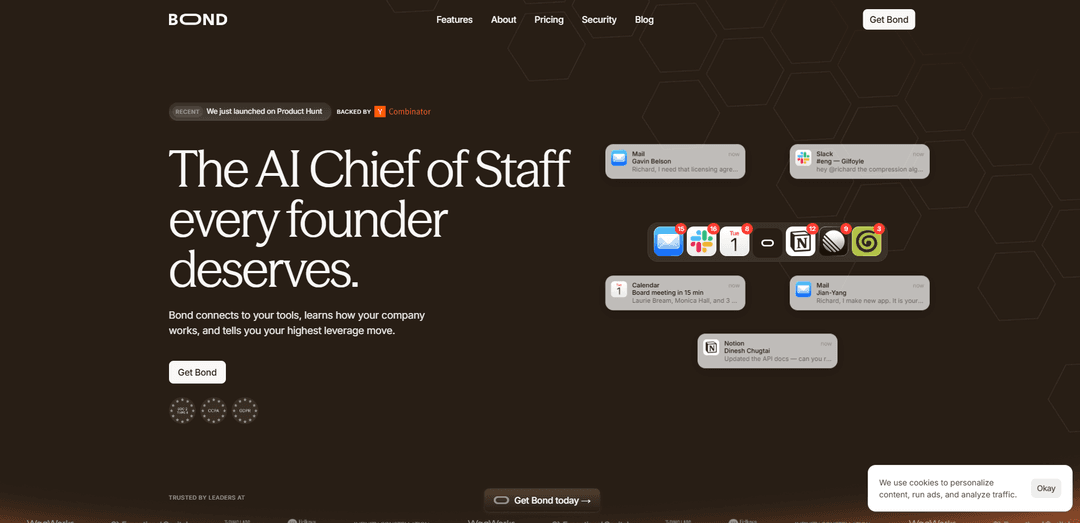
Bond is an AI Chief of Staff that plugs into your existing work tools (email, calendar, Slack, Notion/Jira/GitHub, etc.) to build a “company brain,” surface what matters in real time, and generate a prioritized to‑do list with follow-ups and delegation.
https://www.bondapp.io/?ref=producthunt
Bond

Product Information

Updated:Jun 12, 2026

What is Bond

Bond is a B2B AI assistant designed for CEOs and executive teams who need a real-time pulse on what’s happening across their company without constant status meetings or manual chasing. It connects to the tools leaders already use—such as Slack, email, calendar, and common work systems like Notion, Jira, GitHub, and Salesforce—to aggregate updates, decisions, and open threads into clear, actionable guidance. Positioned as an “AI Chief of Staff,” Bond focuses on triage: what needs your attention now, what can be delegated, and what risks or blockers are emerging across the org.

Key Features of Bond

Bond is an AI “Chief of Staff” that lives primarily in Slack and connects to your core work tools (e.g., email, calendar, docs, and project trackers) to build persistent context about your company, automatically capture commitments and open threads, triage and rank what matters most, and reduce operational noise by drafting/following up and handling recurring low-value tasks. It focuses on executive visibility and leverage: surfacing risks, blockers, and wins in real time, while keeping a prioritized, always-updated to-do list and a “waiting on others” view so nothing slips through.
Tool integrations & unified inbox: Connects across workplace systems (e.g., Slack, Gmail/Email, Google Calendar, Notion, Jira/Linear and similar tools) to pull tasks, messages, and project signals into one actionable view.
Auto-captured commitments & thread tracking: Detects “I’ll get back to you,” pending replies, and open loops from meetings, Slack threads, and inboxes, then turns them into trackable items so loose ends don’t get forgotten.
Prioritized triage to-do list: Doesn’t just list tasks—ranks them by priority (e.g., P0–P3) so the highest-leverage next move is always at the top.
Follow-ups and “waiting on others” dashboard: Tracks what teammates/partners owe you and can nudge/politely follow up, giving an at-a-glance view of overdue and pending dependencies.
Delegation of recurring admin work: Handles repetitive, low-value tasks (e.g., routine follow-ups, coordination, reminders), reducing the need for constant manual chasing and status meetings.
Data controls & security posture: Positions itself as encrypted in transit/at rest with access controls; claims it doesn’t sell data or use it to train AI models, and supports integration disconnect/account deletion with removal from active systems within ~30 days.

Use Cases of Bond

Founder/CEO operating cadence: Aggregates signals across Slack/email/calendar/docs to surface blockers, ensure investor/customer follow-ups happen, and keep board-prep items prioritized without extra status meetings.
Engineering leadership triage: Flags urgent issues from chat/project tools (e.g., production incidents, high-priority bugs, risky deploy threads) and converts them into ranked action items with clear owners.
Sales & revenue leadership visibility: Tracks open customer threads, renewal/contract obligations, and internal approvals across email/CRM-like workflows, prompting timely follow-ups and escalation when deals stall.
Finance/operations execution tracking: Helps CFO/ops leads monitor approvals, vendor renewals, budgeting tasks, and cross-functional dependencies, reducing coordination overhead and missed deadlines.
Consulting/agencies managing many clients: Captures client commitments from meetings and inboxes, maintains a prioritized list per engagement, and tracks “waiting on client” items to reduce dropped balls.

Pros

High leverage for busy leaders: automatic triage, prioritization, and follow-up reduces status-meeting overhead and manual chasing.
Cross-tool context: by reading multiple systems, it can catch commitments and open threads users didn’t explicitly log.
Slack-first workflow: “lives in Slack,” minimizing the need to adopt yet another standalone app.
Strong stated data controls: encryption claims, no selling, and no training-on-your-data positioning with deletion controls.

Cons

Requires broad access to sensitive tools (email, calendar, Slack, docs), which may be a blocker for security-conscious orgs despite stated protections.
Effectiveness depends on integration coverage and data quality; gaps in connected tools or inconsistent usage can reduce accuracy of prioritization.
Automation/follow-ups may not match every company’s communication norms and could require tuning to avoid noise or awkward nudges.

How to Use Bond

1) Get access to Bond: Go to https://www.bondapp.io/ and select “Get Bond today”. If you’re joining a pilot, use the contact details provided on the site (e.g., [email protected]) to request access.
2) Decide where you’ll use Bond day-to-day: Plan to use Bond primarily inside Slack (“Bond lives in your Slack”), so you don’t need to learn a new app or keep another tab open.
3) Connect your core work tools: Connect the tools Bond reads to build context across your work (the site highlights email, calendar, and messages; and mentions connecting to tools like Slack, Notion, Jira/Linear, GitHub, Salesforce, etc.). The goal is to pull everything into one place so nothing lives across many tabs.
4) Let Bond ingest context and build your “company brain”: After connecting tools, allow Bond to read across docs, messages, and decisions so it can learn your goals, your team, who owns what, and what’s slipping. Bond improves as it accumulates more context over time.
5) Open Bond in Slack and start a conversation: In Slack, find the Bond app/bot and message it. Use chat to ask what you missed, what’s urgent, and what you should do next.
6) Review your ranked to-do list: Use Bond’s to-do view to see what’s left after it filters “noise.” Bond doesn’t just list tasks—it ranks them so the most important items appear at the top.
7) Work from “Needs you” items first: Prioritize tasks marked as requiring your attention (e.g., signing a contract, replying to a key email, prepping a board deck, unblocking an engineering issue). Use the priority ordering (P0/P1/P2/P3) to decide what to do now vs. later.
8) Track open loops and commitments automatically captured by Bond: Rely on Bond to catch commitments like “I’ll get back to you,” pending replies, and open threads from meetings, Slack, and inbox—then add them to your list so loose threads don’t slip through.
9) Use “Waiting on others” to manage follow-ups: Check the section that shows what your team owes you (items pending or overdue). Use it to follow up without manual tracking.
10) Delegate recurring, low-value work to Bond: Identify repetitive admin tasks and let Bond handle them where possible, keeping you focused on higher-leverage decisions and work.
11) Use Bond for real-time visibility and fewer status meetings: Instead of running status-update meetings or collecting manual updates, use Bond’s consolidated view and pings to stay aware of risks, blockers, and wins as they appear across your tools.
12) Manage data controls and privacy settings: Bond states it reads your email, calendar, and messages to do its job; data is encrypted; it’s not sold; it’s not used to train AI; and you can disconnect integrations or close your account from settings. If you disconnect/close, Bond removes data from active systems within 30 days.

Bond FAQs

Bond is an AI assistant that connects to your work tools (like email, calendar, Slack, and docs) to turn scattered threads into a ranked, actionable to-do list. It tracks commitments, open threads, and pending replies, and helps ensure nothing slips through.

Latest AI Tools Similar to Bond

Ticknotes
Ticknotes
Ticknotes is an AI-powered meeting assistant that automatically records, transcribes, and generates personalized meeting summaries, action items, and key insights from audio, video, and text content.
Feta
Feta
Feta is an AI-powered meeting tool that helps product and engineering teams run efficient meetings by capturing discussions, automating tasks, and providing actionable insights through smart summaries and integrations.
Aimeet
Aimeet
Aimeet is a comprehensive AI-powered communication platform that combines real-time translation, transcription, screen sharing, and unlimited meeting capabilities for effective virtual collaboration.
MinutesLink
MinutesLink
MinutesLink is an advanced AI-powered note-taking assistant that automatically records, transcribes, summarizes and organizes virtual meetings while building personalized digital avatars from meeting data.