
Conduit
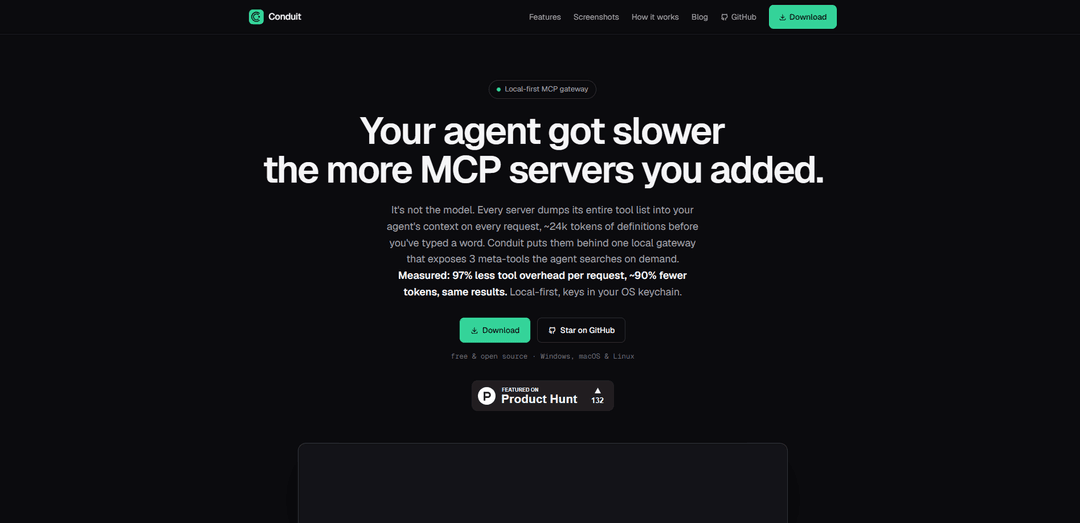
Conduit is a free, open-source, local-first MCP gateway that collapses hundreds of MCP server tools into three searchable meta-tools to cut tool-context overhead (measured ~97% per request) and reduce overall token usage by ~90%, while keeping secrets in your OS keychain and adding per-tool governance and observability.
https://conduit.southforgeai.com/?ref=producthunt
Product Information
Updated:Jul 8, 2026
What is Conduit
Conduit is a native desktop application for Windows, macOS, and Linux that acts as a single gateway for all the MCP servers you use with AI clients such as Claude, Cursor, VS Code, Windsurf, Codex, and others. Instead of forcing your agent to load every connected server’s full tool list into context on every request, Conduit presents a small, consistent interface that keeps prompts lean and predictable. It’s designed to be local-first (no cloud, no Docker required), stores API keys in the OS keychain, and provides centralized control over which tools are available to your AI clients.
Key Features of Conduit
Conduit is a local-first MCP (Model Context Protocol) gateway that reduces AI agent tool-token overhead by putting many MCP servers behind a single local desktop app and exposing only three meta-tools that the agent can query on demand. It centralizes MCP connectivity for multiple clients, keeps secrets in the OS keychain, adds per-tool governance (including disabling destructive tools across clients), and provides built-in observability such as latency, error rates, and an audit trail of tool calls—all without Docker or cloud infrastructure.
Tool-context compression via 3 meta-tools: Replaces hundreds of per-server tool definitions in the agent context with three searchable meta-tools, measured to cut tool overhead ~97% per request and ~90% fewer tokens overall while maintaining task success.
One gateway for every MCP client: Point Claude, Cursor, VS Code, Windsurf, Codex, and other MCP-capable clients at Conduit once; Conduit fans out to all configured MCP servers with hot toggles and no restarts.
Local-first security with OS keychain secrets: Stores API keys in the operating system keychain and injects them at runtime, avoiding plaintext secrets in client configs and avoiding cloud dependency.
Per-tool governance and safety controls: Enable/disable individual tools across your entire client fleet; a single switch can hide destructive tools everywhere to reduce risk.
Live observability and audit trail: Provides per-server latency and error rates plus a full audit log of tool calls for debugging, compliance, and performance tuning.
No Docker, no cloud; native desktop runtime: Runs as a native Windows/macOS/Linux desktop app that can run local servers as host processes and proxy remote servers with zero infrastructure setup.
Use Cases of Conduit
Cost control for agentic development environments: Engineering teams using MCP-heavy setups in IDEs (e.g., Cursor/VS Code) can reduce token spend and latency by keeping tool context flat even as more MCP servers are added.
Enterprise tool governance for AI assistants: Security-conscious organizations can centrally disable risky/destructive tools (e.g., prod-write actions) across all AI clients while keeping approved read-only tools available.
Multi-client standardization for AI ops teams: AI platform teams can provide a single, consistent gateway configuration for multiple user tools (Claude desktop, IDE agents, internal copilots), reducing setup drift and support burden.
Local-first workflows for regulated environments: Teams in regulated industries can keep secrets and orchestration local (no cloud gateway) while still connecting to multiple MCP servers, improving compliance posture.
Debugging and performance monitoring of tool calls: Developers can use Conduit’s latency/error metrics and audit trail to identify slow MCP servers, failing tools, or misbehaving agents and then tune or disable them.
Pros
Significant token/context reduction by exposing only three meta-tools (~97% less tool overhead per request in the cited benchmark).
Local-first design with OS keychain secret storage reduces credential leakage risk and avoids cloud dependency.
Central governance and observability make multi-server, multi-client MCP setups easier to control and troubleshoot.
Cons
Primarily valuable if you already use MCP servers extensively; benefits may be limited for small/simple tool stacks.
As a local desktop gateway, it introduces an additional component in the toolchain that must be installed and kept running on user machines.
How to Use Conduit
1) Download and install Conduit: Download Conduit from the official releases page and install the native desktop app for your OS (Windows/macOS/Linux).
2) Launch Conduit and set it up as your local MCP gateway: Open Conduit. It acts as a single local gateway that your AI clients connect to, instead of connecting directly to many MCP servers.
3) Add/connect your MCP servers inside Conduit: In Conduit, register the MCP servers you want to use (local servers run as host processes; remote servers are proxied). This consolidates “every MCP server” behind one gateway.
4) Store secrets in your OS keychain: Add any required API keys/credentials via Conduit so they are stored in your OS keychain and injected at runtime (not placed in client configs and not stored in the cloud).
5) Point each AI client to Conduit (one-time): Configure your AI tools (e.g., Claude, Cursor, VS Code, Windsurf, Codex, etc.) to use Conduit as the MCP endpoint. After this, clients talk to Conduit once, and Conduit fans out to all your servers.
6) Use Conduit’s meta-tools (on-demand tool discovery): With Conduit enabled, your agent sees only 3 meta-tools in context rather than hundreds of tool definitions. The agent searches/selects the underlying tools on demand, reducing tool-token overhead per request.
7) Govern tool access (enable/disable tools): Use Conduit’s per-tool governance toggles to turn specific tools on/off. You can also hide/disable destructive tools globally so they are unavailable to every connected client.
8) Monitor tool calls and server health: Use Conduit’s built-in observability to view per-server latency, error rates, and an audit trail of tool calls.
9) Manage servers without client restarts: Add/remove servers or toggle them using Conduit’s hot controls; clients remain pointed at the same gateway, avoiding per-client reconfiguration and restarts.
Conduit FAQs
Conduit is a local-first MCP gateway (native desktop app) that sits between your AI client and your MCP servers. Instead of dumping every server’s full tool list into the agent context on every request, it exposes three meta-tools that the agent can search on demand.
Conduit Video
Popular Articles

Vosko AI: Localize and Dub Videos for Global Audiences
Oct 15, 2026

Atoms: A Multi-Agent AI Platform That Transforms Ideas into Launch-Ready Products
Oct 13, 2026

Nano Banana SBTI: What It Is, How It Works, and How to Use It in 2026
Apr 15, 2026

Atoms Review — The AI Product Builder Redefining Digital Creation in 2026
Apr 10, 2026
Latest AI Tools Similar to Conduit

Gait
Gait is a collaboration tool that integrates AI-assisted code generation with version control, enabling teams to track, understand, and share AI-generated code context efficiently.

invoices.dev
invoices.dev is an automated invoicing platform that generates invoices directly from developers' Git commits, with integration capabilities for GitHub, Slack, Linear, and Google services.

EasyRFP
EasyRFP is an AI-powered edge computing toolkit that streamlines RFP (Request for Proposal) responses and enables real-time field phenotyping through deep learning technology.

Cart.ai
Cart.ai is an AI-powered service platform that provides comprehensive business automation solutions including coding, customer relations management, video editing, e-commerce setup, and custom AI development with 24/7 support.
Popular AI Tools Like Conduit

GitHub Copilot Chat
GitHub Copilot Chat is an AI-powered coding assistant that provides natural language interactions, real-time code suggestions, and contextual support directly within supported IDEs and GitHub.com.

CopilotForXcode
CopilotForXcode is an Xcode Source Editor Extension that integrates GitHub Copilot, Codeium, and ChatGPT to provide AI-powered code suggestions, chat assistance, and prompt-to-code functionality within Xcode.

BrowserAI
BrowserAI is an open-source library that enables running local Large Language Models (LLMs) directly in web browsers with WebGPU acceleration, offering privacy-focused AI capabilities without requiring server infrastructure.

OpenAI Codex CLI
OpenAI Codex CLI is a lightweight, open-source coding agent that runs in your terminal, enabling developers to translate natural language into code execution while providing ChatGPT-level reasoning with the ability to run code, manipulate files, and iterate under version control.