
CodeHealth MCP Server by CodeScene
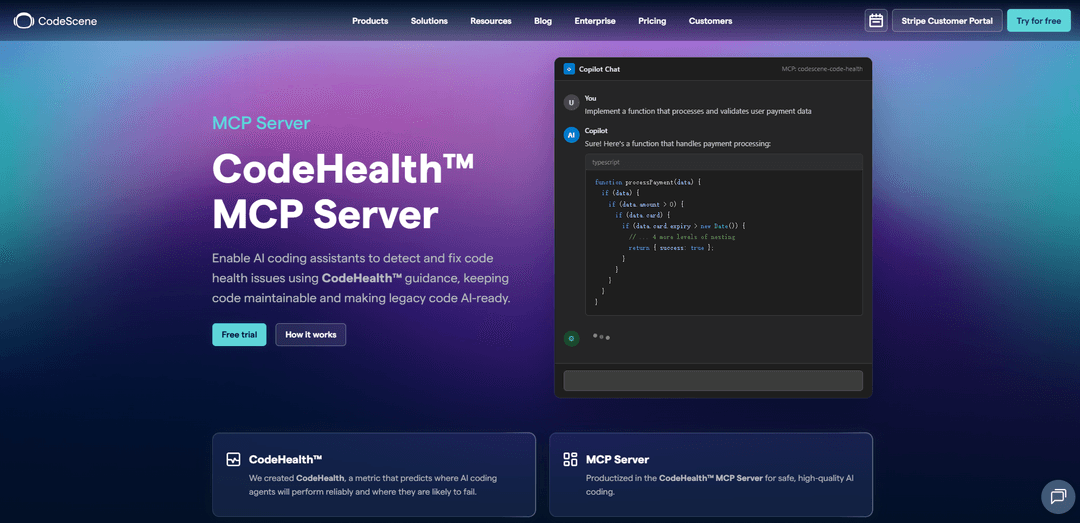
CodeHealth™ MCP Server by CodeScene is a local MCP service that exposes deterministic CodeHealth metrics to any AI coding assistant, continuously evaluating AI-generated changes and driving a self-correcting refactoring loop to prevent technical debt and keep code maintainable.
https://codescene.com/product/mcp-server?ref=producthunt
Product Information
Updated:May 19, 2026
What is CodeHealth MCP Server by CodeScene
CodeHealth™ MCP Server by CodeScene is a Model Context Protocol (MCP) server that lets AI coding assistants (e.g., GitHub Copilot, Cursor, Windsurf, Claude Code, and other MCP-compatible tools) query CodeScene’s CodeHealth analysis directly from your local repository. It is designed to make AI-assisted coding safer and more reliable by grounding suggestions and refactorings in objective maintainability and change-risk signals (such as structural complexity and other code health factors). The server runs locally under your control and is intended to help teams safeguard AI output, uplift legacy code, and standardize maintainability expectations using CodeHealth as an objective quality gate.
Key Features of CodeHealth MCP Server by CodeScene
CodeHealth™ MCP Server by CodeScene is a local Model Context Protocol (MCP) service that exposes CodeScene’s CodeHealth maintainability and change-risk analysis as AI-friendly tools, so coding assistants (Copilot, Cursor, Claude Code, etc.) can detect structural issues, refactor toward objective thresholds (aiming for AI-ready Code Health ~9.5–10), and avoid introducing technical debt. It supports a self-correcting workflow where code changes are continuously re-evaluated, and the AI is guided with structured feedback to improve maintainability—not just make tests pass—while keeping analysis and source code on the developer’s machine.
Local MCP server for CodeHealth analysis: Runs fully in your local environment and exposes CodeScene’s CodeHealth insights via MCP tools, enabling assistants and agents to query maintainability and risk signals directly from the repo without sending source code to external LLM vendors.
Deterministic CodeHealth™ quality gate: Uses objective CodeHealth metrics (1–10 scale) and file-level reviews to identify concrete maintainability problems (e.g., complexity, deep nesting, low cohesion) and enforce thresholds suitable for AI-assisted work.
Self-correcting refactoring loop: As AI proposes changes, the server re-checks CodeHealth and returns structured guidance when risk increases, pushing the agent to iterate until maintainability targets are met.
AI-ready legacy uplift workflow: Supports a review → plan → refactor → re-measure approach using tools like code_health_review, helping teams modularize and improve unhealthy legacy code before attempting larger agentic feature work.
Agent guidance via AGENTS.md: Provides a mechanism to codify how agents should use MCP tools (e.g., run reviews early, safeguard before commit/PR, loop on regressions) so teams get consistent, repeatable AI workflows rather than ad-hoc tool usage.
Broad assistant/IDE and language compatibility: Model-agnostic and designed for agentic workflows; integrates with many AI assistants/IDEs via MCP and supports 30+ programming languages through CodeScene analysis.
Use Cases of CodeHealth MCP Server by CodeScene
AI-assisted coding with maintainability safeguards: Teams using Copilot/Cursor/Claude Code can automatically check AI-generated diffs against CodeHealth signals and require refactoring loops when maintainability declines, reducing the chance of AI-induced technical debt.
Modernizing legacy systems before feature automation: Engineering orgs can identify large, unhealthy files/functions and use guided refactoring steps to improve modularity and readability, expanding the “AI-ready surface” where agents can safely implement features.
Pull request quality gate for regulated industries: In finance/healthcare/enterprise environments, teams can use pre-commit and PR-oriented safeguards to enforce maintainability standards as part of review and compliance processes, improving auditability of code quality decisions.
Scaling developer productivity in high-throughput product teams: Fast-moving SaaS/e-commerce orgs can standardize AI usage by requiring CodeHealth checks during development, reducing review load and improving confidence in AI-assisted changes.
Refactoring ROI and prioritization for engineering leadership: Leads can use CodeHealth-linked business impact/ROI calculations to prioritize refactoring work and justify investment by connecting maintainability improvements to velocity, defect risk, and maintenance cost outcomes.
Pros
Runs locally under your control; no source code or analysis data needs to be sent to cloud providers/LLM vendors.
Objective, repeatable maintainability feedback (CodeHealth) enables a deterministic refactoring loop instead of subjective “clean code” advice.
Model-agnostic MCP integration works across multiple assistants/IDEs and supports polyglot codebases.
Cons
Requires setup and configuration (tokens, MCP client integration, optional on-prem URL/SSL settings), which may add initial friction.
Most effective when teams adopt disciplined workflows (e.g., AGENTS.md rules and repeated checks); benefits may be limited if safeguards are ignored.
Some advanced automation (e.g., ACE-assisted restructuring for very large functions) is optional and may require additional licensing.
How to Use CodeHealth MCP Server by CodeScene
1) Get a CodeScene access token: Create or obtain a CS_ACCESS_TOKEN for the CodeHealth MCP Server. This token lets the local MCP server access CodeScene’s CodeHealth analysis.
2) Choose an installation method (npx / global npm / Homebrew): Pick one: (a) Run without installing: `npx @codescene/codehealth-mcp` (first run downloads and caches the correct platform binary). (b) Install globally: `npm install -g @codescene/codehealth-mcp`. (c) macOS/Linux via Homebrew: `brew tap codescene-oss/codescene-mcp-server https://github.com/codescene-oss/codescene-mcp-server` then `brew install cs-mcp`.
3) Ensure the server command is available: Verify you can launch the MCP server command for your chosen method (e.g., `npx @codescene/codehealth-mcp` or `cs-mcp`). The first run may download a platform-specific binary and cache it for future use.
4) Register the MCP server in your AI assistant (MCP client): Add a new MCP server entry in your assistant’s MCP configuration so it can start the server via stdio. Typical config uses `command: npx` with `args: ["@codescene/codehealth-mcp"]` (or `command: cs-mcp` if installed via Homebrew/global).
5) Provide required environment variables (at minimum CS_ACCESS_TOKEN): Set `CS_ACCESS_TOKEN` in the MCP server config (or your environment). Environment variables provided by the MCP client take precedence over any server-side config file.
6) (Optional) Configure CodeScene on-prem URL: If you use an on-prem CodeScene instance, set `CS_ONPREM_URL` (e.g., `https://codescene.mycompany.com`) in the MCP server environment.
7) (Optional) Configure custom TLS/CA certificates: If your on-prem instance uses an internal CA, set `REQUESTS_CA_BUNDLE` to the path of your internal CA certificate file so the MCP server can validate TLS connections.
8) Add agent guidance to your repository (recommended): Copy the agent guidance file that matches your license into your repo so AI agents follow the intended workflow and safeguards: `AGENTS-full.md` for CodeScene Core users, `AGENTS-standalone.md` for standalone license users, or `.amazonq/rules` for Amazon Q.
9) Start using CodeHealth tools via your assistant: In your AI assistant, invoke CodeScene MCP tools to ground changes in CodeHealth signals. When in doubt, call the appropriate CodeScene MCP tool rather than guessing, and select the correct CodeScene project early (e.g., via `select_codescene_project`).
10) Run a Code Health review before making changes: Use the MCP tool (e.g., `code_health_review`) to assess the current maintainability and identify concrete issues (complexity, deep nesting, low cohesion). Use the score as a measurable target (aim for 9.5–10 for AI-ready code).
11) Refactor in small steps and re-measure: Follow a loop: review → plan → refactor → re-measure. After each change, re-run the CodeHealth review to confirm maintainability improves and risk does not increase.
12) Use safeguards before committing or opening a PR: Before committing, run the MCP safeguard tool (e.g., `pre_commit_code_health_safeguard`) to detect regressions. If CodeHealth declines or risk increases, enter a self-correcting refactoring loop until thresholds are met.
13) (Optional) Enable ACE for large legacy restructuring: If you have the separate ACE add-on license, provide the ACE access token to the MCP server to accelerate initial restructuring of very large functions. ACE is optional; MCP alone is often sufficient.
14) Keep the workflow consistent across your team: Use the repository guidance (AGENTS file) to standardize how agents combine tools: run reviews early, safeguard changes continuously, and require refactoring loops when CodeHealth drops—so AI-assisted coding stays maintainable and avoids technical debt.
CodeHealth MCP Server by CodeScene FAQs
It is a local Model Context Protocol (MCP) service that lets AI coding assistants and agents access CodeScene’s CodeHealth™ analysis during development, providing objective maintainability and change-risk signals as actionable tools.
CodeHealth MCP Server by CodeScene Video
Popular Articles

Atoms: A Multi-Agent AI Platform That Transforms Ideas into Launch-Ready Products
May 22, 2026

Nano Banana SBTI: What It Is, How It Works, and How to Use It in 2026
Apr 15, 2026

Atoms Review — The AI Product Builder Redefining Digital Creation in 2026
Apr 10, 2026

Kilo Claw: How to Deploy and Use a True "Do‑It‑For‑You" AI Agent(2026 Update)
Apr 3, 2026
Latest AI Tools Similar to CodeHealth MCP Server by CodeScene

Gait
Gait is a collaboration tool that integrates AI-assisted code generation with version control, enabling teams to track, understand, and share AI-generated code context efficiently.

invoices.dev
invoices.dev is an automated invoicing platform that generates invoices directly from developers' Git commits, with integration capabilities for GitHub, Slack, Linear, and Google services.

EasyRFP
EasyRFP is an AI-powered edge computing toolkit that streamlines RFP (Request for Proposal) responses and enables real-time field phenotyping through deep learning technology.

Cart.ai
Cart.ai is an AI-powered service platform that provides comprehensive business automation solutions including coding, customer relations management, video editing, e-commerce setup, and custom AI development with 24/7 support.
Popular AI Tools Like CodeHealth MCP Server by CodeScene

GitHub Copilot Chat
GitHub Copilot Chat is an AI-powered coding assistant that provides natural language interactions, real-time code suggestions, and contextual support directly within supported IDEs and GitHub.com.

CopilotForXcode
CopilotForXcode is an Xcode Source Editor Extension that integrates GitHub Copilot, Codeium, and ChatGPT to provide AI-powered code suggestions, chat assistance, and prompt-to-code functionality within Xcode.

BrowserAI
BrowserAI is an open-source library that enables running local Large Language Models (LLMs) directly in web browsers with WebGPU acceleration, offering privacy-focused AI capabilities without requiring server infrastructure.

OpenAI Codex CLI
OpenAI Codex CLI is a lightweight, open-source coding agent that runs in your terminal, enabling developers to translate natural language into code execution while providing ChatGPT-level reasoning with the ability to run code, manipulate files, and iterate under version control.