
BrowserAct
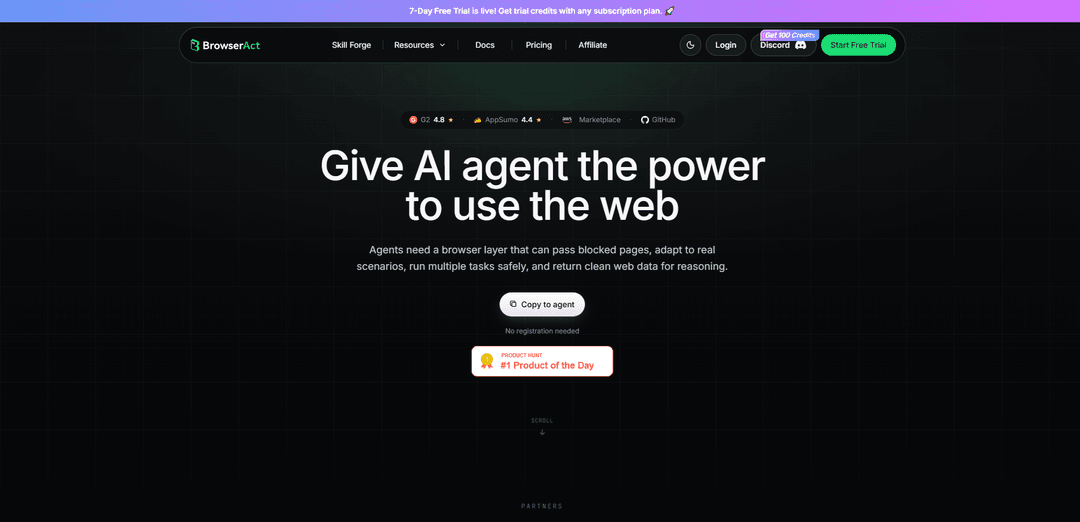
BrowserAct ist eine Agent-native Browser-Automatisierungs-Laufzeit (CLI, Workflows, API/MCP), die echte/stealth Chrome-Sitzungen mit Sitzungsisolation, integrierter Anti-Blocking-Funktion (Fingerabdruck-/TLS-Rotation, Residential Proxies), automatischer CAPTCHA-Behandlung und sauberer strukturierter Webdaten-Ausgabe für LLM-Reasoning ausführt.
https://www.browseract.com/?ref=producthunt&utm_source=aipure
Produktinformationen
Aktualisiert:Jul 8, 2026
Was ist BrowserAct
BrowserAct ist eine KI-gestützte Web-Automatisierungs- und Datenextraktionsplattform, die entwickelt wurde, um KI-Agenten einen zuverlässigen Zugriff auf echte Websites zu ermöglichen. Anstatt anfällige Scraper zu schreiben und zu warten, können Benutzer einen Browser über eine CLI-„Skill“, einen No/Low-Code-Workflow-Canvas oder programmatische Integrationen (API/MCP) steuern, um Seiten zu navigieren, zu klicken, zu tippen, Daten zu extrahieren und Ergebnisse als saubere, strukturierte Ausgaben (z. B. Tabellen/CSV-fähige Zeilen) zu exportieren. Es ist als „Browser-Layer“ für Agenten positioniert – entwickelt, um reale Browsing-Einschränkungen wie Logins, dynamische Seiten, Bot-Schutz und Multi-Session-Parallelität zu handhaben, während die Ausgaben für LLMs leicht konsumierbar bleiben.
Hauptfunktionen von BrowserAct
BrowserAct ist eine Agent-native Browser-Automatisierungs-Laufzeitumgebung (sowie CLI, Workflows und API/MCP-Integrationen), die es KI-Agenten ermöglicht, zuverlässig echte Websites zu durchsuchen, gängige Anti-Bot-Blockaden zu umgehen, CAPTCHAs zu lösen, authentifizierte Chrome-Sitzungen wiederzuverwenden und saubere, strukturierte Webdaten für nachgelagerte Schlussfolgerungen und Automatisierungen zurückzugeben. Es legt Wert auf die Isolation von Stealth-Identitäten/Fingerabdrücken, Multi-Session-Parallelität und Sicherheitsabsicherung für sensible Aktionen, wodurch sowohl No-Code-/visuelle Workflows als auch Entwicklerintegrationen in Stacks wie Make, n8n und Zapier ermöglicht werden.
Stealth-Browsing + Anti-Blocking-Schichten: Verwendet Stealth-Fingerabdrücke, TLS-Rotation und (optional) Residential Proxies, um die Bot-Erkennung zu reduzieren und Sitzungen wie echte Benutzer aussehen zu lassen, wodurch Agenten auf blockierte oder geschützte Seiten zugreifen können.
Integrierte CAPTCHA- und Verifizierungsbehandlung: Automatische Handhabung gängiger Herausforderungen (z. B. reCAPTCHA, Cloudflare Turnstile, DataDome, HUMAN Security) mit menschlicher Unterstützung als Fallback für harte Stopps wie 2FA.
Agent-native strukturierte Ausgabe (saubere Webdaten): Gibt nützliche Seitenstrukturen als rauscharme, indizierte Daten (anstelle von rohem DOM) zurück, sodass LLMs zuverlässig mit weniger Tokens und geringerer Anfälligkeit argumentieren und extrahieren können.
Befehlsgesteuerte Browser-Aktionen für Agenten: Ermöglicht stabile Aktionsziele für Klick-/Tipp-/Warte-/Upload-/Navigationsflüsse, unterstützt wiederholbare Automatisierung und Scraping ohne das Schreiben von traditionellem Scraper-Code.
Sitzungsisolation + Multi-Account-Identitäten: Führt mehrere unabhängige Browser-Sitzungen parallel ohne Zustandsverschmutzung aus; unterstützt rotierende Identitäten für Massen-Scraping und feste Identitäten (Cookies, Fingerabdruck, statischer Proxy) für Multi-Account-Operationen.
Mehrere Ausführungsmöglichkeiten: CLI/Skills, Workflows, API/MCP: Lokal mit Agent-Skills (Claude Code/Cursor/Codex usw.) verwenden, visuelle Cloud-Workflows erstellen oder über API/MCP in Produkte und Automatisierungen (Make, n8n, Zapier) integrieren.
Anwendungsfälle von BrowserAct
Wettbewerbsüberwachung im E-Commerce: Kontinuierliches Scrapen von Produktseiten der Konkurrenz nach Preisen, Verfügbarkeit und Bewertungen (auch hinter Anti-Bot-Prüfungen) und Einspeisung strukturierter Daten in Preis-/Bestandssysteme.
Vertriebs- und Lead-Generierungsanreicherung: Automatisierte Sammlung von Lead- oder Unternehmensdaten von Websites und Verzeichnissen, dann Übertragung sauberer Datensätze in CRMs oder Outreach-Tools über API- oder No-Code-Integrationen.
Personalbeschaffung / Arbeitsmarktinformationen: Massenextraktion von Stellenanzeigen und strukturierten Feldern (Titel, Standort, Gehalt, Anforderungen) von Jobbörsen und deren Bereitstellung in ATS-Pipelines oder Analyse-Dashboards.
Marktforschung aus Nachrichten und Communities: Sammeln von Branchennachrichten, Konkurrenz-Updates und Stimmungssignalen aus Quellen wie Nachrichtenseiten und Foren, Erstellung strukturierter Ausgaben für Analyse und Berichterstattung.
Automatisierung authentifizierter Dashboards: Wiederverwendung des lokalen Chrome-Anmeldestatus, um in angemeldeten Web-Apps (SSO, Cookies, Erweiterungen) zu arbeiten, um Berichte zu exportieren, CSVs herunterzuladen oder wiederkehrende Back-Office-Aufgaben auszuführen.
Workflow-Automatisierung innerhalb von Ops-Stacks: Auslösen von Browser-Aufgaben aus Make/n8n/Zapier-Workflows (z. B. ein Portal prüfen, eine Tabelle extrahieren, ein Formular absenden) und Rückgabe verifizierter Webdaten an nachgelagerte Schritte.
Vorteile
Hohe Zuverlässigkeit auf realen Websites durch Stealth, Verifizierungsbehandlung und selbstheilende/agentengesteuerte Interaktion (weniger Selektorwartung).
Agentenfreundliche Ausgabe (saubere, indizierte Daten) verbessert die Genauigkeit und reduziert die Token-Verschwendung im Vergleich zum Scraping von rohem DOM.
Unterstützt parallele, isolierte Sitzungen und Multi-Account-Szenarien ohne Kreuzkontamination.
Flexible Einführungspfade: lokale CLI/Skills, visuelle Workflows und API/MCP-Integrationen mit gängigen Automatisierungsplattformen.
Nachteile
Einige erweiterte Funktionen sind kostenpflichtig (insbesondere verwaltete Proxys und Stealth-Browser über ein anfängliches Freikontingent hinaus).
Hard-Stop-Flows wie 2FA erfordern möglicherweise immer noch eine menschliche Übergabe, was die vollständige End-to-End-Autonomie für bestimmte Websites einschränkt.
Als neueres Produkt kann es im Vergleich zu ausgereiften Automatisierungs-Ökosystemen gelegentlich Vorlagen-/Funktionslücken und eine sich entwickelnde UX aufweisen.
Wie verwendet man BrowserAct
1) Wählen Sie, wie Sie BrowserAct verwenden möchten: Wählen Sie den richtigen Einstiegspunkt für Ihre Anforderungen: (a) Lokal + Agent über die Agent CLI (steuern Sie einen echten/stealth-Browser von Ihrem lokalen Computer aus), (b) Cloud Workflow (erstellen Sie einen visuellen/natürlichsprachigen Workflow, der Browserschritte ausführt) oder (c) API/MCP (integrieren Sie BrowserAct in Ihr Produkt oder Ihren Automatisierungs-Stack wie Make/n8n/Zapier).
2) Installieren Sie die BrowserAct Agent CLI (lokale Nutzung): Installieren Sie die BrowserAct CLI auf Ihrem lokalen Computer, damit Ihr Agent (Claude Code/Cursor/Codex/Windsurf/etc.) Browseraktionen ausführen kann. Der offizielle Installationsbefehl, der in den Docs/Snippets gezeigt wird, lautet: `uv tool install browser-act-cli --python 3.12`.
3) Installieren Sie den browser-act Skill in Ihrer Agenten-Umgebung: Fügen Sie die BrowserAct Skill-Definition hinzu (oft als Installation des `browser-act` Skills bezeichnet), damit Ihr Agent die verfügbaren Befehle und den Interaktions-Workflow kennt. Dies ermöglicht es dem Agenten, browser-act-Befehle auszuführen und saubere, indizierte Web-Ausgaben für die Argumentation zu erhalten.
4) Entscheiden Sie, welcher Browser-Modus zu Ihrem Szenario passt: Verwenden Sie einen der dokumentierten Modi: (a) Lokalen Chrome-Anmeldestatus für authentifizierte Websites wiederverwenden (Cookies/SSO/Erweiterungen/vertrauenswürdige Sitzungen), (b) Stealth-Privatmodus für Massen-Scraping (frische Identität pro Aufgabe) oder (c) Stealth-Modus mit fester Identität für Multi-Account-Arbeiten (stabiler Fingerabdruck + Cookies + Arbeitsbereich + statischer Residential Proxy).
5) Starten Sie eine Browser-Sitzung unter Berücksichtigung der Isolation: Starten Sie eine BrowserAct-Browsersitzung, die Ihrem Modus entspricht. BrowserAct isoliert Identitäten und Arbeitsbereiche, sodass Sie mehrere Sitzungen parallel ausführen können, ohne dass Konten verwechselt oder der Status verunreinigt wird.
6) Navigieren Sie zur Ziel-URL: Verwenden Sie die CLI/Skill, um die Seite zu öffnen, mit der Sie arbeiten möchten (einschließlich JavaScript-lastiger Seiten). Beispiel aus dem offiziellen Demo-Flow: Besuchen Sie eine Seite wie `https://www.amazon.com/gp/bestsellers/electronics`.
7) Lassen Sie BrowserAct Blöcke und Verifizierungen handhaben: Wenn die Website Anti-Bot-Prüfungen auslöst, zielt die Umgebungsschicht von BrowserAct (Stealth-Fingerabdrücke, TLS-Rotation, Residential Proxies) darauf ab, Blöcke zu verhindern; wenn eine Herausforderung auftritt, kann die Ausführungsschicht CAPTCHAs (reCAPTCHA, Cloudflare Turnstile, DataDome, HUMAN Security usw.) automatisch lösen.
8) Verwenden Sie die menschliche Übergabe bei harten Stopps (z. B. 2FA): Wenn die Automatisierung nicht fortgesetzt werden kann (häufig 2FA), verwenden Sie die Remote-Assist-Funktion von BrowserAct, um einen Live-Übernahmelink für Mobilgeräte/Desktops zu generieren, lassen Sie einen Menschen den Schritt abschließen und geben Sie dann die Kontrolle an den Agenten zurück.
9) Interagieren Sie mit der Seite (klicken/tippen/senden/warten/hochladen): Steuern Sie den Browser wie ein echter Benutzer: Klicken Sie auf Schaltflächen, geben Sie in Eingabefelder ein, senden Sie Formulare, warten Sie auf Änderungen des Seitenstatus und laden Sie bei Bedarf Dateien hoch. BrowserAct gibt stabile, indizierte Aktionsziele anstelle von rohem DOM zurück, um die Anfälligkeit von Selektoren zu reduzieren.
10) Extrahieren Sie saubere, strukturierte Daten (nicht rohes DOM): Fordern Sie die Extraktion der nützlichen Struktur der Seite als saubere, tokenarme Ausgabe an, die für die Argumentation geeignet ist (z. B. Listen/Zeilen/Felder). In der offiziellen Demo extrahiert der Agent Rang/Produkt/Preis/Bewertungen/ASIN von Amazon Bestsellern.
11) Exportieren Sie Ergebnisse bei Bedarf in eine Datei (z. B. CSV): Bitten Sie BrowserAct, extrahierte Daten in ein verwendbares Artefakt zu exportieren (CSV wird in der Demo gezeigt). Beispielergebnis: `Exported → ./bestsellers.csv` mit strukturierten Zeilen.
12) Sicher skalieren mit Parallelität: Führen Sie mehrere Agenten/Aufgaben parallel aus. Verwenden Sie für Massen-Scraping rotierende Identitäten; für Multi-Account binden Sie jedes Konto an eine feste Identität (Fingerabdruck + Cookies + statischer Residential Proxy + Arbeitsbereich), um eine kontoübergreifende Kontamination zu vermeiden.
13) Verwenden Sie das Bestätigungs-Gate für sensible Operationen: Seien Sie bereit, sensible Aktionen (Browsererstellung/-löschung, Profilimport, Proxy-Änderungen, Sicherheits-/Datenschutz-Umschalter und menschliche Schritte) explizit zu genehmigen. BrowserAct erzwingt diese Bestätigungsprüfung auf der Skill-Ebene; Genehmigungen werden nicht übertragen.
14) (Optional) Erstellen Sie einen wiederverwendbaren Skill mit Skill Forge: Wenn Sie wiederholbare Extraktionen/Aktionen auf einer bestimmten Website benötigen (insbesondere in großem Maßstab), beschreiben Sie, was Sie möchten, in einfacher Sprache und generieren Sie einen benutzerdefinierten Skill über Skill Forge (ohne Codierung). Verwenden Sie diesen Skill dann für zuverlässige, wiederholbare Ausführungen.
15) (Optional) Verwenden Sie Cloud Workflows für die visuelle Automatisierung: Erstellen Sie einen Workflow, der Schritte wie URL besuchen → Schaltfläche klicken → Daten extrahieren sequenziert. Dies ist nützlich für die Nicht-Code-Automatisierung und wiederholbare Scraping-Läufe, die als Workflows verwaltet werden.
16) (Optional) Integration über API/MCP in Ihren Stack: Für die Produktintegration oder orchestrierte Automatisierung rufen Sie BrowserAct über API oder MCP auf oder verbinden Sie es mit Tools wie Make/n8n/Zapier, um Browseraufgaben auszulösen und strukturierte Webdaten an Ihre Systeme zurückzugeben.
BrowserAct FAQs
BrowserAct ist eine agenten-native Browser-Laufzeitumgebung für Web-Automatisierung und Datenextraktion. Sie ermöglicht es KI-Agenten, echte Browser-Aufgaben auszuführen (navigieren, klicken, tippen, extrahieren) und liefert saubere, strukturierte Webdaten zur Verarbeitung.
BrowserAct Video
Beliebte Artikel

Atoms: Eine Multi-Agenten-KI-Plattform, die Ideen in startbereite Produkte verwandelt
May 22, 2026

Nano Banana SBTI: Was es ist, wie es funktioniert und wie man es im Jahr 2026 einsetzt
Apr 15, 2026

Atoms Review – Der KI-Produkt-Builder, der die digitale Erstellung im Jahr 2026 neu definiert
Apr 10, 2026

Kilo Claw: Wie man einen echten "Do-It-For-You" KI-Agenten bereitstellt und verwendet (2026 Update)
Apr 3, 2026
Neueste KI-Tools ähnlich wie BrowserAct
Jorpex
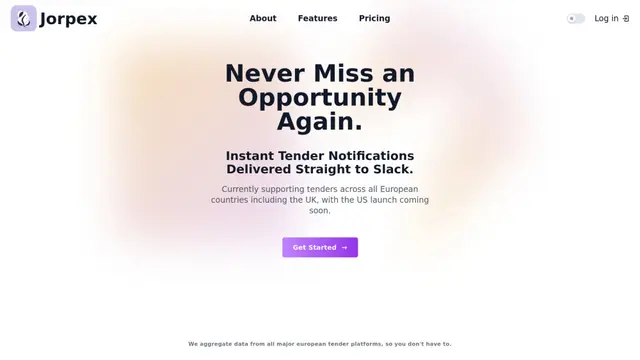
Jorpex ist eine umfassende Plattform für Ausschreibungsbenachrichtigungen, die sofortige Ausschreibungsalarme aus verschiedenen europäischen Ländern direkt an Slack aggregiert und liefert, sodass Unternehmen keine Möglichkeiten verpassen.
Leadsmrt
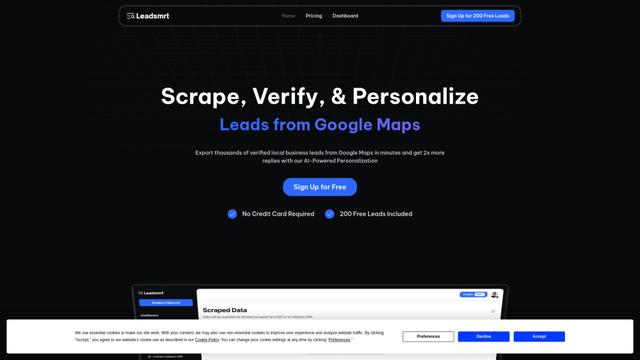
Leadsmrt ist ein Lead-Generierungstool, das Unternehmen hilft, gezielte Geschäftskontakte von Google Maps mit KI-gestützten Personalisierungsfunktionen zu scrapen, zu verifizieren und zu personalisieren.
Omnial AI
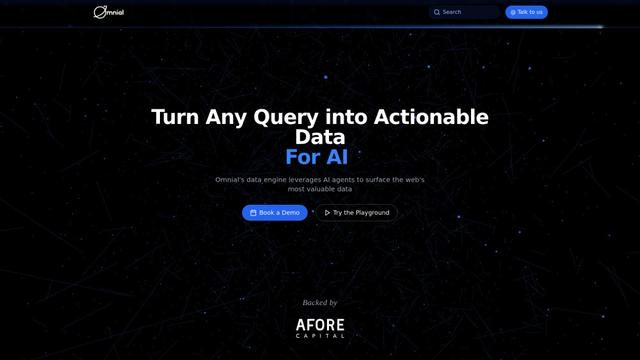
Omnial AI ist eine Datenintelligenzplattform, die KI-Agenten nutzt, um Webanfragen in strukturierte, umsetzbare Dateninsights zu transformieren, unterstützt von Afore Capital.
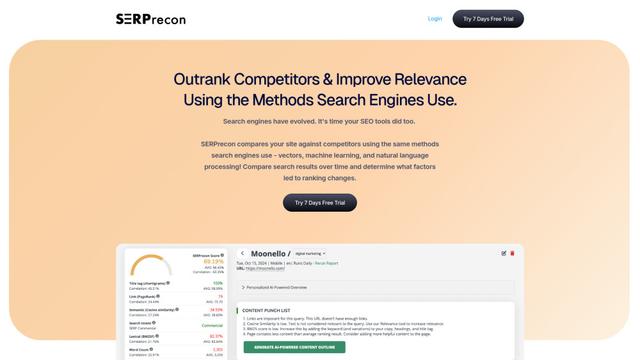
SERPrecon
SERPrecon ist ein fortschrittliches SEO-Tool, das Vektoren, maschinelles Lernen und Verarbeitung natürlicher Sprache nutzt, um Nutzern zu helfen, Wettbewerber zu analysieren und zu übertreffen, indem dieselben Methoden wie moderne Suchmaschinen verwendet werden.
Beliebte KI-Tools wie BrowserAct

Magentic-UI
Magentic-UI ist ein Open-Source-, auf den Menschen ausgerichteter Web-Agent-Prototyp von Microsoft Research, der die kollaborative Planung und Ausf\u00fchrung komplexer webbasierter Aufgaben durch transparente Interaktion zwischen Menschen und KI-Agenten erm\u00f6glicht.
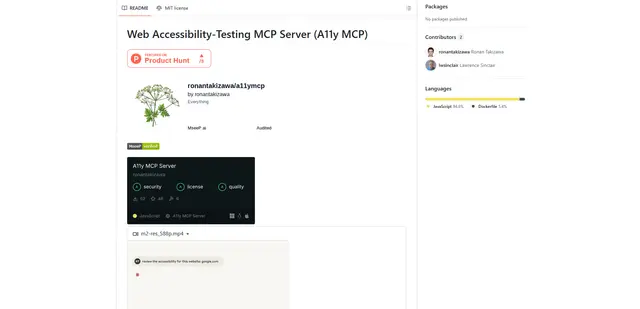
Web Accessibility Testing MCP
A11y MCP ist ein Model Context Protocol-Server, der es KI-Sprachmodellen ermöglicht, automatisierte Web-Barrierefreiheitstests durchzuführen, indem er mit der Axe-core-API von Deque und Puppeteer integriert wird, um Webinhalte auf WCAG-Konformität zu analysieren.

Open Browser Use
Open Browser Use ist eine Open-Source, Agenten-Laufzeit-neutrale Browser-Automatisierungsschicht, die eine Chrome-Erweiterung mit einer CLI/SDK/MCP koppelt, um DOM-bewusste, CDP-gesteuerte Tab-Steuerung, Navigation und Aktionen über verschiedene KI-Agenten-Tools hinweg zu ermöglichen.
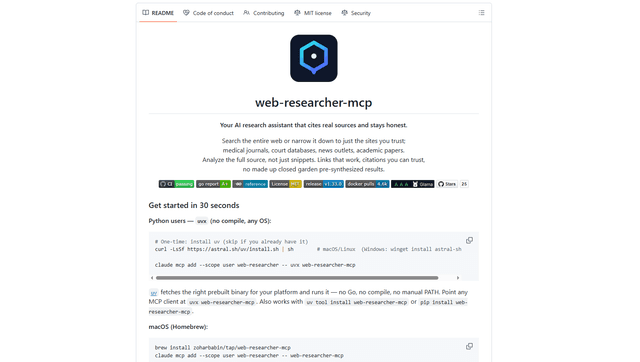
Web Researcher MCP
Web Researcher MCP ist ein lokaler, produktionsreifer MCP-Server, der KI-Assistenten ermöglicht, das Web zu durchsuchen (optional auf vertrauenswürdige „Suchlinsen“ beschränkt), vollständige Quellen zu lesen (einschließlich JS-gerenderter Seiten, PDFs und YouTube-Transkripte) und überprüfbare Zitate mit Multi-Provider-Failover zurückzugeben. [Quelle: https://github.com/zoharbabin/web-researcher-mcp?ref=producthunt]