
Avocado
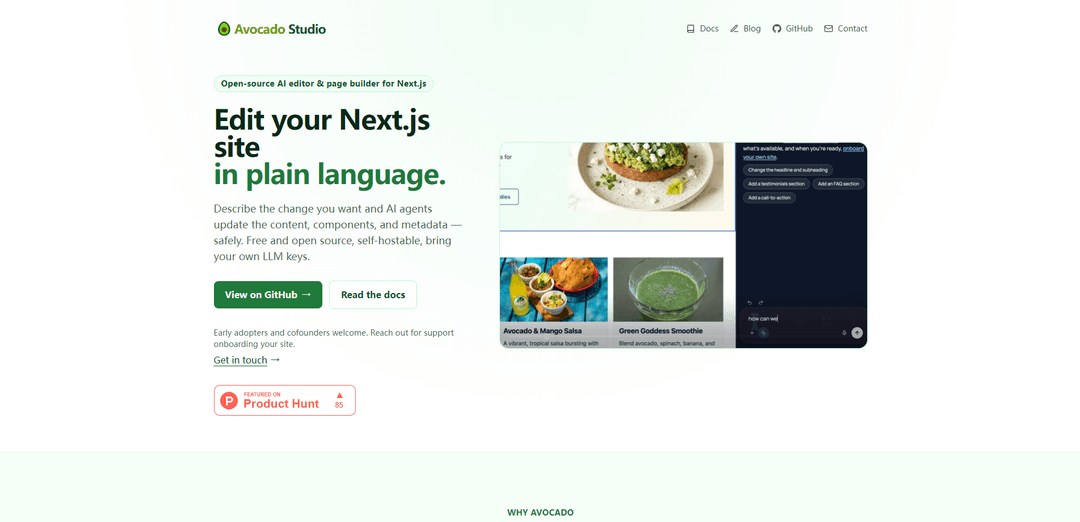
Avocado Studio is an open-source, self-hostable AI editor and orchestration layer for Next.js that lets you edit real site content in plain language, with live preview, multi-model (BYO keys) support, and integrations across your existing content stack.
https://www.avocadostudio.dev/?ref=producthunt
Product Information
Updated:Jul 8, 2026
What is Avocado
Avocado Studio is an AI-native layer designed to help teams edit and publish modern web content without replacing their current tools. Positioned as “not another CMS” and “not another AI writing tool,” it focuses on safely applying AI-driven changes to actual website artifacts—components, metadata, and publishing steps—while remaining open, composable, and developer-friendly. It’s free and open source (MIT-licensed), self-hostable, and built to work with Next.js today while extending to CMS, DAM, design systems, localization tools, and publishing pipelines over time.
Key Features of Avocado
Avocado Studio is an open-source, self-hostable AI editor and page builder for Next.js that lets teams edit real website content in plain language. It orchestrates AI agents to safely update components, metadata, and publishing steps with live preview, while integrating with existing systems like CMSs, DAMs, design systems, localization tools, and publishing pipelines. It supports multiple AI providers (e.g., Anthropic, OpenAI, Gemini), is API-first and Git-friendly, and is positioned as an AI-native content operations layer—not a replacement CMS or a generic AI writing tool.
Plain-language AI editing: Describe changes in natural language and AI agents update actual site artifacts (content, components, metadata) rather than only generating copy.
Live preview in Next.js: See updates instantly inside your Next.js application as agents modify content and layouts in real time.
Open orchestration layer (not a CMS): Sits between AI models and your existing stack to coordinate editing, review, and publishing without replacing your current tools.
Multi-model support (BYO LLM keys): Route different tasks to different providers (Anthropic, OpenAI, Gemini) for text, images, and multimodal workflows using your own API keys.
Self-hostable & open-source core: Deploy on your own infrastructure for control over data, prompts, integrations, and governance; avoids proprietary lock-in.
Developer- and platform-team friendly: API-first, extensible adapters, streaming workflows, and Git-friendly processes designed to fit modern engineering and platform practices.
Use Cases of Avocado
AI-assisted website updates for marketing teams: Marketing teams can request page edits in plain language while keeping component constraints, schema, and review rules intact on Next.js sites.
Content operations across CMS/DAM/localization: Coordinate approvals, media handling, localization, and publishing steps across existing systems for consistent, auditable releases.
E-commerce merchandising and landing page iteration: Rapidly update product storytelling, promotional landing pages, and metadata while maintaining design system consistency and previewing changes live.
SaaS documentation and product site maintenance: Keep product pages and documentation-like site sections current by letting agents apply structured edits and metadata updates safely.
Creative workflows combining images + copy: Generate or edit images alongside structured content using multimodal models, then route outputs through your existing publishing workflow.
Pros
Open-source and self-hostable, enabling strong control over data, prompts, and integrations
Works with existing stack (CMS/DAM/design system) to reduce migration risk and lock-in
Multi-model routing with BYO keys supports flexible cost/performance tradeoffs
Live preview and agentic editing can speed up iteration on real Next.js sites
Cons
Currently focused on Next.js as the starting point; broader stack support may require additional setup/adapters
Self-hosting and integration work can increase engineering effort compared to managed platforms
Reliance on third-party model APIs means cost/latency and provider changes must be managed by the user
How to Use Avocado
1) Confirm you’re using a Next.js site (starting point): Avocado Studio is positioned to “start with Next.js websites today.” Pick the Next.js app you want to edit with AI and make sure you can run it locally so you can use live preview while changes are applied.
2) Decide your deployment mode (self-hosted): Plan to run Avocado Studio on your own infrastructure (self-hosted) so you control data, prompts, APIs, and integrations. This is the intended setup described in the product positioning.
3) Bring your own LLM keys (choose providers): Obtain API keys for the models you want to use (e.g., Anthropic, OpenAI, Gemini). Avocado supports “multi-model AI” and “bring your own models,” so you can route different tasks (text, images, multimodal) to different providers.
4) Connect Avocado Studio to your Next.js site for live preview: Configure Avocado so it can show changes instantly in your Next.js application (“Live Preview”). The goal is to see the site update in real time while AI agents modify content, components, and layouts.
5) Integrate your existing content stack (optional but recommended): If you already use a CMS, DAM, design system, localization tools, or publishing pipelines, connect them so Avocado can orchestrate workflows across your existing tools rather than replacing them.
6) Start an AI-assisted editing session (plain-language change request): Describe the change you want in plain language. Avocado’s agents are designed to update real structured website content—components, metadata, and publishing steps—while preserving schema and governance rules.
7) Review structured changes (components + metadata, not just text): Inspect what the agents changed: page content, component structure, and metadata. Avocado is explicitly “not just text generation,” so validate that edits respect your component model and any schema constraints.
8) Iterate with live preview until the page is correct: Use the live preview loop: request adjustments in natural language, watch updates appear in the Next.js preview, and refine until the layout/content matches your intent.
9) Use multimodal workflows when needed (images + copy together): For pages that need both visuals and text, use supported image capabilities from your chosen provider (Claude/OpenAI/Gemini) alongside structured content editing, so assets and copy are updated together.
10) Run connected workflows (review → approval → publish): Coordinate publishing workflows across systems (CMS, DAM, localization, approvals). Avocado is designed to link editing, approvals, publishing, media, and localization into one controlled workflow.
11) Keep it Git-friendly (developer workflow): Use Avocado in a way that fits developer/platform teams: keep changes compatible with Git workflows and your existing frontend stack, so edits can be reviewed and tracked like normal code/content changes.
12) Extend beyond the initial Next.js site over time: After proving the workflow on one Next.js site, expand Avocado’s orchestration layer to more of your composable architecture (additional sites, more content systems, more workflow steps).
13) Get onboarding support / early access if needed: If you need help onboarding your site, contact the team via the provided early access channel ([email protected]) for support.
Avocado FAQs
Avocado Studio is an open-source, AI-assisted editor and page builder for Next.js. It acts as an orchestration layer between AI models and your existing content systems to coordinate editing and publishing workflows.
Avocado Video
Popular Articles

Vosko AI: Localize and Dub Videos for Global Audiences
Oct 15, 2026

Atoms: A Multi-Agent AI Platform That Transforms Ideas into Launch-Ready Products
Oct 13, 2026

Nano Banana SBTI: What It Is, How It Works, and How to Use It in 2026
Apr 15, 2026

Atoms Review — The AI Product Builder Redefining Digital Creation in 2026
Apr 10, 2026
Latest AI Tools Similar to Avocado

GPT Easy Web
GPT Easy Web is a user-friendly AI-powered platform that enables users to easily build, customize and manage websites through natural language interactions and automated tools without requiring coding knowledge.
AI Website Tool
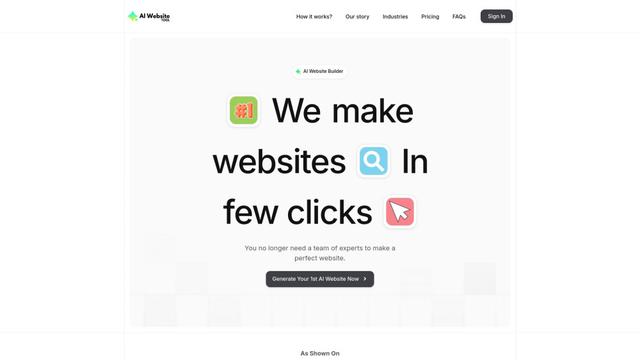
AI Website Tool is an AI-powered website builder that creates professional websites in minutes by automatically generating business-focused copy, custom visuals, and responsive designs with just a few clicks.

Softgen
Softgen.ai is an AI-powered full-stack project generator platform that enables users to transform their ideas into functional web applications without coding requirements.

Webifier
Webifier is an AI-powered tool that transforms text prompts into fully functional React landing pages with clean, exportable code using NextJS14, TailwindCSS, and Shadcn components.
Popular AI Tools Like Avocado
Adobe Express
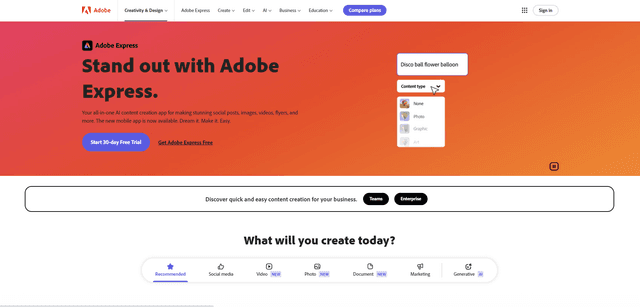
Adobe Express is an all-in-one AI-powered content creation app for easily making stunning social posts, images, videos, flyers, and more with professionally designed templates and assets.

Hostinger
Hostinger is a web hosting and domain service provider offering AI-powered tools like Horizons that enables anyone to build, edit, and publish custom web apps and websites without coding through a simple chat interface.

GPT Engineer
GPT Engineer is an AI-powered software development tool that enables anyone to build web applications by chatting with an AI engineer.
Manus Shopify Connector
Manus Shopify Connector lets you build a Shopify-backed storefront, manage your catalog, and generate data-driven campaigns from a single chat—using Shopify APIs with OAuth-scoped access and Shopify checkout.