
Manus Shopify Connector
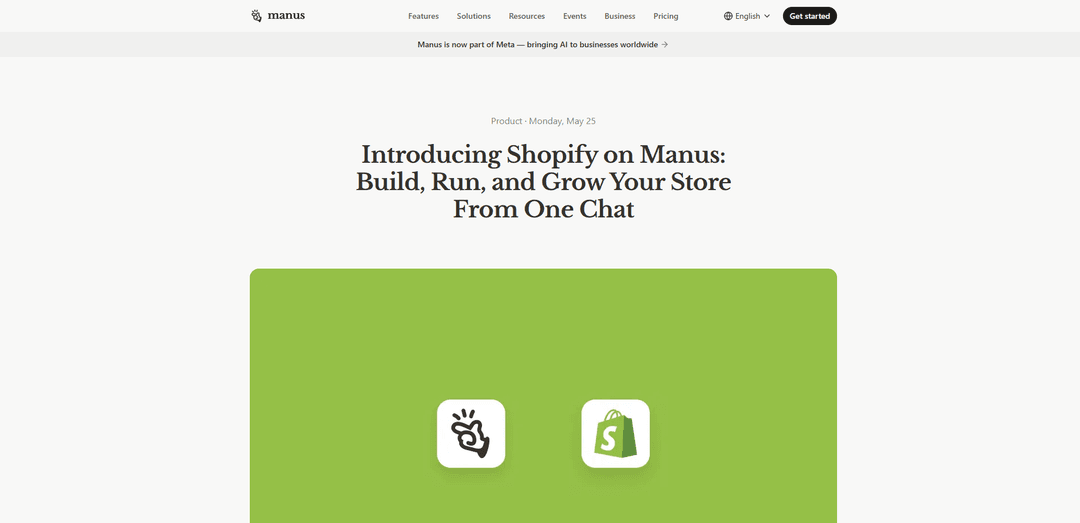
Konektor Manus Shopify memungkinkan Anda membangun etalase yang didukung Shopify, mengelola katalog Anda, dan menghasilkan kampanye berbasis data dari satu obrolan—menggunakan API Shopify dengan akses lingkup OAuth dan checkout Shopify.
https://manus.im/blog/manus-shopify-connector?ref=producthunt&utm_source=aipure
Informasi Produk
Diperbarui:Jun 8, 2026
Tren Traffic Bulanan Manus Shopify Connector
Manus Shopify Connector menerima 14.5m kunjungan bulan lalu, menunjukkan Pertumbuhan Sedikit sebesar 4.5%. Berdasarkan analisis kami, tren ini sejalan dengan dinamika pasar yang umum di sektor alat AI.
Lihat riwayat trafficApa itu Manus Shopify Connector
Konektor Manus Shopify adalah integrasi yang membawa pembuatan toko Shopify dan operasi perdagangan sehari-hari ke dalam pengalaman obrolan Manus. Anda dapat menjelaskan merek dan bisnis Anda dalam satu perintah dan Manus akan membuat cetak biru dan membangun pratinjau etalase lengkap (branding, navigasi, halaman produk, dan keranjang), sementara Shopify tetap menjadi lapisan perdagangan untuk katalog, pesanan, dan checkout. Ini berfungsi untuk toko pengembangan Shopify (sehingga Anda dapat memulai dari awal) dan toko langsung yang sudah ada, dan sedang diluncurkan ke tingkatan Manus berbayar.
Fitur Utama Manus Shopify Connector
Konektor Manus Shopify memungkinkan Anda membangun, mengelola, dan mengembangkan toko Shopify dari satu obrolan. Ini dapat membuat toko pengembangan Shopify dari prompt merek, menghasilkan etalase (halaman, navigasi, kisi produk, PDP) yang mengarahkan checkout ke Shopify, dan kemudian mengelola operasi yang sedang berlangsung—pembuatan produk massal dari spreadsheet plus gambar, organisasi koleksi, pembaruan inventaris, dan audit katalog. Ini juga membaca data penjualan Shopify dan tingkat pesanan untuk menghasilkan ide kampanye dan materi iklan yang didasarkan pada kinerja nyata, sambil menjaga pembayaran dan checkout di dalam Shopify dan mengikuti cakupan OAuth Shopify; ini tidak menyimpan PII pelanggan di luar sesi.
Pembangunan etalase berbasis obrolan: Jelaskan bisnis Anda dan nuansa yang diinginkan; Manus membuat draf cetak biru dan membangun pengalaman etalase lengkap (branding, navigasi, bagian beranda, halaman produk) yang terhubung ke Shopify.
Bekerja dengan toko dev dan live (klaim saat siap): Mulai di toko pengembangan Shopify tanpa pengaturan, lalu "klaim" toko untuk pindah ke toko Shopify live di bawah kepemilikan Anda saat Anda siap menerima pesanan.
Operasi katalog melalui baca/tulis Shopify API: Menggunakan Shopify API untuk membaca dan menulis produk, harga, koleksi, diskon, dan data toko langsung ke admin Shopify yang sudah Anda gunakan, menjaga perubahan tetap sinkron.
Pembuatan daftar massal dari spreadsheet + gambar: Unggah file Excel/Sheets dan foto produk; Manus mencocokkan gambar dengan SKU, membuat draf deskripsi dengan suara merek Anda, dan mengatur item ke dalam koleksi.
QA dan pemeliharaan katalog: Audit daftar produk untuk deskripsi yang hilang, teks alternatif, atau harga dan terapkan perbaikan; atur ulang SKU ke dalam koleksi dan tampilkan koleksi di beranda.
Pembuatan kampanye berbasis penjualan: Membaca kinerja tingkat penjualan dan pesanan untuk mengidentifikasi produk yang lambat bergerak/berkinerja tinggi dan menghasilkan ringkasan kampanye, penawaran, dan materi iklan berdasarkan hasil toko yang sebenarnya.
Kasus Penggunaan Manus Shopify Connector
Peluncuran merek DTC baru (misalnya, lilin, kecantikan, makanan ringan): Beralih dari ide ke draf etalase Shopify dalam satu percakapan dengan contoh produk dan salinan sesuai merek, lalu klaim dan luncurkan saat siap.
Migrasi Grosir-ke-Shopify: Ubah spreadsheet SKU yang ada dan folder gambar produk menjadi katalog Shopify terstruktur dengan judul, deskripsi, dan koleksi yang konsisten.
Merchandising koleksi musiman (fashion/CPG): Atur ulang produk ke dalam koleksi musiman baru, tulis deskripsi koleksi, dan perbarui fitur beranda untuk mendukung peluncuran atau promosi.
Pembaruan inventaris setelah pengiriman (operasi ritel): Impor jumlah stok baru dari spreadsheet dan tandai item stok rendah (misalnya, di bawah lima unit) untuk memprioritaskan pengisian ulang atau promosi.
Pemasaran kinerja untuk tim e-commerce: Gunakan data penjualan Shopify untuk menemukan SKU yang lambat bergerak, lalu hasilkan konsep kampanye, salinan, dan penawaran yang ditargetkan; secara opsional diperluas ke saluran yang terhubung jika tersedia.
Lokalisasi / pementasan etalase multi-pasar: Siapkan pengalaman etalase kedua untuk wilayah baru dengan salinan dan harga yang dilokalkan sambil menjaga Shopify sebagai backend perdagangan.
Kelebihan
Alur kerja end-to-end dalam satu obrolan: membangun etalase, mengelola katalog, dan menghasilkan kampanye tanpa berpindah-pindah alat.
Otomatisasi operasional yang kuat: unggahan massal dari spreadsheet + gambar, pencocokan SKU-ke-gambar, organisasi koleksi, dan pembaruan inventaris.
Menjaga checkout/pembayaran Shopify tetap utuh: pengalaman front-end terhubung ke checkout Shopify, mengurangi kompleksitas penanganan pembayaran.
Postur privasi/cakupan: mengikuti cakupan OAuth Shopify dan tidak menyimpan PII pelanggan di luar sesi (sesuai dokumentasi).
Kekurangan
Tidak menggantikan tema Shopify Anda: Manus membangun etalase terpisah yang terhubung ke Shopify, yang mungkin menambah permukaan lain untuk dikelola.
Konten yang dihasilkan AI mungkin perlu penyempurnaan: deskripsi dan output merchandising bisa menjadi generik sampai Anda memberikan spesifikasi merek dan produk yang lebih ketat.
Go-live memerlukan langkah klaim manual: hanya pedagang yang dapat mengklaim/mentransfer toko dev ke toko Shopify live di bawah akun mereka.
Cara Menggunakan Manus Shopify Connector
1) Dapatkan akses ke konektor Shopify: Pastikan Anda berada di tingkatan Manus berbayar (Shopify di Manus sedang diluncurkan ke semua tingkatan berbayar). Buka Manus dan buka Integrasi/Konektor untuk menemukan Shopify.
2) Hubungkan Shopify ke Manus (OAuth): Di Manus, buka Integrasi dan hubungkan Shopify. Masuk ke Shopify dan setujui cakupan OAuth yang diminta agar Manus dapat membaca/menulis data toko yang dibutuhkan (misalnya, produk, harga, koleksi, diskon; dan membaca data tingkat penjualan/pesanan untuk analitik).
3) Pilih jalur awal Anda: toko baru atau toko yang sudah ada: Jika Anda baru, beri tahu Manus bahwa Anda ingin membuat toko Shopify dan jelaskan apa yang Anda jual, untuk siapa, dan tampilan/nuansa yang diinginkan. Jika Anda sudah memiliki toko Shopify, hubungkan dan beri tahu Manus apa yang ingin Anda bangun/kelola/kembangkan menggunakan katalog dan data Anda yang sudah ada.
4) (Toko baru) Minta Manus membuat draf toko pengembangan Shopify: Berikan perintah kepada Manus dengan konsep bisnis Anda. Manus akan menyiapkan toko pengembangan Shopify dan menghasilkan draf etalase lengkap (branding, navigasi, bagian beranda, kisi produk, halaman detail produk, dan keranjang yang mengarah ke checkout Shopify).
5) Tinjau cetak biru dan ulangi dalam obrolan: Manus biasanya membuat cetak biru sebelum membangun. Minta perubahan (nada, tata letak, koleksi, bagian pahlawan, lokalisasi, mata uang harga) dan ulangi hingga draf etalase sesuai dengan niat Anda.
6) Klaim toko saat Anda siap untuk tayang (alur toko baru): Setelah puas, klik “Klaim” di Manus. Di bawah Integrasi, masuk ke Shopify untuk memindahkan toko dari mode pengembangan ke toko langsung dengan nama Anda (ini adalah langkah terakhir yang hanya dapat Anda lakukan).
7) Buat daftar produk secara massal dari spreadsheet + gambar: Dengan konektor Shopify aktif, masukkan spreadsheet SKU Anda (ekspor Excel/Sheets) dan gambar produk ke dalam obrolan Manus. Minta Manus untuk membuat daftar Shopify untuk setiap baris, mencocokkan gambar dengan SKU, membuat draf deskripsi dengan suara merek Anda, dan mengatur produk ke dalam koleksi.
8) Audit dan perbaiki katalog Anda di tempat: Minta Manus untuk mengaudit halaman Produk Anda untuk deskripsi yang hilang, teks alternatif, atau harga dan untuk memperbaiki masalah langsung di katalog Shopify Anda melalui konektor.
9) Atur ulang koleksi dan tampilkan di beranda: Beri tahu Manus untuk memindahkan SKU tertentu ke koleksi baru atau yang sudah ada, menulis deskripsi koleksi, dan memperbarui merchandising beranda (misalnya, menampilkan koleksi baru atau membangun kembali beranda di sekitar koleksi pahlawan).
10) Perbarui inventaris dari spreadsheet pengiriman: Unggah spreadsheet dengan jumlah stok yang diperbarui dan minta Manus untuk memperbarui tingkat inventaris dan menandai item stok rendah (misalnya, apa pun di bawah lima unit).
11) Gunakan data penjualan Shopify untuk menemukan peluang: Ajukan pertanyaan seperti: produk mana yang bergerak lambat, koleksi mana yang berkinerja lebih baik, atau siapa pelanggan tetap. Manus membaca data tingkat penjualan/pesanan Shopify Anda (dalam cakupan OAuth) untuk menghasilkan jawaban berdasarkan angka toko Anda.
12) Ubah wawasan menjadi kampanye (kreatif + penawaran): Minta Manus untuk membuat ringkasan kampanye, ide promo, dan materi iklan siap saluran berdasarkan data Shopify Anda (misalnya, membuat konsep iklan Instagram untuk SKU yang bergerak lambat, masing-masing dengan kode promo sendiri).
13) (Opsional) Hubungkan saluran tambahan untuk melaksanakan kampanye secara menyeluruh: Jika Anda juga menghubungkan akun email/sosial/iklan, minta Manus untuk membuat draf dan menjadwalkan email, menyiapkan postingan Instagram, atau menyiapkan iklan berbayar—menggunakan data kinerja Shopify sebagai dasar untuk pesan dan penawaran.
14) Konfirmasi checkout dan operasi tetap di Shopify: Pertahankan Shopify sebagai lapisan perdagangan: katalog, inventaris, pesanan, dan checkout tetap di Shopify. Manus membangun/memperbarui pengalaman etalase dan menulis perubahan katalog melalui API Shopify; pembayaran dan checkout tetap di dalam Shopify.
FAQ Manus Shopify Connector
Ini adalah integrasi yang memungkinkan Anda membangun, mengelola, dan mengembangkan toko Shopify dari satu obrolan Manus. Manus dapat menggunakan API Shopify untuk membaca dan menulis produk, harga, koleksi, dan diskon di admin Shopify Anda sementara Shopify terus menangani hosting, pembayaran, pajak, pengiriman, dan checkout.
Video Manus Shopify Connector
Artikel Populer

Vosko AI: Lokalisasi dan Sulih Suara Video untuk Audiens Global
Oct 15, 2026

Atoms: Platform AI Multi-Agen yang Mengubah Ide menjadi Produk Siap Diluncurkan
May 22, 2026

Nano Banana SBTI: Apa Itu, Bagaimana Cara Kerjanya, dan Cara Menggunakannya di Tahun 2026
Apr 15, 2026

Ulasan Atoms — Pembuat Produk AI yang Mendefinisikan Ulang Kreasi Digital di Tahun 2026
Apr 10, 2026
Analitik Situs Web Manus Shopify Connector
Lalu Lintas & Peringkat Manus Shopify Connector
14.5M
Kunjungan Bulanan
#3458
Peringkat Global
#8
Peringkat Kategori
Tren Lalu Lintas: Mar 2025-Oct 2025
Wawasan Pengguna Manus Shopify Connector
00:07:21
Rata-rata Durasi Kunjungan
5.18
Halaman Per Kunjungan
35.93%
Tingkat Pentalan Pengguna
Wilayah Teratas Manus Shopify Connector
BR: 34.46%
US: 11.12%
JP: 6.18%
SA: 3.29%
CN: 2.8%
Others: 42.16%
Alat AI Terbaru Serupa dengan Manus Shopify Connector
GPT Easy Web
GPT Easy Web adalah platform ramah pengguna yang didukung AI yang memungkinkan pengguna untuk dengan mudah membangun, menyesuaikan, dan mengelola situs web melalui interaksi bahasa alami dan alat otomatis tanpa memerlukan pengetahuan pemrograman.
AI Website Tool
AI Website Tool adalah pembangun situs web yang didukung AI yang membuat situs web profesional dalam hitungan menit dengan secara otomatis menghasilkan salinan yang berfokus pada bisnis, visual kustom, dan desain responsif hanya dengan beberapa klik.

Softgen
Softgen.ai adalah platform generator proyek full-stack bertenaga AI yang memungkinkan pengguna mengubah ide mereka menjadi aplikasi web fungsional tanpa persyaratan pengkodean.
Webifier
Webifier adalah alat bertenaga AI yang mengubah permintaan teks menjadi halaman arahan React yang sepenuhnya fungsional dengan kode yang bersih dan dapat diekspor menggunakan NextJS14, TailwindCSS, dan komponen Shadcn.
Alat AI Populer Seperti Manus Shopify Connector
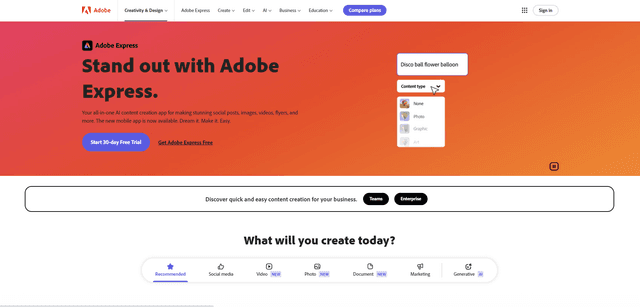
Adobe Express
Adobe Express adalah aplikasi pembuatan konten berbasis AI serba guna untuk dengan mudah membuat pos sosial yang menakjubkan, gambar, video, selebaran, dan lainnya dengan template dan aset yang dirancang secara profesional.
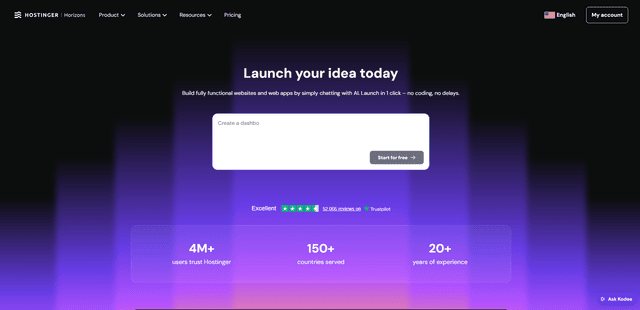
Hostinger
Hostinger adalah penyedia layanan web hosting dan domain yang menawarkan alat bertenaga AI seperti Horizons yang memungkinkan siapa saja untuk membangun, mengedit, dan menerbitkan aplikasi web dan situs web khusus tanpa coding melalui antarmuka obrolan sederhana.

GPT Engineer
GPT Engineer adalah alat pengembangan perangkat lunak bertenaga AI yang memungkinkan siapa saja untuk membangun aplikasi web dengan berbincang dengan insinyur AI.
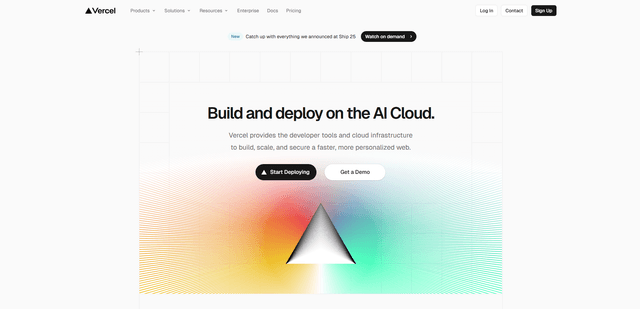
Vercel
Vercel adalah platform cloud yang menyediakan alat pengembang, kerangka kerja, dan infrastruktur untuk membangun, menerapkan, menskalakan, dan mengamankan aplikasi web modern dengan fitur seperti fungsi tanpa server, CDN global, dan kemampuan AI.