
Augment Code
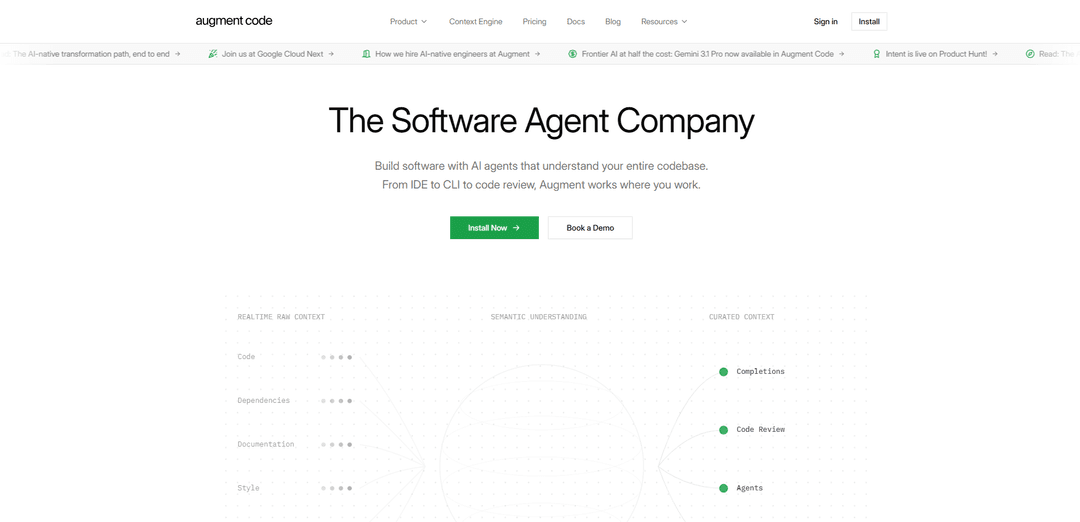
Augment Code is an AI-powered developer platform built for professional software engineers and large codebases, featuring an industry-leading Context Engine that maintains a live understanding of your entire stack to deliver superior code through AI agents, code completions, and intelligent code review.
https://www.augmentcode.com/?ref=producthunt
Product Information
Updated:Apr 16, 2026
What is Augment Code
Augment Code is a comprehensive AI coding assistant designed specifically for professional software engineers working with large, complex codebases. Unlike other AI coding tools that rely solely on the same language models, Augment Code differentiates itself through its proprietary Context Engine, which maintains a deep, live understanding of your entire technology stack—including code, dependencies, architecture, and history. Available as extensions for VS Code and JetBrains IDEs, as well as a powerful CLI tool, Augment Code integrates seamlessly into developers' existing workflows. The platform is trusted by engineering teams at major companies including MongoDB, Spotify, Webflow, and Crypto.com, and has demonstrated superior performance on industry benchmarks, ranking #1 on the SWE-Bench Pro leaderboard with a 51.80% success rate.
Key Features of Augment Code
Augment Code is an AI-powered developer platform built specifically for professional software engineers working with large, complex codebases. It features an industry-leading Context Engine that maintains a live understanding of entire codebases—including code, dependencies, architecture, and history—with a 200,000-token context window. The platform offers AI agents that work across IDEs (VS Code and JetBrains), CLI, and code review workflows, providing features like autonomous multi-file changes, intelligent code completions, chat-based codebase queries, and proactive 'Next Edit' suggestions. Augment integrates with GitHub, Jira, Confluence, and Slack, supports multiple AI models including Claude Sonnet 4/4.5 and GPT-5, and maintains enterprise-grade security with SOC 2 Type II and ISO 42001 certifications.
Context Engine with 200K Token Window: Maintains a comprehensive, live understanding of entire codebases including architecture, dependencies, legacy code, and change history, enabling more accurate and context-aware code generation compared to competitors with smaller context windows.
Autonomous IDE Agents: AI agents that handle complex, multi-file code changes autonomously with task lists for multi-step work, automatic memory across sessions, and turn-by-turn guidance for refactors, dependency upgrades, and schema updates.
Next Edit Proactive Suggestions: Anticipates the ripple effects of code changes and automatically suggests necessary follow-up edits across other files, tracking progress across sessions without requiring re-prompting at every step.
AI-Powered Code Review: Provides inline comments in GitHub pull requests with full codebase context, catching critical bugs with high precision and recall, and offering one-click fixes directly in the IDE.
Intent Workspace: A coordinated development environment where multiple agents work together on tasks, specs stay alive and evolve with the project, and work happens in isolated environments with living specifications.
CLI Integration (Auggie): Full-featured terminal integration bringing the same Context Engine and powerful agents to command-line workflows, with personalized prompt suggestions and shell integration for engineers who prefer terminal-based development.
Use Cases of Augment Code
Large-Scale Codebase Refactoring: Enterprise teams working with massive, complex codebases (like Elasticsearch with 3.6M Java LOC) can use Augment to perform comprehensive refactors, dependency upgrades, and schema migrations with coordinated changes across multiple files and repositories.
Developer Onboarding and Knowledge Transfer: New developers joining teams can quickly get up to speed by using the chat feature to ask questions about authentication logic, code dependencies, and architecture patterns, accelerating onboarding in large enterprise environments.
Cross-Repository Development: Teams managing multiple related repositories can refactor shared libraries and automatically update all downstream consumers in one session, with the agent understanding cross-repo dependencies and keeping changes synchronized.
Design-to-Code Implementation: Product teams can drop in screenshots, mockups, or Figma files, and the agent interprets visual context to translate designs into production-ready code that matches existing project patterns and architecture.
Regulated Industry Development: Companies in healthcare, finance, and other regulated sectors can leverage Augment's SOC 2 Type II and ISO 42001 certifications, with options for private cloud or air-gapped deployments, while maintaining code quality and compliance.
Pull Request Quality Assurance: Development teams can automate code review processes with AI-powered reviews that provide senior engineer-level feedback, catching critical bugs and edge cases before merging, integrated directly into GitHub workflows.
Pros
Superior context understanding with 200,000-token capacity significantly outperforming competitors like GitHub Copilot (64k tokens)
Strong security and compliance features including SOC 2 Type II, ISO 42001 certifications, and policies prohibiting training on user code (unlike some competitors)
Production-ready code quality with verified benchmarks showing #1 ranking on HumanEval (65.4%) and top performance on SWE-Bench Pro (51.80%)
Comprehensive multi-platform support including VS Code, JetBrains, CLI, Slack, and GitHub integration with consistent experience across all tools
Cons
Higher pricing compared to some competitors, with paid plans starting at $50/month for 600 messages and limited free tier (50 messages/month)
Limited image support and web search capabilities reported by users, though image support is reportedly coming soon
May be overpowered for small projects or individual developers working on simple codebases, as it's specifically built for large, complex enterprise environments
Requires syncing/indexing process for codebases which may take time for very large repositories
How to Use Augment Code
1. Install Augment Code: Download and install the Augment Code extension for your preferred IDE. Available for VS Code (from Visual Studio Marketplace), JetBrains IDEs (from JetBrains Plugin Marketplace), or Vim. You can also install the CLI tool for terminal-based usage.
2. Sign in to Augment: After installation, sign in to the Augment service using your account credentials. For VS Code/JetBrains, this is done through the extension interface. For CLI, use the command 'auggie signin' or ':Augment signin' in Vim.
3. Configure workspace folders: Tell Augment about your project by adding workspace folders to your config file. This helps Augment's Context Engine understand your codebase better by indexing your entire project structure, dependencies, and architecture. Use absolute paths or paths relative to your home directory (~).
4. Use code completions: Open a source file in your project and start typing. Augment will provide context-aware code completions based on your codebase. Press Tab to accept a suggestion, or keep typing to refine the suggestions. The completions understand your project's patterns and conventions.
5. Chat with Augment Agent: Use the chat feature to ask questions about your codebase or request specific changes. In VS Code/JetBrains, press Cmd/Ctrl+I to open the chat. In CLI, use 'auggie' command or ':Augment chat' in Vim. Describe what you want in plain language, such as 'Add dark mode support to the app'.
6. Use the /specify command for complex tasks: For larger features, use the /specify command to create a detailed technical spec. Example: 'auggie /specify "Add dark mode support to the app with user preference stored in local storage"'. Augment will turn your plain language description into a structured specification.
7. Let agents handle multi-step tasks: Augment agents can tackle complex, multi-file edits autonomously. They use task lists to break down complex work into steps, maintain automatic memories across sessions, and coordinate multiple agents for parallel work. Review the suggested changes in a diff view before accepting.
8. Use Intent for coordinated development: For macOS users, use Augment Intent - a desktop app where multiple agents coordinate tasks, specs stay alive, and work happens in isolated environments. Agents work in parallel on different aspects of your feature while maintaining consistency.
9. Enable Code Review integration: Install Augment Code Review for GitHub to get AI-powered code reviews on pull requests. Augment will provide inline comments with full codebase context, catching critical bugs and suggesting improvements. One-click fixes can be applied directly in your IDE.
10. Use CLI for terminal workflows: For command-line workflows, use 'auggie' in your terminal. It provides the same Context Engine and agents as the IDE extensions. Use 'auggie --print "your task"' for automation, or interactive mode for conversational coding assistance.
11. Review and apply changes: When Augment suggests code changes, review them carefully in the diff view. The changes will be context-aware and match your codebase's style. Click 'Apply' or press the accept shortcut to merge the changes into your code. Augment creates new tabs for major refactors.
12. Leverage persistent memory: Augment agents maintain automatic memories across sessions, understanding your project's architecture, your preferences, and previous conversations. This allows for more contextual and relevant suggestions over time without repeating context.
Augment Code FAQs
Augment Code is an AI-powered developer platform that helps you understand code, debug issues, and ship faster. What sets it apart is its Context Engine, which maintains a live understanding of your entire stack—code, dependencies, architecture, and history. While every AI coding tool uses the same models, Augment's Context Engine provides superior code quality by deeply understanding your codebase.
Augment Code Video
Popular Articles

Vosko AI: Localize and Dub Videos for Global Audiences
Oct 14, 2026

Atoms: A Multi-Agent AI Platform That Transforms Ideas into Launch-Ready Products
Oct 13, 2026

Nano Banana SBTI: What It Is, How It Works, and How to Use It in 2026
Apr 15, 2026

Atoms Review — The AI Product Builder Redefining Digital Creation in 2026
Apr 10, 2026
Latest AI Tools Similar to Augment Code

Gait
Gait is a collaboration tool that integrates AI-assisted code generation with version control, enabling teams to track, understand, and share AI-generated code context efficiently.

invoices.dev
invoices.dev is an automated invoicing platform that generates invoices directly from developers' Git commits, with integration capabilities for GitHub, Slack, Linear, and Google services.

EasyRFP
EasyRFP is an AI-powered edge computing toolkit that streamlines RFP (Request for Proposal) responses and enables real-time field phenotyping through deep learning technology.

Cart.ai
Cart.ai is an AI-powered service platform that provides comprehensive business automation solutions including coding, customer relations management, video editing, e-commerce setup, and custom AI development with 24/7 support.
Popular AI Tools Like Augment Code

GitHub Copilot Chat
GitHub Copilot Chat is an AI-powered coding assistant that provides natural language interactions, real-time code suggestions, and contextual support directly within supported IDEs and GitHub.com.

CopilotForXcode
CopilotForXcode is an Xcode Source Editor Extension that integrates GitHub Copilot, Codeium, and ChatGPT to provide AI-powered code suggestions, chat assistance, and prompt-to-code functionality within Xcode.

BrowserAI
BrowserAI is an open-source library that enables running local Large Language Models (LLMs) directly in web browsers with WebGPU acceleration, offering privacy-focused AI capabilities without requiring server infrastructure.

OpenAI Codex CLI
OpenAI Codex CLI is a lightweight, open-source coding agent that runs in your terminal, enabling developers to translate natural language into code execution while providing ChatGPT-level reasoning with the ability to run code, manipulate files, and iterate under version control.