
API to MCP
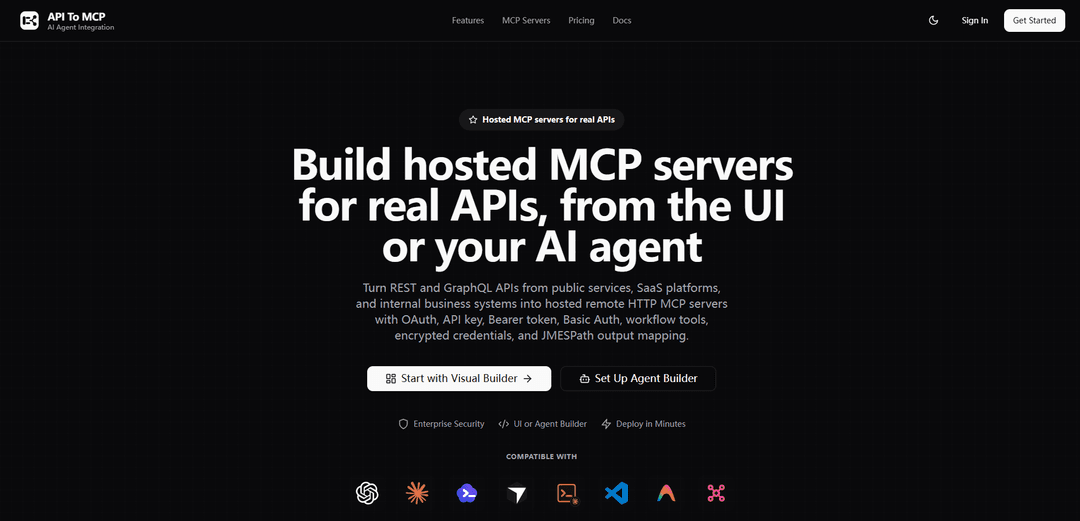
API to MCP turns REST and GraphQL APIs into hosted remote HTTP MCP servers in minutes, with OAuth/API-key auth, encrypted credentials, workflow tools, testing, deployment, and AI-agent-friendly tool discovery.
https://apitomcp.ai/?ref=producthunt
Product Information
Updated:Jul 8, 2026
What is API to MCP
API to MCP is a hosted platform for converting real-world APIs (REST, OpenAPI/Swagger, and GraphQL) into production-ready Model Context Protocol (MCP) servers that AI assistants and coding agents can use as tools. Instead of building and hosting custom MCP runtimes, teams can define API-backed tools, control authentication, shape outputs, and publish a managed MCP endpoint compatible with clients like ChatGPT, Claude, Codex, Cursor, and VS Code-based agents. It’s designed to make existing business systems, SaaS platforms, internal services, and even public data APIs usable by AI through a standardized, discoverable tool interface.
Key Features of API to MCP
API to MCP is a hosted platform that converts REST and GraphQL APIs into production-ready remote HTTP MCP servers so AI agents can discover and call your API as tools. It supports multiple upstream authentication models (including OAuth), separates upstream credentials from MCP server access controls, and provides a visual builder plus an agent-driven builder to define tools, test requests, shape outputs (JMESPath), and deploy managed MCP endpoints with SSL and usage tracking—without writing custom MCP runtime code.
REST + GraphQL to hosted MCP servers: Turn public, SaaS, or internal REST/GraphQL APIs into remote HTTP MCP endpoints that MCP-capable clients (ChatGPT, Claude, Cursor, VS Code, etc.) can connect to by URL.
Flexible authentication for real-world APIs: Supports No Auth, API Key, Bearer Token, Basic Auth, OAuth Client Credentials (machine-to-machine), and OAuth Authorization Code (per-user connections) to match common enterprise and SaaS auth patterns.
Separation of upstream auth vs MCP access: Configure how the MCP server itself is accessed (Open, OAuth/Bearer for clients, or Client Token) independently from the credentials used to call the upstream API.
Credential security + safe sharing: Stores API keys and OAuth secrets/tokens encrypted at rest and masked in the UI; snapshots avoid including live secrets or active connection tokens.
Tool creation, workflow tools, and output shaping: Define API tools and higher-level workflow tools, validate parameters, test endpoints before deployment, and map/trim responses using JMESPath so agents receive only the needed fields.
Two build modes: Visual Builder and AI Agent Builder: Use a guided dashboard for hands-on review and deployment, or connect the manager MCP server and let your IDE agent create/update/test/deploy servers from chat using a scoped manager token.
Use Cases of API to MCP
Internal business systems for employees: Expose controlled MCP tools over CRM/ERP/HR/finance/support APIs so employees can query and act through AI (e.g., ticket lookup, account status) with OAuth Authorization Code per user.
Marketing & SEO reporting automation: Wrap ad/analytics/search APIs (e.g., Meta Ads, Google Analytics, Search Console) into MCP tools for agents to generate recurring reports, inspections, and optimization workflows.
Commerce, billing, and support operations: Create MCP tools around payments, refunds, subscriptions, orders, and customer data (e.g., Stripe/Shopify-style APIs) to reduce routine support workload while keeping permissions scoped.
Developer productivity and ops visibility: Provide agents controlled access to engineering systems (repos, deployments, issues, observability) via MCP tools for faster triage, status checks, and operational workflows.
Public data MCP servers: Publish no-auth MCP servers for open data APIs (weather, country data, world bank, etc.) so anyone can connect by URL and query curated tool outputs.
Content and publishing workflows: Turn CMS/content platform APIs into MCP tools for lookup, drafting, publishing, and editorial operations (e.g., WordPress.com/Contentful/Webflow/Notion-style integrations).
Pros
Fast path from existing APIs to MCP without building custom MCP runtime code, with testing and deployment included.
Broad auth coverage (including per-user OAuth) plus separation of upstream credentials and MCP access controls.
Security-minded handling of secrets (encrypted at rest, masked UI) and safer sharing via snapshots without live tokens.
Works with many MCP-capable clients and supports agent-driven iteration through a manager MCP endpoint.
Cons
Hosted approach introduces platform dependency for runtime availability, governance, and long-term portability.
Advanced integrations may still require careful tool design/output mapping to avoid overly broad or noisy agent-facing responses.
OAuth and multi-tenant (per-user) setups can add configuration complexity compared with simple API-key integrations.
How to Use API to MCP
1) Choose your build path (Visual Builder vs Agent Builder): Use the Visual Builder dashboard when you want hands-on control over auth, tools, tests, and deployment settings. Use the AI Agent Builder when you want an IDE agent (Codex/Cursor/Claude Code, etc.) to create, update, test, deploy, and inspect MCP servers from chat via the manager MCP.
2) (Visual Builder) Create a new MCP server project in the dashboard: Start a new server in the guided flow. You’ll configure API access first, then define tools, test, and deploy.
3) Configure your upstream API base URL: Enter the REST or GraphQL API base URL you want to expose as MCP tools (public SaaS, internal systems, or open-data APIs).
4) Select upstream authentication (how API To MCP will call your API): Choose the auth model your API requires: No Auth (public APIs), API Key (header or query param), Bearer Token, Basic Auth, OAuth Client Credentials (machine-to-machine), or OAuth Authorization Code (per-employee/end-user connections). Credentials and tokens are encrypted at rest and masked in the UI.
5) Configure MCP access mode (how AI clients connect to the MCP server): Pick the MCP server access policy separately from upstream API auth: Open (public/agent-supplied upstream creds), OAuth/Bearer Token (authenticate the MCP connection), or Client Token (an extra access layer when needed).
6) Define MCP tools from your API operations: Create API tools (and optionally workflow tools). Provide clear tool names/descriptions and define input schemas (required vs optional fields, types). Keep the exposed tool set focused to avoid overwhelming the model.
7) Shape and minimize tool outputs (optional but recommended): Use JMESPath output mapping to return only the fields AI clients need, keeping responses compact and easier for models to reason over.
8) Test & validate tools in the builder: Run endpoint/tool tests before deployment to verify connectivity, authentication, parameter inference, response processing, and error handling.
9) Deploy the hosted MCP server: Deploy to the managed Streamable HTTP runtime to get a production MCP endpoint URL (e.g., https://your-subdomain.us-west.apitomcp.io/).
10) Call your MCP server from OpenAI Responses API (integration test): Use the Responses API with an MCP tool definition pointing at your deployed server URL and restrict tools via allowed_tools. Example: curl https://api.openai.com/v1/responses -H "Content-Type: application/json" -H "Authorization: Bearer $OPENAI_API_KEY" -d '{"model":"gpt-4o","input":[{"role":"user","content":[{"type":"input_text","text":"Show me the last 3 orders"}]}],"tools":[{"type":"mcp","server_url":"https://your-server.us-west.apitomcp.io/","allowed_tools":["get_orders"]}]}'
11) (Optional) Enable broad tool access and skip approvals for testing: When appropriate for a controlled test environment, you can allow all tools and disable approvals. Example pattern: tools: [{ type: "mcp", server_label: "your-server", server_url: "https://your-subdomain.us-west.apitomcp.io/", allowed_tools: "*", require_approval: "never" }].
12) Load test your MCP server (optional): Use tools like Apache Bench to test concurrency/throughput. Example: ab -n 100 -c 10 -T application/json -p test-payload.json https://your-server.us-west.apitomcp.io/ (where test-payload.json contains an MCP JSON-RPC request).
13) (Agent Builder) Connect the manager MCP to your coding agent: Add the API To MCP manager server URL to your MCP-capable agent: https://mcp.apitomcp.io/ and create a scoped manager token.
14) (Agent Builder) Ask your agent to create and iterate the MCP server: Prompt your agent with what to build (API base URL, auth model, desired tools, output shaping, tests). Example prompt: “Create an MCP server for our internal support platform using OAuth Authorization Code so each employee connects their own account. Add ticket lookup and workflow tools, test them, then return the MCP URL.”
15) Connect the deployed MCP URL to your preferred MCP clients: Use the hosted remote HTTP MCP endpoint with MCP-capable clients (ChatGPT, Claude, Codex, Cursor, Claude Code, VS Code, or custom agents). For desktop clients that prefer stdio, use an HTTP-to-stdio bridge such as mcp-remote when needed.
API to MCP FAQs
API to MCP is a hosted platform that turns real REST and GraphQL APIs into fully compliant Model Context Protocol (MCP) servers that AI agents can use as tools over remote HTTP.
Popular Articles

Vosko AI: Localize and Dub Videos for Global Audiences
Oct 15, 2026

Atoms: A Multi-Agent AI Platform That Transforms Ideas into Launch-Ready Products
Oct 13, 2026

Nano Banana SBTI: What It Is, How It Works, and How to Use It in 2026
Apr 15, 2026

Atoms Review — The AI Product Builder Redefining Digital Creation in 2026
Apr 10, 2026
Latest AI Tools Similar to API to MCP

Gait
Gait is a collaboration tool that integrates AI-assisted code generation with version control, enabling teams to track, understand, and share AI-generated code context efficiently.

invoices.dev
invoices.dev is an automated invoicing platform that generates invoices directly from developers' Git commits, with integration capabilities for GitHub, Slack, Linear, and Google services.

EasyRFP
EasyRFP is an AI-powered edge computing toolkit that streamlines RFP (Request for Proposal) responses and enables real-time field phenotyping through deep learning technology.

Cart.ai
Cart.ai is an AI-powered service platform that provides comprehensive business automation solutions including coding, customer relations management, video editing, e-commerce setup, and custom AI development with 24/7 support.
Popular AI Tools Like API to MCP

GitHub Copilot Chat
GitHub Copilot Chat is an AI-powered coding assistant that provides natural language interactions, real-time code suggestions, and contextual support directly within supported IDEs and GitHub.com.

CopilotForXcode
CopilotForXcode is an Xcode Source Editor Extension that integrates GitHub Copilot, Codeium, and ChatGPT to provide AI-powered code suggestions, chat assistance, and prompt-to-code functionality within Xcode.

BrowserAI
BrowserAI is an open-source library that enables running local Large Language Models (LLMs) directly in web browsers with WebGPU acceleration, offering privacy-focused AI capabilities without requiring server infrastructure.

OpenAI Codex CLI
OpenAI Codex CLI is a lightweight, open-source coding agent that runs in your terminal, enabling developers to translate natural language into code execution while providing ChatGPT-level reasoning with the ability to run code, manipulate files, and iterate under version control.