
a.v.r.i.z
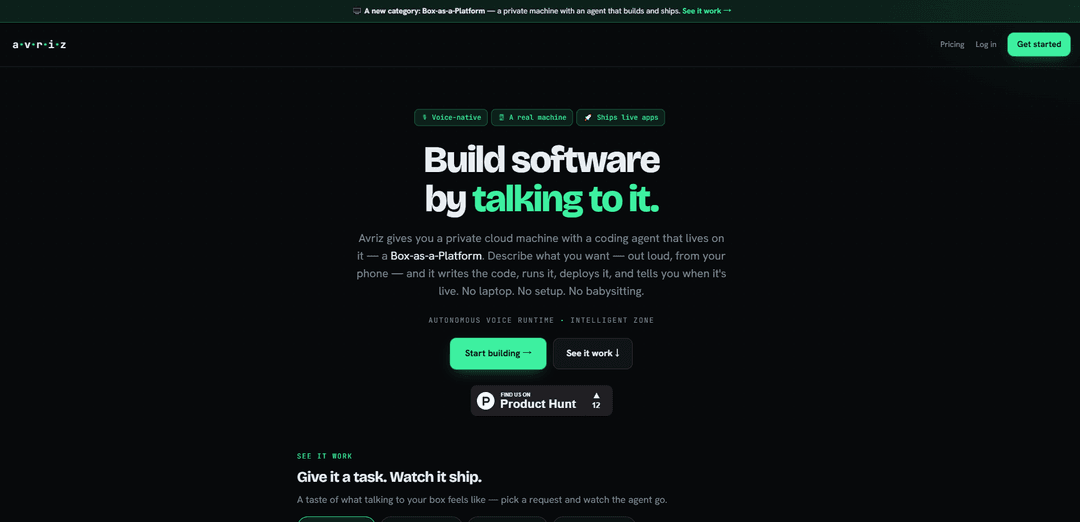
a.v.r.i.z (Avriz) is a voice-first, cloud-based coding agent that takes software tasks end-to-end on your own dedicated Linux machine—editing repos, running tests, fixing issues, committing, and deploying to a live URL—with long-running execution and persistent context.
https://avriz.io/?ref=producthunt
Product Information
Updated:Jul 15, 2026
What is a.v.r.i.z
a.v.r.i.z (Avriz) is a product designed to “build software by talking to it,” turning natural voice (or chat) instructions into completed engineering work. Instead of only suggesting code snippets, it operates directly on a real, isolated Linux environment that belongs to you, with common developer tooling available (e.g., git, Node, Python, cron, Postgres). Avriz is positioned as an end-to-end automation layer for building and shipping software: it can open your repository, implement changes across files, execute tests, iterate on failures, and deliver working results for review, including deployment to a live avriz.app URL.
Key Features of a.v.r.i.z
a.v.r.i.z (Avriz) is a voice-first, cloud-based software-building agent that can take end-to-end ownership of development work: it opens your repository, edits and creates files, runs and fixes tests, commits changes, and deploys to a live URL. It runs on a dedicated real Linux machine (not a limited sandbox) with full tooling like git, Node/Python environments, scheduling, and databases, and it can work for extended periods to complete larger tasks. It also retains context across sessions, and is powered by the open-source Goose coding agent with MCP tools and GitHub integration, emphasizing private, isolated workspaces where your code and keys remain yours.
End-to-end task delegation: Completes whole engineering tasks, not just suggestions—opens the repo, writes/updates files, runs tests, fixes failures, commits, and deploys for review.
Dedicated real Linux workspace: Provides a personal, isolated Linux box with a real shell and common tooling (e.g., Node, Python, git, cron, Postgres) to install dependencies and run real workflows.
Live deployment to avriz.app URLs: Ships applications to a live hosted URL so you can validate features quickly without local setup or manual deployment steps.
Voice-first, mobile-driven development: Designed to be driven from your phone so ideas can be turned into working, deployed features while away from a laptop.
Long-running agent execution: Can keep working for hours—iterating, testing, retrying, and refining—until the job is actually completed rather than returning a partial answer.
Persistent context and memory: Carries context between sessions (stack, preferences, progress) to reduce re-explaining and speed up iterative development.
Use Cases of a.v.r.i.z
Startup MVP and feature delivery: Rapidly implement features end-to-end (API + UI + tests + deployment) and iterate quickly with a live URL for feedback and demos.
DevOps and automation tasks: Set up cron jobs, scripts, and environment configuration on the dedicated Linux box, and automate routine maintenance or deployment workflows.
QA hardening and test stabilization: Run test suites, diagnose failures, apply fixes, and repeat until green—useful for improving reliability before releases.
Data/ML engineering pipelines: Build and schedule data ingestion/ETL or model-training utilities using Python and databases like Postgres, then deploy supporting services.
Internal tools for teams: Create lightweight admin dashboards, scripts, or utilities and deploy them quickly for internal stakeholders without heavy local setup.
On-the-go engineering workflows: Use commute/walk time to drive development by voice—kick off multi-hour tasks and return to a finished branch and deployment.
Pros
True end-to-end execution (code, tests, commits, deploys) reduces manual glue work.
Dedicated, private Linux machine enables realistic workflows beyond sandbox limitations.
Long-running operation and persistent context support larger, iterative projects.
Cons
Relies on cloud execution; connectivity and remote environment constraints may affect some workflows.
Granting a tool repo access, keys, and deployment permissions increases operational/security considerations.
Best fit is codebases with good tests and automation; weak CI/test coverage can reduce effectiveness.
How to Use a.v.r.i.z
1. Open Avriz: Go to https://avriz.io/ and sign in to start your personal, isolated Linux workspace in the cloud.
2. Start a new workspace session: Launch your Avriz box (a real Linux machine with shell access, git, Node, Python, cron, and Postgres). This is where Avriz will do the work end-to-end.
3. Connect or open your repository: Tell Avriz which repo to work on. Avriz will open the repo in its environment so it can create/edit files, run commands, and manage branches.
4. Describe the outcome you want (voice-first or typed): Explain the feature/bugfix as a complete task (not just a snippet request). Avriz is designed to take the job end-to-end: implement, test, fix, and prepare a reviewable result.
5. Let Avriz implement the change across the codebase: Avriz will write and modify the necessary files directly in the repo rather than only suggesting code. It will handle multi-file edits as needed.
6. Have Avriz run tests and fix failures: Ask Avriz to run the project’s tests. If anything breaks, it will iterate—debugging, updating code, and re-running tests—until the task is actually done.
7. Review the results in the repo: Inspect the changed files, diffs, and test output. The workflow is designed so you review the final result rather than manually pasting snippets.
8. Commit the changes: Tell Avriz to create a commit with an appropriate message. Avriz can manage git operations within the workspace.
9. Deploy to a live URL (avriz.app): Ask Avriz to deploy the app. It can ship your build to a live avriz.app URL so you can validate the feature in a running environment.
10. Use the workspace like a real machine when needed: Install packages, use the real shell, and configure services (including Postgres). Root access is available, and you can schedule jobs with cron if your project needs it.
11. Continue long-running tasks asynchronously: For larger jobs, let Avriz keep working for hours—reading, writing, testing, and retrying. Return later to a finished branch rather than a partial answer.
12. Resume later with durable context: Come back in a new session and continue without re-explaining your stack or progress—Avriz carries context between sessions to remember preferences and where you left off.
13. Work from your phone when convenient: Because it’s voice-first and cloud-based, you can drive Avriz from your phone (e.g., during a commute) and return to a deployed feature when you’re back.
14. Leverage Goose-powered agent capabilities: Each Avriz box runs Goose (the open-source coding agent) with MCP tools, recipes/skills, live library docs, and GitHub integration—use these to speed up implementation and troubleshooting.
a.v.r.i.z FAQs
Avriz is a voice-first, cloud-based tool for building software end-to-end. It can open a repository, write and modify files, run tests, fix failures, commit changes, and deploy an app to a live avriz.app URL.
Popular Articles

Vosko AI: Localize and Dub Videos for Global Audiences
Oct 15, 2026

Atoms: A Multi-Agent AI Platform That Transforms Ideas into Launch-Ready Products
Oct 13, 2026

Nano Banana SBTI: What It Is, How It Works, and How to Use It in 2026
Apr 15, 2026

Atoms Review — The AI Product Builder Redefining Digital Creation in 2026
Apr 10, 2026
Latest AI Tools Similar to a.v.r.i.z

Gait
Gait is a collaboration tool that integrates AI-assisted code generation with version control, enabling teams to track, understand, and share AI-generated code context efficiently.

invoices.dev
invoices.dev is an automated invoicing platform that generates invoices directly from developers' Git commits, with integration capabilities for GitHub, Slack, Linear, and Google services.

EasyRFP
EasyRFP is an AI-powered edge computing toolkit that streamlines RFP (Request for Proposal) responses and enables real-time field phenotyping through deep learning technology.

Cart.ai
Cart.ai is an AI-powered service platform that provides comprehensive business automation solutions including coding, customer relations management, video editing, e-commerce setup, and custom AI development with 24/7 support.
Popular AI Tools Like a.v.r.i.z

GitHub Copilot Chat
GitHub Copilot Chat is an AI-powered coding assistant that provides natural language interactions, real-time code suggestions, and contextual support directly within supported IDEs and GitHub.com.

CopilotForXcode
CopilotForXcode is an Xcode Source Editor Extension that integrates GitHub Copilot, Codeium, and ChatGPT to provide AI-powered code suggestions, chat assistance, and prompt-to-code functionality within Xcode.

BrowserAI
BrowserAI is an open-source library that enables running local Large Language Models (LLMs) directly in web browsers with WebGPU acceleration, offering privacy-focused AI capabilities without requiring server infrastructure.

OpenAI Codex CLI
OpenAI Codex CLI is a lightweight, open-source coding agent that runs in your terminal, enabling developers to translate natural language into code execution while providing ChatGPT-level reasoning with the ability to run code, manipulate files, and iterate under version control.