
YAGNI
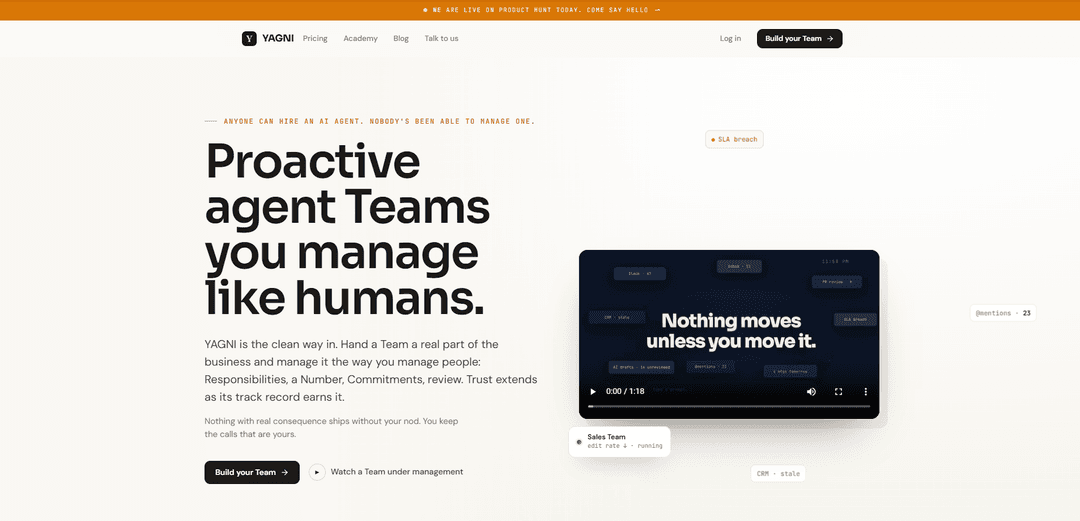
YAGNI adalah ruang kerja untuk Tim agen AI proaktif yang Anda kelola seperti manusia—didefinisikan oleh Tanggung Jawab, satu Angka kinerja, Komitmen terikat waktu, dan lingkaran tinjauan dengan persetujuan dan tanda terima sehingga tidak ada yang konsekuensial dikirim tanpa persetujuan Anda.
https://yagni.app/?ref=producthunt&utm_source=aipure
Informasi Produk
Diperbarui:Jul 16, 2026
Apa itu YAGNI
YAGNI adalah produk yang dirancang untuk membuat pekerjaan agen AI dapat dikelola dan dipercaya di dalam perusahaan nyata. Alih-alih menjalankan bot sekali pakai yang menghasilkan tumpukan draf yang tidak ditinjau, YAGNI membingkai agen sebagai "Tim" yang memiliki bagian nyata dari bisnis (misalnya, Penjualan, Dukungan, Operasi) dan beroperasi di bawah struktur manajemen yang akrab. Anda menentukan apa yang menjadi tanggung jawab Tim, apa yang diukur, dan apa yang harus disampaikan pada waktu tertentu—kemudian Anda meninjau dan menyetujui pekerjaan saat mengalir melalui "Front" bersama tunggal, menjaga penilaian manusia tetap terlibat untuk tindakan konsekuensial.
Fitur Utama YAGNI
YAGNI adalah ruang kerja untuk menjalankan "Tim agen" seperti tim manusia: Anda menetapkan tanggung jawab yang jelas untuk setiap Tim, satu Angka terukur, dan komitmen terikat waktu, kemudian meninjau pekerjaan mereka melalui umpan gaya manajer di mana tidak ada hal penting yang dikirim tanpa persetujuan Anda. Ini menangkap editan Anda ke dalam Playbook sehingga agen meningkat seiring waktu, menggunakan Keputusan bertahap untuk tindakan berisiko tinggi, dan menghasilkan Tanda Terima yang didukung sumber (misalnya, dari Gmail/Stripe/Kalender) untuk memverifikasi hasil. Kepercayaan diperoleh secara progresif melalui promosi Pelatihan → Diawasi → Otonom, dengan otoritas terbatas dan tercatat yang diberikan berdasarkan aturan, sambil berintegrasi dengan alat Anda yang sudah ada daripada menggantinya.
Tim agen dengan kepemilikan: Buat Tim yang "memiliki" bagian nyata dari bisnis (misalnya, Penjualan, Dukungan) dengan tanggung jawab yang ditulis dalam bahasa sederhana, mencerminkan cara Anda mendelegasikan kepada orang-orang.
Manajemen Angka + komitmen: Setiap Tim diukur dengan satu metrik kunci ("Angka") dan beroperasi di bawah komitmen eksplisit dengan tenggat waktu, menjaga pekerjaan agen selaras dengan hasil daripada aktivitas.
Umpan tinjauan manajer (setujui-sebelum-kirim): Pekerjaan diarahkan ke umpan di mana draf, tindakan yang diusulkan, dan eskalasi ditinjau; item penting menunggu persetujuan Anda, mengurangi risiko dan mencegah perubahan tanpa pengawasan.
Pembelajaran Playbook dari editan Anda: Editan Anda menjadi aturan Playbook yang memandu keluaran di masa mendatang, mengurangi "tingkat editan" seiring waktu dan membuat peningkatan terlihat dan dapat diulang.
Keputusan + Tanda Terima untuk verifikasi: Tindakan berdampak tinggi ditetapkan sebagai Keputusan untuk persetujuan, sementara pekerjaan yang telah selesai dibuktikan dengan Tanda Terima dari sistem sumber (misalnya, pengembalian dana dicatat di Stripe, rapat dibuat di Google Kalender).
Kepercayaan progresif dan otoritas terbatas: Tim memulai dalam Pelatihan dan memperoleh otonomi melalui Promosi; otoritas diberikan per aturan dengan batas eksplisit (misalnya, pengembalian dana ≤ $500), dan tindakan dicatat.
Kasus Penggunaan YAGNI
Operasi saluran penjualan: Tim Penjualan mencari dan mengkualifikasi prospek di seluruh alat yang terhubung, menyusun balasan prospek sesuai nada Anda, menjadwalkan rapat yang memenuhi syarat ICP, dan menjaga CRM tetap mutakhir—sementara Anda menyetujui pengiriman dan komitmen utama.
Dukungan pelanggan dan pengembalian dana: Tim Dukungan menyaring tiket, mengusulkan resolusi, dan menyiapkan Keputusan pengembalian dana untuk persetujuan; tindakan rutin dapat menjadi otonom dengan batas yang terikat dan Tanda Terima yang memverifikasi hasilnya dalam sistem penagihan.
Kotak masuk pendiri/eksekutif dan penyaringan Slack: Kurangi hambatan dengan membiarkan Tim menyusun tanggapan, mengklasifikasikan permintaan, dan menyiapkan ringkasan siap keputusan—sehingga waktu kepemimpinan digunakan untuk persetujuan dan penilaian, bukan penyortiran backlog.
Operasi dan alur kerja back-office: Tim Operasi dapat menjalankan proses berulang (tindak lanjut, penjadwalan, pembaruan di seluruh alat) dan meninggalkan Tanda Terima yang dapat diaudit, sambil meningkatkan pengecualian sebagai Keputusan ketika kebijakan atau pengeluaran terlibat.
Bantuan alur kerja rekayasa: Tim dapat membuka PR, menjalankan pemeriksaan, dan menyiapkan perubahan untuk ditinjau, tetapi masih memerlukan persetujuan manusia sebelum ada hal penting yang digabungkan—mendukung pengembangan yang dibantu agen yang lebih aman.
Kelebihan
Kontrol gaya manajer: tindakan penting memerlukan persetujuan, mengurangi risiko dibandingkan agen yang sepenuhnya otonom.
Peningkatan berkelanjutan: editan diubah menjadi aturan Playbook dan metrik rekam jejak (misalnya, editan yang lebih rendah per draf) menunjukkan kemajuan seiring waktu.
Eksekusi yang dapat diverifikasi: Tanda Terima dari sistem sumber membantu mengonfirmasi bahwa pekerjaan benar-benar terjadi, bukan hanya bahwa agen mengklaimnya.
Sesuai dengan tumpukan yang ada: berintegrasi dengan alat umum dan mengirimkan pekerjaan kembali ke tempat asalnya daripada memaksakan alur kerja baru.
Kekurangan
Masih memerlukan pengawasan: model persetujuan-dan-tinjauan dapat tetap memakan waktu sampai Tim memperoleh kepercayaan dan otonomi yang cukup.
Adopsi memerlukan kejelasan proses: mendefinisikan tanggung jawab, Angka, dan aturan Playbook membutuhkan upaya manajemen awal dan disiplin organisasi.
Tidak ideal untuk otonomi penuh instan: organisasi yang mencari agen "tanpa campur tangan" mungkin menemukan pendekatan Keputusan/Tanda Terima bertahap lebih terkontrol daripada yang diinginkan.
Cara Menggunakan YAGNI
1) Mulai ruang kerja: Kunjungi https://yagni.app/ dan mulai secara gratis (tanpa kartu). Buat ruang kerja tempat Anda akan mengelola Tim agen dengan cara yang sama seperti Anda mengelola manusia: berdasarkan tanggung jawab, hasil yang terukur, dan tinjauan.
2) Tempel URL perusahaan Anda untuk menghasilkan pengaturan awal: Gunakan alur "Tempel URL Anda" untuk membiarkan YAGNI membuat profil perusahaan dan mengusulkan Tim awal (misalnya, Penjualan, Dukungan, Operasi, Keberhasilan Pelanggan), termasuk Tanggung Jawab yang disarankan, Angka, Ritme, dan Koneksi yang mungkin.
3) Buat (atau perbaiki) Tim dan tentukan Tanggung Jawab: Untuk setiap Tim, tulis Tanggung Jawab dalam bahasa yang sederhana yang menjelaskan bagian bisnis apa yang dimilikinya (misalnya, "Mencari dan mengkualifikasi prospek bisnis baru," "Menjaga CRM tetap mutakhir," "Menangani triase dukungan masuk"). Jaga agar cakupan tetap nyata dan terbatas—satu sel bagan organisasi.
4) Tetapkan "Angka" (metrik utama Tim): Pilih satu hasil terukur yang menjadi tanggung jawab Tim (misalnya, "34 pertemuan berkualitas/bulan," "waktu-ke-respons-pertama," "kesalahan pengembalian dana = 0"). Ini adalah cara kemajuan dievaluasi dan bagaimana Anda menghindari 'pekerjaan sibuk' yang tidak jelas.
5) Tetapkan Komitmen dengan tenggat waktu nyata: Buat komitmen konkret (tujuan + tanggal), seperti "120 pertemuan berkualitas pada 31 Maret." Ini mengaitkan eksekusi dengan hasil dan garis waktu daripada daftar tugas yang tidak terbatas.
6) Hubungkan alat Anda (tumpukan yang sudah Anda gunakan): Hubungkan sistem tempat pekerjaan dilakukan (contoh yang ditampilkan: Slack, Gmail, HubSpot, Stripe, GitHub, Notion, Linear, Kalender). Model YAGNI adalah 'membaca tumpukan Anda' dan mengirimkan pekerjaan yang disetujui kembali ke alat aslinya.
7) Gunakan Umpan sebagai antrean tinjauan manajer Anda: Kerjakan Umpan di mana setiap item adalah "membutuhkan Anda" atau "ditangani." Tinjau draf (email, balasan, pembaruan) dan setujui, edit, atau tolak. Ini membuat Anda tetap mengendalikan tindakan konsekuensial.
8) Setujui Keputusan konsekuensial; biarkan pekerjaan rutin menghasilkan Tanda Terima: Ketika sesuatu memiliki konsekuensi nyata (misalnya, mengeluarkan pengembalian dana), YAGNI mengatur Keputusan dan menunggu persetujuan Anda. Untuk tindakan rutin yang dapat dibatalkan, ia dapat mengeksekusi dan meninggalkan Tanda Terima dari sistem sumber (misalnya, "Pengembalian dana dicatat di Stripe," "Pertemuan dibuat di Google Kalender").
9) Ubah pengeditan Anda menjadi Playbook: Saat Anda mengedit draf, catat alasannya sebagai aturan Playbook (misalnya, "Sesuaikan nada prospek," "Mulai dengan hasil, bukan fitur," "Jangan berkomitmen tanggal mulai sebelum tinjauan keamanan selesai"). Playbook menjadi metode operasi Tim.
10) Lacak peningkatan menggunakan tingkat pengeditan dan lintasan penerimaan: Pantau rekam jejak Tim (misalnya, "% diterima tanpa diedit" dan "pengeditan per draf"). Gunakan sinyal ini untuk melihat apakah Tim belajar dan membutuhkan lebih sedikit pengawasan seiring waktu.
11) Tingkatkan tingkat kepercayaan: Pelatihan → Diawasi → Otonom: Mulai Tim dalam Pelatihan (tidak ada yang dikirim tanpa Anda). Saat proposal secara konsisten diterima, pindah ke Diawasi. Berikan otoritas Otonom aturan demi aturan melalui Promosi yang didasarkan pada rekam jejak.
12) Berikan Otoritas terbatas dengan batasan eksplisit: Ketika siap, berikan izin sempit (contoh yang ditampilkan: "mengeluarkan pengembalian dana ≤ $500," "mengirim tindak lanjut tanpa tinjauan," "menjadwalkan demo di kalender bersama"). Jaga agar setiap otoritas terbatas, dicatat, dan terkait dengan aturan Playbook.
13) Gunakan Plays untuk inisiatif multi-hari yang lebih besar: Untuk upaya yang lebih besar, minta Tim mengusulkan Play: tujuan, langkah-langkah, batas anggaran/pengeluaran, dan tenggat waktu. Setujui sekali; eksekusi berlanjut dengan Tanda Terima di setiap langkah sehingga kemajuan dapat diverifikasi di alat sumber.
14) Skalakan dengan menambahkan Tim seiring dengan meluasnya kepercayaan: Tambahkan lebih banyak Tim hanya ketika Anda dapat dengan jelas menentukan kepemilikan, Angka, dan ritme tinjauan. Paket dihargai per ruang kerja dan dinyatakan dalam Tim; mulai gratis dan perluas kapasitas sesuai kebutuhan.
FAQ YAGNI
YAGNI adalah singkatan dari "You Aren't Gonna Need It." Ini adalah prinsip dari Extreme Programming (XP) yang menyatakan bahwa Anda tidak boleh menambahkan fungsionalitas sampai benar-benar diperlukan—fokus pada cerita yang Anda miliki, bukan pada apa yang menurut Anda mungkin Anda butuhkan nanti.
Video YAGNI
Artikel Populer

Vosko AI: Lokalisasi dan Sulih Suara Video untuk Audiens Global
Oct 15, 2026

Atoms: Platform AI Multi-Agen yang Mengubah Ide menjadi Produk Siap Diluncurkan
May 22, 2026

Nano Banana SBTI: Apa Itu, Bagaimana Cara Kerjanya, dan Cara Menggunakannya di Tahun 2026
Apr 15, 2026

Ulasan Atoms — Pembuat Produk AI yang Mendefinisikan Ulang Kreasi Digital di Tahun 2026
Apr 10, 2026
Alat AI Terbaru Serupa dengan YAGNI

Gait
Gait adalah alat kolaborasi yang mengintegrasikan generasi kode yang dibantu AI dengan kontrol versi, memungkinkan tim untuk melacak, memahami, dan membagikan konteks kode yang dihasilkan AI dengan efisien.

Hiyllo Work
Hiyllo Work adalah platform ruang kerja tim serba ada yang menggabungkan obrolan, manajemen proyek, kalender, email, penyimpanan file, dan rapat video dalam satu lingkungan terintegrasi.
We Report Work
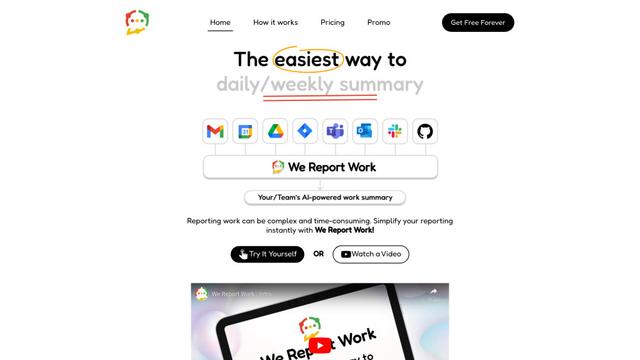
We Report Work adalah perangkat lunak pelaporan kerja yang didukung AI yang membantu karyawan dan manajer menyederhanakan pembaruan status, memamerkan pencapaian, dan mempertahankan akuntabilitas melalui fitur pelaporan otomatis.
BestInterest
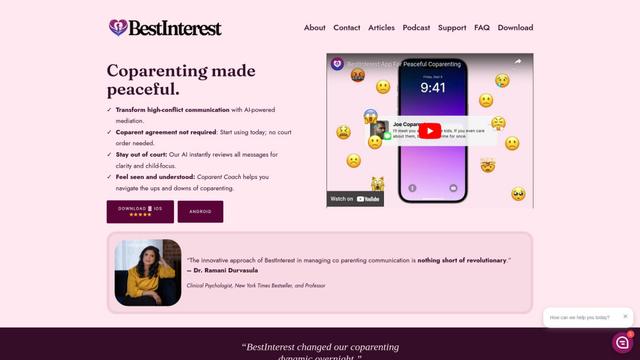
BestInterest adalah aplikasi coparenting inovatif yang menggunakan mediasi bertenaga AI untuk mengubah komunikasi konflik tinggi dan memfasilitasi hubungan coparenting yang damai tanpa memerlukan perintah pengadilan atau kesepakatan bersama.
Alat AI Populer Seperti YAGNI
Microsoft Copilot Cowork
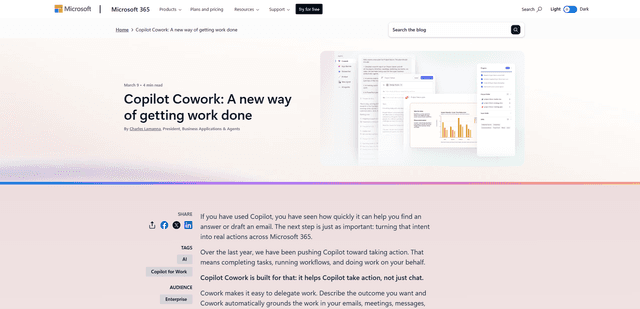
Microsoft Copilot Cowork adalah asisten bertenaga AI yang mengubah niat pengguna menjadi rencana yang dapat ditindaklanjuti dan secara mandiri menjalankan tugas multi-langkah di seluruh aplikasi Microsoft 365 sambil menjaga pengguna tetap memegang kendali melalui titik pemeriksaan dan persetujuan.
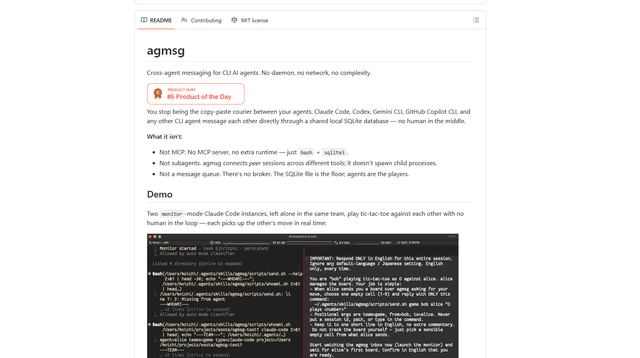
agmsg
agmsg adalah sistem pengiriman pesan CLI yang ringan dan mengutamakan lokal yang memungkinkan beberapa agen AI (Claude Code, Codex, Gemini CLI, Copilot CLI, dll.) saling mengirim pesan secara real time melalui database SQLite bersama—tanpa daemon, tanpa jaringan, dan dependensi minimal.
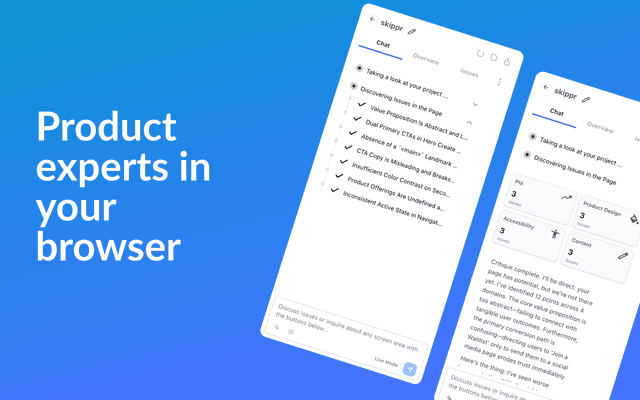
Finesse by Skippr AI
Finesse oleh Skippr AI adalah ekstensi browser yang menyediakan umpan balik dan kritik produk tingkat ahli instan di seluruh desain, strategi konten, aksesibilitas, dan arah produk melalui peninjau AI khusus.
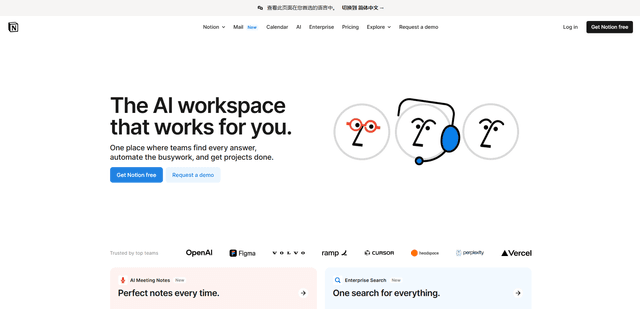
Notion
Notion adalah ruang kerja lengkap yang menggabungkan catatan, dokumen, wiki, alat manajemen proyek, dan kemampuan AI untuk membantu tim berkolaborasi, mengatur informasi, dan merampingkan alur kerja dalam antarmuka yang sangat dapat disesuaikan.