
Visdiff
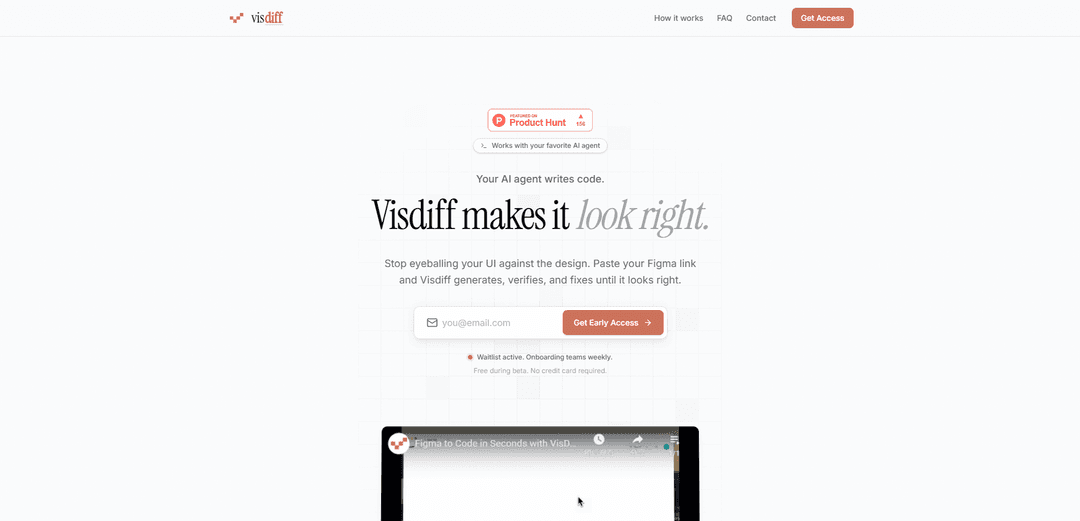
Visdiff is a versatile comparison and validation tool that helps ensure pixel-perfect translation from design to code by leveraging AI agents to generate, verify and fix UI implementations against design specifications.
https://visdiff.com/?ref=producthunt
Product Information
Updated:Apr 8, 2026
What is Visdiff
Visdiff is an innovative platform that bridges the gap between design and code implementation. It serves as an automated solution that works with AI agents to ensure UI elements match their original design specifications perfectly. Rather than manually checking design compliance, Visdiff provides an integrated workflow that automates the process of generating code from designs and validating the visual output.
Key Features of Visdiff
Visdiff is an AI-powered tool that bridges the gap between design and code implementation by automatically comparing and fixing visual differences between Figma designs and generated code output. It works with AI agents to generate code, performs pixel-perfect comparisons, and offers closed-loop fixes across any framework, streamlining the development process from design to implementation.
AI-Powered Code Generation: Works with AI agents to automatically generate code from Figma designs, eliminating manual coding efforts
Pixel-Perfect Comparison: Performs detailed pixel-by-pixel comparison between the original design and the generated implementation
Automated Visual Testing: Screenshots and verifies the generated code output against the original design automatically
Framework Flexibility: Supports multiple frameworks and can integrate directly into existing codebases through MCP
Use Cases of Visdiff
Web Development Teams: Streamline the process of converting Figma designs into production-ready code with automated verification
Design System Implementation: Ensure consistent implementation of design systems across different projects and components
UI/UX Testing: Verify visual consistency between designs and implementations during development and testing phases
Pros
Eliminates manual visual comparison work
Reduces development time and effort
Ensures pixel-perfect implementation accuracy
Cons
Currently in beta phase
Limited to Figma designs as input
How to Use Visdiff
Basic File Comparison: Use visdiff(filename1, filename2) to compare two files side by side. This will open the Comparison Tool and highlight differences between the files.
Specify Comparison Type: Use visdiff(filename1, filename2, type) where type can be 'txt' or 'binary' to specify how files should be compared. For example: visdiff('file1.m', 'file2.m', 'txt')
Compare Folders: Use visdiff to compare entire folders by providing folder paths instead of filenames. You can set filters to exclude certain files or file types from the comparison.
Merge Changes: When comparing text files, you can merge changes from one file to another. Note that merging only works from left to right. Use the 'Swap Sides' button if needed before merging.
Programmatic Comparison: Store comparison results in a variable using: comparison = visdiff(filename1, filename2). This allows programmatic access to the differences without opening the GUI.
Save Comparison Results: To save comparison results: Open a file with fp = fopen('report.html', 'w'), write results with fprintf(fp, '%s', comparison), then close with fclose(fp)
Compare Simulink Models: Use visdiff to compare Simulink models directly. The tool will highlight differences between model components and parameters.
Visdiff FAQs
Visdiff is both a MATLAB tool for comparing Simulink models and files, and a new AI-powered design-to-code platform that converts Figma designs into pixel-perfect code implementations.
Visdiff Video
Popular Articles

Atoms: A Multi-Agent AI Platform That Transforms Ideas into Launch-Ready Products
May 22, 2026

Nano Banana SBTI: What It Is, How It Works, and How to Use It in 2026
Apr 15, 2026

Atoms Review — The AI Product Builder Redefining Digital Creation in 2026
Apr 10, 2026

Kilo Claw: How to Deploy and Use a True "Do‑It‑For‑You" AI Agent(2026 Update)
Apr 3, 2026
Latest AI Tools Similar to Visdiff
Foundry
Foundry is a versatile platform that exists in multiple forms - as a smart contract development toolchain, a virtual tabletop gaming software, and a traditional metal casting facility - each offering specialized features for their respective domains.
PythonConvert.com
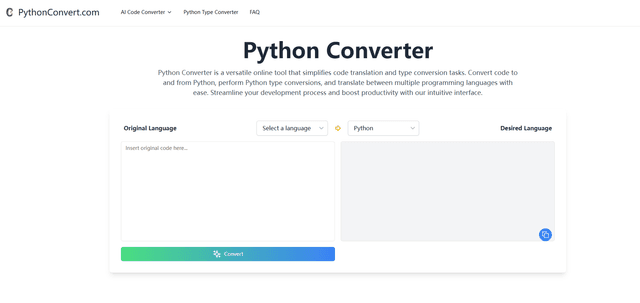
PythonConvert.com is a free web-based tool that provides AI-powered code translation between Python and other programming languages as well as Python type conversion capabilities.

Softgen
Softgen.ai is an AI-powered full-stack project generator platform that enables users to transform their ideas into functional web applications without coding requirements.
Micro SaaS Ideas
Micro SaaS Ideas are small-scale, niche-focused software solutions that target specific problems or markets, offering entrepreneurs a way to build profitable businesses with minimal resources and complexity.
Popular AI Tools Like Visdiff

GitHub Copilot Chat
GitHub Copilot Chat is an AI-powered coding assistant that provides natural language interactions, real-time code suggestions, and contextual support directly within supported IDEs and GitHub.com.

CopilotForXcode
CopilotForXcode is an Xcode Source Editor Extension that integrates GitHub Copilot, Codeium, and ChatGPT to provide AI-powered code suggestions, chat assistance, and prompt-to-code functionality within Xcode.

OpenAI Codex CLI
OpenAI Codex CLI is a lightweight, open-source coding agent that runs in your terminal, enabling developers to translate natural language into code execution while providing ChatGPT-level reasoning with the ability to run code, manipulate files, and iterate under version control.

GoCodeo SaaS Builder
GoCodeo SaaS Builder is an AI-native framework that automatically generates production-ready full-stack SaaS applications using autonomous AI agents, complete with authentication, real-time features, and TypeScript integration.