
TanStarter
TanStarter is a Cloudflare-native TanStack Start SaaS boilerplate that ships with AI features, authentication, payments (Stripe/Creem), database (D1 + Drizzle), storage (R2), email/newsletter, blog, dashboard, and SEO—ready to deploy on Cloudflare Workers.
https://tanstarter.dev/?ref=producthunt
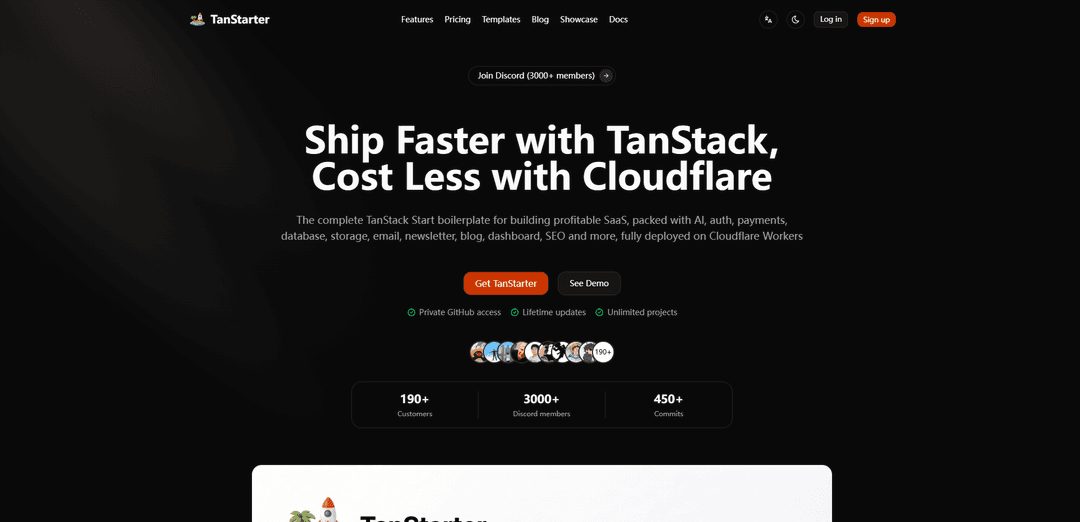
Product Information
Updated:Jul 8, 2026
What is TanStarter
TanStarter is a production-focused starter kit built on TanStack Start (React) and designed to help makers launch SaaS products quickly on Cloudflare. It bundles the common building blocks most SaaS apps need—authentication and user management, billing and webhooks, database schema and migrations, file storage flows, transactional email and newsletters, a marketing site with blog and legal pages, plus an admin-ready dashboard. Sold as a pay-once template with private GitHub access and lifetime updates, it’s positioned as a complete foundation so you can focus on product-specific features instead of wiring vendors and infrastructure from scratch.
Key Features of TanStarter
TanStarter is a full-stack SaaS boilerplate built on TanStack Start and deployed on Cloudflare Workers, designed to help makers ship production-ready products faster. It comes with a pre-wired “revenue stack” (Stripe/Creem payments + webhooks), authentication (Better Auth), database and migrations (Cloudflare D1 + Drizzle), storage (R2), email/newsletter integrations, a ready-made dashboard/admin area, marketing pages (landing, pricing, blog, legal), and SEO utilities (sitemap/OG metadata). It also includes AI feature examples (text, chat, image generation/editing, TTS) and is structured to work well with AI coding assistants due to consistent conventions and clean architecture.
TanStack Start + Cloudflare-native deployment: Built on TanStack Start for full-stack React (SSR, server functions, routing) and designed to run on Cloudflare Workers with Cloudflare services (D1, R2, Email) for global, cost-efficient deployment.
Authentication & account management (Better Auth): Ready-to-use auth flows including email/password login, social login support, password reset, profile management, and session handling patterns suitable for SaaS apps.
Payments and billing (Stripe or Creem): Includes subscriptions and one-time payments, pricing configuration, checkout flows, webhook handling, invoices, and customer portal/billing management foundations.
Database, migrations, and ORM (D1 + Drizzle): Cloudflare D1 database setup with Drizzle ORM, migration workflows (drizzle-kit), and patterns for production data access and schema evolution.
AI playground and demos: Examples for AI text processing (summarization/translation), chat, image generation, image editing, and text-to-speech using TanStack AI with Cloudflare Workers AI and fal.ai adapters.
Marketing + SaaS UI foundation: Conversion-focused landing pages, blog system, pricing/about/contact/legal pages, SEO helpers (sitemap + OG metadata), plus a production dashboard with settings, billing, files, API keys, and admin pages using shadcn/ui, Base UI, and Tailwind CSS.
Use Cases of TanStarter
AI SaaS products: Launch AI-powered tools (summarizers, translators, chat assistants, image/TTS apps) quickly using the included AI demos, auth, billing, and deployment setup.
Subscription software for indie makers: Build a paid SaaS with ready-made authentication, pricing pages, Stripe/Creem subscriptions, webhooks, and a user billing portal—ideal for fast iteration and early monetization.
Internal dashboards and admin portals: Use the included dashboard/admin patterns (users, API keys, settings) to stand up internal tools or back-office systems with role/session handling and database integration.
Content-driven products and marketing sites: Create SEO-friendly sites with a built-in blog, sitemap/OG metadata, and marketing pages—useful for devtools, newsletters, and product-led growth funnels.
Cloudflare-first apps needing edge performance: Deploy globally on Workers with D1/R2 patterns for apps that benefit from edge execution, low latency, and Cloudflare ecosystem integrations.
Pros
Saves significant setup time with a production-oriented SaaS foundation (auth, payments, DB, email, dashboard, SEO) already integrated.
Cloudflare-native architecture (Workers, D1, R2, Email) can reduce hosting costs and improve global performance.
Includes practical AI feature examples that can be adapted into real product workflows.
Clean, consistent codebase structure optimized for AI coding assistants to extend features faster.
Cons
Opinionated stack (TanStack Start + Cloudflare services + Better Auth) may require refactoring if you prefer different providers or infrastructure.
TanStack Start ecosystem is newer than some alternatives, which can mean fewer community recipes and more frequent changes compared to more established frameworks.
Best fit is SaaS; simpler projects may find the included features heavier than needed.
How to Use TanStarter
1) Get access to TanStarter (or pick a template): Go to https://tanstarter.dev/ and purchase TanStarter to receive Private GitHub access (lifetime updates, unlimited projects). Optionally review the live demo at https://demo.tanstarter.dev/ and browse available templates at https://tanstarter.dev/templates.
2) Clone the repository to your machine: After GitHub access is granted, clone the TanStarter repo (or a specific template repo) to your local machine using Git. This gives you the full TanStack Start + Cloudflare Workers codebase with auth, payments, database, storage, email, blog, dashboard, SEO, etc.
3) Install dependencies (pnpm recommended): Install dependencies using pnpm (TanStarter uses pnpm by default). If you prefer npm/yarn, adjust the scripts in package.json accordingly.
4) Create your environment file (.env) from the example: Create a .env file based on .env.example and fill in required keys for the services you will use (e.g., Cloudflare bindings, database, auth, email, Stripe/Creem, newsletter). In the monorepo variant, the .env is typically created under /apps/web based on its .env.example.
5) Initialize the database schema and run migrations (Drizzle + D1): Generate the initial migration with drizzle-kit, then apply it to your database. TanStarter is designed for Cloudflare D1 with Drizzle ORM; local development can create a local D1 database during initialization. Use Drizzle Studio for local database management if desired.
6) Start the development server: Run the dev script to start the app locally. The development server should be available at http://localhost:3000. (Some templates also include a streaming demo route such as /debug/streaming-sse.)
7) Configure authentication (Better Auth): Enable and configure user registration/login (email/password and optional social providers), password reset, and profile management. If you change your Better Auth configuration, regenerate the auth DB schema using the provided auth:generate script.
8) Configure payments (Stripe or Creem) and pricing: Choose Stripe or Creem for billing. Configure the pricing table (price, name, description, interval, features, limits). Enable subscription and one-time payments, and set up billing management flows like invoices and customer portal.
9) Set up payment webhooks for subscription state and access control: Configure webhook endpoints so your app can react to events (e.g., subscription created/updated/canceled, payment succeeded/failed). Use webhook-driven updates to keep your database in sync and to gate features/limits in the dashboard.
10) Configure Cloudflare-native infrastructure (Workers, D1, R2, Email): Deploy on Cloudflare Workers and connect Cloudflare D1 (database), R2 (file storage), and Cloudflare Email patterns as needed. Add the required bindings and IDs/secrets to your environment and Cloudflare configuration so the runtime can access them.
11) Enable file storage flows (R2) and user file management: Use the built-in file upload/storage patterns to let users manage files in the dashboard. Ensure your R2 bucket binding and related environment variables are configured for both local and production.
12) Configure transactional email + newsletter/waitlist: Use the built-in email templates and connect an email provider (e.g., Resend) and/or newsletter provider (e.g., Beehiiv). Enable waitlist/newsletter capture flows and verify sending works in your environment.
13) Customize the landing, pricing, blog, and legal pages: Edit the conversion-focused landing page, pricing page, blog pages, and legal pages (privacy/terms/cookies) to match your product. TanStarter includes ready-to-use marketing pages and a built-in blog system.
14) Customize UI/theme and components (shadcn/ui + Tailwind): Adjust styling using Tailwind CSS and the included component system (shadcn/ui v4, Base UI). TanStarter supports customizable themes; you can use theme generators (e.g., Tweakcn) and extend the included component library.
15) Use the production dashboard features (settings, billing, API keys, admin): Leverage the built-in dashboard for user settings, billing management, file management, API key management, and admin pages. Connect feature access and limits to subscription status and plan configuration.
16) Use the AI demos as a starting point (optional): If your product needs AI, start from the included AI examples (text processing, chat, image generation/editing, TTS) powered by TanStack AI, Cloudflare Workers AI, and fal.ai adapters, then adapt them to your workflows.
17) Configure SEO and metadata: Enable/verify SEO features such as sitemap generation and OG metadata. Update titles/descriptions and ensure your marketing pages and blog are indexed correctly.
18) Deploy to production on Cloudflare Workers: Build and deploy the TanStack Start app to Cloudflare Workers. Ensure production environment variables, secrets, and bindings (D1/R2/Email) are set. After deployment, validate auth, payments, webhooks, email sending, and file storage in production.
19) Validate end-to-end billing and access control: Run a full test: sign up, purchase a subscription/one-time product, confirm webhook updates, verify invoices/portal, and ensure feature limits and gated routes behave correctly for each plan.
20) Iterate quickly with AI coding tools (optional): TanStarter is structured to work well with AI coding assistants (Claude Code, Codex, Cursor, Copilot, etc.). Use them to generate new features that follow the existing conventions and architecture, then review and test before shipping.
TanStarter FAQs
TanStarter is a complete TanStack Start boilerplate for building SaaS products, designed to be deployed on Cloudflare Workers. It includes pre-built foundations for AI features, authentication, payments, database, storage, email/newsletter, blog, dashboard, SEO, and more.
TanStarter Video
Popular Articles

Atoms: A Multi-Agent AI Platform That Transforms Ideas into Launch-Ready Products
May 22, 2026

Nano Banana SBTI: What It Is, How It Works, and How to Use It in 2026
Apr 15, 2026

Atoms Review — The AI Product Builder Redefining Digital Creation in 2026
Apr 10, 2026

Kilo Claw: How to Deploy and Use a True "Do‑It‑For‑You" AI Agent(2026 Update)
Apr 3, 2026
Latest AI Tools Similar to TanStarter
GPT Easy Web
GPT Easy Web is a user-friendly AI-powered platform that enables users to easily build, customize and manage websites through natural language interactions and automated tools without requiring coding knowledge.
AI Website Tool
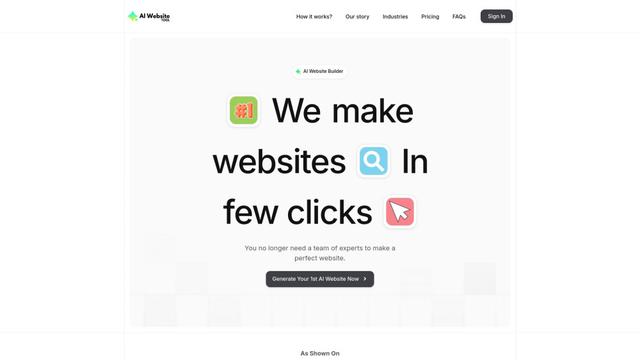
AI Website Tool is an AI-powered website builder that creates professional websites in minutes by automatically generating business-focused copy, custom visuals, and responsive designs with just a few clicks.

Softgen
Softgen.ai is an AI-powered full-stack project generator platform that enables users to transform their ideas into functional web applications without coding requirements.
Webifier
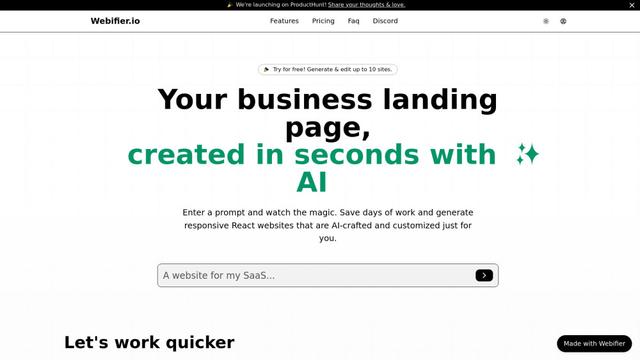
Webifier is an AI-powered tool that transforms text prompts into fully functional React landing pages with clean, exportable code using NextJS14, TailwindCSS, and Shadcn components.
Popular AI Tools Like TanStarter
Adobe Express
Adobe Express is an all-in-one AI-powered content creation app for easily making stunning social posts, images, videos, flyers, and more with professionally designed templates and assets.
Hostinger
Hostinger is a web hosting and domain service provider offering AI-powered tools like Horizons that enables anyone to build, edit, and publish custom web apps and websites without coding through a simple chat interface.

GPT Engineer
GPT Engineer is an AI-powered software development tool that enables anyone to build web applications by chatting with an AI engineer.
Manus Shopify Connector
Manus Shopify Connector lets you build a Shopify-backed storefront, manage your catalog, and generate data-driven campaigns from a single chat—using Shopify APIs with OAuth-scoped access and Shopify checkout.